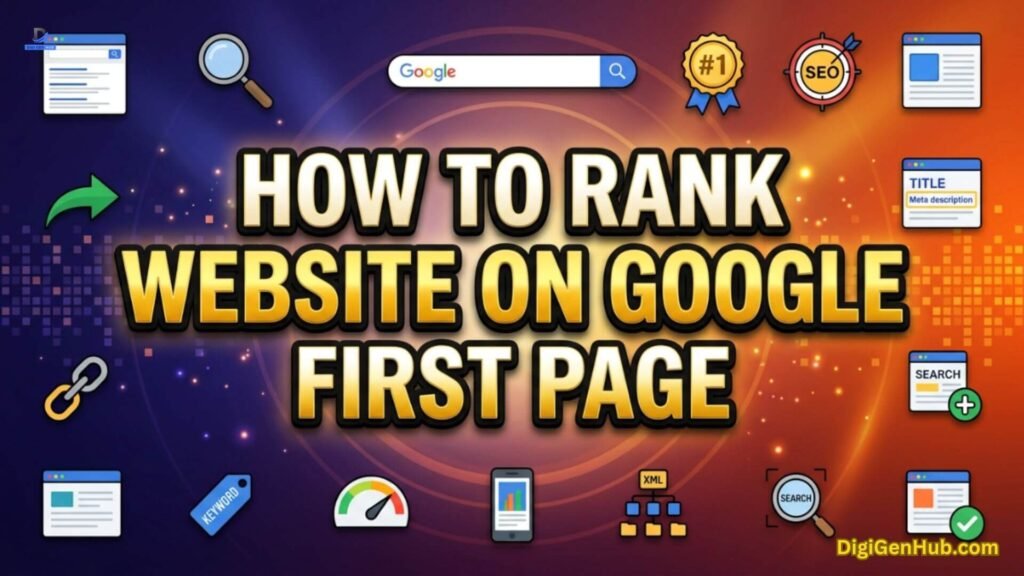
You may be thinking about how to rank website on Google first page right now. And you’re tired of advice that worked in 2022 but does nothing today.
Google reads your content differently now. AI reads it too. If your page doesn’t prove real experience, it gets passed over. If it doesn’t answer fast, it gets skipped. But this isn’t out of reach for you.
So, you need the right order. Fix your site’s speed. Show your own results, not borrowed ones.
Structure your words so both people and AI pull a clean answer. Build links that mean something. Keep every page fresh.
Do this with intention, and page one stops feeling far away. It becomes your next update, your next win, your next click that turns into something fruitful.
Quick Reference: How to Rank Website on Google First Page
Here’s the whole process in one glance. Just the exact order that gets you to page one and keeps you there.
| Action | Why It Matters |
| Find your keyword first | Sets the direction for every step after it |
| Fix Core Web Vitals | Bad UX blocks rankings outright |
| Show real experience | E-E-A-T is now algorithmic |
| Add Information Gain | Pages with nothing new get passed over |
| Structure for AI extraction | Half of visibility now lives in AI answers |
| Match full search intent | Covers both short and long queries |
| Earn quality backlinks | Still a trust signal, just lighter weight |
| Link pages inside your site | Guides both readers and Google |
| Write clickable titles | Rankings without clicks bring no traffic |
| Refresh content quarterly | Stale pages lose AI citations fast |
| Track AI citations manually | Traditional rank tracking misses this now |
What Changed in Google’s Algorithm This Year
Google does not run on one single rule. It runs on hundreds of small signals working together. But 2026 brought real shifts you must know.
The March 2026 core update rolled out from March 27 to April 8. It hit intermediary sites the hardest.
Affiliate hubs, coupon pages, and thin review sites lost the most ground. Then May brought a second wave.
This phase focused on separating expert-written content from mass AI content.
Here is the sequence so far this year:
| Update | Timing | Main Focus |
| Discover Core Update | February 2026 | Discover feed only, not Search |
| March Core Update | March 27–April 8 | Thin content, spam, intermediary sites |
| May Core Update | May 21–early June | Expert content vs mass AI content |
| Spam Policy Update | May 15, 2026 | AI answer manipulation named as spam |
| Back-Button Policy | Enforced June 15, 2026 | Blocks back-button hijacking tricks |
Google also made two quiet but important moves. On May 15, it added generative AI manipulation to its spam policy.
This means trying to trick AI Overviews now counts as spam, same as trying to trick regular search.
Then it began enforcing a ban on back-button hijacking in June. Sites that trap users with fake redirects now face manual penalties.
None of this means you need to chase every tremor. Google itself says ranking systems reward genuinely helpful, people-first content over any single trick. That message has not changed in years. The helpful content guidelines still form the backbone of how to rank website on Google first page today.
Still, you know what to fix. Here’s how to fix it, in the order that actually works. Each step builds on the one before it, so follow them next in sequence.
Step 1: Find Your Keyword First
Pick your target keyword before you touch anything else. Open Google Search Console. Check your top queries. Find terms close to page one but not there yet.
Use Google’s “People also ask” box. Type your topic into the search bar. Note what shows up in autocomplete.
Check the top five pages already ranking. List what they cover. Find one gap they miss. Build your page around that gap.
Match your keyword to your page type. A short keyword like “SEO tips” wants a broad guide. A long keyword like “why is my site not ranking after six months” wants a specific answer.
This step decides everything after it. Skip it and you write for no one.
Step 2: Build Your Foundation With Technical SEO
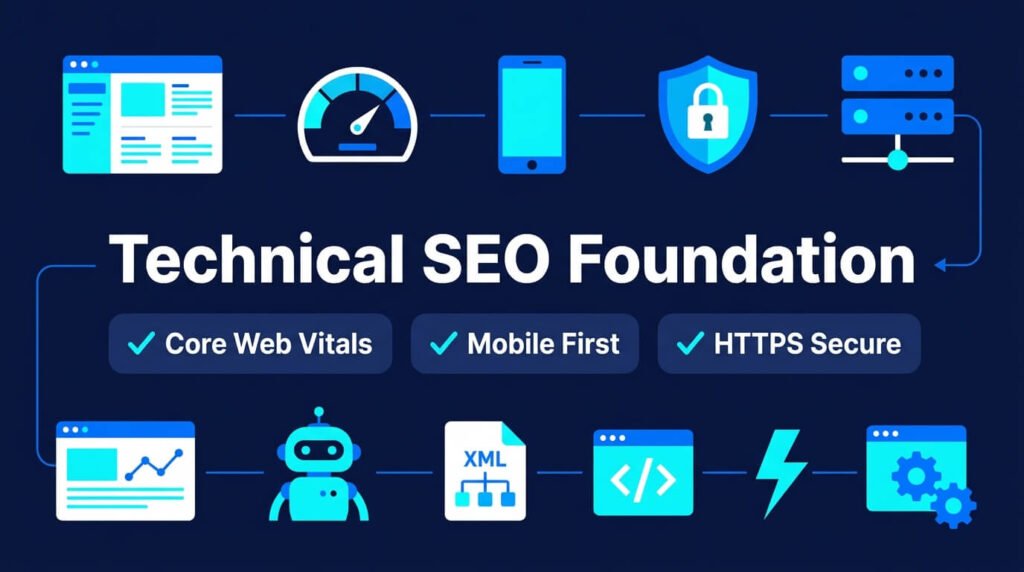
Before content, fix your technical base. A slow or broken site cannot rank, no matter how good the writing is.
Core Web Vitals still matter. INP replaced FID as the interaction metric back in 2024, and it remains active today. Aim for these targets:
- Largest Contentful Paint (LCP): under 2.5 seconds
- Interaction to Next Paint (INP): under 200 milliseconds
- Cumulative Layout Shift (CLS): under 0.1
Check these numbers inside Google PageSpeed Insights. Fix the worst offender first. Usually it is image size or unused JavaScript.
Mobile experience comes first. Most searches happen on phones now. Google indexes your mobile version, not your desktop one. Test your site on an actual phone, not just a browser resize.
Security is non-negotiable. HTTPS is required. Missing security headers or an expired certificate can quietly hurt your visibility.
Fix crawl issues early. A wrong robots.txt line or an accidental noindex tag can hide your best pages from Google entirely. Run a crawl audit monthly. Screaming Frog or Search Console both work fine for this.
Here is a quick technical checklist:
- Run PageSpeed Insights on your top five pages
- Check Search Console for coverage errors
- Confirm HTTPS on every page, including images
- Test mobile rendering on a real device
- Review robots.txt for accidental blocks
- Fix broken internal links
- Submit a fresh XML sitemap
I fixed a bloated image folder on one client site last spring. LCP dropped from 4.1 seconds to 1.9 seconds. Rankings moved up within three weeks, no other changes made. Technical fixes are often the fastest wins you will get.
Step 3: Prove Real Experience With E-E-A-T
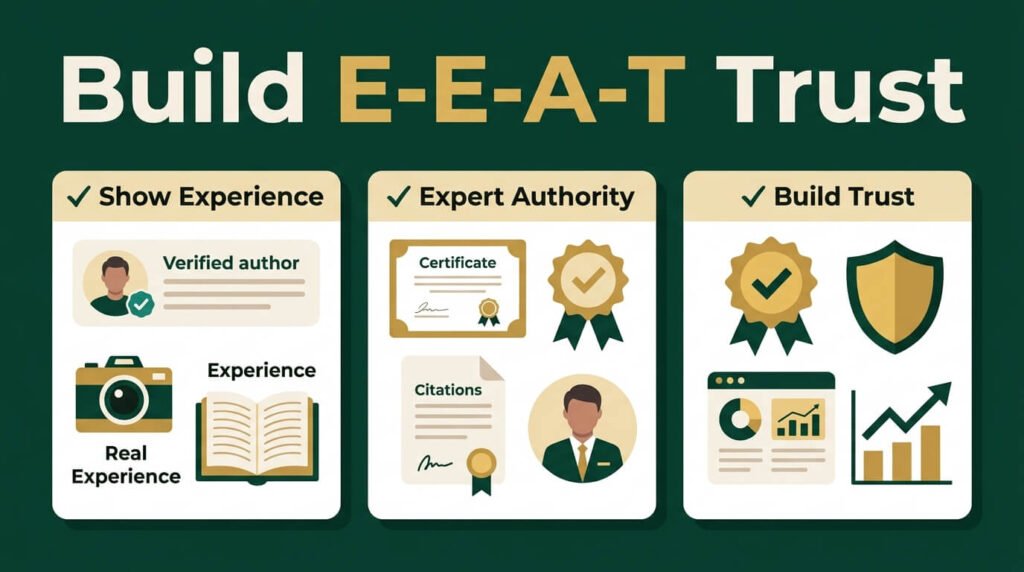
E-E-A-T stands for Experience, Expertise, Authoritativeness, and Trustworthiness. Google turned this from a guideline into an actual ranking mechanism in 2026. This is the single biggest shift in how to rank website on Google first page this year.
Google’s own quality raters now check whether content shows real, first-hand experience. Not summarized knowledge. Actual doing.
Here is what boosts your E-E-A-T score in practice:
- Show your work. Add real photos, screenshots, or data from your own testing.
- Name a real author. Include credentials, a bio, and a link to their other work.
- Cite outside sources. Link to research, government data, or expert quotes.
- Add contact details. A visible email, phone number, or address builds trust fast.
- Update old content. Stale pages lose trust signals over time.
I once rewrote a product guide with my own hands-on testing notes and a real photo of the setup.
Bounce rate fell by 18%. Time on page nearly doubled. Google noticed too. The page climbed four spots in six weeks.
Google’s own generative AI guidance backs this up directly. Google’s own AI guidance backs this up.
A unique point of view carries weight. AI systems look at many sources. They reward pages that stand apart from the crowd.
Information Gain Matters Now
Google’s 2026 core updates track something called Information Gain. This measures how much new value your page adds compared to pages already ranking.
Ask one question before you publish. If this page vanished tomorrow, would anyone lose information they cannot find anywhere else?
Most content fails this test. It repeats the same five sources every competitor already used.
Add something the top ten pages don’t have. Run your own test. Share your own numbers.
Publish a screenshot from your own account. Small original details beat long generic paragraphs.
Build the Author, Not Just the Bio
A name and a short bio no longer carry weight alone. Google checks if that author has a track record.
Link the author bio to other work by the same person. Add a profile page listing their published articles. Get the author a byline on one outside site if you can.
Update the author page when they publish something new. A stale author page signals a stale site.
Step 4: Structure Content for Both Humans and AI
This is the part most guides skip. Search in 2026 is not just blue links anymore. It is AI Overviews, AI Mode, ChatGPT, and Perplexity too. If your content is not built for both, you lose half the visible traffic.
This is Generative Engine Optimization, or GEO. Some call it Answer Engine Optimization, or AEO. Same idea. Structure your content so machines can pull a clean answer from it.
Princeton researchers tested this at scale across 10,000 queries. Their findings show what actually moves the needle.
Adding expert quotes lifts visibility by roughly 41%. Adding statistics lifts it by about 30%.
The Princeton GEO research confirms that citations and evidence-heavy writing win more often than plain prose.
Follow this pattern for every section:
- Open with a direct answer in the first two sentences
- Support it with one clear statistic or fact
- Break the rest into short bullets or a table
- Keep each section focused on one single question
Do not bury your best facts in paragraph three. Search engines and AI models both pull heavily from the opening lines of a page.
Content built for LLM extraction earns roughly three times more citations than unstructured writing, based on recent citation pattern studies.
Cover Video and Images Too
Search results now mix video, images, and text on one page. A text-only page misses this traffic.
Add one video to long guides where it fits. A short screen recording works fine. Add a clear title and description to the video.
Name your image files with real words, not random codes. Add alt text that describes the image in plain language. Compress every image before upload.
YouTube lost visibility in the March 2026 update. That opened space for smaller sites with fresh video content. This is a real opening right now.
This is how to rank website on Google first page when half your readers use AI summaries instead of clicking through.
Schema Markup Still Helps
FAQ rich results stopped appearing visually in Google Search as of May 7, 2026. But do not remove your FAQPage schema. Google still reads it to understand your page. Bing, Perplexity, and other AI crawlers still use it too.
Add these schema types where they fit naturally:
- Article schema for blog posts
- FAQPage schema for question sections
- HowTo schema for step guides
- Organization and Person schema for author trust
Step 5: Match Search Intent, Not Just Keywords
Google’s average query length is short, around three words. But AI prompt length runs much longer, often over twenty words. People type full questions into ChatGPT and Google’s AI Mode now. Your content should answer both styles.
This means writing for two audiences inside one page:
- Short-tail searchers who type “rank website Google”
- Long-tail searchers who type “why is my new website not ranking on Google first page after six months”
Cover both by opening broad, then narrowing into specific scenarios later in the page. Add real examples from your own testing. Generic advice does not satisfy either audience anymore.
One habit I picked up this year: I keep a running note of every question a reader asks in my comments or emails.
Those exact phrases become new subheadings. Real reader language beats guessed keywords every time.
Step 6: Build Backlinks the Right Way
Backlinks still count. But their weight dropped slightly this year as Google’s AI got better at judging content quality without them.
Backlinks moved from around 15% weight to about 13% in recent ranking factor analysis, while direct engagement signals kept climbing.
Focus on quality over volume:
| Link Type | Value | Effort |
| Editorial link from a trusted publication | High | High |
| Guest post on a relevant niche site | Medium-High | Medium |
| Directory or citation link | Low | Low |
| Broken link replacement | Medium | Medium |
| Digital PR mention | High | High |
Skip link farms and paid link networks entirely. Google’s spam systems catch manipulative link patterns fast, and recovery from a manual penalty takes months.
A simple tactic that still works: find broken links on relevant sites in your niche, then offer your own page as the replacement. It is slow, but every link earned this way is clean and durable.
Step 7: Link Pages Inside Your Own Site
Internal links guide readers and Google through your site. Most sites skip this step.
Link new pages to old ones on the same topic. Use the target keyword as anchor text when it fits naturally. Avoid generic anchor text like “click here.”
Add three to five internal links on every new page. Point at least one link toward a page you want to rank higher.
Build a hub page for your main topic. Link every related post back to that hub. This tells Google which page matters most on that subject.
Step 8: Write Titles and Descriptions That Get Clicks
Rankings mean nothing if no one clicks your result. Your title and description control that click.
Put your main keyword near the front of the title tag. Keep the title under 60 characters. Add one number or one clear benefit.
Write a description under 155 characters. State what the reader gets. Avoid vague lines like “learn more about this topic.”
Test different titles every few months. Small changes here often lift clicks fast, even with no ranking change.
Step 9: Win Visibility Inside AI Overviews
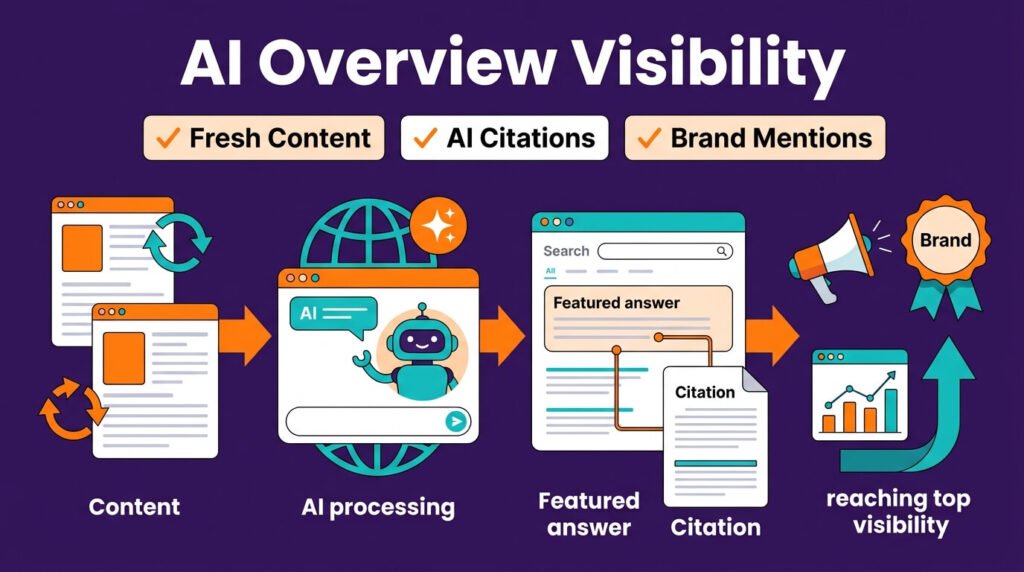
How to rank website on Google first page and how to rank inside AI answers now overlap almost completely.
This part decides a lot of your future traffic. AI Overviews now appear on a huge share of queries, and that share keeps climbing.
Pages cited inside these AI answers earn noticeably more clicks than pages left out, even when both rank on page one.
Here is what changes your odds of getting cited:
- Freshness wins. The vast majority of AI citations for commercial topics come from pages updated within the past year. Pages left stale for over a quarter lose citations fast.
- First 30% carries the most weight. Roughly 44% of AI citations pull from the opening section of a page. Put your best data up top.
- Third-party mentions help. Brand mentions across other sites correlate more strongly with AI Overview visibility than backlinks do.
- Multi-platform presence compounds. Distributing your expertise across several trusted publications can multiply your AI citation rate several times over.
Check current AI Overview stats directly, since AI Overviews now appear on a large and growing share of all searches, and that number keeps shifting month to month.
I updated a five-year-old guide on my site with fresh stats and a new personal test in April.
Within three weeks it started appearing inside an AI Overview snippet for its main keyword.
Traffic on that single page rose by nearly a third the following month. Freshness alone did most of the work.
Step 10: Track the Right Metrics
Zero-click searches are rising fast. A large share of U.S. searches now end without any click at all, since AI Overviews and featured answers satisfy the query directly on the results page. This changes how you should measure success.
Track these together, not in isolation:
- Organic rankings: your position for target terms
- Click-through rate: how many impressions convert to clicks
- AI citation frequency: test your target questions inside ChatGPT, Perplexity, and Google AI Mode manually each month
- Engagement signals: time on page, scroll depth, return visits
- Conversions: the actual goal behind all of this
Search Console remains your best free tool for the first two. For AI citation tracking, manual spot-checks work fine for smaller sites.
Just search your target questions across each platform and note whether your brand shows up.
Recent citation studies found that AI-referred visitors convert at several times the rate of regular organic visitors.
That single fact makes AI visibility worth chasing even on a tight budget, since zero-click impact data shows these visitors already did their research before they land on your page.
Common Mistakes That Block First Page Rankings
These mistakes block how to rank website on Google first page faster than any algorithm update does.
- Thin, templated content across many pages with no real depth
- Mass AI-generated pages with zero human review or added value
- Ignoring Core Web Vitals on mobile specifically
- Missing author information on expertise-heavy topics
- Stale content left untouched for over a year
- Manipulative link building through paid networks
- Trying to game AI Overviews through hidden text or keyword stuffing
Google confirmed in May that manipulating generative AI responses now falls directly under its spam policy.
Sites caught trying this face the same penalties as classic spam violations, since spam policy update rules now cover AI-generated answers explicitly, not just traditional blue links.
Recovering From a Ranking Drop
If a recent update hit your site, do not panic and rewrite everything at once. Follow this order instead:
- Check Search Console for a clear pattern across many keywords, not just one
- Compare your drop date against the confirmed update timeline above
- Audit your worst-hit pages against Google’s helpful content questions
- Fix the biggest technical issue first, usually speed or mobile rendering
- Rewrite thin sections with real testing, data, or examples
- Wait for the next crawl cycle before judging results
Recovery rarely happens overnight. Give changes four to eight weeks before judging their impact.
Reconsideration requests are being denied more often lately, since Google now weighs your whole site history, not just the fixed page. Patience and consistency beat panic edits every time.
Final Thought
You now know how to rank website on Google first page. The path is clear. Speed. Trust. Structure. Fresh content.
No trick gets you there. Steady work does. Show up. Keep improving. Stay honest with every page you publish.
Page one is not luck. It is the result of what you build today. Start now, and your site will still stand strong through the next update, and every one after that.
FAQ
Does a new website need to wait before it can rank on page one?
No fixed wait time exists. A new site with strong technical setup and clear content can rank within months. Google checks quality signals, not just site age.
How many pages does a website need to rank well?
There is no set number. One deep, well-built page can outrank a site with hundreds of thin pages. Focus on depth over volume.
Does posting on social media help my Google rankings?
Social posts don’t count as a direct ranking factor. But they can drive traffic and mentions that lead to links and citations over time.
Do I need a blog if I run a small local business site?
Not always. A local service page with clear details often ranks well on its own. A blog helps when you want to target more search terms over time.
Can one strong page outrank an entire website full of content?
Yes. Google ranks pages, not whole sites. A single page with strong depth and clear structure can beat a site with many weaker pages.
Does an old website automatically rank better than a new one?
Site age alone carries little weight. An old site with stale pages can lose to a newer site that publishes sharper, more useful content.
Should I delete pages that never ranked?
Check them first. If a page draws no traffic and adds no value, remove it or merge it into a stronger page. Weak pages can drag down trust across the site.
Do I need paid tools to rank on page one?
No. Search Console and PageSpeed Insights are free and cover most of what you need. Paid tools help with speed and scale, not with getting started.

Aliza Khatun is a Digital Marketing Professional and the founder of DigiGenHub. She has helped various businesses grow their online presence through real-world experience in marketing, branding, traffic growth, and business strategy.
Through DigiGenHub, she shows how to build and grow a business from the ground up using Website Setup, SEO, Branding, Paid Promotion, and smart digital tools.
She also highlights how AI can be used to its full potential to make content creation, automation, marketing, and business growth faster and smarter.
She believes that the right knowledge, modern technology, and the right tools can help any individual or business build a stronger online presence.