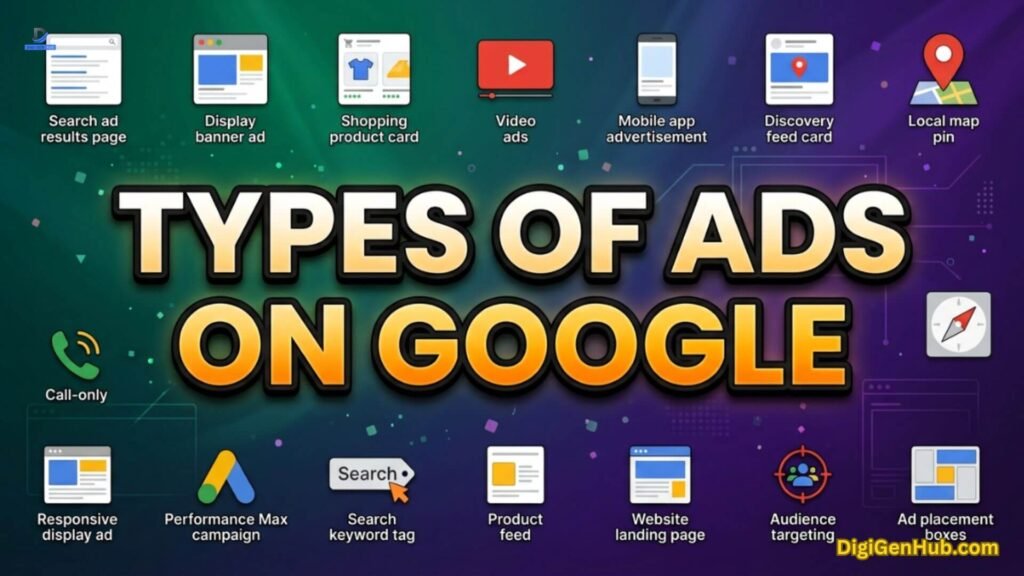
You typed it into Google: types of ads on Google. You want one straight answer. Not a maze of jargon.
Google hands you eleven distinct paths to reach people. Each path plays its own role in your business growth story.
Some paths catch buyers the second they’re ready to buy. Others plant your brand in someone’s mind long before they ever search a thing.
Pick the wrong path and your budget quietly disappears. You watch the numbers drop and wonder why.
Indeed, pick the right path and every dollar starts pulling its weight. You feel the difference in your results within days, not months.
Still, you don’t need to master all eleven types today. You need one piece of clarity: which path matches exactly where your customer stands right now. Curious. Comparing. Or ready to hit buy.
That one answer changes everything you build from here. Let’s find it together.
Quick Answer: All Google Ad Types at a Glance
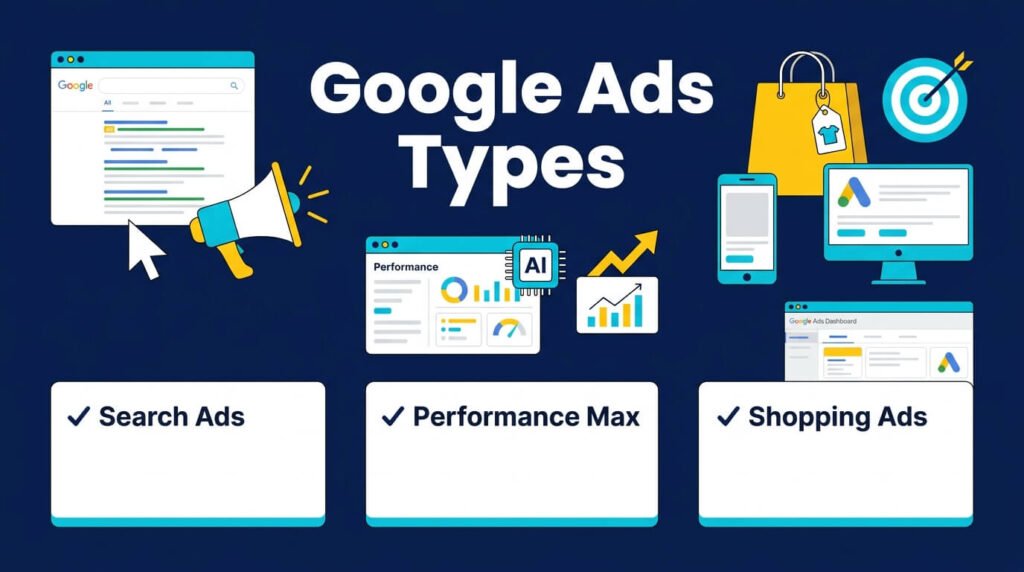
Eleven types. Eleven jobs. Each one built for a different moment in your customer’s mind.
Some grab attention right when someone’s ready to buy. Others build trust long before that moment ever comes. Find your match below, then dive into the section that fits your goal.
| Ad Type | Where It Shows | Best For |
| Search Ads | Google search results | High-intent buyers |
| AI Max for Search | Search, Shopping, and travel, with AI-written copy | Broader keyword reach |
| Performance Max | Search, Display, YouTube, Gmail, Maps | Full funnel automation |
| Display Ads | Partner sites and apps | Brand awareness |
| Shopping Ads | Search results, product tab | E-commerce sales |
| Video Ads | YouTube | Storytelling, launches |
| Demand Gen | YouTube, Discover, Gmail | Visual discovery |
| App Ads | Search, Play Store, YouTube, Display | App installs |
| Local Services Ads | Top of local search | Local service leads |
| Hotel Ads (PMax for Travel) | Search, Maps, Hotel tab | Direct hotel bookings |
| Ads in AI Mode | Google’s AI search answers | Early AI search reach |
Now let’s break down each type of ad on Google, one by one.
1. Search Ads
Search ads are the oldest type of ads on Google. You type a query. You see text ads above the results. That is a search ad.
These ads target keywords. You pick the words. Google shows your ad when someone types them. This makes search ads the top pick for buyer intent.
Responsive search ads run the format now. You write up to 15 headlines and 4 descriptions. Google tests the mix. The best combo shows most often. This replaced the old static text ad. It solved a real problem: guessing which single headline works best. Now Google tests for you.
My own account felt this shift hard. I ran static text ads for years. Click rates stayed flat.
I moved to responsive search ads. Click-through rate rose within three weeks. No extra work on my end. Just better testing at scale.
One change matters here for 2026. Call-only ads are going away. Google stopped letting advertisers create new ones in February 2026.
Existing call-only ads stop showing in February 2027. The replacement is simple: add a call asset to your responsive search ad.
It shows your phone number next to your headline. People can browse your site or call you straight from the ad.
Search stays the biggest revenue driver for Google. Search advertising captures the largest share of the platform’s ad spend. Smart bidding is now the standard for most advertisers, not the exception. BizIQ
2. AI Max for Search
This is the newest shift among the types of ads on Google in 2026. AI Max replaced Dynamic Search Ads. It moved out of beta earlier this year.
Here’s what it does:
- Finds search terms beyond your keyword list
- Writes ad headlines with AI
- Sends users to the most relevant page on your site, automatically
AI Max started as a Search-only tool. That changed. Google expanded it to Shopping campaigns and travel-specific formats in April 2026.
It also added an AI Brief tool. You give it a short prompt. It shapes your ad messaging and audience targeting from that prompt.
If you still run Dynamic Search Ads, plan your move now. Google confirmed that legacy features like Dynamic Search Ads will auto-upgrade to AI Max, with full sunset set for February 2027.
Campaigns using automatically created assets and broad match already began that upgrade in September.
Early data looks strong. AI Max for Search campaigns show an average conversion lift with similar cost per action. Google’s AI tests broader keyword matches at scale to get there. BizIQ
A client of mine held off on AI Max for months. She feared losing control over ad copy. She tested it on one campaign. Conversions rose without extra spend. She now runs it across every Search campaign.
3. Performance Max
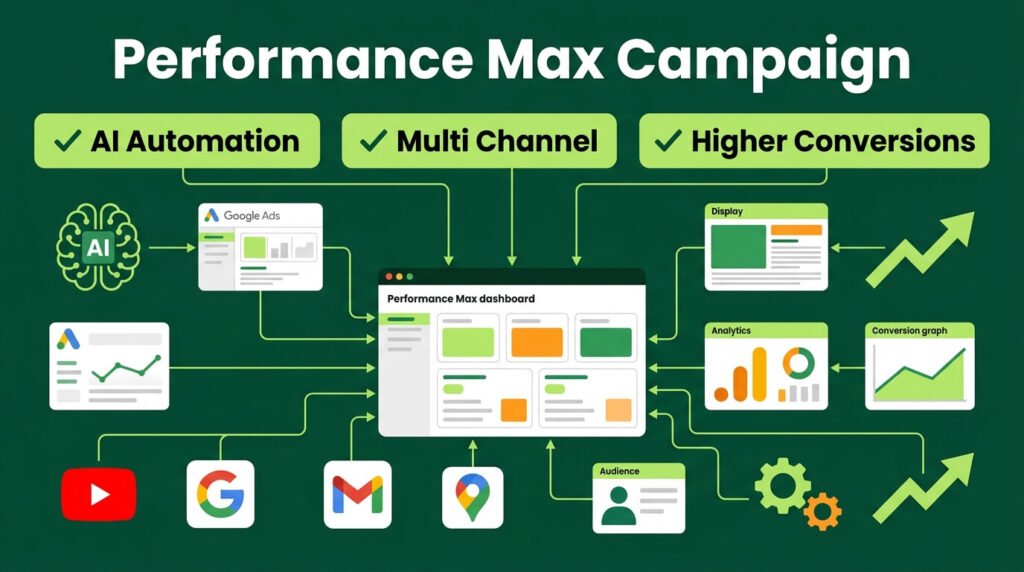
Performance Max is a full automation campaign. One campaign. Every Google surface. Search, Display, YouTube, Gmail, Discover, and Maps all pull from the same budget.
You give Google a goal, a budget, and your assets. Google’s AI places your ad. It sets your bid. It picks your audience. You do not choose the placement by hand.
This format grew fast. Performance Max now drives an estimated 62% of all Google ad clicks as of early 2026. That is not a small share. That is most of the platform. Hooked Marketing
Performance Max also supports more control than before. Recent updates let you exclude brand terms.
You can see channel-level reporting. You can check which creative combos perform best.
These fixes solved the biggest pain point advertisers had: no visibility into where the AI spent the budget.
I resisted Performance Max at first. Handing over full control felt risky. I added first-party customer data as an audience signal. Conversion volume jumped noticeably within the first month. The lesson: feed the AI good data, and it rewards you.
4. Display Ads
Display ads are image or banner ads. They show across millions of partner sites and apps. Not on the search page itself.
Display works best for two goals:
- Building brand awareness
- Remarketing to past site visitors
Responsive Display Ads are the default format now. You upload images, logos, headlines, and descriptions.
Google mixes them to fit each ad slot. The old static banner sizing headache is mostly gone. You supply raw pieces. Google assembles the final ad.
Keep these specs in mind:
| Asset | Size | Notes |
| Landscape image | 1200×628 | Core Display and Gmail size |
| Square image | 1200×1200 | Used on Discover, Gmail, mobile |
| Logo | 1:1 and 4:1 | Required for branding |
Avoid heavy text on your images. Google discounts ad strength when text covers over 20% of the image area.
5. Shopping Ads
Shopping ads show your product photo, price, and store name right in search results. No landing page guesswork. Shoppers see the price before they click.
This format needs a product feed through Google Merchant Center. You upload your catalog. Google pulls the data and builds the ad.
Shopping ads pair with Performance Max for most retailers now. This combo is called PMax for Retail. It handles Shopping, Display, and Video placements from one product feed.
Shopping stays one of the strongest performers among the types of ads on Google for online stores.
Performance Max campaigns for retail hit conversion rates that run notably higher than standard Search campaigns alone, based on benchmark data across e-commerce and retail industries. Searchlab
6. Video Ads
Video ads run on YouTube. Two main formats exist:
- In-stream ads: play before or during a video
- In-feed ads: appear in search results and the video feed itself
Video ads work best for storytelling and product launches. A short, direct video often beats a long one. Attention spans on mobile stay short.
YouTube also feeds into Performance Max and Demand Gen now. Your video assets get reused across formats automatically. One video upload can serve three different campaign types.
7. Demand Gen
Demand Gen replaced Discovery ads. This is Google’s visual, upper-funnel format. It runs across YouTube, Discover, and Gmail at once.
Use Demand Gen when you want to reach people before they search. They are not typing a query yet. They are scrolling. A strong image or short video grabs them mid-scroll.
This format suits brands that sell through visual appeal. Fashion, food, travel, and home goods all fit well here.
8. App Ads
App campaigns promote installs or in-app actions. You give Google your app store listing, some text, and creative assets.
Google builds and places ads across Search, Play Store, YouTube, and Display.
Setup stays minimal. You do not build separate ads for each platform. Google handles that split for you.
App campaigns pair well with Demand Gen creative. Strong video assets often decide whether an App campaign finds a qualified audience, based on recent analysis of paid user acquisition campaigns. yellowHEAD
9. Local Services Ads
Local Services Ads sit above regular search ads. They show for local service businesses: plumbers, electricians, lawyers, cleaners.
You pay per lead, not per click. This solves a pain point for service businesses. You stop paying for clicks that never call.
Google also runs a Google Guarantee badge on these ads. That badge builds trust fast for a stranger searching for an emergency repair.
If your business relies on phone leads outside Local Services Ads, pair your Search campaigns with call assets. See the note in the Search Ads section above.
10. Hotel Ads (Performance Max for Travel Goals)
This format targets one industry: hospitality. Hotels used to run a separate product called Hotel Ads through Hotel Center.
That still exists. But most hotels now run it through Performance Max for travel goals instead.
You link your property feed. Google’s AI builds ads across Search, Maps, YouTube, Gmail, Display, and the dedicated hotel results tab.
One campaign covers every surface a traveler might check before booking.
The upside is speed. A hotel chain does not need a separate campaign for each property. Google auto-generates headlines, images, and pricing per listing from the feed. Reporting breaks out by property, so a 500-hotel chain can still see which single location is underperforming.
If you run a hotel, motel, or resort, this is the type of ad on Google built specifically for you. Standard Search or Shopping campaigns cannot match its access to live rate and availability data.
11. Ads in AI Mode
This is the newest format among the types of ads on Google, announced at Google Marketing Live in May 2026. AI Mode answers a search query directly instead of returning a list of links. Ads now show inside that answer.
Google put it plainly: people come to Google to research complex topics and to find products that fit their needs. The new ad formats aim to meet that shift.
Eligibility stays narrow for now. Only Performance Max, AI Max for Search, AI Max for Shopping, and broad match campaigns can serve inside AI Mode.
Standard Search, Display, and Video campaigns are not eligible yet. If you want in, build your foundation on those four campaign types first.
Two ad experiences launched under this umbrella:
- Conversational answers: your ad content adapts to the exact question someone asked, generated on the fly
- Highlighted next steps: your brand appears as the direct answer inside an AI-generated response, with text explaining why it fits
These formats stay in testing, limited to English in the US. Expect wider rollout through the rest of 2026.
If you sell a product tied to common “how do I” or “what’s the best” searches, this format deserves a small test budget now, while competition stays low.
Ads also now appear around AI Overviews in standard Search, showing above, below, or within the AI-written summary box, across 200+ markets.
What is Smart Campaigns
Smart Campaigns are the simplified option for small business owners with no ad experience. You give Google your business goal, a budget, and some text. Google handles the keyword targeting and bid strategy on its own.
This format trades control for speed. You lose fine-tuned targeting. You gain a working campaign in under an hour.
What is Asset Studio with Gemini Omni
This is not a campaign type. It is the creative engine behind almost every format above.
Google folded its image, video, and copy generation tools into one workspace called Asset Studio, powered by Gemini Omni.
You give it a short brief. It generates images, short video clips, and headline copy from that single input.
The output feeds directly into Performance Max, Demand Gen, Display, and the new AI Mode formats.
This matters because creative quality now drives more of your results than keyword lists do.
An advertiser with clean, detailed product data and strong creative assets gives Google’s AI more to work with. That advertiser tends to see stronger results across every format that touches AI Mode or AI Overviews.
Comparing All Types of Ads on Google by Cost Model
Money talks. So let’s talk money.
Every ad type charges you differently. Some bill per click. Some bill per lead. Some barely need setup time. Others eat a whole afternoon before you launch. Know these numbers before you spend a single dollar.
| Ad Type | Pricing Model | Setup Time |
| Search | Cost per click | Medium |
| AI Max for Search | Cost per click | Low |
| Performance Max | Cost per conversion (usually) | Low |
| Display | Cost per click or impression | Medium |
| Shopping | Cost per click | High (feed setup) |
| Video | Cost per view or impression | Medium |
| Demand Gen | Cost per click or conversion | Low |
| App | Cost per install or action | Low |
| Local Services | Cost per lead | Low |
| Hotel Ads / PMax Travel | Cost per conversion | Medium (feed setup) |
| AI Mode Ads | Still forming, testing phase | Low |
| Smart Campaigns | Cost per click | Very low |
What Google Ads Cost in 2026
Budgets vary by industry and intent, but a few patterns hold across most accounts.
Search and Shopping run the highest cost per click. Buyer intent is strong there, so competition drives the price up.
Legal, insurance, and home services often see the highest clicks costs of any category.
Display, Demand Gen, and App campaigns run lower. You are reaching people earlier in their decision, so clicks cost less.
Give your automated campaigns room to breathe. Performance Max and AI Max need a solid daily budget from day one. Google’s AI needs data before it can work its magic. Starve it, and it stays confused.
Here’s a mistake many businesses make. They spread a thin budget across too many goals. Then nothing performs well. Pick one goal. Fund it properly.
Patience pays off here. Give a new automated campaign two to four weeks.
Keep your daily spend steady the whole time. Judge too early, and you’ll kill a campaign right before it hits its stride.
Testing Smart Campaigns? Start small and stay smart about it. Pick a modest daily budget you’re comfortable with.
Watch which days bring results. Watch which search terms bring results. Then scale up with confidence.
How to Pick the Right Type of Ad on Google
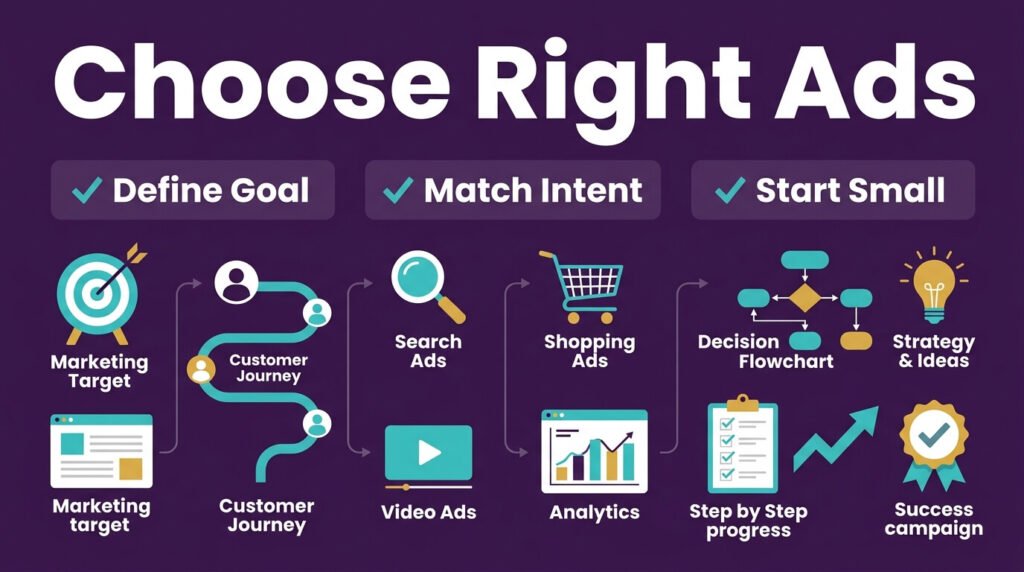
Follow these steps in order:
- Define your one goal. Sales, leads, installs, or awareness. Pick only one for now.
- Match the goal to intent. High buyer intent points to Search or Shopping. Low intent points to Display or Demand Gen.
- Check your assets. No product feed means Shopping is off the table until you build one.
- Start narrow, then expand. Run one campaign type first. Add a second type once the first shows stable data.
- Watch for the AI Max migration. If you run Dynamic Search Ads or call-only ads, move to AI Max and call assets before the 2027 sunset dates.
The Big Shift in 2026
Every format above points to one pattern. Automation took over almost everything. Manual setup is fading fast.
Google’s own team said it plainly. New AI-driven formats aim to move users from discovery straight to decisions.
That’s the goal Google laid out at Marketing Live 2026. It applies across AI Mode. It applies across standard Search too. (Search Engine Land)
Policy review got faster too. Ad approval waits dropped from hours down to seconds for standard Search ads. That’s straight from Google’s own product announcements this year. (Google)
Here’s why this matters. Picking every headline by hand used to eat your day. Guessing every audience felt like a shot in the dark. Testing every banner size took forever. That grind is fading away.
The new grind looks different. Feed the system good data. Check results once a week instead of once a day. Simple as that.
One last note from my own accounts. Two years ago, each account needed daily bid checks. Every single day.
Today, automated rules and AI Max handle most of that work. I put the saved time into better landing pages instead.
I put it into better product feeds too. That shift built steadier growth than manual bid tweaking ever gave me.
Wrapping Up
You now know every type of ad on Google in 2026. Search, AI Max, Performance Max, Display, Shopping, Video, Demand Gen, App, Local Services, Hotel Ads, AI Mode ads, and Smart Campaigns, backed by Asset Studio’s creative tools.
Pick one goal. Match it to the right format from the table above. Test small. Scale what works. That is the full path forward. No shortcuts needed.
FAQ
What happened to Discovery ads?
Discovery ads no longer exist as a standalone format. Demand Gen replaced them fully. Demand Gen covers the same YouTube, Discover, and Gmail placements, with better creative tools built in.
Which type of ad on Google works best for lead generation?
Local Services Ads win for service businesses chasing calls and bookings. Search ads with lead form extensions work well for B2B. Both skip the guesswork that display or video ads carry.
Do I need Google Merchant Center for Shopping ads?
Yes. Shopping ads pull directly from your product feed inside Merchant Center. No feed means no Shopping ad. Set this up before you touch campaign settings.
What’s the difference between Display ads and Demand Gen ads?
Display ads run as static or responsive banners across partner sites. Demand Gen runs richer video and image formats built for YouTube, Discover, and Gmail feeds specifically. Demand Gen tends to pull stronger engagement on mobile.
How much budget do I need to start running Google ads?
Most small businesses start with $10 to $30 per day. Performance Max and AI Max need steadier daily spend to gather data. Local Services Ads charge per lead instead, so your cost shifts with demand.
Which type of ad on Google suits total beginners?
Smart Campaigns fit beginners best. Setup takes minutes. Google handles targeting and bidding for you. Move to Search or Performance Max once you understand your numbers.
Can I run remarketing ads on Google?
Yes. Display ads and Demand Gen both support remarketing. You show ads to people who already visited your site. This audience converts at a far higher rate than cold traffic.
Which ad type fits app installs better than web traffic goals?
App campaigns beat every other format for install volume. They pull placements across Search, Play Store, YouTube, and Display from one setup. Standard Search or Display ads work better if your goal stays website visits instead of installs.

Aliza Khatun is a Digital Marketing Professional and the founder of DigiGenHub. She has helped various businesses grow their online presence through real-world experience in marketing, branding, traffic growth, and business strategy.
Through DigiGenHub, she shows how to build and grow a business from the ground up using Website Setup, SEO, Branding, Paid Promotion, and smart digital tools.
She also highlights how AI can be used to its full potential to make content creation, automation, marketing, and business growth faster and smarter.
She believes that the right knowledge, modern technology, and the right tools can help any individual or business build a stronger online presence.