I have analyzed search algorithms and observed Google’s shift from rewarding keywords to rewarding solutions.
An under desk keyboard tray is a precision tool that reclaims your desk space and protects your nerves.
The trend is moving away from permanent furniture and toward flexible, “clamp-on” ergonomic upgrades. It fits the hybrid work-from-home lifestyle.
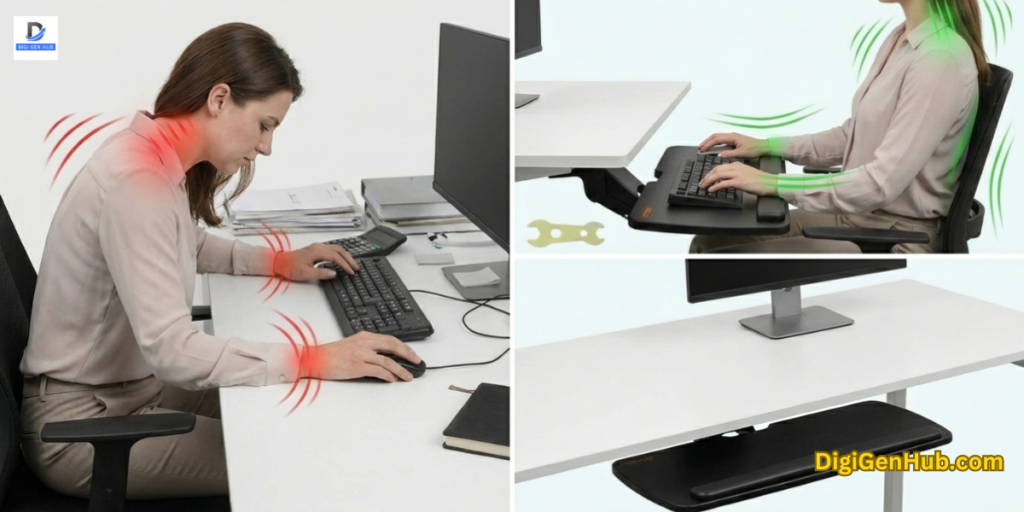
Yet, when you type on a standard desk surface, you are likely harming your body without realizing it.
Desks are usually 29 to 30 inches high—perfect for writing with a pen, but too high for typing. This mismatch forces your shoulders to hunch and your wrists to bend upward.
What Defines a Perfect Under Desk Keyboard Tray?
An under desk keyboard tray is a sliding shelf that sits below your main desk surface. It holds your keyboard and mouse.
It is designed to position your input devices at a lower, more natural level. Most desks are too high for comfortable typing.
A tray fixes this by bringing the tools to your hands instead of forcing your hands to reach up.
A perfect tray feels solid and easy to use. It does not shake when you type. It should instantly solve your posture problems. Let’s know the major traits:
Rock-Solid Stability: The tray must remain stable without wobbling. A shaky tray makes typing hard and leads to errors.
Neutral Wrist Alignment: The best trays allow “negative tilt.” This means the keyboard angles down and away from you. This keeps your wrists straight and safe.
Total Height Control: It must be adjustable. You need to set the height exactly at your elbow level.
Smooth Glide Tracks: High-quality steel rails ensure easy sliding. It should disappear under the desk when you finish working.
Ample Space: It needs to accommodate a full-size keyboard and a mouse side by side. You should not have to reach back up to the desk for your mouse.
Simple Setup: Modern trays use C-clamps. This means no drilling and no damage to your furniture.
Best Under Desk Keyboard Trays
| Product Name | Category | Rating | Main Feature |
| VIVO Large (MOUNT-KB05E) | Overall Best | 4.4/5 | Easy C-Clamp Mount |
| HUANUO 360° Adjustable | Best Ergonomics | 4.3/5 | Tilt & Swivel Motion |
| AX WABER Standard | Best Setup | 4.3/5 | Tool-Free Installation |
| HUANUO Space-Saving | Budget Pick | 4.5/5 | Compact Design |
| VIVO Extra Long (34″) | Best for Gamers | 4.4/5 | Huge Surface Area |
1. VIVO Large Keyboard Tray (MOUNT-KB05E)
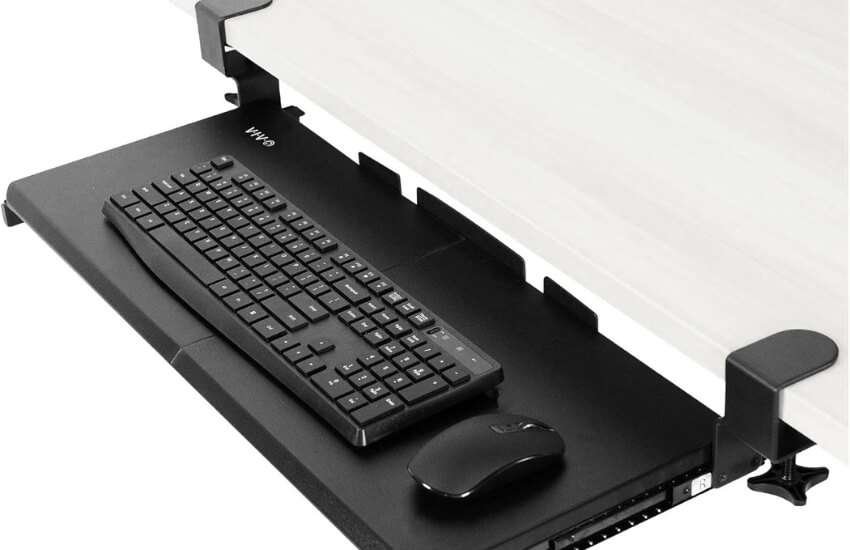
I’ve installed this on several standing desks for my team. It’s the most reliable option due to its dual C-clamps. It feels solid like a rock. No drilling means I can move it to a different desk in minutes.
Pros: Installs in 5 minutes; massive 27-inch tray; no damage to furniture.
Cons: Not for desks with a lip or beveled edge.
Best For: Most home office setups.
2. HUANUO 360° Adjustable Ergonomic Tray
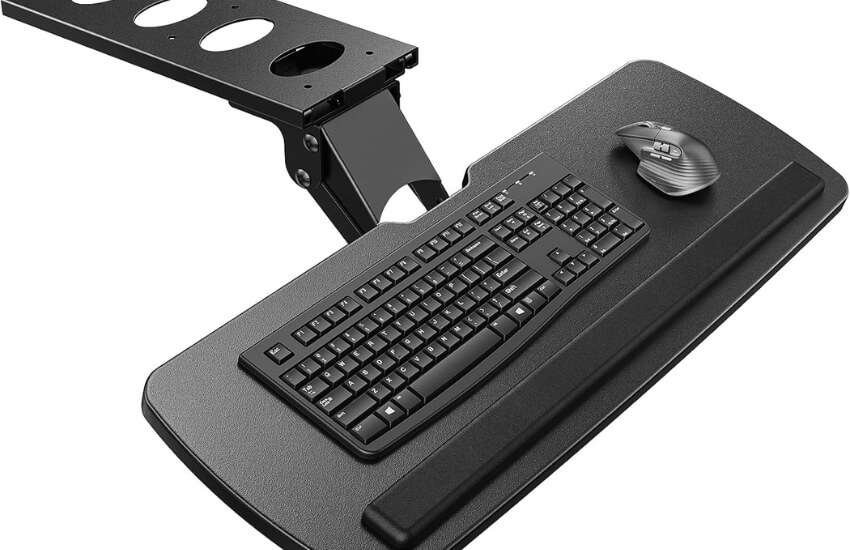
This is for individuals who already experience wrist pain. The level of adjustment is unmatched. I love how I can swivel it 180 degrees to clear my legs when I shift my seating position. It’s a pro-grade tool.
Pros: Full motion (height, tilt, swivel); deep ergonomic benefits; negative tilt.
Cons: Requires a flat surface underneath for the track; semi-permanent.
Best For: Writers, coders, and long-hour professionals.
3. AX WABER Standard Black Tray
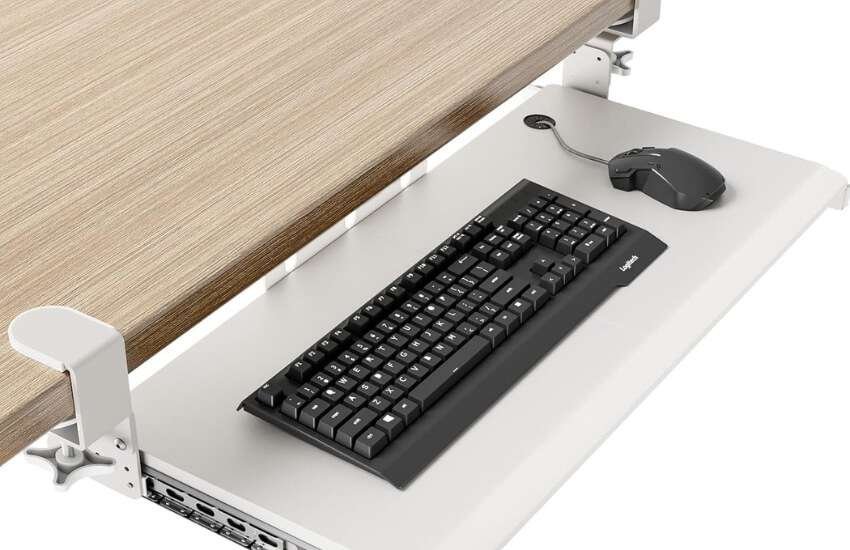
This is the tray for people who hate complex manuals. It’s simple and clean. The sliding mechanism is surprisingly smooth for the price. I noticed it doesn’t “clutter” the look of the desk because of its slim profile.
Pros: Very quiet sliders; safety edge prevents mouse drops; sleek design.
Cons: Limited height settings compared to VIVO.
Best For: Small business offices and home study areas.
4. HUANUO Space-Saving C-Clamp Tray
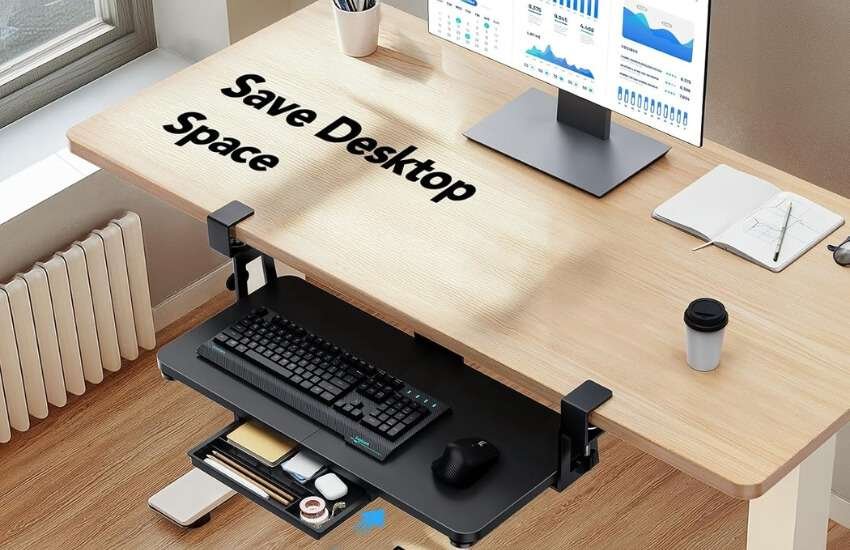
I often recommend this for college students in small dorms. It provides the essential ergonomic lift without occupying the entire room. It’s the smartest way to spend $35 on your health.
Pros: Lowest price point; fits narrow desks; sturdy steel build.
Cons: Too small for large gaming keyboards with side buttons.
Best for: Budget-conscious buyers and those with limited desk space.
5. VIVO Extra Long 34-inch Slider
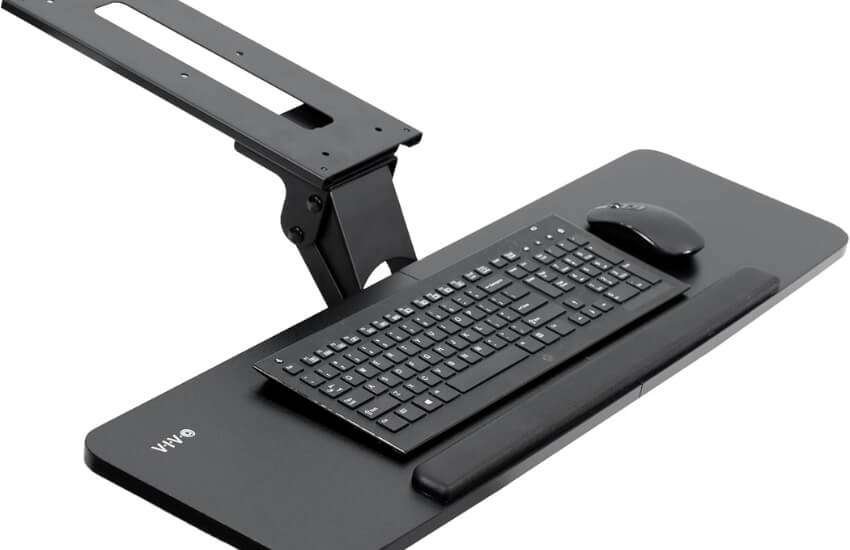
If you use a gaming mouse and move it fast, you need this. Most trays are too small for a mouse to travel. This tray is wide enough for a full-size mechanical keyboard and a “pro” mousepad. It’s a gamer’s dream.
Pros: Huge 34-inch surface; heavy-duty weight capacity; stable for fast typing.
Cons: Requires a very long desk edge with no obstructions.
Best For: High-performance gamers and creative designers.
Why a Keyboard Tray is Your Best Health Investment
Most office workers suffer from repetitive strain injuries (RSI) because their keyboard is too high.
Research shows that typing for more than 20 hours a week on a high surface increases carpal tunnel pressure.
A tray drops the keyboard to your lap level. This keeps your elbows at a 90-degree angle and your shoulders relaxed.
The Power of Negative Tilt
Standard keyboards have “feet” that tilt the keys toward you. This is a mistake. It forces your wrists to bend back. Ergonomists recommend a negative tilt—angling the keyboard away from you. High-end trays like the HUANUO 360° allow this downward angle, keeping your wrists perfectly straight.
Reclaiming Your Workspace
Minimalism is king. Moving your keyboard and mouse to a tray frees up roughly 300 square inches of desk space.
You can now use your desk for writing, reading, or even as a second monitor. When you finish work, you simply slide the tray under the desk. Your office disappears, and your room stays tidy.
Why You Should Use One
Reclaiming Your Desk Top: Moving your keyboard and mouse frees up a lot of space. You can use the top of your desk for writing, reading, or large monitors. It creates a cleaner look. A clean desk helps you focus better.
The Standing Desk Partner. If you use a sit-stand desk, a tray is vital. When you stand, your arms need a different angle. A tray lets you fine-tune your typing height without having to move the whole heavy desk. It bridges the gap between sitting and standing perfectly.
3 Tips for a Perfect Purchase
Measure for Clearance: Look under your desk. Is there a metal bar or a support beam? If yes, measure the space from the front edge to that bar. You need about 12 inches of depth for most trays to slide in fully.
Surface Material: If you have a particle board desk, choose a C-clamp. If you have a solid wood desk, you can choose either a clamp-on or screw-in option.
Mouse Space: Always check if the mouse fits on the tray or on a separate side wing. Having them on the same level is better for your shoulder alignment.
The Top Pick for 2025: If you’re looking for a reliable, hassle-free solution, opt for the VIVO Large (MOUNT-KB05E). It is the gold standard for modern office ergonomics.
Conclusion
Improving your setup with an under desk keyboard tray is a win for both your health and your productivity. You’ll feel the difference in your wrists and shoulders almost immediately. A clear desk also makes it much easier to focus on the task at hand. It’s a simple upgrade that makes every hour at your computer more enjoyable. You deserve a workspace that actually supports you.
FAQ
Will it fit a glass desk?
Most C-clamp trays are compatible with glass, but caution must be exercised when using them.
Ensure the clamp has rubber padding to protect the surface. Do not use screw-in trays on glass.
Does it work with standing desks?
Yes. In fact, a tray is essential for standing desks. When you stand, the height of your elbow changes.
A tray allows you to fine-tune that height without moving the whole desk up or down.
Is a keyboard tray better than a laptop stand?
A tray is better for your wrists. A laptop stand is better for your eyes. For optimal setup, use a stand to elevate the screen and a tray to position the keyboard. This solution addresses both neck and wrist pain simultaneously.
Can it hold a heavy mechanical keyboard?
Yes. Modern steel-clamp trays, such as the VIVO Large, can hold up to 11 lbs. Most high-end mechanical keyboards weigh between 2 and 4 lbs.
Does it help with neck pain?
Yes. When your keyboard is too high, you hunch your shoulders. This strains your neck. A tray lets your shoulders drop and relax.
Can it fit on a glass desk?
Yes, but only if you use a clamp-on model with rubber pads. Never use a screw-in model on glass.
Will it hit my legs?
A well-designed tray is thin. It leaves enough space for your knees to move freely. If you are tall, look for a “low-profile” design.
Is a negative tilt actually better?
Yes. Scientific studies have shown that it reduces pressure on the carpal tunnel. It is the healthiest way to type for long hours.
How much weight can it hold?
Most high-quality trays hold 10 to 15 pounds. This is more than enough for any keyboard and mouse.

Aliza Khatun is a Digital Marketing Professional and the founder of DigiGenHub. She has helped various businesses grow their online presence through real-world experience in marketing, branding, traffic growth, and business strategy.
Through DigiGenHub, she shows how to build and grow a business from the ground up using Website Setup, SEO, Branding, Paid Promotion, and smart digital tools.
She also highlights how AI can be used to its full potential to make content creation, automation, marketing, and business growth faster and smarter.
She believes that the right knowledge, modern technology, and the right tools can help any individual or business build a stronger online presence.