TL;DR
- Picking a real estate CRM software ends the chaos of scattered contacts and missed calls.
- Follow Up Boss suits busy teams. It chases leads fast.
- Wise Agent fits solo agents. It costs little and starts quick.
- BoldTrail suits brokerages. It bundles everything under one roof.
- Zoho links to your other tools. It saves you from juggling apps.
- Pipedrive gives you a clean visual map of every deal.
- HubSpot lets you test the waters for free.
- Lofty puts AI to work on your leads while you sleep.
- Match the tool to your team size, not the longest spec sheet.
- Export your contacts before any switch. Never skip this step.
- Automate your follow up on day one. A quiet CRM helps nobody.
- The right pick turns scattered leads into signed deals within weeks.
Leads pile up fast. Follow-ups slip. Deals stall because nobody calls back on time. Real estate CRM software fixes this. It stores every contact, every text, and every deal stage in one place.
I watched three brokerages switch CRMs this year. Each switch happened for the same reason.
The old system could not handle lead volume. That pattern keeps repeating across the industry.
What Real Estate CRM Software Does
A real estate CRM handles the exact workflow agents live in every day. It is not a generic sales tool with a new label.
Core jobs of any real estate CRM software:
- Lead capture. Pulls leads from Zillow, Realtor.com, and your website into one inbox.
- Contact tracking. Stores calls, texts, and notes per client.
- Pipeline management. Shows where each buyer or seller stands.
- Automated follow-up. Sends drip emails and texts on its own.
- Task reminders. Flags overdue calls and deadlines.
- Reporting. Tracks which lead source closes deals.
Real Estate CRM Software Built to Grow Your Business
Seven names dominate the market this year. Each one solves a different problem. Some speed up lead response. Some cut monthly costs. Some bundle everything under one login.
Scan the table below. Match your team size and budget to the right column. Then jump to the tool that fits your workflow.
Top Real Estate CRM Software Booming Now
| Tool | Best For | Starting Price | Standout Feature |
| Follow Up Boss | Teams needing speed to lead | $69/user/month | 200+ lead source integrations |
| Wise Agent | Solo agents on a budget | $49/month | 24/7 US-based support |
| kvCORE (BoldTrail) | Brokerages wanting one system | Quote based, often $499+/month | Built-in IDX website and AI lead scoring |
| Zoho CRM | Agents who want deep integrations | Free tier available | Over 1,000 third-party app connections |
| Pipedrive | Sales-focused solo agents | $19/month | Drag-and-drop visual pipeline |
| HubSpot CRM | New agents testing a CRM first | Free | No-cost core CRM with upgrade path |
| Lofty | Teams wanting AI marketing built in | Quote based, retail near $500/month | AI agent that engages leads on its own |
Pricing shifts often. Check each vendor’s own page before you commit.
1 . Follow Up Boss
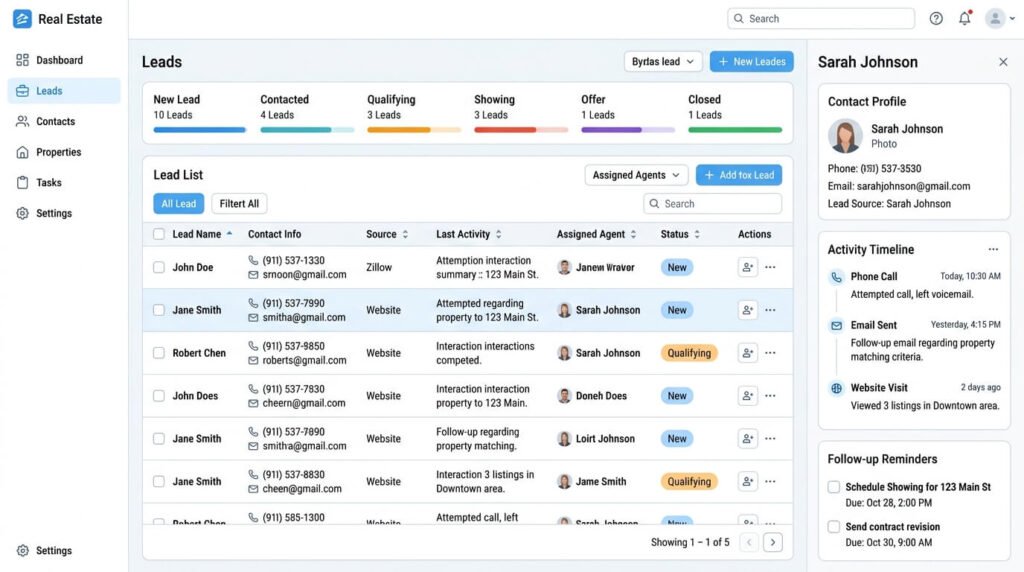
Follow Up Boss solves one problem. It gets you to the lead first.
The moment a lead comes in, Follow Up Boss routes it fast. It starts a timer. Teams see who responded and how quickly.
Pricing. Plans start at 69 dollars a month. No contracts. No setup fees. The Platform tier runs 833 dollars a month for 30 users. It adds call recording and full API access.
Who it fits. Teams chasing high lead volume. Solo agents closing 15 or more deals a year also gain value here.
How to Use Follow Up Boss
- Connect your email. Link Gmail or Microsoft 365. New leads flow in on their own.
- Link your lead sources. Add Zillow and Realtor.com. Add your website through the Follow Up Boss pixel too.
- Import your contacts. Export your old list as a CSV file. Send it to imports@followupboss.com. The team loads it for you. Follow Up Boss
- Set up stages. Tag each lead as new, active, or hot prospect.
- Build Smart Lists. Filter contacts by stage or source. Each list updates on its own.
- Create Action Plans. Set an email and text schedule. New leads get automatic follow up right away.
- Sync your calendar. Connect Google Workspace. Grant calendar access. Book a test event to confirm it works.
- Set lead goals. Track calls, texts, and appointments each week.
- Add your team. Assign each person a role. This controls what they see.
Most solo agents finish setup in one sitting.
2 . Wise Agent
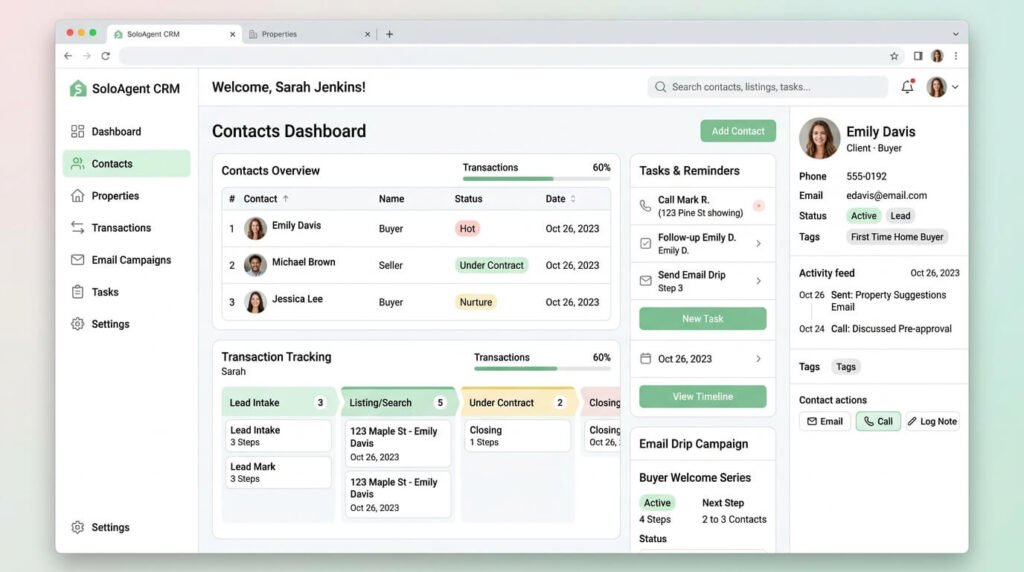
Wise Agent skips flashy AI. It focuses on the basics: contacts, transactions, and drip campaigns.
Pricing. Around 49 dollars a month for one user. Support comes at no extra cost.
Who it fits. New solo agents who want an easy start. Wise Agent offers phone support around the clock.
How to Use Wise Agent
- Set up your profile. Click the gear icon. Upload your photo and logo.
- Create your email signature. Open the Email tab. Pick a template. Add your details.
- Connect your lead sources. Link each site that sends you leads. Use Email Parsing or an API connection.
- Import your contacts. Email your CSV file to help@wiseagent.com. The team formats it for you.
- Tag your pipeline. Sort contacts by status: new, active, or closed.
- Set up drip campaigns. Pick a template. Set the send schedule.
- Add tasks. Set a due date on each contact. Wise Agent alerts you before it hits.
- Track transactions. Add the property, client, and closing date.
- Book free onboarding. A support specialist helps import contacts and connect lead sources from day one. Wiseagent
Most agents finish setup in under an hour.
3 . kvCORE (BoldTrail)
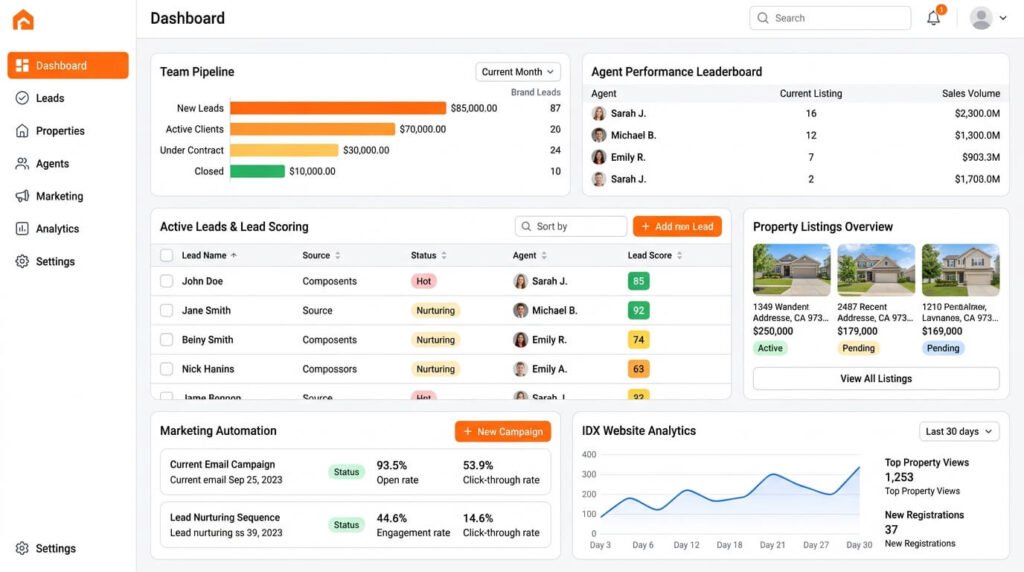
kvCORE now goes by BoldTrail. It bundles a CRM, an IDX website, and marketing automation into one login. Brokerages use it to replace four or five separate tools.
Pricing. The vendor does not publish public rates. Third party reports place solo pricing above 500 dollars a month. Team and brokerage plans run higher once add-ons stack up.
Who it fits. Brokerages managing many agents under one roof.
How to Use BoldTrail
- Log in to your dashboard. This is your command center. It shows pipeline status and pending tasks.
- Set up your Smart CRM. Add your contacts. The system starts behavioral tracking right away.
- Build your IDX site. Add your branding, service areas, and reviews.
- Activate Smart Campaigns. Open the Marketing tab. Select Smart Campaigns. Add pre-built campaigns to your library, or build your own.
- Connect your lead sources. Link every active source so leads land in one system.
- Set up lead routing. Distribute leads to team members through round-robin rules.
- Track transactions. Use the Transactions dashboard to follow each deal to close.
Three steps come first: configure Smart Campaigns before leads arrive, customize your IDX site with area pages, and connect every lead source. Complete those first.
4 . Zoho CRM
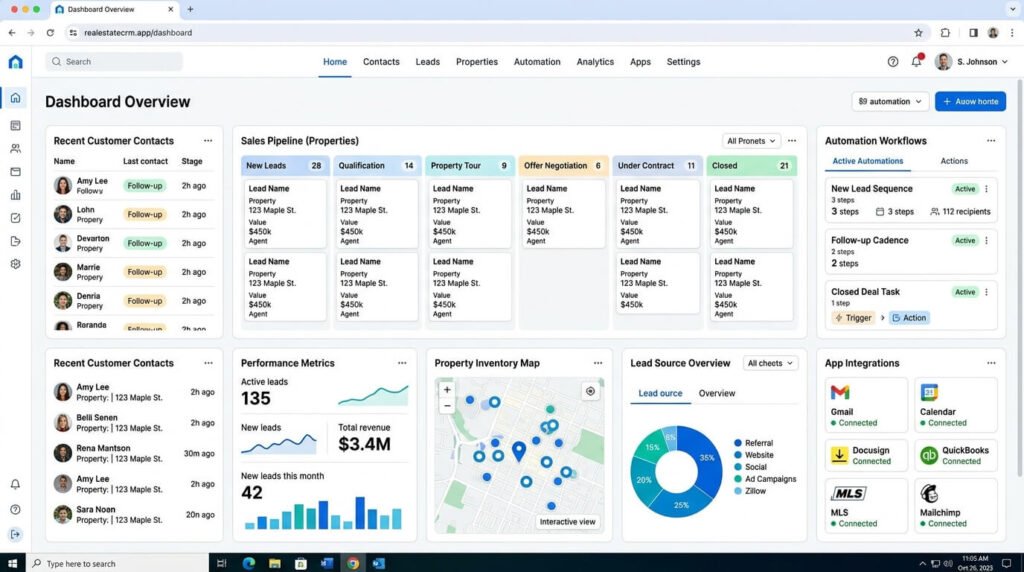
Zoho connects to almost everything. It links to over 1,000 third-party tools. This makes it strong for agents who already use other software daily.
Pricing. A free tier exists for small teams. Paid tiers stay low compared to real estate-specific platforms.
Who it fits. Agents who want one hub connecting email, accounting, and marketing tools.
How to Use Zoho CRM
- Create your account. Visit the Zoho CRM sign-up page. Enter your name, email, and password. You can also sign up through Google or LinkedIn. Fit Small Business
- Verify your email. Confirm through the link Zoho sends you.
- Import your contacts. Upload your old list or sync your email.
- Set your sales stages. Build your pipeline to match your process.
- Turn on workflows. Go to Setup, then Automation. Set rules that trigger emails or move deals forward.
- Add integrations. Go to Setup, then Marketplace. Connect the tools you already use.
- Customize your dashboard. Add the fields and views your business needs.
Start with one goal in mind. Add features slowly.
5 . Pipedrive
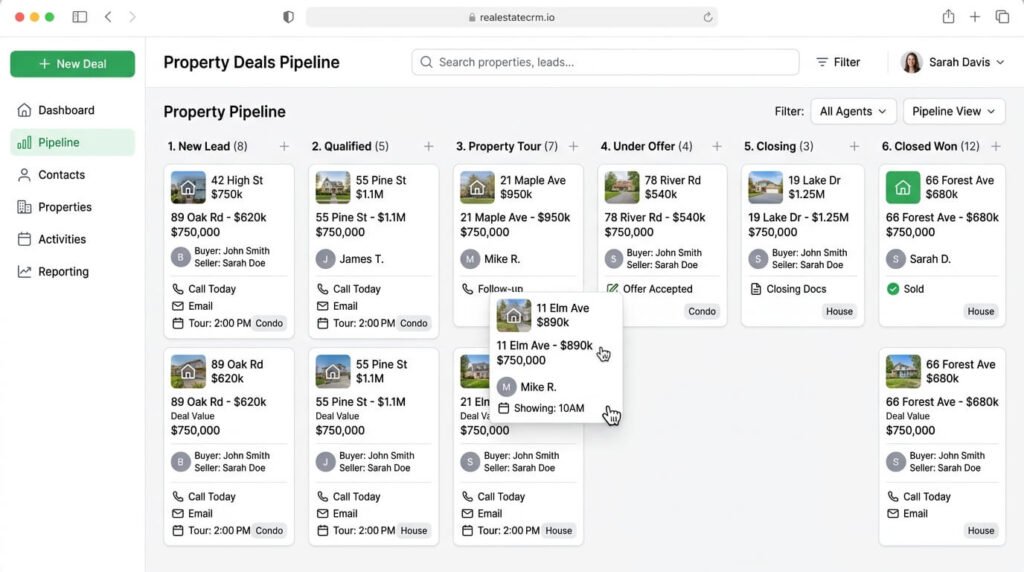
Pipedrive was built for sales teams. Agents use it for its clean visual pipeline.
Pricing. Starts around 19 dollars a month. No free tier exists.
Who it fits. Agents who think in stages and want a simple visual layout.
How to Use Pipedrive
- Connect your email. Use one account per user to avoid sync issues.
- Set your pipeline stages. The default stages are Qualified, Contact Made, Demo Scheduled, Proposal Made, and Negotiations Started. Rename them to match your process.
- Add a deal. Click the green Deal button. Enter the title, contact, and value.
- Move deals forward. Drag each deal to its next stage as it progresses.
- Schedule activities. Add calls, emails, or meetings tied to each deal.
- Complete and reschedule. Mark each activity done. Set the next one right away.
- Turn on lead capture. Add forms to your website to feed new leads in.
Keep your stages simple. Five to seven stages work better than fifteen.
6 . HubSpot CRM
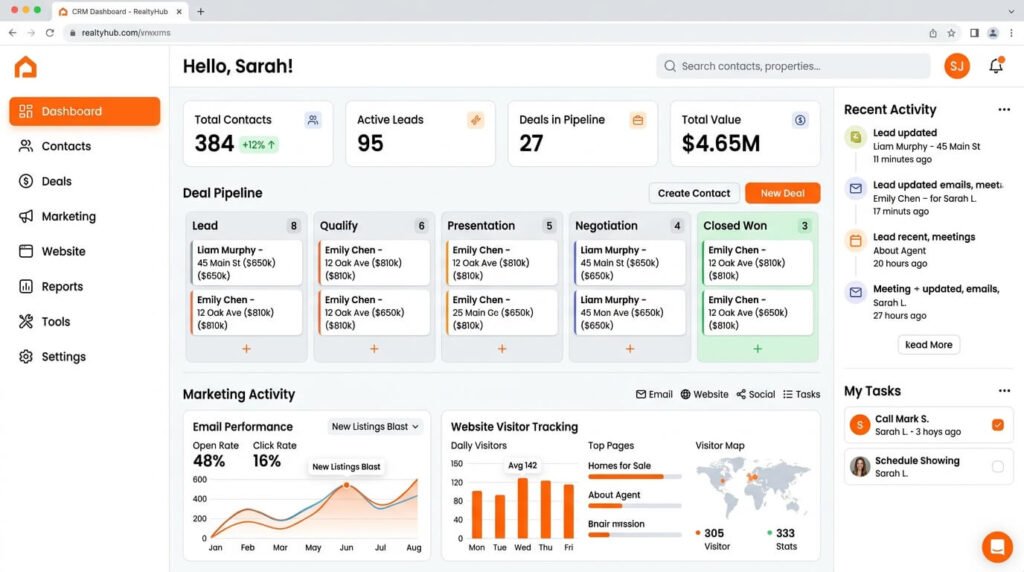
HubSpot offers a real free tier. No trial expires. No forced upgrade.
Who it fits. New agents who want to test a CRM before spending money.
How to Use HubSpot CRM
- Create your account. Click Get Free CRM. Enter your name and company details.
- Skip or complete the guided setup. Explore without data first if you prefer.
- Import your contacts. Upload a spreadsheet with your contact list.
- Add tracking code. Place it on your website to capture visitor activity.
- Set up email sync. Connect your inbox to track opens and replies.
- Build your pipeline. Set three deal stages to start. Keep it simple.
- Send a campaign. Create and schedule an email straight from the platform.
Start with a rule of three. Pick three properties and three pipeline stages to stay simple. Ghost
7 . Lofty
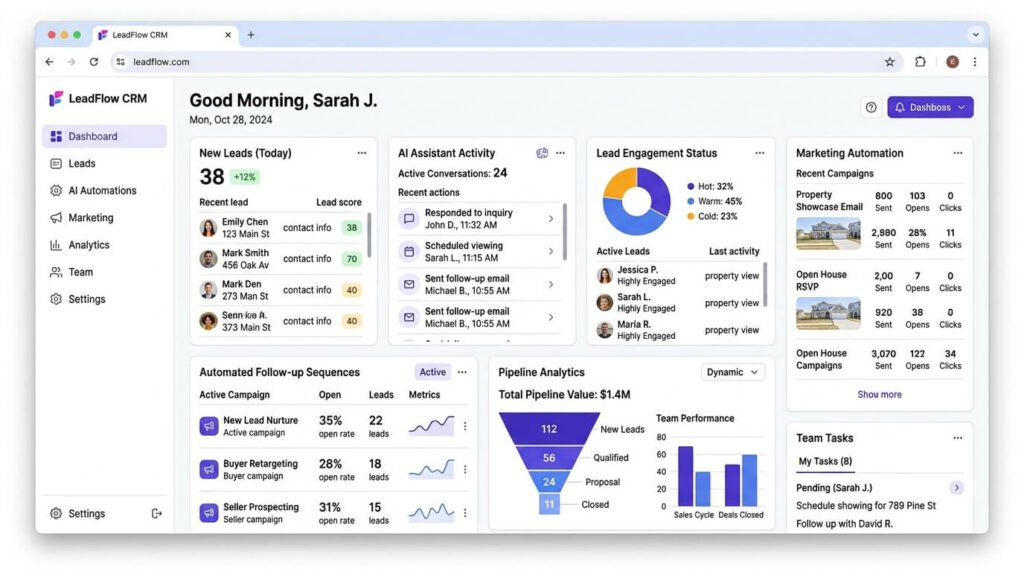
Lofty combines lead generation, CRM, and AI automation in one system. The AI engages leads without you logging in.
Pricing. Quote based. Retail pricing starts near 500 dollars a month.
Who it fits. Teams that want AI to handle first contact and follow up.
How to Use Lofty
- Add your contact details. Go to Settings. Enter your name, phone, and website.
- Upload a professional photo. Add your logo if you have one.
- Connect your inbox. Link Gmail or Outlook through the integrations tab.
- Import your contacts. Upload a CSV file. Smart Plans start nurturing them right away.
- Set up Smart Plans. Build automated email and text sequences for new leads.
- Check your dashboard daily. It shows your tasks, leads, and pipeline in one view.
- Set your goals. Track volume, closings, and revenue inside the CRM.
Live training runs every weekday inside Lofty. New agents should start with the first session on generating leads and closing deals. Lofty Help Center
Why Agents Struggle Without a CRM
New agents often start with spreadsheets. It works for ten leads. Then it breaks.
Here is what happens without real estate CRM software:
- Leads go cold within hours
- Follow-ups get forgotten
- Client history lives in scattered texts
- Team members duplicate work on one lead
- Deals fall through cracks during handoffs
Social media brings the most leads today. It sits at 39 percent. CRM software ranks second, at 23 percent. That number matters. A CRM is not a filing cabinet anymore. It is a lead source. HousingWire
Agents also spend real money on tech. Nearly a quarter spend over 500 dollars a month on technology.
Another fifth spend between 251 and 500 dollars. Real estate CRM software eats a chunk of that budget. Pick the wrong tool. You waste it fast. Houstonagentmagazine
How to Pick the Right Tool
Match the tool to your business. Skip the flashiest feature list.
| Your Situation | Best Fit |
| Solo agent, tight budget | Wise Agent or HubSpot free tier |
| Small team, high lead volume | Follow Up Boss |
| Brokerage with many agents | kvCORE (BoldTrail) |
| Already using many other apps | Zoho CRM |
| Visual thinker, sales-first mindset | Pipedrive |
| Want AI handling first contact | Lofty |
Ask three questions first:
- Where do most leads come from now?
- How many people need daily access?
- What other tools does this need to connect with?
How to Switch CRM Without Losing Data
- Export every contact as a CSV file first.
- Check that fields map correctly in the new system.
- Run both systems together for two weeks.
- Train your team before the full switch.
- Cancel your old plan only after data is confirmed.
Step three prevents most problems. Give yourself that overlap window.
Common Mistakes Agents Make
- Buying an enterprise tool as a solo agent
- Skipping automation setup, so the CRM becomes a contact list
- Ignoring lead source tracking
- Skipping team training
Each mistake is fixable. Match features to your team size. Set up automation on day one.
Final Thoughts
Real estate CRM software decides whether a lead turns into a closed deal. It decides whether a lead disappears into a missed call log.
Start with your lead volume. Match your team size to the tool. Test the free trial before you commit.
The right real estate CRM software stops leads from slipping through cracks. It starts paying for itself within the first month.
FAQ
Can a CRM write listing descriptions on its own now?
Generative AI inside modern platforms now drafts listing copy, social captions, and email campaigns automatically. Agents still review the output before it goes public. SolGuruz
Does AI inside a CRM ever create legal risk?
Yes. Fair Housing rules flag coded phrases like “quiet neighborhood,” and AI trained on old data can repeat that language without warning. Human review stops that risk before it reaches a client. Lorka AI
Will future CRM tools act without an agent’s input?
PwC’s 2026 outlook separates today’s generative tools from the next phase, agentic systems that plan and act with little supervision. A future system might update a lead’s status and book a follow-up call on its own. Discountpropertyinvestor
Can a CRM tell me the best moment to reach out to a lead?
Next-generation platforms already rank contacts by how likely they are to convert and suggest the ideal time to reconnect. This shifts follow-up from a guess to a calculated move. Tommaso Maria Ricci
Does AI ever read tone in client messages to spot a warm lead?
Some advanced systems now scan email and message threads for urgency signals, flagging a prospect who may be drifting toward a competitor. This catches warning signs a busy agent might miss. Tommaso Maria Ricci
Are small agencies able to afford these newer AI features?
Small and mid-size agencies do not need heavy capital, since SaaS pricing now covers most of these functions at accessible rates. Cost is no longer the main barrier to entry. Tommaso Maria Ricci
What data risk should I watch for with AI tools?
Never upload private client details, such as financial records, into a public AI tool. Pick platforms built with masking or privacy safeguards for sensitive fields. Lorka AI
Is buyer research now happening almost entirely online?
Research shows 97 percent of home buyers now search online during their home search, pushing the whole discovery phase into digital channels. This shift is one driver behind smarter, data-heavy CRM design. Discountpropertyinvestor
Will AI replace the agent’s role inside a CRM workflow?
No. Automation now handles retrieval and first-contact nurturing, while negotiation and local knowledge stay firmly human. The role shifts. It does not disappear. Netguru
Where is AI making the biggest quiet impact right now?
The real gains sit in unglamorous work: follow-up sequences, campaign tracking, and CRM syncing that keeps operations steady instead of reactive. These small wins add up faster than flashy features. Altois

Aliza Khatun is a Digital Marketing Professional and the founder of DigiGenHub. She has helped various businesses grow their online presence through real-world experience in marketing, branding, traffic growth, and business strategy.
Through DigiGenHub, she shows how to build and grow a business from the ground up using Website Setup, SEO, Branding, Paid Promotion, and smart digital tools.
She also highlights how AI can be used to its full potential to make content creation, automation, marketing, and business growth faster and smarter.
She believes that the right knowledge, modern technology, and the right tools can help any individual or business build a stronger online presence.