TL;DR
Short on time? Get the fast answer to pick your email marketing tools in 10 Seconds
- New to sending campaigns? Grab INBOX. Simple layout, quick setup, done in an hour.
- Tight budget, small list? Go with SendFox. Cheap entry, no monthly bills.
- Chasing cold outreach replies? Pick SalesBlink. AI writes your sequence, warmup keeps you out of spam.
- Running outreach for clients? Choose Mystrika. Built for teams juggling multiple campaigns at once.
- Bounce rates too high? Use Reoon Email Verifier. Scrubs your list before you hit send.
- Need fresh contacts fast? Try SocLeads. Pulls emails from social platforms and Maps in minutes.
- Sick of spam in your main inbox? Get ProxiedMail. Ten bucks, unlimited aliases, real address stays hidden.
Rule of thumb: Match the tool to your biggest headache today, not your five-year plan. Every pick above ships with a 60-day refund window, so testing costs nothing.
Yet, strong email marketing tools fix one problem well. Grab the one built for yours, redeem it, and send smarter this week.
Pick an Email Marketing Tool Without Wasting Money
Today, the right email marketing software does more than send messages. They protect your reputation, read behavior, and put your words in front of eyes at the exact right moment.
Still searching for email marketing tools that work without draining your budget? You’re in the right spot.
Most email platforms charge monthly fees that climb as your list grows. That model hurts small businesses, freelancers, and agencies the most.
AppSumo flips this. You pay once. You keep the tool forever. No surprise renewal charges next quarter. Automation that reacts to actions. Segmentation that treats your list like people, not data.
Comparison Table: Top Email Marketing Tools
I picked tools with at least 50 verified reviews, so you’re not gambling on an untested product.
By the end, you’ll know exactly which tool fits your situation and how to set it up today.
| Tool | Best For | Starting Price | Rating | Core Function |
| INBOX | Beginners and content creators | $99 lifetime | 4.6/5 | Campaign design, automation, analytics |
| SendFox | Bloggers and podcasters on a budget | $49 lifetime | 4.0/5 | Newsletter sends, Smart Pages |
| SalesBlink | Cold email at scale | $79 lifetime | 4.3-4.5/5 | AI sequences, warmup, unified inbox |
| Mystrika | Agencies running outreach | $125 lifetime | 4.1/5 | Warmup, lead tracking, multi-language |
| Reoon Email Verifier | Cleaning email lists | $79 lifetime | 4.9/5 | Bulk verification, bounce reduction |
| SocLeads | Building new contact lists | $69 lifetime | 4.0/5 | Social and Maps email scraping |
| ProxiedMail | Protecting your real inbox | $10 lifetime | 4.6/5 | Alias creation, forwarding |
Each tool solves a different piece of the puzzle. Read on for the full breakdown.
INBOX: Best Email Marketing Tool for Beginners
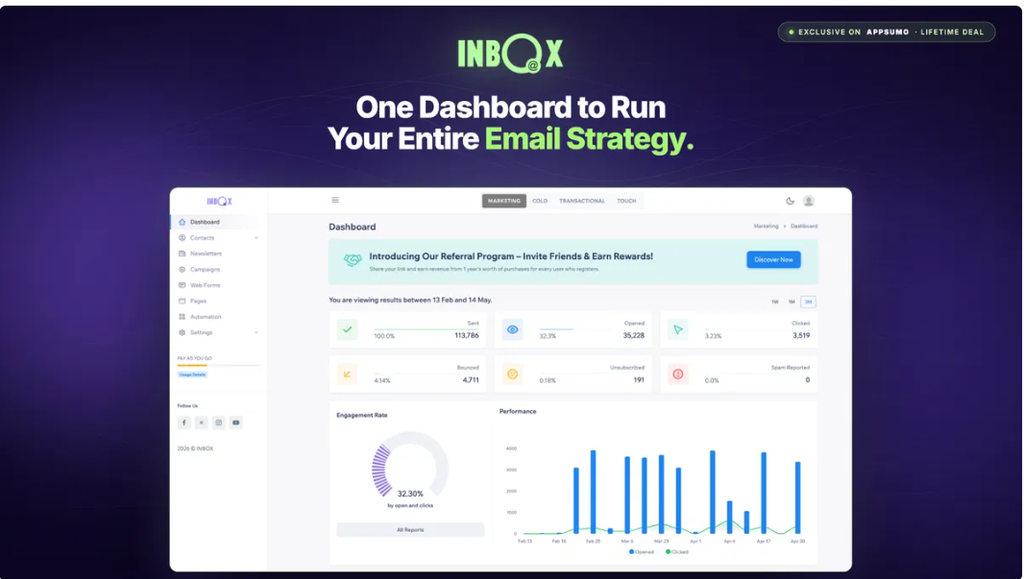
INBOX is a drag-and-drop email platform built for creators who don’t want a steep learning curve.
You get a visual editor, automation workflows, and real-time analytics in one dashboard.
The company built it around compliance too, so campaigns follow GDPR, CASL, and CCPA rules automatically.
Key Features
- Drag-and-drop campaign builder with pre-made templates
- A/B split testing for subject lines and content
- Contact scoring based on engagement
- Real-time open, click, and bounce tracking
- Multi-brand management from one account
How to Set It Up
- Redeem your code and create your account.
- Import your contact list or connect a signup form.
- Pick a template and drag in your content blocks.
- Set up one automation, like a welcome sequence.
- Send a test email, then launch your first campaign.
Who Should Buy This
Solo creators, small agencies, and anyone who has never sent a campaign before. The interface removes guesswork. Most first campaigns go out within an hour of setup.
The Catch
Automation options stay basic compared to enterprise platforms. If you need complex branching logic, you’ll outgrow this tier eventually.
Get INBOX and simplify your first campaign launch today.
SendFox: Best Budget Email Marketing Tool for Creators
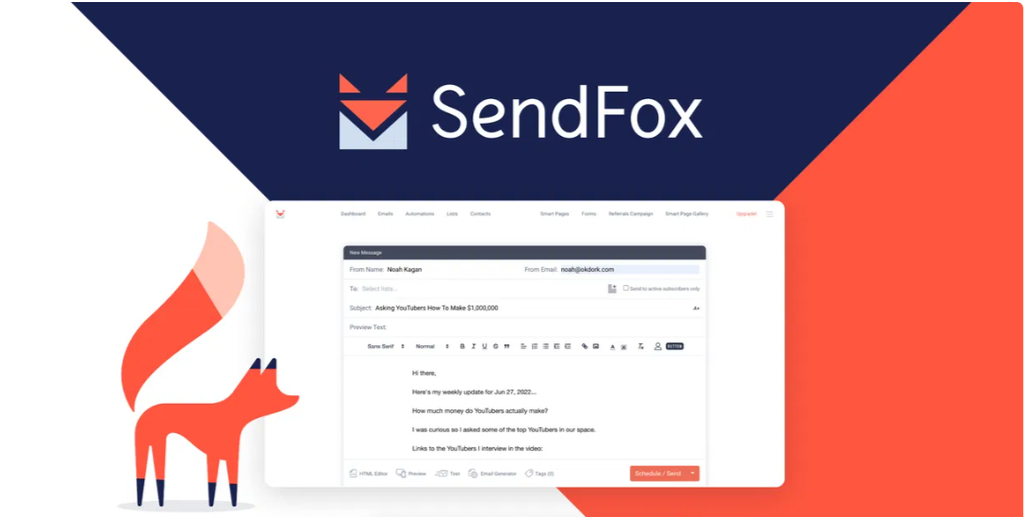
SendFox was built by the AppSumo team specifically for bloggers, YouTubers, and podcasters.
It skips the bloat found in bigger platforms and focuses on one job: getting your content into inboxes fast.
Key Features
- Unlimited sends up to your contact tier
- Smart Campaigns that auto-convert blog posts or videos into emails
- Built-in landing pages and embeddable signup forms
- List tagging and segment automation
- Zapier integration for connecting other apps
How to Set It Up
- Sign up and pick your subscriber tier.
- Import your list from a CSV file or existing platform.
- Build a Smart Page to collect new signups.
- Turn on a Smart Campaign linked to your RSS feed or blog.
- Review your first automated send before it goes live.
Who Should Buy This
Anyone with a list under 5,000 contacts who sends newsletters, not complex funnels. It fits creators who write consistently but don’t want subscription costs eating into profit.
The Catch
It’s not built for advanced ecommerce automation or large sales teams. Stick with it for straightforward newsletter sending.
Grab SendFox and stop paying monthly for basic newsletters.
SalesBlink: Best Email Marketing Tool for Cold Outreach
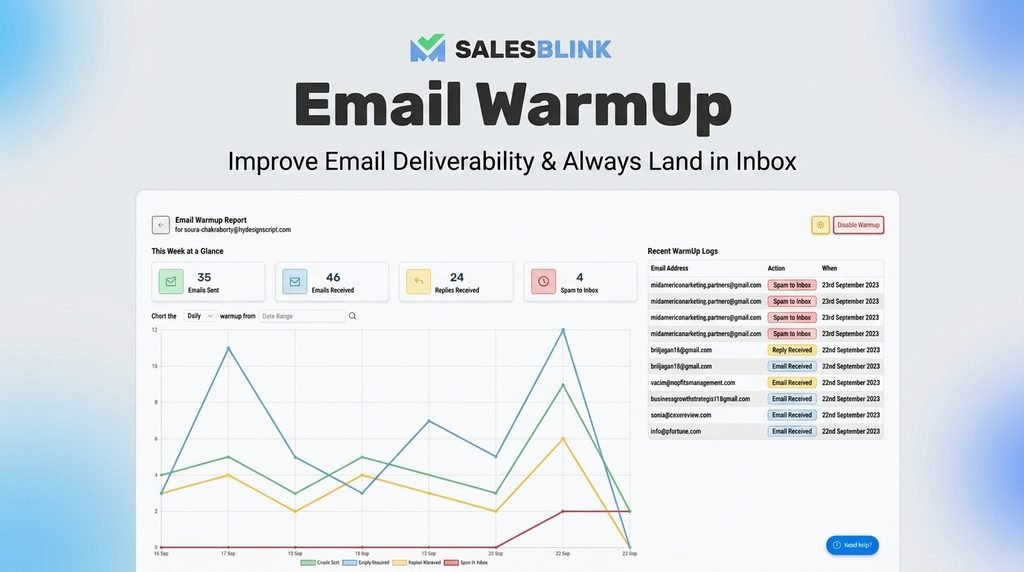
SalesBlink targets a different problem: getting a stranger to open and reply to your email.
It combines AI-written sequences, automatic warmup, and a unified inbox so every reply lands in one place.
A 2026 rebuild added AI agent support, letting outside tools like Claude trigger campaigns directly.
Key Features
- BlinkGPT AI sequence generator trained on high-reply cold emails
- Automated email warmup to protect sender reputation
- Unified inbox across multiple sending accounts
- Built-in meeting scheduler synced with Google and Outlook
- CRM and MCP integrations for automated workflows
How to Set It Up
- Connect your sending email accounts.
- Turn on warmup and let it run for one to two weeks before your first campaign.
- Describe your offer to BlinkGPT and generate a sequence.
- Review and personalize the draft before sending.
- Monitor replies from the unified inbox and book meetings directly.
Who Should Buy This
Sales teams, agencies, and founders who rely on cold email for pipeline. The warmup feature alone solves the biggest problem in outreach: landing in spam.
The Catch
New users report a learning curve during the first setup week. Give yourself time before judging results.
Try SalesBlink and start landing replies instead of spam folders.
Mystrika: Best Email Marketing Tool for Agencies
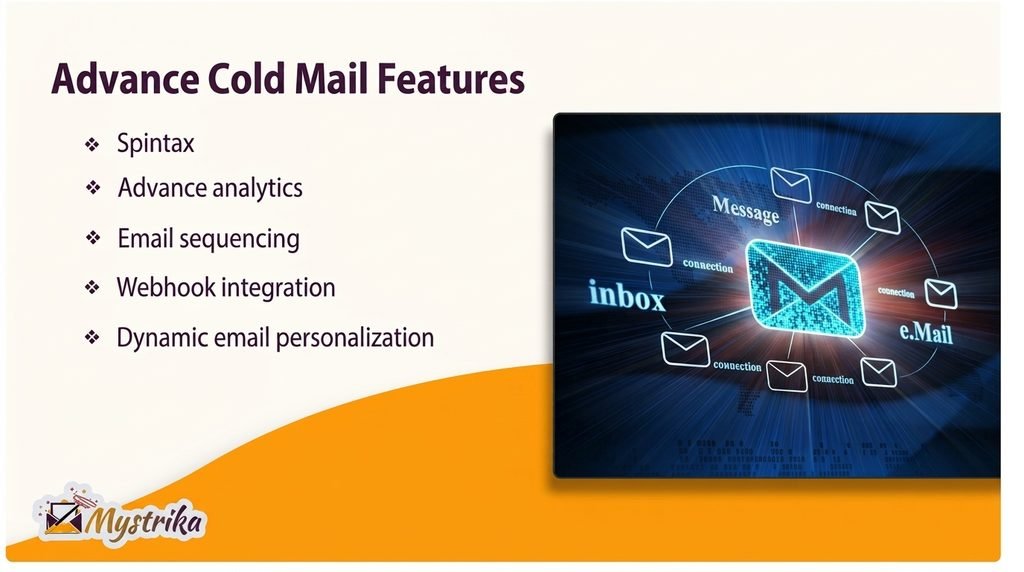
Mystrika focuses on one metric above all others: inbox placement. Agencies running outreach for multiple clients need consistent deliverability. Mystrika’s warmup pool covers multiple languages, which matters for global campaigns.
Key Features
- Automated email warmup across a shared reputation pool
- AI-assisted writing and personalization
- Lead and campaign tracking dashboard
- Sentiment detection on replies
- Collaborative workspaces for team accounts
How to Set It Up
- Connect each sending account you plan to use.
- Start warmup immediately, since it takes roughly two weeks to build reputation.
- Upload your lead list and set daily sending limits per sender.
- Build your sequence with AI-assisted copy.
- Track replies and adjust based on sentiment flags.
Who Should Buy This
Agencies managing outreach for several clients at once, plus recruiters and consultants who send in volume. The multi-language pool gives it an edge for international campaigns.
The Catch
Some users report slower support response during high-traffic periods. Set realistic expectations on turnaround time for tickets.
Get Mystrika and protect your sender reputation from day one.
Reoon Email Verifier: Best Tool for Cleaning Your List
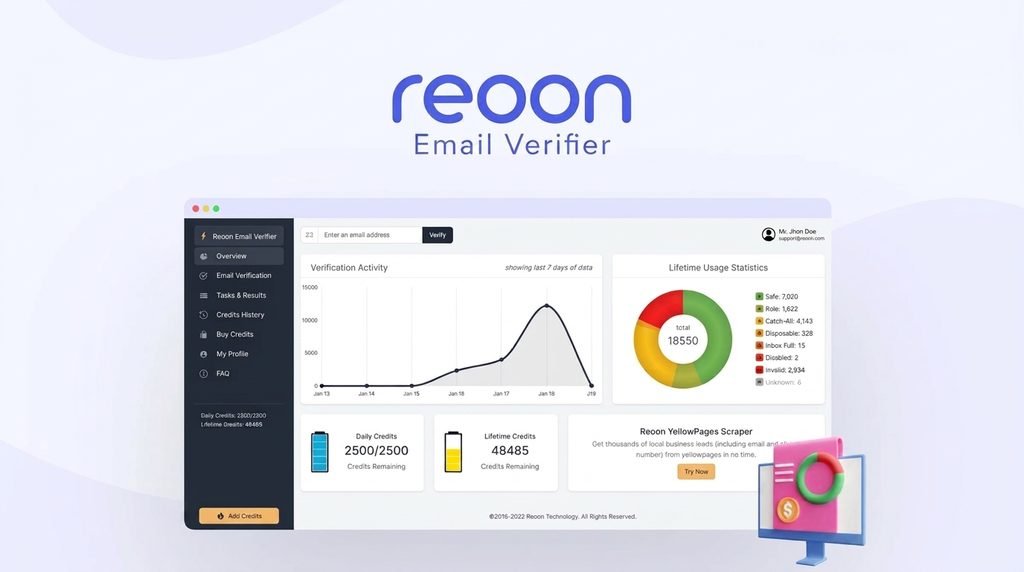
Every email marketing tool on this list works better with a clean list behind it. Reoon Email Verifier checks each address for validity before you send.
This cuts bounce rates and protects your sender score. It uses a dual-credit system: bonus credits for one-time list cleanup, plus daily-renewing credits for ongoing verification.
Key Features
- Deep validation of domain, mailbox, and syntax
- Disposable and role-based address detection
- Bulk list upload with CSV export
- WordPress plugin for form-level verification
- API access for automation tools
How to Set It Up
- Upload your existing list as a CSV file.
- Run bulk verification using your bonus credit pool.
- Export the clean list, sorted by safe, risky, and unsafe.
- Connect the API or WordPress plugin to catch new signups automatically.
- Use daily-renewing credits to verify new contacts going forward.
Who Should Buy This
Anyone sending campaigns regularly, especially if bounce rates or spam placement have been a problem. This tool solves that at the source instead of after the fact.
The Catch
The credit system can feel restrictive if you verify extremely high volumes daily. Check your expected usage against the tier before buying.
Get Reoon Email Verifier and cut your bounce rate before your next send.
SocLeads: Best Tool for Building New Contact Lists
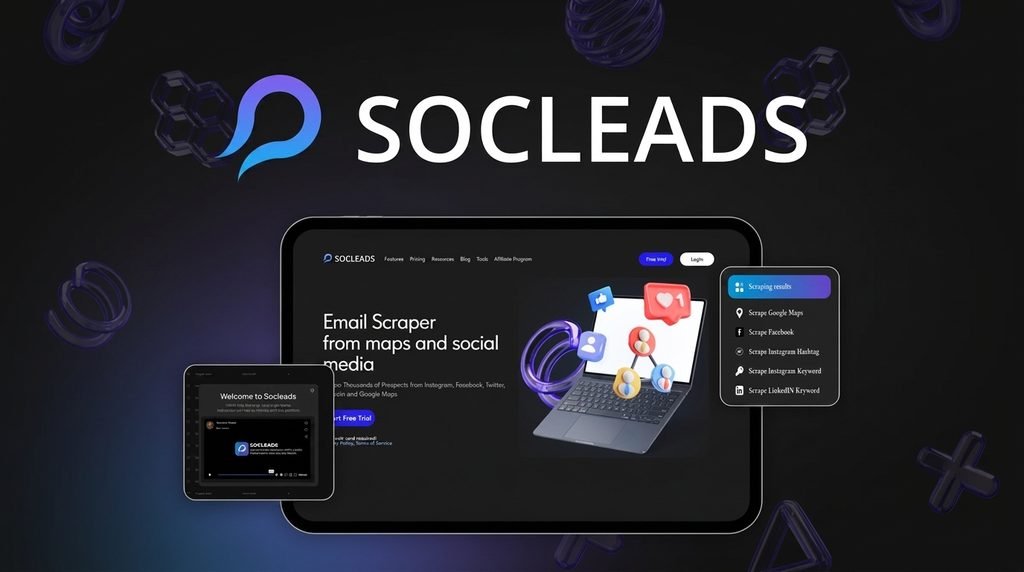
SocLeads solves list-building. It scrapes public email addresses from Instagram, Facebook, LinkedIn, YouTube, X, and Google Maps based on keywords, hashtags, or location.
Built-in validation removes duplicates and filters out unsafe addresses before export.
Key Features
- Multi-platform scraping across six major sources
- Geolocation and keyword-based targeting
- B2B and B2C email separation
- Duplicate detection across past searches
- CSV and Excel export for direct upload to your sending tool
How to Set It Up
- Pick your target platform, like Google Maps or Instagram.
- Enter your niche keywords or target location.
- Run the scrape and wait for the results email.
- Export the list as CSV.
- Pair it with a verifier before your first send.
Who Should Buy This
Marketers and agencies who need fresh, targeted contacts fast, especially for local business outreach or niche B2B campaigns.
The Catch
Scraped lists still need verification before sending. Pair this with a tool like Reoon Email Verifier for best results.
Get SocLeads and build a targeted list in minutes, not weeks.
ProxiedMail: Best Tool for Protecting Your Inbox
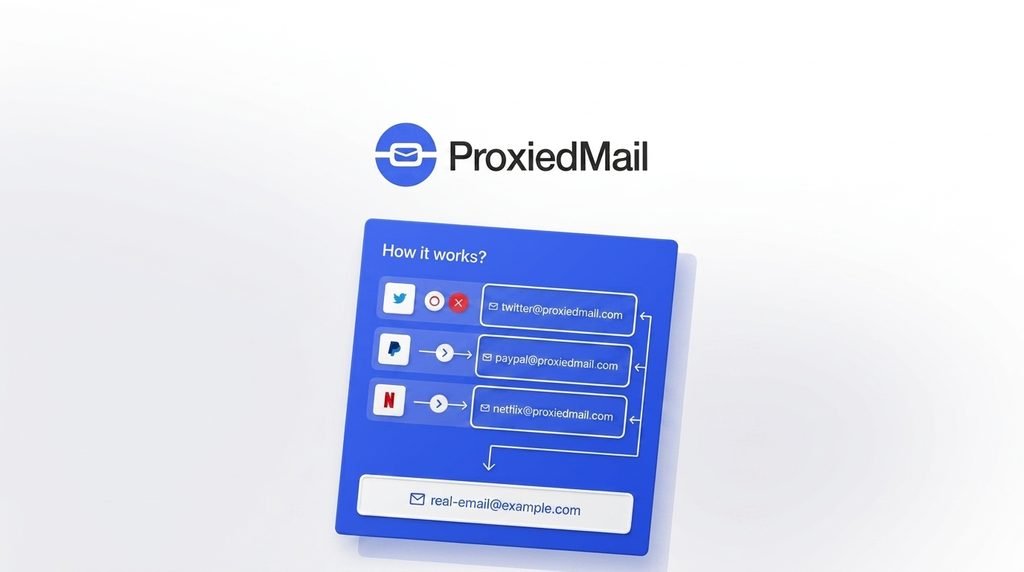
ProxiedMail generates unlimited proxy email addresses that forward to your real inbox. Every signup, newsletter, or client project gets its own address, so a data leak stays contained to one alias instead of exposing your main account.
Key Features
- Unlimited alias creation with no artificial cap
- Custom domain support for branded addresses
- Two-way reply capability through the proxy
- Instant alias deletion to stop unwanted mail
- API access for automated alias creation
How to Set It Up
- Create your account and connect your real inbox.
- Generate a proxy address for each new signup or project.
- Reply directly from your email client. Your real address stays hidden.
- Delete any alias the moment it starts receiving spam.
- Add a custom domain if you want branded proxy addresses.
Who Should Buy This
Anyone signing up for frequent trials, running client work, or testing website forms. It also fits marketers who want a clean way to separate campaign inboxes from personal ones.
The Catch
No native mobile app yet, and it lacks PGP encryption found in some privacy-focused competitors.
Get ProxiedMail and stop handing out your real email address.
What to Check Before Buying Email Marketing Tools
Once you know which piece fits your gap, run these four checks before you buy.
- Check Your List Size Against Pricing Tiers
Lifetime deals scale by contact count or sending volume. Buy the tier that matches your list today, not your goal for next year. Most platforms let you stack codes later as you grow. - Confirm Deliverability Features
Look for built-in warmup, domain authentication support, and bounce tracking. A cheap tool with weak deliverability costs more in lost replies than a pricier one that lands in the inbox. - Read the Refund Terms
Every tool on this list carries AppSumo’s 60-day money-back guarantee. Test it with genuine campaigns before that window closes. - Verify Compliance Support
If you send to EU or California contacts, confirm GDPR, CASL, or CCPA features exist. INBOX includes this natively.
Check these four boxes, and your next pick from this list of email marketing tools earns its spot in your stack instead of sitting unused after purchase.
What a Complete Email Marketing Tool Stack Needs in 2026
One tool rarely covers everything. Strong senders in 2026 build results from six pieces working together, not one all-in-one platform trying to fake the rest.
- A steady stream of fresh contacts — pulled from targeted sources, not old purchased lists
- A clean list before every send — bad addresses removed so bounce rates stay low
- Behavior-based sending — campaigns and follow-ups triggered by subscriber actions, not calendar dates
- Warmed-up senders that reach the inbox — reputation protected before volume scales up
- A private, spam-proof inbox — one leaked address doesn’t expose your whole operation
- Mobile-ready campaigns — since most opens happen on a phone now
Miss any piece, and your email marketing tools carry the full load alone. That’s where most campaigns break down.
How Each Tool Covers a Piece of the Stack
- SocLeads builds your contact stream from social platforms and Google Maps.
- Reoon Email Verifier keeps that list clean before every send, cutting bounce rates fast.
- INBOX and SendFox handle the actual sending, with drag-and-drop campaigns and automation.
- SalesBlink and Mystrika cover cold outreach, with built-in warmup so replies land in the inbox, not spam.
- ProxiedMail protects your inbox long-term, keeping your address out of every signup form.
No single tool does all six. That’s the point. Pick the piece that matches your gap today. Add the next tool once that gap closes. Your email marketing tools then work as one system, not six disconnected apps.
Final Recommendation
Start with your bottleneck. If you’re new to campaigns, INBOX gets you sending fast with a clean interface.
If cold outreach is your channel, SalesBlink or Mystrika protect your sender reputation while automating the heavy lifting. If bounce rates are hurting your results, Reoon Email Verifier fixes that at the source.
Each of these email marketing tools carries a 60-day guarantee, so testing one costs you nothing but time. Pick the tool that matches your exact problem today, redeem your code, and send your next campaign with a clean list and a protected inbox.
Ready to fix your email marketing stack? Compare the tools above, pick the one that matches your bottleneck, and grab the lifetime deal before pricing changes.
FAQ
Are email marketing tools different from a basic newsletter service?
Yes. A newsletter service just sends messages. These tools track opens, clicks, and purchases.
They build automated sequences based on what each person does. You get insight, not just delivery.
Can you run email campaigns without owning a website?
Yes. Most platforms let you build signup forms, landing pages, and full campaigns inside the tool itself.
A website helps down the road, but it’s not required to start collecting subscribers today.
Do you need a marketing background to run these tools yourself?
No. Modern platforms use drag-and-drop builders and ready-made templates built for beginners.
You’ll pick up the basics in a single afternoon. Hiring help matters more once your automation grows complex.
How does the disappearing cookie affect email marketing going forward?
As third-party cookies fade out, your email list becomes one of the few solid, first-party data sources left.
Brands that build direct subscriber ties now will hold a strong edge once broader tracking disappears.
Will interactive emails replace static newsletters soon?
Interactive elements like polls, carousels, and in-email checkout are growing fast.
They keep readers inside the inbox instead of clicking away. Full replacement isn’t near yet, but adoption is climbing fast among bigger brands.
Do email marketing tools handle multilingual audiences well?
Most major platforms offer content blocks that switch by subscriber language or region.
Coverage still varies. Check translation depth and character support before you commit, especially across several countries.
Is voice search changing how people find email tips and offers?
Indirectly, yes. More people ask assistants questions instead of typing them.
Content with clear, direct answers near the top ranks better now. That same clarity also gets it pulled into voice and AI search results.
How accessible are these tools for people using screen readers?
It varies by platform. Look for:
- Alt text support on images
- Proper heading structure inside the builder
- Readable color contrast on templates and buttons
Accessible design widens who can read and act on what you send.
What should you expect from email marketing beyond 2026?
Expect tighter integration between email, SMS, and app notifications, working as one connected system.
Expect stricter privacy rules too. The senders who win will treat inbox trust as an asset worth protecting, not a number to inflate.

Aliza Khatun is a Digital Marketing Professional and the founder of DigiGenHub. She has helped various businesses grow their online presence through real-world experience in marketing, branding, traffic growth, and business strategy.
Through DigiGenHub, she shows how to build and grow a business from the ground up using Website Setup, SEO, Branding, Paid Promotion, and smart digital tools.
She also highlights how AI can be used to its full potential to make content creation, automation, marketing, and business growth faster and smarter.
She believes that the right knowledge, modern technology, and the right tools can help any individual or business build a stronger online presence.