Ever open five tabs, three spreadsheets, and one tired sigh just to move data from one app to another? You’re not alone.
You don’t need a developer on speed dial anymore. You don’t need to learn a single line of code either.
You just need the right no-code automation tools connected the right way, and suddenly your busywork runs itself while you sleep.
Picture this: a lead fills out your form, your CRM updates, your team gets pinged, and an invoice drafts itself. No clicking. No chasing. That’s the quiet power behind no-code automation tools today.
So stick with me. You’re about to see exactly which tools fit your workflow, your budget, and your growth, without guesswork slowing you down.
No-Code Automation Tools: Where Your Time Comes Back
A no-code automation tool connects your apps. You build it through a visual screen. You pick a trigger, like a new form entry. You tell the tool what happens next. No scripts. No developer queue.
Common jobs people hand off:
- Move new leads from a form into a CRM
- Send a Slack alert when a sale closes
- Sync inventory between a store and a spreadsheet
- Generate an invoice the moment a deal closes
- Route support tickets to the right team
If a task repeats daily and follows a pattern, a no-code automation tool can likely take it over.
The Main No-Code Automation Tools: Find Your Fit
Every business has a different pain point. Some need speed. Some need control. Some need strict data rules followed to the letter.
That’s why one tool never fits everyone. Here’s a close look at the platforms leading this space now, and exactly who each one fits best.
No-Code Automation Tools Compared at a Glance
| Tool | Best For | Pricing Model | Self-Hosting |
| Zapier | Fast setup, non-technical teams | Per task | No |
| Make | Branching logic, mid-market ops | Per operation | No |
| n8n | Compliance, AI agents, developers | Per execution | Yes |
| Pabbly Connect | Small teams on a budget | Flat rate | No |
| Pipedream | Engineers wanting code control | Usage-based | Partial |
Zapier
It built its name on speed. It connects over 8,000 apps. It uses a simple builder: trigger, then action.
Someone with zero technical background can build a working automation in minutes. The tradeoff shows up later.
Zapier bills per task. A 20-step workflow that runs often gets expensive fast. That’s the catch. Zapier fixed part of this gap in another way. It added MCP support.
This connects AI tools like Claude and ChatGPT to over 9,000 apps. It also added an SDK. This gives developers direct access to Zapier’s full app catalog. Gartner
Make
This tool, formerly Integromat, sits in the middle. Its canvas builder handles branching logic that Zapier’s straight-line approach cannot manage well.
Make costs less than Zapier at the same volume. It fits ops teams juggling several conditions at once. The setup takes longer than Zapier, but the extra control pays off for complex workflows.
n8n
This tool targets developers and regulated industries. It is the only major platform among the three built for full self-hosting.
n8n charges per execution, not per task, so a simple two-step workflow and a complex 200-step AI-powered agent both count as a single execution.
That model keeps costs flat as volume grows. For anyone under HIPAA or GDPR, this control matters more than price. n8n’s own comparison page lays out the technical details clearly. Zapier
Two smaller names worth a mention:
Pabbly Connect
It offers flat-rate pricing with high task limits. It works close to Zapier’s style but fits tighter budgets.
Pipedream
This tool skips the pure visual approach. Engineers write JavaScript, Python, or TypeScript steps directly. It suits teams that want code-level control without running their own servers.
I moved a healthcare client from Zapier to n8n last year. The reason was data residency.
Their compliance officer would not approve patient data sitting on a US-based cloud server outside their control. Self-hosted n8n closed that gap in one afternoon.
Where AI Fits Into No-Code Automation Tools Now
This part changed fast. Every major platform added AI that goes past a simple chatbot.
- n8n 2.0, launched in January 2026, added an AI Agent Tool Node for multi-agent work, LangChain integration, and memory that persists across runs.
- Zapier launched Zapier Agents. These run tasks across apps without a person pressing go. An AI Copilot drafts workflows from a plain description.
- Make added AI scenarios with a built-in prompt interface.
You can now describe a workflow in plain words. The builder drafts it. Still review it before it goes live. AI drafts get the shape right most of the time. The remaining gap needs a human check.
Common Roadblocks and the Fix
No tool runs perfectly on day one. Most teams hit the same few snags with no-code automation tools, again and again. Let’s know what usually goes wrong, and the exact fix for each one.
Outgrowing a tool within months
Teams that pick the wrong platform often hit a wall inside six months. Pricing scales badly, or the logic gets too rigid.
Fix: map your step count and branching needs before you sign up.
Costs spiking without warning
Task-based pricing punishes growth.
Fix: switch to execution-based pricing once your volume climbs.
Data privacy blocking adoption
Regulated data cannot sit on any random cloud server.
Fix: pick a self-hosted platform from day one.
Automations failing without a sound
This costs real money over time. A friend running a small shop had her order-sync automation fail for four days. Nobody noticed. Forty orders never reached fulfillment.
Fix: build in error alerts before you launch, not after something breaks.
How to Pick the Right Tool
Ask four questions first.
- Does anyone on the team write code? If not, start with Zapier or Make.
- How complex is the logic? Simple triggers work anywhere. Branches need Make or n8n.
- How often will it run? Low volume favors task pricing. High volume favors execution pricing.
- Do compliance rules apply? If yes, self-hosting is not optional.
Proof It Pays Off
- Nearly 44% of companies see positive returns within six months of adoption.
- One organization cut an HR process from 30 days down to 2 hours.
- Marketing teams save an average of 6.5 hours per week through automation.
A marketing consultant I worked with cut client onboarding from three hours down to twenty minutes. She automated the whole intake sequence. That freed time turned into two extra clients per quarter.
Where This Is Headed
Builders are moving away from drag-and-drop. Plain language is taking over. You type what you want. The tool builds it.
Next comes something bigger. Agents that adjust workflows on their own. No rebuild needed each time something changes.
Document-heavy work is still behind. Finance and operations teams lag here. Marketing and sales teams moved first. That gap leaves room open. Teams willing to move now can get ahead.
A few related terms worth knowing: workflow automation software, business process automation, low-code development platforms, citizen developer tools, and AI workflow builders.
Why No-Code Automation Tools Took Off
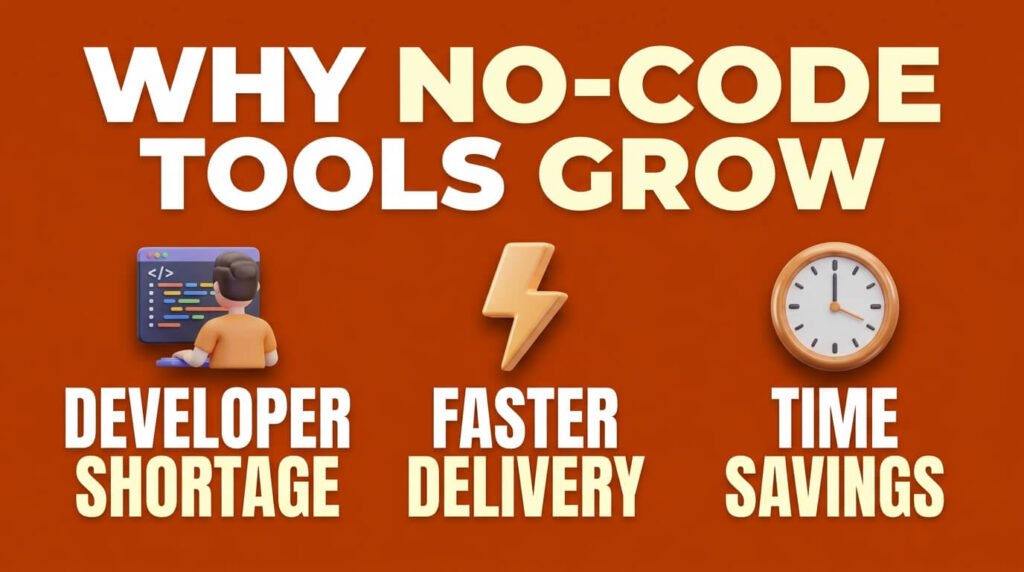
This shift is not hype. It comes from a hiring gap. Look at the numbers. The U.S. Bureau of Labor Statistics projects software developer jobs to grow 15% from 2024 to 2034.
That means about 129,200 new openings each year. Companies cannot fill every seat. So teams build their own tools instead. U.S. Bureau of Labor Statistics
The money backs this up too. Gartner projects the low-code development market to reach $58.2 billion by 2029, growing at a 14.1% annual rate. That growth is not small. It marks a real change in how software gets built. Kissflow
A few more numbers explain the pull:
- Low-code platforms cut time-to-market by 74% compared to traditional development.
- The average no-code project finishes in 3.2 weeks. A traditional build takes 14.8 weeks.
- Approval cycles drop 65-70% once teams automate them.
I once worked with a 12-person agency. They ran six separate spreadsheets. Every new client meant updating each one by hand. One workflow replaced that mess.
The owner got about four hours back each week. That is the whole case for no-code automation tools in one line: less clicking, more running.
Final Word
No-code automation tools stopped being optional once the hiring gap turned permanent. Pick based on your team’s technical comfort, your workflow’s complexity, and your compliance needs. Not on whichever tool markets loudest. Start with one repeating task. Prove the time savings. Then expand.
FAQ
Do I need technical skill to start?
No, for basic workflows. Advanced logic or self-hosting needs some technical comfort.
Are these tools secure for sensitive data?
Cloud tools like Zapier and Make work fine for standard SaaS data. Regulated data usually needs self-hosted n8n.
How fast will I see results?
Most teams see gains within 6-12 months. Simple workflows often pay off within the first week.
Can one tool cover everything?
Rarely. Most large teams end up running more than one no-code automation tool, since each platform covers different needs well.

Aliza Khatun is a Digital Marketing Professional and the founder of DigiGenHub. She has helped various businesses grow their online presence through real-world experience in marketing, branding, traffic growth, and business strategy.
Through DigiGenHub, she shows how to build and grow a business from the ground up using Website Setup, SEO, Branding, Paid Promotion, and smart digital tools.
She also highlights how AI can be used to its full potential to make content creation, automation, marketing, and business growth faster and smarter.
She believes that the right knowledge, modern technology, and the right tools can help any individual or business build a stronger online presence.