Thinking about how to start a digital planner business? You need one clear idea and the will to test it.
Pick a niche people already search for. Build your first planner in a weekend. Test your links. Price it fairly.
List it somewhere buyers already browse. That’s it. No big budget required. No years of waiting.
Every seller you admire started with one file and zero followers. They just pressed publish before doubt could talk them out of it.
Your planner doesn’t need to be flawless on day one. It needs to exist so people can find it, use it, and tell you what to fix next.
I built my first digital planner three years ago on a kitchen table with a free trial of Canva. I made mistakes. I fixed them.
What Is a Digital Planner Business?
A digital planner business sells fillable PDF planners or app-based templates that people use on tablets with a stylus.
Buyers open the file in an app like GoodNotes or Notability, tap through tabs, and write with digital ink instead of paper.
You are not selling a printed product. You are selling a file. That one fact changes your entire cost structure. No printing. No shipping. No inventory. Once you build the file, you can sell it thousands of times.
How to Start a Digital Planner Business: What’s the Best Way
Digital planners are among the few online products that still sell every day without paid ads. People search for structure.
They want their goals, habits, and schedules in one tidy file they can open on an iPad or tablet.
Yet, every successful planner shop starts the same way. A clear niche. A tested idea. A file that works. Let’s see the path from idea to first sale.
Step 1: Pick a Specific Planner Niche
Do not build a “general” planner. Broad planners get lost in search results. Narrow ones rank and sell.
Pick a niche tied to a real problem:
- Budget planners for freelancers
- Meal planners for families with food allergies
- ADHD-friendly daily planners with short task blocks
- Wedding planning trackers
- Fitness and workout logs
- Homeschool planners for parents
A tight niche gives your buyer a reason to pick your file over a generic one. It also gives search engines a clear signal about what your product solves.
Step 2: Validate Demand Before You Design Anything
Before you spend a weekend designing, check if people search for your niche.
- Type your planner idea into a search bar and watch the autocomplete suggestions.
- Check Etsy search bar suggestions for your exact niche.
- Look at Pinterest search trends for planner-related terms.
- Read comments on similar products to see what buyers wish existed.
Skip this step and you risk building something nobody wants. I once spent two weeks on a travel planner nobody searched for.
It sold three copies in six months. My next planner, a budget tracker for gig workers, sold forty copies in the first month because I checked demand first.
Step 3: Choose Your Design Tool
You do not need advanced design skills to build a professional planner. Several tools handle this well, each with different strengths.
| Tool | Best For | Learning Curve | Hyperlink Support |
| Canva | Beginners, fast layouts | Low | Yes, with Canva’s link feature |
| Adobe Illustrator | Advanced custom graphics | High | Yes, via Acrobat export |
| Affinity Designer | One-time purchase, no subscription | Medium | Yes |
| Keynote/PowerPoint | Free tools already on your device | Low | Yes |
Whatever tool you pick, the planner still needs the same core structure: dated or undated pages, clickable tabs, and clean navigation between sections. The tool matters less than the structure inside the file.
Step 4: Build the Hyperlinked Navigation
This part trips up beginners the most. A digital planner needs internal hyperlinks, so users can tap a tab and jump to that page instantly.
Without this, your planner is just a static PDF that scrolls forever, and buyers notice fast.
Here is the simple process:
- Design your pages first, including a table of contents or tab bar.
- Export as a PDF.
- Open the PDF in a link-editing tool (Canva and Adobe both support this).
- Draw a clickable box over each tab.
- Link that box to the matching page number.
- Test every single link before you upload the final file.
I tested my first planner on three different tablets before launch. One link failed on Android that worked fine on iPad. That fifteen-minute check saved me from a wave of refund requests.
Step 5: Test Compatibility Across Apps
Buyers open your file in different apps. What works in GoodNotes might break in Notability or Xodo. Test your planner in at least three apps before you sell it:
- GoodNotes
- Notability
- Xodo (common on Android tablets)
Check that hyperlinks work, text stays sharp when zoomed, and pages load without lag. A planner that only works in one app will generate refund requests and bad reviews fast.
Step 6: Set Up the Legal Side of Your Business
This is the part most guides skip, and it is the part that protects you long term. If you are asking how to start a digital planner business the right way. This step matters as much as design.
Choose a business structure
Most solo creators start as a sole proprietor, then move to an LLC once sales grow.
An LLC separates your personal assets from business debts. The SBA’s 10-step guide walks through structure, naming, and registration in order.
Register your business
If you form an LLC, you will likely need to register with your state and may need a local license depending on where you live.
The SBA registration guide explains what applies based on your state and structure.
Get an EIN
This is free through the IRS and takes about ten minutes online. You need it to open a business bank account and file taxes correctly.
Track your self-employment tax
Once your net earnings from the business hit $400 or more in a year, you owe self-employment tax on top of regular income tax.
The IRS self-employment tax page breaks down the current rate and filing rules. Set aside roughly 25 to 30 percent of your profit for taxes. So April does not surprise you.
Protect your design
Your original planner layout counts as your creative work the moment you make it.
Registering it with the U.S. Copyright Office gives you stronger legal standing if someone copies your file and resells it.
When I registered my LLC, the whole process took under an hour online through my state’s site. The part that took longer was choosing a business name that was not already taken.
Step 7: Price Your Planner Correctly
Pricing scares new sellers the most. Price too low and you undercut your own margin. Price too high with no track record and buyers scroll past.
| Product Type | Typical Price Range |
| Simple single-page planner | $3 – $8 |
| Full weekly/monthly planner | $9 – $19 |
| Complete planner bundle (budget + habit + goals) | $20 – $45 |
Start near the middle of your category. Raise your price once you collect reviews. Reviews build trust, and trust supports higher prices.
Step 8: Choose Where to Sell Your Planner
Each platform trades convenience for fees. Compare them honestly before you commit.
| Platform | Setup Effort | Fee Structure | Built-In Traffic |
| Etsy | Low | $0.20 listing + 6.5% transaction fee | High |
| Your own website | Medium to high | Payment processor fee only (~3%) | None, you drive it |
| Gumroad | Low | Flat percentage per sale | Low |
| Shopify store | Medium | Monthly fee + processing fee | None, you drive it |
Etsy gives you buyers searching right now, which is why most new sellers start there.
A personal website gives you full control and keeps more of every sale. But you carry the full weight of driving traffic yourself. Many sellers run both once they gain traction.
Step 9: Market Your Planner the 2026 Way
Search behavior changed. People now ask AI tools and voice assistants direct questions instead of typing keywords into a search bar.
This shift is called answer engine optimization, or AEO, and it changes how you should write and structure your product listings and content.
Here is what works right now:
- Answer the exact question in your title and first sentence. If someone asks “what is a good digital planner for ADHD,” your listing title should almost mirror that phrase.
- Use clear headers on every page of your shop and website. AI tools pull answers from structured content, not walls of text.
- Add a short FAQ section on your product listing. This mirrors how people phrase voice searches.
- Publish supporting content on a blog or Pinterest. Every pin or post that answers a specific planning question builds a trail back to your product.
- Keep descriptions short and specific. Long, vague copy gets skipped by both readers and AI summarization tools.
This is different from older SEO tactics that relied on keyword stuffing. Today, clarity beats density. Write like you are answering a real question from a real person, because you are.
Is a Digital Planner Business Still Profitable in 2026?
Yes, and the numbers back it up. The note-taking and digital planning app market keeps growing fast because more people work from tablets instead of paper.
| Market Signal | 2026 Figure | Source |
| Global note-taking app market size | $13.3 billion, growing at 20.6% CAGR | note-taking market data |
| Etsy core marketplace active buyers | 86.6 million | Etsy statistics 2026 |
| Etsy digital seller margin | 70–85% net, after fees | Etsy statistics 2026 |
| Etsy listing fee | $0.20 per item | Etsy statistics 2026 |
Digital downloads carry no shipping cost. So your margin stays high even after platform fees.
That gap between what you earn and what you spend is why so many creators pick this business model over physical products.
What’s Trending in Digital Planners Right Now (2026)
Search demand shifts every year. Right now these niches show the strongest, steadiest pull:
| Trending Niche | Why It’s Growing |
| ADHD and neurodivergent planners | Buyers want short task blocks, visual timers, and low-friction layouts instead of dense daily grids |
| Budget and debt payoff trackers | Cost-of-living pressure keeps money planners near the top of search |
| Bundle ecosystems (planner + habit tracker + goal system sold together) | Sellers earn more per buyer and buyers get one connected system instead of scattered files |
| Wellness and mental health check-in planners | Mood tracking and simple daily reflection pages keep repeat demand |
| Digital sticker packs sold alongside planners | Buyers return often for new seasonal packs, which builds repeat purchase habits |
| Homeschool and student academic planners | Steady, semester-based demand tied to the school calendar |
Bundling related products into one connected system, instead of selling a single planner alone, is one of the clearest shifts sellers report this year.
A bundle raises what buyers pay per purchase and gives your shop more reasons to rank in search. Source: Etsy trend data
Pick one of these angles and combine it with your own niche from Step 1. A budget planner built specifically for ADHD brains covers two trending searches in one product.
What It Costs to Start a Digital Planner Business in 2026
Here’s the real number breakdown, from free to full legal setup.
| Item | Cost | Required? |
| Design tool (Canva free tier) | $0 | No, optional upgrade |
| Design tool (Canva Pro) | $15/month or $120/year | Optional |
| Business registration (LLC filing) | $50 – $500, varies by state | Optional at first, recommended once you scale |
| EIN from the IRS | $0 | Free, get it early |
| Etsy listing fee | $0.20 per product | Only if you sell on Etsy |
| Etsy new shop verification | $15 one time | Only on Etsy |
| Copyright registration (optional) | Roughly $45 – $65 per work | Optional, protects your design |
| Your own website and domain | $10 – $30/year plus hosting | Optional |
Bare minimum to start
$0. You can design in Canva’s free tier and sell your first planner on Etsy for the price of a listing fee, roughly $0.20.
Realistic starter budget
$100 – $200. This covers a Canva Pro subscription, your Etsy listing fees, and your shop verification fee.
Full legal setup
$200 – $700. This adds LLC registration and copyright protection on top of your design and listing costs.
Sources: Canva pricing, Etsy fee structure, LLC filing costs, copyright registration fees
Most sellers start at the low end, sell their first few planners. Then reinvest that early income into an LLC and a paid design tool once sales prove the niche works.
Common Problems New Sellers Face (And the Fix)
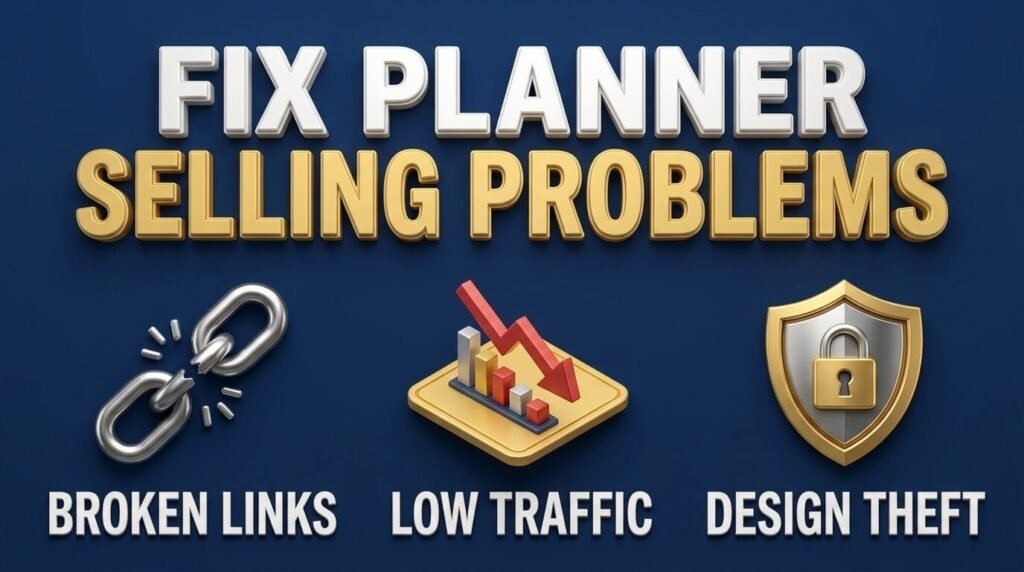
Let me lay this out as a clear list instead:
Problem: Hyperlinks stop working after export.
Fix: Always export as a “flattened” or interactive PDF, and re-test after every export. Some design tools break links during export if you do not select the right file settings.
Problem: Text looks blurry when buyers zoom in.
Fix: Export at a higher resolution, at least 300 DPI, and avoid stretching text boxes after you place them.
Problem: Low traffic on a new shop.
Fix: List consistently. Etsy and other marketplaces favor shops that add new listings regularly over shops with one product sitting untouched for months.
Problem: Buyers are confused about which app to use.
Fix: Add a short instruction page inside your file and in your listing description naming the apps your planner works with.
Problem: Someone copies your design and resells it.
Fix: Watermark your preview images, register your work with the U.S. Copyright Office, and keep dated design files as proof of original creation.
My second planner got copied within two months of launch. Having my original working files with timestamps made the takedown request simple to file.
Build Your First Product: A Quick Checklist
- Pick one specific niche, not a general planner.
- Search that niche to confirm real demand exists.
- Sketch your page layout on paper first.
- Build pages in your chosen design tool.
- Add hyperlinked tabs and a clickable table of contents.
- Export and test in three different planner apps.
- Set up your business structure and EIN.
- Price your planner based on complexity and market range.
- Write a listing title and description that answers a direct question.
- Publish, gather feedback, and revise based on real buyer comments.
Final Thoughts
Thus, you can start a digital planner business. Pick a real niche, build a working file, set up your business correctly, and write content that answers exact questions.
None of these steps requires a large budget. They require patience and attention to detail, especially with hyperlinks and file testing.
The people who succeed at this are not the most artistic. They are the ones who test their files, register their business properly, and keep listing new products instead of stopping after one. If you follow each step here, you already know more than most people who start this path blind.
FAQ
Do I need a tablet to make a digital planner?
No. You design on a laptop or desktop. The tablet is only needed by the buyer, not by you.
What file format do buyers receive after purchase?
A PDF file, usually zipped with a short instruction page. Some sellers add a cover thumbnail image too.
Can buyers request a refund on a digital planner?
Most marketplaces treat digital downloads as final sale once opened. State this clearly in your listing to avoid disputes.
Do I need a commercial license for fonts and graphics I use?
Yes. Free fonts and clip art often restrict resale. Check the license terms before you use any asset in a product you sell.
Should my planner be dated or undated?
Undated planners sell year-round since they never expire. Dated ones spike in December and January, then slow down.
How do I handle customer questions after someone buys?
Add a short FAQ inside the file itself. Most questions repeat, so a clear instruction page cuts your support time in half.
Can I sell the same planner on more than one platform?
Yes. Nothing stops you from listing the same file on Etsy, Gumroad, and your own site at the same time.
Do buyers outside the US need a different version?
No. A PDF works on any device worldwide. Just price clearly in US dollars since that’s your target audience.
How often should I update an existing listing?
Refresh your cover design and preview images every few months. This keeps the listing fresh without rebuilding the whole planner.
Can one planner turn into more than one income stream?
Yes. Sell it as a single file, bundle it with others, or license it to other creators for a flat fee.

Aliza Khatun is a Digital Marketing Professional and the founder of DigiGenHub. She has helped various businesses grow their online presence through real-world experience in marketing, branding, traffic growth, and business strategy.
Through DigiGenHub, she shows how to build and grow a business from the ground up using Website Setup, SEO, Branding, Paid Promotion, and smart digital tools.
She also highlights how AI can be used to its full potential to make content creation, automation, marketing, and business growth faster and smarter.
She believes that the right knowledge, modern technology, and the right tools can help any individual or business build a stronger online presence.