
If you are asking how to sell digital art online and make money this year, here’s the fast path. Pick one clear format first.
Printables, brushes, planners, or character art all sell well right now. Choose one platform to start.
Etsy gives you built-in buyers. Gumroad keeps more of your money in your pocket.
Price with fees in mind from day one. Etsy takes close to 10% per sale. Build that into your number before you list anything.
Protect your work too. Pure AI art can’t get copyright protection, but your hand-edited pieces can.
Add clear titles, tags, and direct descriptions to every listing. That helps buyers and AI search tools find you fast. Post weekly. Build an email list early. Raise your prices once reviews start rolling in.
How to Sell Digital Art Online and Make Money: Step-by-Step Path
Selling digital art online comes down to a clear path. Most sellers skip steps or do them out of order. That slows down income and wastes effort.
This section fixes that. Each step follows the last one in the exact order that works right now.
Follow these steps in order. Skip nothing. By the end, you’ll have a shop that’s live, priced correctly, and built to bring in steady buyers.
Step 1: Pick Your Digital Art Format
Before you pick a platform, pick what you are selling. This decision shapes everything else, from pricing to marketing.
Common formats that sell well right now:
- Printable wall art (PDF or JPG files buyers print at home)
- Procreate brushes and templates for other digital artists
- Character illustrations and portraits made to order
- Digital planners and journals
- Clip art bundles for small business owners
- NFT-style collectible art on blockchain marketplaces
- Print-on-demand designs placed on shirts, mugs, and posters
Pick one format to start. Trying to sell five formats at once spreads your energy thin and confuses your audience. Once you build steady sales in one format, add a second.
Client story
One of my remote clients, whose shop I handle website maintenance for, told me the same thing.
She sold only printable nursery wall art for her first six months, nothing else.
She kept the niche narrow on purpose. She said that focus helped her listings rank faster in search, because every title, tag, and description pointed at one clear buyer.
Step 2: Set Up Your Shop
Pick your platform account and get it running before you list anything.
- Create your seller account. Etsy, Gumroad, and Shopify each take under ten minutes to set up.
- Add your shop name. Keep it short and easy to spell.
- Connect your payment method. Most platforms need a bank account or card linked before payouts start.
- Fill out your shop policies. Add refund rules, file delivery notes, and turnaround time upfront.
- Add a simple shop banner and profile photo. Buyers trust shops that look finished, not empty.
Skip long bios and extra pages for now. Get the basics live, then improve it once sales start coming in.
Step 3: Pick the Right Platform
Every platform takes a cut. Some also charge listing fees or ad fees. Let’s explain a side-by-side look at where creators sell digital art today.
| Platform | Best For | Core Fees (2026) | Payout Speed |
| Etsy | Printables, planners, clip art | $0.20 listing fee + 6.5% transaction fee + 3% + $0.25 processing | 1 to 5 business days |
| Gumroad | Direct digital downloads, no marketplace crowd | 10% flat fee, no listing fee | Instant to 1 day |
| Society6 / Redbubble | Print-on-demand art products | No listing fee, revenue share on printed goods (varies by product) | Monthly |
| ArtStation Marketplace | Illustration and concept art files | 12% commission on marketplace sales | Monthly |
| Your own website (Shopify or similar) | Full control, no marketplace fees eating margins | Payment processor fee only (roughly 2.9% + $0.30) | 1 to 2 business days |
Etsy remains the top starting point for most sellers because of built-in search traffic.
Its fee policy charges a 6.5% transaction fee on the listed price plus shipping and gift wrapping.
US sellers also pay a separate processing fee on top of that. That means a typical sale carries close to 10 to 12% in mandatory costs before any advertising.
Gumroad and a personal storefront cost less per sale but bring less built-in foot traffic.
New sellers often do better starting on Etsy for visibility, then moving loyal buyers to a personal site over time.
Another client I work with on website maintenance shared this move with me. He moved 30% of his Etsy buyers to his own Gumroad store after a year, just by adding a small card inside every digital download. That one move cut his average fee load by almost 8%.
Want me to convert the copyright folder note and the email list note the same way too, so all four stay consistent?
Step 4: Create Listing Photos and Mockups
Buyers judge digital art by the preview image first. Nobody reads your description before that image grabs them.
- Show your printable inside a frame or room scene, not just on a plain background.
- Use a free mockup tool for shirts, mugs, or wall frames if you sell print-on-demand designs.
- Add a size chart image so buyers know exactly what they’re getting.
- Keep your first image clean and simple. Save close-up detail shots for image two and three.
A strong mockup often lifts sales more than a price drop. Buyers need to picture the art in their own space before they buy it.
Step 5: Write Titles and Tags That Get Found
Your listing title works differently than a blog title. Etsy and Gumroad rank listings by exact keyword match in the title and tags, not by writing style.
- Put your main keyword first in the title. “Boho Nursery Wall Art Printable” beats “Beautiful Art For Your Baby’s Room.”
- Fill every tag slot the platform gives you. Don’t leave any blank.
- Use words buyers actually type, not artistic language. Think “digital download” and “printable PDF,” not “expressive piece.”
- Repeat your main keyword once in the description’s first line too.
This step feeds your shop’s search ranking directly. Skipping it is the fastest way to stay invisible, even with strong art.
Step 6: Price Your Digital Art the Right Way
This is where most new sellers lose money without noticing. They price based on what looks good on the listing page, not what covers the cost of the sale.
Here is a simple pricing formula. Use it before you publish any listing.
Break-even price = (Your cost + fixed fees) ÷ (1 – percentage fees)
Example on Etsy for a $15 printable:
- Listing fee: $0.20
- Transaction fee: 6.5% of $15 = $0.98
- Payment processing: 3% of $15 + $0.25 = $0.70
- Total fees: $1.88
- You keep: $13.12
Sales through Etsy’s Offsite Ads program cost even more. Sellers earning over $10,000 a year pay an extra 12% on these sales. You can’t turn this fee off once you cross that mark.
So before you price anything, run the math. Add your fees. Add your time cost. Then set a price that leaves profit after everything is subtracted.
Quick pricing checklist:
- Calculate total platform fees at your price point
- Add production or software cost (brushes, stock elements, licenses)
- Add a profit margin of at least 40%
- Round the final number to a price that matches buyer expectations in your niche
Step 7: Protect Your Art With Copyright, the Right Way
This part changed a lot this year, and most guides have not caught up.
Using AI tools in your art? Know the current copyright rules first.
The U.S. Copyright Office has a clear stance. When an AI system decides the expressive elements of a piece, that output has no human author. It can’t get copyright protection on its own.
This matters for anyone selling AI-assisted art. The Supreme Court confirmed this rule in March 2026.
The Court declined to hear a challenge against it. Pure AI-created work, without meaningful human input, still can’t get copyright registration.
What this means for you, in plain terms:
- Full AI-generated pieces with no edits are not protected by copyright.
- Art you draw, edit, arrange, or substantially rework after using AI tools can qualify for protection, covering your human contribution.
- If you plan to register copyright on a piece that used AI at any stage, disclose that clearly on your application.
- Keep your process files. Save layers, drafts, and screenshots. This proof matters if anyone questions your ownership later.
If you draw traditionally or fully by hand in a program like Procreate or Photoshop, none of this applies to you.
Your work is protected the moment you create it, the same as it always has been.
Step 8: Handle Buyer Messages and Custom Requests
Made-to-order art brings questions before purchase. How you handle these shapes your reviews and repeat buyers.
- Reply within a few hours when you can. Fast replies turn browsers into buyers.
- Set clear rules for custom requests. State how many revisions you include before extra charges apply.
- Save template replies for common questions like sizing and file format. This saves time without sounding robotic.
- Confirm every custom order detail in writing before you start working. This avoids disputes after delivery.
Buyers remember how a shop treats them before the sale, not just the art itself.
Step 9: Market Your Digital Art Without a Big Budget
You do not need paid ads to start selling digital art online. Here is what actually moves sales for new sellers:
- Post your process, not just the final piece. Short videos of your art coming together outperform static final images on almost every platform.
- Use Pinterest for printable and wall art niches. Pinterest acts like a visual search engine, and pins keep driving traffic for months after posting.
- Build an email list from day one. Offer one free digital piece in exchange for an email. Email buyers convert at a far higher rate than cold traffic.
- Answer buyer questions in your listing description. Common questions like sizing, file format, and printing instructions reduce pre-sale messages and boost buyer confidence.
- Bundle related pieces. A 5-pack sells better than five separate $3 listings, and it raises your average order value without extra design work.
A client of mine mentioned this during a check-in call. Her email list of just 400 people outsells her entire Pinterest traffic most months.
She said one well-timed email during a holiday sale often brings in more than a full week of organic browsing. That’s a small list doing more work than a much bigger traffic channel.
Want me to do the same for the copyright folder note too, so all four personal notes match this client-story format?
Step 10: Read Your Shop Stats to Improve
Your shop dashboard tells you what’s working. Check it weekly, not just when sales feel slow.
- Views tell you if buyers are finding your listing at all.
- Favorites tell you if your preview image and price are catching interest.
- Conversion rate tells you if your description and price are closing the sale.
Low views mean fix your title and tags. Views but no favorites mean fix your photo. Favorites but no sales mean fix your price or description. Each number points to one clear fix.
Step 11: Set Up Business Banking
Separate your art income from your personal money as soon as your first sale lands.
- Open a free business checking account. Most banks offer one with no monthly fee for a new small shop.
- Route all shop payouts into that account only.
- Pay yourself a set amount from that account, instead of spending straight from sales.
- Keep a simple spreadsheet of every sale and cost tied to that account.
This single habit makes tax time faster and shows you your real profit, not just your total sales number.
Step 12: Scale Past Your First Product
Once one format sells steadily for a few months, add your next income stream.
- Add a second product format in the same niche, not a random new one.
- Move your best Etsy buyers to your own site with a card included in each download.
- Test a higher price tier once you have reviews and repeat buyers.
- Add a print-on-demand version of your best-selling digital design for extra income with no new work.
Growth works best one clear step at a time. Adding five new things at once slows every one of them down.
The Most Profitable Digital Art Niches This Year
Not every style sells at the same pace. Some niches are growing fast right now, based on current market trend reports and marketplace demand.
- Generative and algorithm-based art. This niche is growing at the fastest rate inside the digital art market, at close to 16% a year, as brands use it for quick visual testing and content variation.
- AR and VR interactive pieces. Still a smaller niche, but demand is rising fast as spatial computing devices become more common in homes.
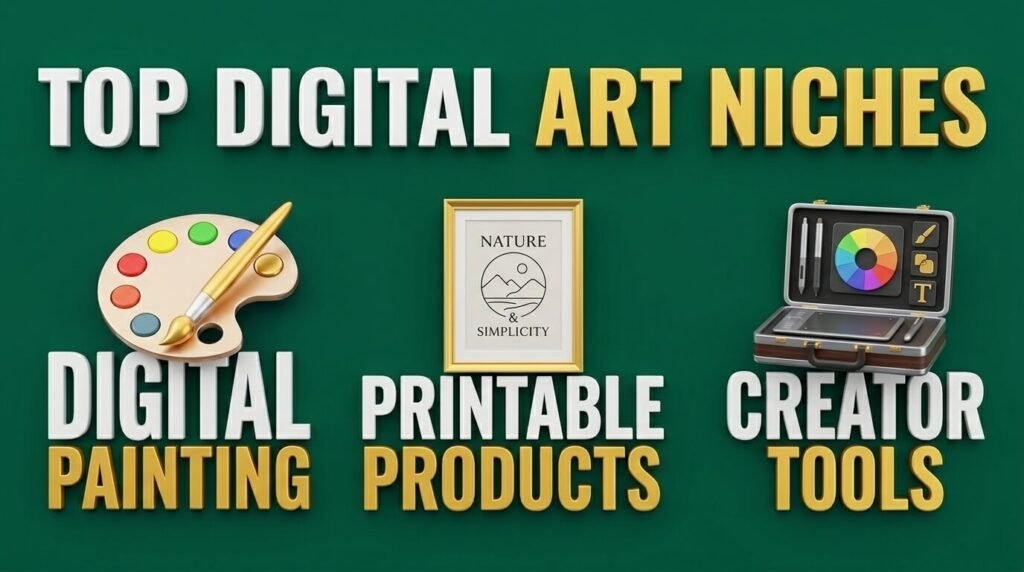
- Digital painting and illustration. This remains the largest single category inside the digital art market, holding over 25% of total market share in 2026.
- 3D digital sculpture and collectibles. Popular with collectors who want a piece that stands out from flat image formats.
- Printable planners, wall art, and clip art bundles. Not tracked in big market reports, but these stay the most beginner-friendly and steady-selling niche on Etsy and Gumroad.
- Procreate brushes, templates, and tools for other artists. A niche selling to creators instead of general buyers, with strong repeat purchase rates.
- NFT and blockchain-based collectible art. Smaller and more volatile than in 2021, but stabilizing, with institutional collectors now treating tokens more as proof of ownership than as speculation.
Pick a niche based on your skill and your buyer, not just what looks trendy. A crowded trendy niche with weak buyer intent sells worse than a smaller niche with loyal buyers.
Price Stages for Different Digital Art Types in 2026
Price expectations shift a lot depending on the type of digital art and the level of detail involved.
Let’s see a general price-tier breakdown buyers and sellers see across the market right now.
| Digital Art Type | Entry Price | Mid-Tier Price | High-Demand / Premium Price |
| Printable wall art (single file) | $2 to $5 | $6 to $12 | $15 to $25 (bundle sets) |
| Digital planner or journal | $5 to $10 | $12 to $20 | $25 to $40 (full-year systems) |
| Procreate brush pack | $3 to $8 | $10 to $18 | $20 to $35 (large multi-brush sets) |
| Clip art bundle | $4 to $9 | $10 to $18 | $20 to $30 (large themed collections) |
| Character illustration (bust/sketch) | $15 to $40 | $50 to $120 | $150 to $300 (full-body, rendered) |
| Full illustration with background | $80 to $150 | $150 to $300 | $300 to $600+ (commercial licensing) |
| 3D digital sculpture / collectible | $50 to $150 | $150 to $400 | $500 to $2,000+ (limited pieces) |
| NFT / blockchain collectible | $20 to $80 | $100 to $500 | $1,000+ (established collector demand) |
A few notes on how to read this table:
- Prices jump sharply once you add background detail, multiple characters, or commercial usage rights to an illustration. Personal-use and commercial-use pricing should never be the same number.
- Bundles almost always sell at a higher total price point than single items, without much extra design work on your end.
- Premium and high-demand pricing only holds up once you have reviews, a following, or a clear style people search for by name. New sellers should start mid-entry and raise prices as demand builds, not the other way around.
Common Mistakes That Kill Digital Art Sales
Avoid these five mistakes if you want steady income from digital art.
- Pricing without fee math. You already saw how fast fees eat into a sale. Skip this step and you might be losing money on every order.
- Ignoring file format instructions. Confused buyers who cannot open or print their file leave bad reviews fast.
- Posting once and waiting. Digital art sales build slowly. Weekly new listings and updates matter far more than one big launch.
- Copying trending styles exactly. Buyers can tell. Original style, even a simple one, builds a loyal audience faster than copied trends.
- Skipping tags and keywords in listings. Etsy and other marketplaces rely heavily on search tags. A great piece with no tags stays invisible.
Taxes: What Digital Art Sellers Need to Know
Your digital art income counts as taxable income once it passes hobby level. The IRS treats it like any other self-employment income.
Cross $400 in net earnings for the year, and self-employment tax kicks in. This comes on top of your regular income tax.
You can deduct business costs too. Software subscriptions count. A portion of your internet bill counts. Platform fees count. Track every deduction from day one.
Keep a simple spreadsheet. Log every sale. Log every cost. This one habit saves you hours during tax season.
Is Digital Art Still a Solid Income Source in 2026?
Yes. And the numbers back it up.
The global digital art market reached USD 15 billion in 2026, according to Roots Analysis.
That number is expected to climb fast in the next decade as more buyers move to online galleries and marketplaces.
A separate report from Mordor Intelligence puts the market at USD 6.69 billion in 2026, growing at a 14.66% compound annual rate through 2031. Roots AnalysisMordor Intelligence
The gap between these two numbers comes down to definitions. Some firms count NFTs and blockchain sales. Others count only direct downloads and prints. Either way, the direction stays the same. Demand keeps rising.
Buyer behavior backs this up too. Half of art collectors surveyed by Art Basel and UBS bought a digital piece between 2024 and 2025.
That share more than quadrupled compared to the year before. Collectors aren’t just curious anymore. They’re spending. HACNUM
So the market is real. The question is not “should I sell digital art online.” The question is “where and how do I sell it so I actually keep the profit?”
Final Thoughts
How to sell digital art online and make money comes down to four things. Pick one clear format.
Choose a platform that fits your audience and price around its real fees. Protect your work with the current copyright rules.
Then structure your content. So both buyers and AI search tools can find your answers fast.
None of this needs a huge budget or years of setup. It needs a clear plan, honest pricing math, and steady weekly effort. Start with one product, one platform, and one clear price. Build from there.
FAQ
Do I need a big social media following before I start selling digital art?
No. Many sellers start with zero followers. Marketplace search traffic brings your first buyers. Build your following after sales start, not before.
What file format should I deliver to buyers?
PNG and PDF work for most printable art. High-resolution JPG works for wall art. Always include a size guide inside the file so buyers print it right the first time.
Do I need a drawing tablet or expensive software to start?
No. A phone or basic tablet app handles most printable and clip art styles. Save for a drawing tablet once you commit to illustration or character artwork.
Should I offer refunds on digital downloads?
Most platforms don’t require refunds on digital files once downloaded. Still, a clear no-refund policy in your listing protects you from disputes later.
What happens if someone resells my digital art without permission?
File a takedown request with the platform hosting the stolen file. Etsy, Instagram, and Amazon all have direct reporting tools for this. Watermark preview images to slow this down.
Can I sell digital art to buyers outside the US?
Yes. Etsy, Gumroad, and Shopify handle currency conversion automatically. Your price shows in USD, and the buyer pays in their own currency at checkout.
Should I offer a subscription option for buyers in 2026?
Some sellers now offer monthly access to new drawings or brush packs. This works well once you have steady weekly buyers, but skip it as a starting point.

Aliza Khatun is a Digital Marketing Professional and the founder of DigiGenHub. She has helped various businesses grow their online presence through real-world experience in marketing, branding, traffic growth, and business strategy.
Through DigiGenHub, she shows how to build and grow a business from the ground up using Website Setup, SEO, Branding, Paid Promotion, and smart digital tools.
She also highlights how AI can be used to its full potential to make content creation, automation, marketing, and business growth faster and smarter.
She believes that the right knowledge, modern technology, and the right tools can help any individual or business build a stronger online presence.