The old rule was to post daily. Now, that rule fails. Users now suffer from content fatigue.
They ignore brands that post low-value filler. If your followers stop clicking, the algorithm hides your future posts. This is the engagement death spiral.
So, you must have the skill to manage your time better to post on social media. A steady 3-post weekly schedule beats a 7-day rush. You must have an idea of how often to post on social media for business to stay visible.
My New York boutique client posted blurry dress photos every day. She only got 10 likes per post. We changed her plan to three posts a week. She posted one “How to style” video.
She added one customer testimonial about the true product. She finished with one “Behind the scenes” story. Her reach tripled almost instantly. Users finally had valuable tips to save for later.
Post Once. Show Up Everywhere
Most business owners post daily for two weeks. Then they vanish for a month. That gap kills your reach faster than bad content ever will.
The fix is simple. Create one strong piece of content per week. Then cut it into pieces for each platform.
According to HubSpot’s 2026 Social Media Marketing Report, one long-form video becomes three Reels, five captions, and a carousel. One blog post becomes a full week of LinkedIn content.
Brands using this model see 35% more reach than brands creating separate posts for each platform. Podcastvideos
Here is how it works in practice. You film one 3-minute video answering a customer question. That becomes your LinkedIn post on Tuesday.
A 15-second clip for TikTok on Wednesday. An Instagram Reel on Thursday. One idea. Three posts. Your weekly schedule is done.
One rule matters here. Do not copy-paste the same video everywhere. TikTok’s algorithm favors videos uploaded directly.
Instagram Reels get 67% more reach than external links. Trim each clip. Write a fresh caption. Upload natively to each platform.
Producing high-quality content consistently is the top challenge for 45% of marketers. This system removes that problem.
You stop inventing five new ideas every week. You squeeze full value from one good idea instead. HubSpot
Start with one question a customer asked you this week. Answer it on camera. That is your content for the week.
How Often to Post on Social Media for Business: Where and When to Show Up?
Different platforms serve different needs in the market. You cannot use a one-size-fits-all approach.
TikTok & YouTube Shorts
These are for discovery. Post 1 time per day here because the life of a short video is very brief.
Post 3 times per week. Professional users in the USA prefer deep insights over quick updates.
Post 4 times per week on the feed, but use Stories daily.
Platform Playbook for Business
| Platform | 2026 Frequency | Best Time (EST) | Top Format for Reach | Primary Business Goal |
| TikTok | 1–2x Daily | 7 PM – 9 PM | 7-15s Short Video | Brand Awareness |
| 4–5x Weekly | 11 AM – 1 PM | Reels & Carousels | Community Building | |
| 3x Weekly | 8 AM – 10 AM | PDF Document Slides | Thought Leadership | |
| 3–4x Weekly | 1 PM – 3 PM | Local Community Photos | Customer Loyalty | |
| YouTube Shorts | 5x Weekly | 5 PM – 7 PM | Vertical How-to Clips | Education & Search |
| X (Twitter) | 1–3x Daily | 12 PM – 2 PM | Real-time Threads | Direct Engagement |
A SaaS company in Austin posts a technical “Long-read” on LinkedIn every Tuesday at 9 AM.
They follow up with a quick “Feature Hack” on Thursday. Because they stay consistent on these specific days, their audience learns when to expect them.
Their engagement stays high because they don’t annoy their followers with daily notifications.
I have tested weekend posting for B2B brands. In the USA, it almost always fails.
People want to unplug. I found that my most successful clients stick to a “Tuesday through Thursday” heavy schedule. We call it the “Mid-Week Peak.”
I see many business owners worry about missing a day of posting. I tell them to look at their engagement rate instead.
If people like and save your work, the algorithm will love you. It does not matter if you skip a few days.
Quality is the only thing that beats the filters. Talk to the person behind the screen, not the computer.
Brands that post seven days a week often see their “reach per post” drop by 30%.
When they cut back to four days but double the research on each post, their sales conversion jumps.
I always tell my teams: “Don’t post unless you have a solution to a problem.”
How do Algorithms Choose the Content?: Engagement over Volume
Algorithms now use semantic interest matching. They look at the words in your captions and the content of your videos. They match them to users who recently searched for those exact topics.
The “Save” Signal
When a user saves your post, the algorithm thinks, “This is valuable.” It then shows your next post to that user first.
The 60-Minute Rule
You must reply to comments within the first hour. This creates a “conversation loop” that tells the AI your post is trending.
I once worked with a creator who ignored his comments. His reach stalled at 1,000 people.
We started a fast-reply strategy where he replied to every comment for 30 minutes after posting.
His reach jumped to 5,000 in one week. The algorithm loves a social creator.
Your Present Strategy for Data-Driven Growth
You must use your own data. General tips are a start, but your audience is unique.
Check your “Insights”
Look for when your followers are most active.
Test Frequency
Try 3 posts one week and 5 posts the next. Compare the reach per post metric.
Audit Content
If a post gets high likes but low sales, change your call-to-action.
I notice many businesses guess their posting times. This is a mistake. I spent a month tracking my own data and found that my work-from-home audience engages most during their lunch break.
By shifting my posts by just two hours, I doubled my click-through rate.
How Can You Improve Social Media Posting Frequency in Business
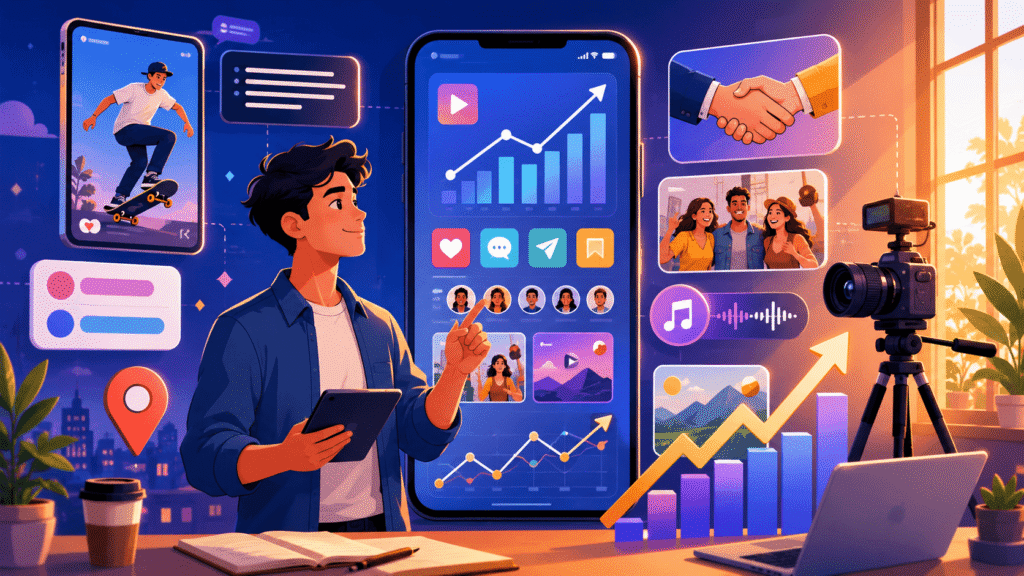
Success requires a mix of speed, value, and authenticity. You cannot just post content and hope for the best.
You must follow a plan that respects the user’s time and the platform’s rules. Let’s explain:
1. Add Captions for Silent Scrollers
Most Americans check their phones in quiet places like offices, trains, or waiting rooms. They often keep the sound off. If your video has no text, they will skip it immediately.
Example
A California bakery shares a video of a cake being frosted. They add large, clear text that says, “Secret Lemon Zest Filling!”
Even without sound, the viewer knows exactly what makes the cake special.
2. Expertise the Two-Second Hook
The “scroll” is a fast habit. You have only two seconds to grab someone’s attention before they move to the next post. Start with your most exciting visual or a bold statement.
Example
A fitness coach starts a Reel by dropping a heavy weight. The loud thud and the sudden movement stop the user from scrolling.
The text on the screen reads, “Stop doing 100 crunches.”
3. Move Links to the First Comment
Instagram, Facebook, and LinkedIn want users to stay on their apps. They lower the reach of posts that contain external website links in the main caption.
Example
A tech reviewer writes a great post about a new laptop. Instead of putting the shop link in the bio or caption, they write: “I put the discount link in the first comment below!”
4. Boost Search Rank with Alt Text
Alt text describes your image for blind users and search engines. It helps Google understand what your business offers.
Example
When a real estate agent posts a photo of a modern kitchen, they edit the “Alt Text” to say: “Modern white marble kitchen in Miami, Florida for sale.”
5. Focus on “How-To” Content for Saves
Today, a save is more valuable than a like. Educational content that teaches a skill gets saved the most.
Example
A gardening shop posts a graphic titled, “3 Steps to Save a Dying Peace Lily.” Users save this post. So they can refer to it when they are in their garden.
6. Use the “Collab” Feature to Double Reach
Partnering with another business allows your post to appear on two profiles at once. This shares your brand with a completely new audience for free.
Example
A local coffee shop and a nearby bookstore create a “Collab” post about a “Weekend Reading & Latte” special. Both sets of followers see the same post.
7. Choose Raw Reality Over Polished Ads
Americans are tired of perfect, fake advertisements. They trust “lo-fi” content that looks like it was filmed by a friend.
Example
A skincare brand shows a 10-second clip of their founder packing an order in a messy warehouse.
This “behind-the-scenes” look builds more trust than a professional studio ad.
8. Use Story Polls for Fast Engagement
The algorithm loves it when users touch your screen. Polls and sliders in Stories are the easiest way to get people to interact.
Example
A clothing brand posts a Story with two dress colors. They use a poll asking, “Pink or Blue for Friday night?” This data also helps them decide which color to stock more of.
9. Tag Your Specific City and State
Local tags help you show up in “Near Me” searches. This is vital for brick-and-mortar stores in the USA.
Exact Example: A plumber in Chicago tags “Lincoln Park, Chicago” in his post about fixing a leaky pipe. Residents searching for help are more likely to find him.
10. Write Friendly Captions for Humans
Avoid professional jargon or robotic language. Talk to your audience like you are sitting across from them at a table.
Example
Instead of saying, “Our company provides optimal hydration solutions,” say, “We help you stay hydrated during your morning run.”
11. Stick to Vertical Video Formats
Horizontal video looks small and old on a smartphone. 9:16 vertical video fills the entire screen and feels modern.
Example
A travel agent films a beach in Hawaii. They hold the phone vertically so the viewer feels like they are standing on the sand.
12. Prioritize Natural Lighting
You don’t need an expensive camera, but you do need good light. Poor lighting makes your business look cheap and unprofessional.
Example
A handmade jewellery maker takes photos of her rings next to a bright window during the day. The natural light makes the gems sparkle without using filters.
13. Maintain a Steady Posting Rhythm
The algorithm rewards consistency. It is better to post three times every week than to post every day for a week and then disappear for a month.
Example
A pet groomer posts every Tuesday, Thursday, and Saturday morning. Her followers begin to check her page on those specific days for cute dog photos.
14. Adapt Trending Audio to Your Niche
Trending songs can push your video to more people. However, the song must match the mood of your business.
Example
A lawyer uses a funny, trending sound to point out common mistakes people make in contracts. It makes a “boring” topic feel fun and current.
15. Give One Clear Call to Action
Do not confuse your readers. Tell them exactly what you want them to do next. One clear instruction works best.
Example
At the end of a post about a new product, a shop owner writes: “Tap the link in our bio to shop the sale now.”
Still, I have managed social accounts for over a decade. The biggest mistake I see is businesses trying to do too much at once.
When my clients focus on just three of these tips like using vertical video, adding captions, and posting three times a week, their engagement usually doubles within 30 days.
You don’t need to be a movie director. You just need to be helpful and consistent.
Conclusion
Thus, stop worrying about beating the algorithm. Focus on helping your customer. If you provide value 3 times a week, the algorithm will find you. Start by picking your 3 best ideas for next week and focus only on making them great.
FAQ
Does shadowbanning happen if I stop posting for a week?
No. The algorithm does not punish you for a break. It only lowers your reach if you post boring content that people skip.
Posting three great things a week is better than daily junk. This keeps your account healthy and out of the spam filter.
Should I delete old posts that got zero likes?
Yes, but do it slowly. Posts with no likes after two days can hurt your account score. Deleting them helps the AI see only your best work.
Do not delete more than five posts at once. The app might flag you as a bot if you delete too many at the same time.
Will AI-written captions hurt my reach?
Only if they look generic. Facebook and Instagram now use filters to find “copy-paste” text.
If your caption looks like everyone else’s, the AI hides it. Always add your own story or a local city name to the text. This makes it look human and real.
Is it better to post a Reel or a photo for sales?
Use a mix. Try 60% Reels and 40% photos. Reels help you find new people who do not follow you yet.
Photos and carousels are better for selling to your current fans. In the USA, people click website links in photos 12% more often than in videos.
Does using 30 hashtags still help?
No. Using 30 hashtags looks like spam now. The best plan is to use only three to five specific tags.
Use tags for your niche and your state, like #ChicagoPlumber. This helps the right local customers find you easily.
Should I use an app to schedule my posts?
Direct posting is safer. Scheduling tools are helpful. But recent data shows that posts made inside the app get 10% more reach.
Platforms want you to stay in their app. Use the built-in “Schedule” button on Instagram or Facebook instead of an outside tool.
Does video length change how often I should post?
Yes. If you make long videos over three minutes, post once a week. If you make 15-second clips, you can post every day.
Long videos keep people on the app for a long time. The algorithm rewards you for that, so you do not need to post as often.
Should I post business deals on US holidays?
Do not try to sell on major holidays like Thanksgiving. USA users want to see real human moments then.
Post a photo of your team or a simple “Happy Holidays” message. Save your sales talk for the Tuesday after the holiday, when people are ready to buy again.
Do Like Groups still work?
No. Now, AI finds these fake patterns easily. If the same group of people likes your post every time, the app will hide your account.
Growth comes when strangers save and share your work. Avoid these groups to keep your account safe.

Aliza Khatun is a Digital Marketing Professional and the founder of DigiGenHub. She has helped various businesses grow their online presence through real-world experience in marketing, branding, traffic growth, and business strategy.
Through DigiGenHub, she shows how to build and grow a business from the ground up using Website Setup, SEO, Branding, Paid Promotion, and smart digital tools.
She also highlights how AI can be used to its full potential to make content creation, automation, marketing, and business growth faster and smarter.
She believes that the right knowledge, modern technology, and the right tools can help any individual or business build a stronger online presence.