A bad review can cut trust. It can even drop sales. But a clear reply can change the story.
One of my clients sold fitness supplements across the U.S. A few one-star reviews about late shipping started to show on Google. Orders fell almost overnight.
So, I guided them on how to respond to bad reviews. We wrote short and honest replies. We offered fixes and followed up with each buyer.
Within a month, new customers said they chose the store because they liked the replies. Trust grew again. Sales recovered.
How to Respond to Bad Reviews
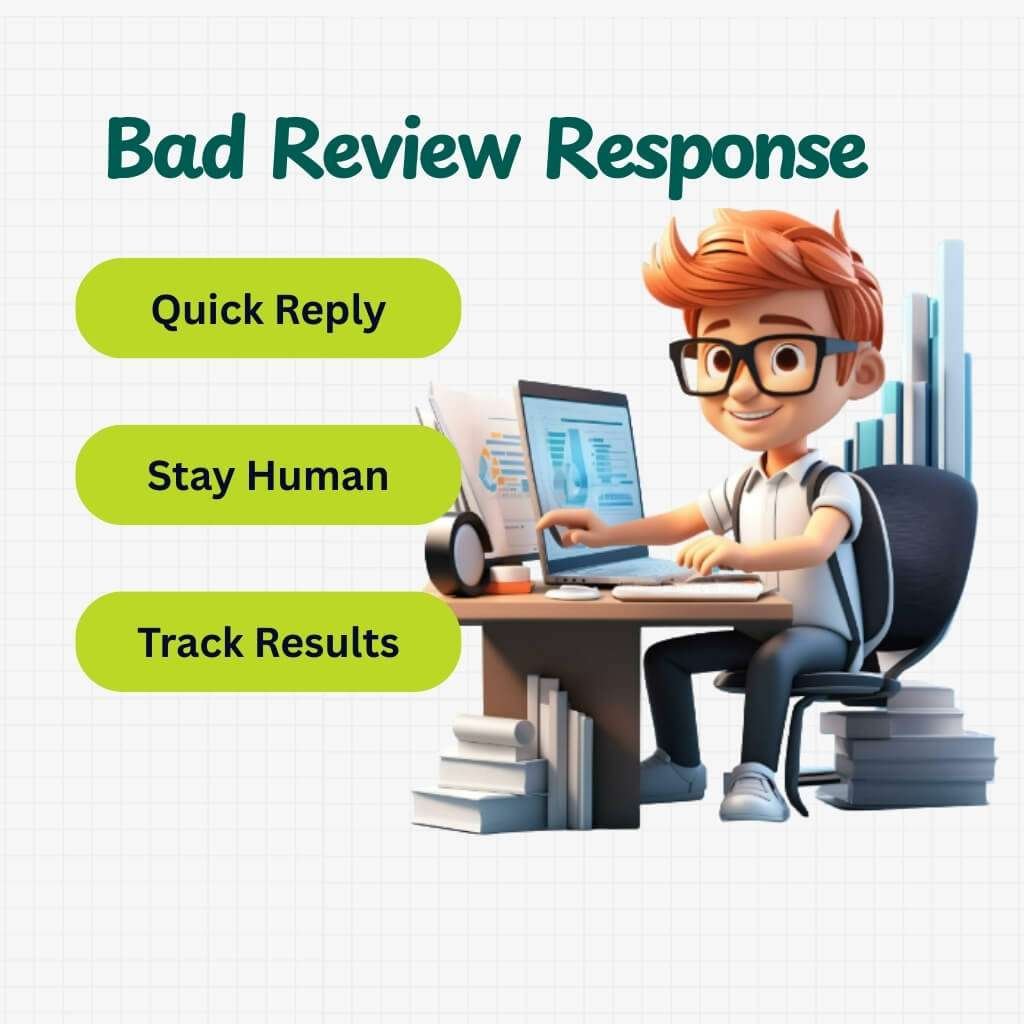
Catch reviews fast. Reply with care, avoiding any mistakes. Move private issues out of public. Track what happens. Watch how ratings and orders shift. Add closing lines that lift clicks from search.
Indeed, reply accurately and quickly. Stay human. Fix issues outside reviews. Learn from patterns. Track results. Use replies to grow search traffic. Indeed, maintain a proactive presence in the business competition.
Case Study: Nomas Gastrobar
Nomas Gastrobar in Macclesfield, UK, faced backlash after moving from a vegan menu to one that included meat and dairy. Many loyal guests left harsh reviews.
The owner, Adonis Norouznia, replied with honesty and explained the reason for the shift. He stressed the quality of the ingredients. The clear and open talk calmed tension and slowly rebuilt trust. The restaurant’s name grew stronger again.
How to Classify Every Bad Review in 60 Seconds (Rapid Triage)
Not all bad reviews are the same. Some are small. Others can hurt your brand. A rapid triage system helps you sort them fast. You can classify, prioritize and respond quickly. This protects your reputation and saves time. Let’s learn the method:
Step A — Verify Authenticity
Check if the review is real before reacting:
1 . Order or Service Numbers: Confirm the reviewer actually bought or used your service.
2 . Timestamps: Make sure the review matches the time of the transaction.
3 . Customer History: Look at past interactions to spot patterns or repeat complaints.
These checks take less than 30 seconds. They prevent wasting effort on fake or irrelevant reviews.
Step B — Severity Scale (S1–S4)
Classify reviews by impact and urgency:
S1 — Minor Issue: Typos or small service hiccups. SLA: Respond within 24 hours.
S2 — Moderate Issue: Product or service dissatisfaction without long-term harm. SLA: Respond within 12 hours.
S3 — Serious Issue: Complaints affecting experience, risk of negative word-of-mouth. SLA: Respond within 6 hours.
S4 — Critical Issue: Legal threats, defamatory claims, or major service failures. SLA: Respond immediately, ideally within 1 hour.
This scale keeps your team focused on urgent reviews while handling minor ones efficiently.
Step C — Platform Impact
Prioritize based on visibility:
High-Impact Platforms: Google Reviews, Yelp, Trustpilot. One review can influence hundreds of potential customers.
Moderate-Impact Platforms: Facebook, TripAdvisor. Important, but less influential than major review sites.
Low-Impact Platforms: Niche forums or blog comments. Monitor, but prioritize higher-impact platforms first.
Focusing on high-visibility platforms protects your reputation faster.
Case Study: Sweetgreen
Sweetgreen, a U.S. healthy fast-casual chain (sweetgreen.com), had many negative reviews about long wait times at peak hours.
A . Minor complaints (S1) got automated apologies within 24 hours.
B . Serious complaints (S3) triggered immediate calls from managers.
C . Critical incidents (S4), like food safety concerns, went straight to legal and PR teams.
Result: Average response time fell from 48 hours to under 6 hours in six months. Google and Yelp ratings rose by 0.3 stars on average. Customer satisfaction improved and repeat visits increased. Source: Sweetgreen Official News & Updates
The Principled Reply Framework ( Language That Protects Your Brand)
A structured approach ensures consistency and professionalism. Let’s learn in detail:
A . Core Formula for Public Replies
1 . Thank
Begin by expressing gratitude. Acknowledge the customer’s effort in sharing their feedback. This sets a positive tone for the conversation.
2 . Empathize
Show understanding of their feelings. Use phrases like, “I understand how frustrating this must have been.”
3 . Take Ownership (if applicable)
If your company is at fault, admit it. A simple, “We missed the mark,” can go a long way in rebuilding trust.
4 . Offer Next Step
Provide a clear action plan. Let the customer know what steps you’re taking to resolve the issue.
5 . Take Offline
Encourage private communication. Invite them to discuss the matter further via email or phone.
This sequence ensures a balanced and professional response, addressing the issue while maintaining the brand’s integrity.
B . 12-Word Empathy Line
“I’m sorry this happened — thank you for telling us; we’ll make it right.”
This concise statement conveys apology, appreciation and commitment to resolve the issue.
C . Tone Matrix by Platform and Severity
| Platform | Severity Level | Tone |
| S1–S4 | Formal, concise | |
| Yelp | S1–S4 | Professional, empathetic |
| S1–S3 | Friendly, approachable | |
| S1–S2 | Brief, public-to-private | |
| TripAdvisor | S1–S4 | Courteous, solution-focused |
Adjust your tone based on the platform and the severity of the review to ensure appropriate engagement.
Micro-Rules for Public Replies
Do Not Request Removal: Never ask for a review to be removed in your initial public reply. Address the concern first.
Avoid Admitting Legal Liability: Refrain from making statements that could imply legal responsibility. Keep the conversation factual and professional.
What are The Ready-Made Templates & Platform-Specific Scripts
Let’s see a few templates that aim to address common customer concerns effectively:
1. Product Arrived Damaged (E-commerce)
Use Case: Customer reports receiving a damaged product.
Platform Notes: Ensure to request photographic evidence for verification.
Templates:
Short:
“Hi [Name], sorry your [product] arrived damaged. Please DM your order # and a photo so we can resolve this.”
Medium:
“Hi [Name], we apologize for the damaged [product]. Please send us your order # and a photo of the damage via DM. We’ll arrange a replacement or refund promptly.”
Long:
“Hi [Name], we’re sorry to hear your [product] arrived damaged. This isn’t the experience we aim to provide. Kindly DM your order # along with a clear photo of the damage. Our team will review and ensure a swift resolution, whether it’s a replacement or refund.”
2. Wrong Order / Delivery Delay
Use Case: Customer received the wrong item or experienced a delivery delay.
Platform Notes: Apologize for the inconvenience and provide a clear solution.
Templates:
Short:
“Hi [Name], sorry for the mix-up. Please DM your order # so we can correct this immediately.”
Medium:
“Hi [Name], we apologize for the incorrect item/delivery delay. Please send us your order # via DM and we’ll expedite the correct item to you.”
Long:
“Hi [Name], we sincerely apologize for the inconvenience caused by receiving the wrong item or the delivery delay. This isn’t the standard we uphold. Kindly DM your order # and we’ll prioritize sending the correct item or resolving the delay promptly.”
3. Rude Staff / Poor Service (Restaurant / Retail)
Use Case: Customer complains about unprofessional behavior or subpar service.
Platform Notes: Acknowledge the issue and assure corrective measures.
Templates:
Short:
“Hi [Name], we’re sorry for your experience. Please DM your visit details so we can address this.”
Medium:
“Hi [Name], we regret that your experience didn’t meet expectations. Kindly DM your visit details so we can investigate and improve.”
Long:
“Hi [Name], we apologize for the poor service you received. This is not reflective of our standards. Please DM your visit details and we’ll ensure this matter is addressed with our team.”
4. Service Quality Complaint (B2B / Freelancers)
Use Case: Client expresses dissatisfaction with the service provided.
Platform Notes: Maintain professionalism and offer a resolution.
Templates:
Short:
“Hi [Name], sorry to hear about your concerns. Please DM the specifics so we can address them.”
Medium:
“Hi [Name], we value your feedback and apologize for any shortcomings. Kindly DM the details and we’ll work on a resolution.”
Long:
“Hi [Name], we appreciate your feedback and apologize for not meeting your expectations. Please DM the specifics of your concern and we’ll take immediate steps to rectify the situation.”
5. Refund/Return Request Denied
Use Case: Customer’s refund or return request is declined.
Platform Notes: Clearly explain the policy and offer alternatives.
Templates:
Short:
“Hi [Name], our policy doesn’t allow for this return/refund. Please DM for alternative solutions.”
Medium:
“Hi [Name], we regret that we can’t process this return/refund due to our policy. Please DM and we’ll discuss other options.”
Long:
“Hi [Name], we understand your concern. Unfortunately, our policy doesn’t permit this return/refund. However, we’d like to offer [alternative solution]. Please DM us to discuss further.”
6. Fake Review / Competitor Attack
Use Case: Receiving a fraudulent or malicious review.
Platform Notes: Report the review to the platform and respond professionally.
Templates:
Initial Public Reply:
“Hi [Name], we appreciate all feedback. However, we believe this review may not pertain to our business. Please DM us for clarification.”
Follow-Up DM:
“Hi [Name], thank you for reaching out. After reviewing, we believe this review may be inaccurate. We’re reporting it to [platform]. We value genuine feedback and are here to assist you.”
Closing Public Update:
“Hi [Name], we’ve addressed the concerns raised in your review. We strive for transparency and welcome authentic feedback. Please DM us for any further discussions.”
7. Reopened Old Issue / Churned Customer
Use Case: A past issue resurfaces or a former customer returns with a complaint.
Platform Notes: Acknowledge the history and show commitment to improvement.
Templates:
Short:
“Hi [Name], we remember your previous concern. Please DM us and we’ll ensure it’s resolved.”
Medium:
“Hi [Name], we appreciate you bringing this up again. Kindly DM the details and we’ll address it promptly.”
Long:
“Hi [Name], thank you for reaching out again. We recall your previous concern and are committed to resolving it. Please DM the specifics and we’ll take immediate action.”
Platform-Specific Tips
Google Business Profile: Include local cues like store hours and manager names. Encourage direct messaging or provide a phone number for further assistance.
Yelp: Adhere to review guidelines. Keep replies concise and maintain a professional tone.
Amazon: Focus on product facts. Escalate issues via Seller Central when necessary.
Facebook/Instagram/X: Provide a brief public reply and invite the customer to discuss the matter privately through direct messages.
When Do You Take the Conversation Offline (Exact Scripts & Offer Types)
Responding publicly is not always the best approach. Certain situations require private communication. Taking the conversation offline protects privacy, resolves complex issues and prevents public disputes that could harm your brand. Let’s discuss:
Why Take the Conversation Offline
1 . Privacy and Data Protection
Public replies can expose sensitive customer data. For example, order numbers, addresses, or payment details should never appear in a public forum.
Exposing PII risks identity theft and damages trust.
Operational tip: Always encourage customers to provide private details through direct messages or email. Maintain a secure method to receive and store this information (FTC guide on PII).
2 . Complex Cases Require Private Discussion
Some complaints involve multiple steps to resolve, like coordinating with shipping, finance, or product teams.
Discussing these publicly can confuse other customers and give the wrong impression. Taking it offline allows you to provide a precise solution without cluttering your public review section.
3 . Avoiding Public Arguments
Customers frustrated online may escalate, leaving multiple angry comments.
Responding publicly can create a cycle of back-and-forth disputes that damages your reputation. Offline communication enables a calm, professional resolution.
What to Offer When Taking Conversations Offline
Not all solutions carry the same weight or cost. The following offer ranking is a practical guideline:
1 . Apology + Fix (Free Replacement): Highest impact. Shows immediate action and commitment.
2 . Partial Refund: Moderate cost, addresses the inconvenience directly.
3 . Full Refund: Higher cost but restores trust in serious situations.
4 . Discount on Next Purchase: Encourages repeat business and goodwill.
5 . Goodwill Gift: Low-cost but leaves a positive impression and strengthens loyalty.
Operational tip: Assign an internal rubric to determine which offer fits the severity of the complaint. For instance, a minor product defect may only require a replacement, whereas repeated errors might justify a full refund.
Exact Scripts for Taking Conversations Offline
Public Reply (Short, actionable):
“Hi [Customer Name], we’re sorry about your experience. Please DM your order number, photos and the best time for a call. We’ll assist you immediately. — [Agent Name]”
Direct Message (Follow-Up):
“Hello [Customer Name], thank you for sharing the details. We’re reviewing your case and will contact you shortly to discuss the best solution. We appreciate your patience.”
Core Points for DM:
A . Request order numbers, photos, or any documentation.
B . Clarify preferred communication method and time.
C . Keep the tone polite, professional and reassuring.
Documenting Every Interaction
Tracking offline resolutions ensures transparency, accountability and consistency. Use a log template:
| Date | Representative | Offer Made | Customer Response | Follow-up Needed |
| 2025-09-20 | [Agent Name] | Free Replacement | Accepted | No |
| 2025-09-20 | [Agent Name] | Partial Refund | Pending | Yes |
Benefits of documentation:
Helps monitor which offers are most effective.
Tracks representative performance.
Provides insight into recurring issues for process improvement.
Additional Operational Tips
A . Always respond quickly to indicate attentiveness.
B . Keep public replies concise, focusing on empathy and redirection to private channels.
C . Train customer service teams on escalation procedures.
D . Maintain a secure storage system for customer data shared offline.
Escalation & Removal Playbook (Fake Reviews, Defamation, Law)
Handling fake or defamatory reviews is more than just replying politely. It requires internal coordination, proper documentation and sometimes legal consultation.
1. When to Escalate Internally
Not every negative review needs escalation. Focus on situations that could significantly harm your brand or involve legal risks:
Threats or Harassment: Reviews that threaten violence, intimidate staff, or contain aggressive language.
Criminal Activity: Any allegation or evidence of fraud, theft, or illegal activity connected to your business.
Repeated Fake Reviews: Coordinated attacks, spam reviews, or repeated fake reviews from the same source.
Why escalate: Internal escalation ensures senior management and legal teams are aware. It prevents public mishandling and ensures the response is coordinated and safe.
2. How to Request Removal from Platforms
Most review platforms allow removal requests if a review violates their policies. Follow a clear and documented process:
A . Flag the Review: Use platform tools to report spam, offensive content, or policy violations. For example, on Google Business Profile, use the review management dashboard (Synup guide).
B . Gather Evidence: A strong case increases the likelihood of removal. Evidence can include:
Order Records: Proof the reviewer did not make a purchase.
Timestamps: Identify unusual posting patterns.
Screenshots: Capture the review and any supporting correspondence.
IP Addresses: If available, show the source is suspicious or unrelated.
Submit a Factual Request: Keep it professional, concise and focused on policy violations. Include all evidence to speed up the review process (Local Falcon guide).
3. Legal Boundaries: When to Consult Counsel
Legal consultation is essential if a review crosses into actionable territory:
Defamation: False statements that damage your reputation and can be proven inaccurate (Katz Law Group).
Harassment: Reviews that are threatening or part of repeated intimidation.
Unfair Trade Practices: Competitors posting fake reviews to harm your business.
Public statements while under review: Always stay neutral. Example:
“We are reviewing this matter internally and will take the appropriate steps.”
This signals action without admitting fault.
4. Scripts for Platform Removal Requests (Non-Legal)
A professional removal request helps platform teams understand the issue clearly:
Template Example:
“Dear [Platform Name] Support,
We identified a review that violates your content policies. Details:
Review Content: [Brief excerpt]
Evidence: [Order records, screenshots, timestamps]
Reason: [Explain policy violation]
We request that you review and remove this content.
Thank you,
[Your Name]
[Business Name]”*
Tips:
A . Focus on facts, not opinions.
B . Attach all supporting evidence.
C . Avoid arguing or blaming the reviewer publicly.
5. Documentation and Internal Tracking
Keep a structured log of all escalated reviews. This ensures transparency and helps prevent future issues. Record the following for each case:
Date: When the review was received or escalated.
Representative: Who handled the review.
Review Summary: Brief description of the issue.
Evidence Attached: Screenshots, order records, IP info, or any supporting documents.
Action Taken: Steps you executed, e.g., removal request or legal review.
Outcome: Current status, like pending, in progress, or resolved.
Benefits of tracking:
Shows regulatory compliance.
Reveals recurring review patterns.
Helps train staff on proper escalation procedures.
Convert Complaints into Product Improvements (Feedback Loop)
A clear feedback loop turns complaints into better products, smoother processes and stronger teams.
1. Categorize Complaints
Sort complaints to see patterns:
Product: Broken items, missing features, or poor quality.
Shipping: Late deliveries, damage, or wrong items.
Staff: Rude or unhelpful behavior.
Communication: Confusing instructions, unclear info, or no response.
Categorizing helps teams fix the right issues faster.
2. The 5-Step Improvement Loop
Turn complaints into action:
Collect: Gather all feedback from reviews, emails, chats, surveys and social media. Don’t skip minor complaints.
Tag: Label each complaint by type and priority. Address frequent issues first.
Root Cause Analysis: Find the real reason behind the problem. Use simple methods like the 5 Whys or cause-and-effect diagrams.
Assign Fix: Give responsibility to the right team. Set clear deadlines.
Confirm: Check that the fix worked. Make sure the problem doesn’t happen again. Follow up with customers when needed.
3. Quarterly Review Playbook
Every 3 months, review complaints with product and operations teams:
Top 5 Recurring Complaints: Show which issues happen most often.
Root Causes: Explain what caused each problem.
Solutions Implemented: Detail what was fixed and how.
Follow-Up Results: Share customer responses and satisfaction data.
Next Steps: Decide further actions if needed.
This review keeps everyone accountable and helps track progress.
4. Monthly Review Template
| Complaint Type | Frequency | Root Cause | Action Taken | Status |
| Shipping | 20 | Carrier delay | Switched carriers | Resolved |
| Product | 15 | Manufacturing defect | Improved quality control | In Progress |
| Staff | 10 | Training gap | Staff training | Completed |
| Communication | 8 | Confusing website info | Updated content | Resolved |
| Shipping | 5 | Wrong address handling | Verified addresses | Ongoing |
Why is This Important
Stops Recurring Issues: Fix the root cause, not just symptoms.
Improves Products and Services: Real feedback drives real change.
Builds Customer Loyalty: Customers notice when complaints lead to action.
Supports Reputation: Businesses that act on feedback look responsible and reliable.
Guides Strategy: Complaint trends help plan products and operations better.
Real-Story: Glossier : (glossier.com)
Glossier, a US beauty brand, uses customer feedback to guide product updates. They review recurring complaints monthly.
Root causes are analyzed. Changes are made to packaging, formulas and instructions. This reduced returns and improved customer satisfaction.
Monitoring & Toolset (Do’s, Don’ts and Workflow)
Now we learn how to monitor reviews, utilize the right tools and establish a clear workflow.
Monitoring Cadence
Immediate Alerts: Set up real-time notifications for 1–2 star reviews. Addressing negative feedback promptly can prevent escalation.
Daily Digest: For 3–4 star reviews, a daily summary is sufficient. This allows for timely responses without constant monitoring.
Tool Categories
Utilize a combination of tools to cover all aspects of reputation management:
Free Alerts: Tools like Google Alerts can notify you of brand mentions across the web.
Review Aggregators: Platforms such as Birdeye or ReviewTrackers consolidate reviews from various sites, making it easier to monitor feedback.
Social Listening: Tools like Sprout Social or Brandwatch help track brand mentions on social media, providing insights into public sentiment.
Ticketing Integration: Systems like Zendesk or Freshdesk can integrate review platforms, streamlining the process of addressing customer concerns.
Workflow Sample
Implement a clear process to handle reviews efficiently:
Review Alert: Receive notification of a new review.
Triage: Assess the review’s sentiment and urgency.
Assign to Representative: Direct the review to the appropriate team member for a response.
Resolve: Address the customer’s concern or acknowledge their feedback.
Update Public Reply & Internal Ticket: Post a public response if applicable and update internal systems to track the issue’s resolution.
Data to Log
Maintain records of key metrics to evaluate your reputation management efforts:
Platform: Identify where the review was posted (e.g., Google, Yelp).
Star Rating: Note the rating given by the customer.
Sentiment: Determine whether the review is positive, neutral, or negative.
Response Time: Track how quickly you respond to reviews.
Resolution Status: Document whether the issue was resolved and any follow-up actions taken.
What are the Metrics & How to Report ROI
Tracking the right metrics helps you perceive the impact of your review responses. It shows how customer feedback affects your business.
Key Performance Indicators (KPIs)
Average Response Time: Measures how quickly you reply to reviews. Faster responses can improve customer satisfaction.
Resolution Rate: The percentage of issues resolved through review responses. A higher rate indicates effective problem-solving.
% of Reviews Resolved Publicly: Shows how many issues are addressed in public replies. Public responses can build trust with potential customers.
Sentiment Change: Tracks if customer sentiment improves after your response. Positive changes suggest your replies are effective.
Impact on Review-Star Average: Measures if your ratings improve over time. Positive trends can enhance your brand’s reputation.
Conversion Lift Post-Response: Compares conversion rates before and after review responses. An increase suggests your responses influence customer decisions.
Dashboard Quick-Build
Create a dashboard to visualize these metrics:
Weekly Summary: Displays data for the past week, highlighting trends and anomalies.
Monthly Trendline: Shows performance over the past month, helping identify long-term patterns.
Additional Metrics to Measure
Bounce Rate of Customers Who Saw Your Reply: Indicates if visitors leave your site after reading your response. A lower bounce rate suggests your responses engage visitors.
Conversion Comparison: Compares pages with public resolved replies to those without. Higher conversions on pages with replies imply that your responses positively impact customer decisions.
How Do You Use Responses to Help Search and CTR
Your review responses can impact search rankings and click-through rates. Let’s learn the process:
What to Put in Public Replies
Short Product Identifiers: Mention specific products or services by name. This helps search engines associate responses with relevant queries.
Location: Include your business location. This strengthens local SEO and helps nearby customers find you.
Natural Language Keywords: Use conversational language that matches how people search. Avoid overstuffing keywords; keep it natural.
Structured Data: Add an FAQ Section
Adding an FAQ section to your landing page improves search visibility. It helps search engines understand your content.
This can increase the chance of rich results appearing in SERPs. Focus on common questions about handling reviews and responding effectively.
Micro-Copy Tip: Close with a Positive Line
End replies with a friendly, upbeat statement.
Example: “We’re looking forward to serving you again.”
Conclusion
Thus, every bad review is a hidden lesson. Respond well and it becomes a map for trust. Each reply shapes your brand. Each feedback loop turns risk into opportunity. Handled right, your business grows stronger and earns loyal customers. Your reputation becomes a story worth following.
FAQ
Can I use humor when replying to a negative review?
Yes, but carefully. Light humor can defuse tension if it feels natural. Avoid sarcasm, as it may sound dismissive.
Should I sign my name in a public reply?
Yes. Adding your name shows a human touch. It makes the response personal and trustworthy.
What’s the ideal length for a public review reply?
Keep it short. Around 60–100 words is enough. Long replies may look defensive.
Can I copy-paste the same reply for many reviews?
No. Platforms and readers notice patterns. Write unique replies for each case, even if they share structure.
Is it okay to reply to reviews at night or on weekends?
Yes. Customers value fast replies anytime. Just make sure tone stays professional, even outside working hours.
How do I handle emojis in reviews?
You can mirror them lightly in your reply if it fits your brand. Avoid overuse. Keep replies clean.
Should I thank customers even if the review is unfair?
Yes. A simple “thank you for sharing your view” sets the tone. It shows maturity without agreeing to false claims.
Can I share review replies on my social media?
Yes. Highlighting positive interactions builds trust. Just hide personal details before sharing.
How often should I audit old review replies?
Do it quarterly. Update outdated details like phone numbers, hours, or offers.
Can staff reply to reviews from their own accounts?
No. Always reply through the official brand account. This keeps communication consistent and professional.

Aliza Khatun is a Digital Marketing Professional and the founder of DigiGenHub. She has helped various businesses grow their online presence through real-world experience in marketing, branding, traffic growth, and business strategy.
Through DigiGenHub, she shows how to build and grow a business from the ground up using Website Setup, SEO, Branding, Paid Promotion, and smart digital tools.
She also highlights how AI can be used to its full potential to make content creation, automation, marketing, and business growth faster and smarter.
She believes that the right knowledge, modern technology, and the right tools can help any individual or business build a stronger online presence.