
Sitting all day hurts your back. Your neck gets stiff by 3 p.m. Your energy drops after lunch. A lot of people search for a standing desk converter for one simple reason. They want to stand more without buying a whole new desk.
An adjustable desktop riser sits on top of your current desk. You lift it to stand. You lower it down to sit. No tools. No new furniture. No wasted floor space.
Why People Buy A Standing Desk Converter
Remote work is still common now. More people work from small apartments or shared spaces.
Buying a new desk isn’t always possible. A converter solves that. It works with the desk you already own.
Just place it on your current desk, lift, and stand. That’s it. No tools, no chaos, no wasted space.
A good standing desk converter gives your body what it’s been asking for: movement, blood flow, and real energy through your workday.
Still, you searched for a desk riser converter because you want results, not noise.
So here’s your answer, straight and honest: pick the right size, the right lift, the right fit for your desk, and your body will thank you starting today. You deserve that change now.
Which Standing Desk Converter Suits Your Workspace Best
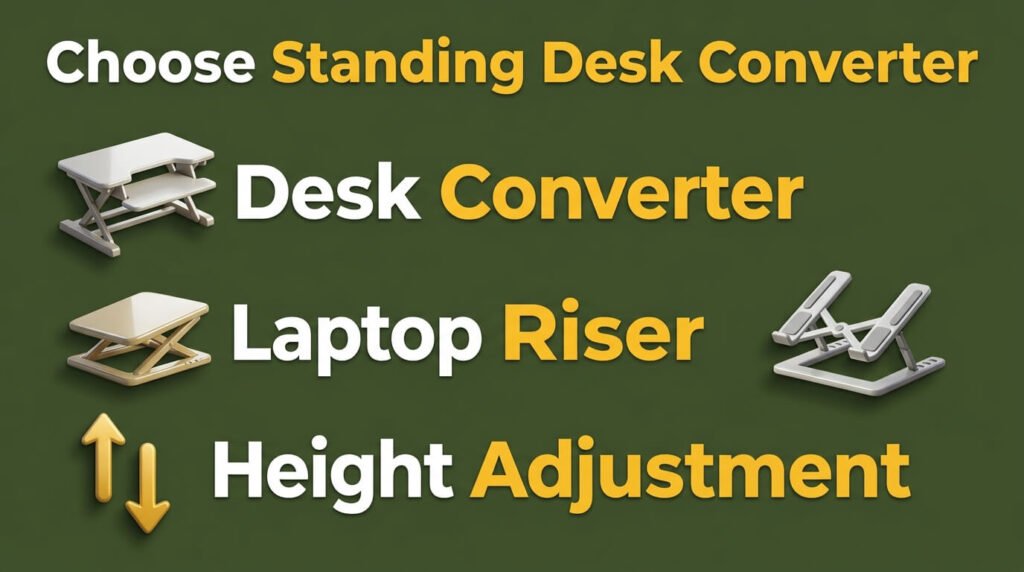
| Product | Category | Height Range | Best For |
| FITUEYES FSD308001WB | Standing desk converter | 4.3″ to 19.8″ | Dual monitor or monitor + laptop |
| NEXT BEAUTY Electric Standing Desk | Full standing desk | 28″ to 46″ | Replacing an entire desk setup |
| tounee Telescopic Laptop Stand | Laptop riser | Telescopic, adjustable | Raising one laptop screen |
| Lamicall Adjustable Laptop Stand | Laptop riser | Multi-angle, foldable | Portable laptop use, travel |
| LOXP Adjustable Laptop Stand | Laptop riser | 360° rotating base | Desk or couch laptop use |
Only one product on this list is a true standing desk converter. The rest solve different problems. We’ll explain each one honestly below.
FITUEYES FSD308001WB
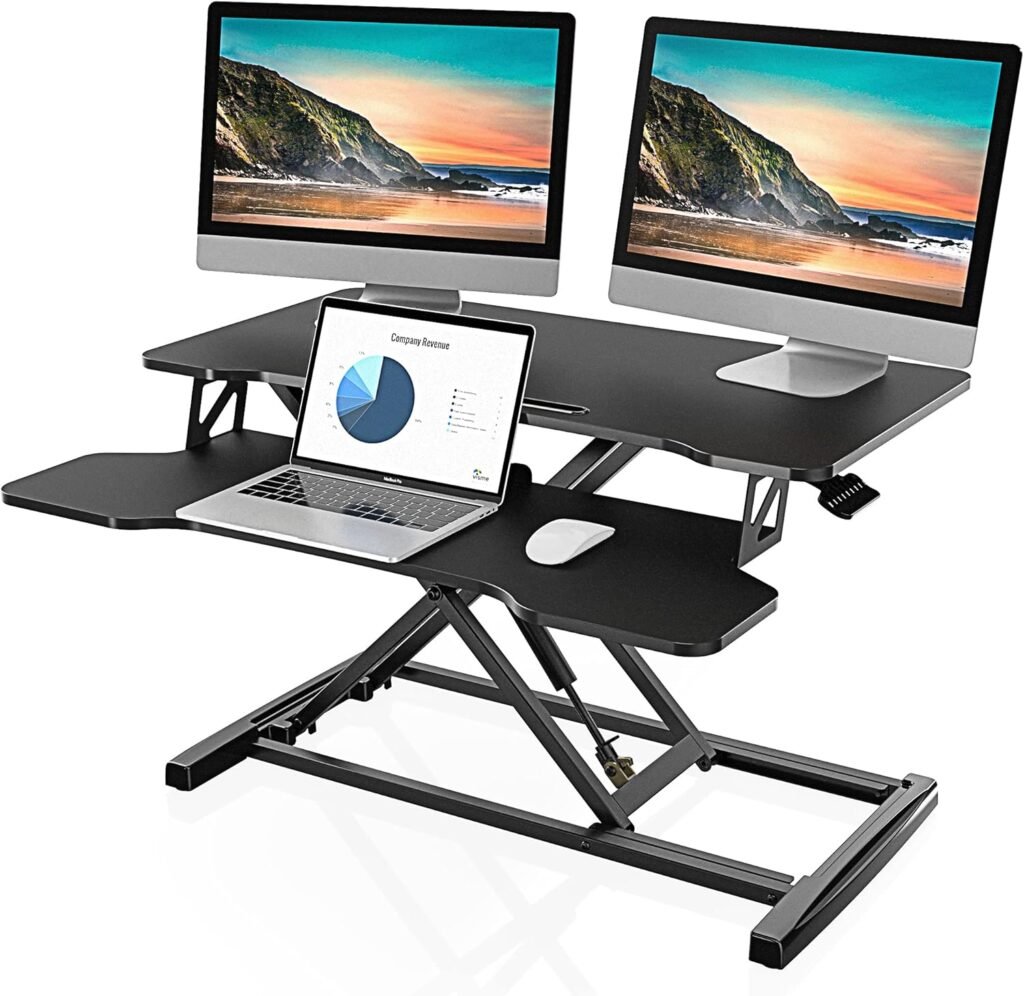
This is a real sit-to-stand converter. It sits on top of your existing desk. The work surface holds a monitor and keyboard together.
A dual gas spring system does the lifting. You squeeze a side handle and the platform glides up or down.
The surface measures 31.5 inches wide. That fits one large monitor or two smaller ones side by side. Height adjusts from 4.3 inches at the lowest point to 19.8 inches at the tallest. That range covers most adult heights, sitting or standing.
Weight capacity sits at 33 lbs. That’s enough for a monitor, keyboard, mouse, and a laptop, but not much beyond that. Keep this in mind if you run a triple monitor setup.
Pros
- True sit-to-stand motion, not just tilt or fold
- Gas spring lift feels smooth, no cranking needed
- Wide 31.5-inch surface fits dual monitor setups
- Minimal assembly, ready to use quickly
- Anti-slip pad keeps devices from sliding during height changes
Cons
- 33 lb weight limit rules out heavy dual-monitor arms or large iMacs
- Adds height to your desk, which may not suit very short users
- Takes up desk depth space once installed
Picture a home office with a small desk against the wall. Space for a new desk doesn’t exist. A converter like this sits directly on the current desk. You keep your desk, your drawers, your setup. You just add the ability to stand for calls, emails, or reading tasks, then sit back down for focused work.
NEXT BEAUTY Electric Standing Desk
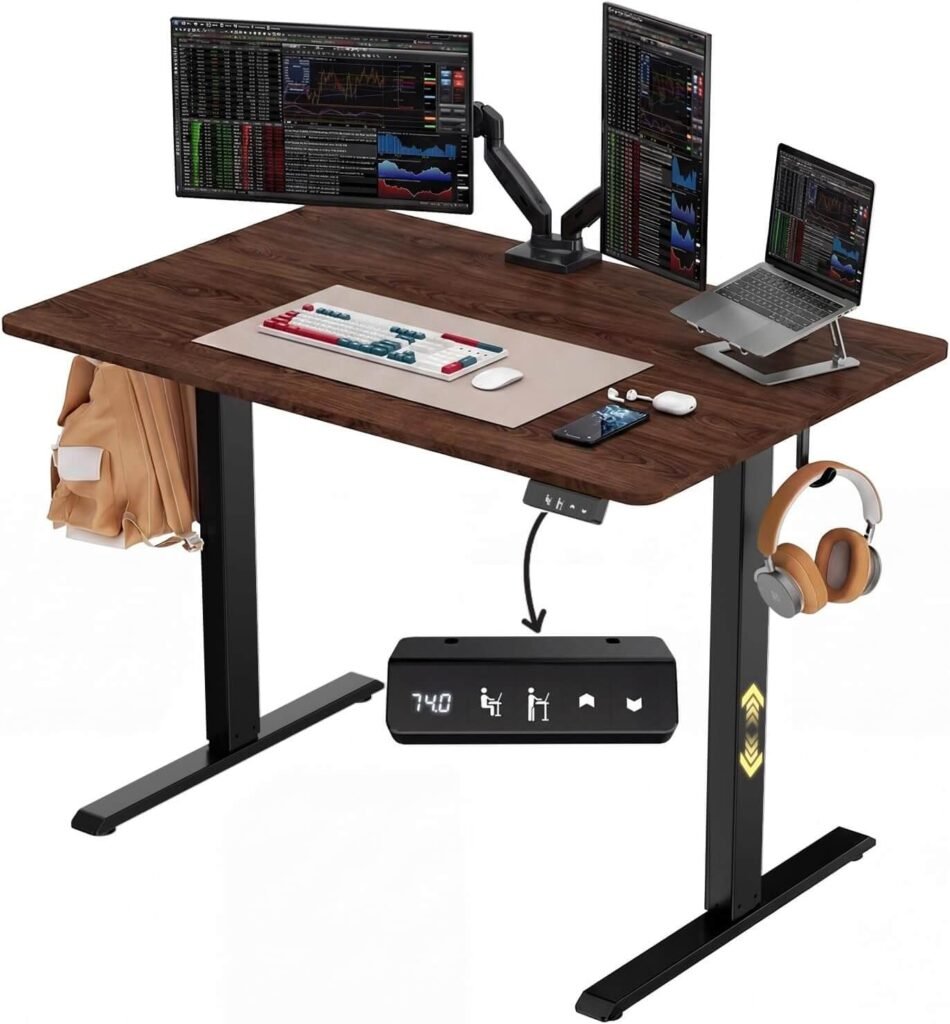
If a converter isn’t what you need, and you actually want a full desk replacement, this model is worth knowing about. It’s not a converter, so we’re covering it separately and clearly.
This is a 48 x 24 inch electric desk. The whole surface rises and lowers on motorized legs, from 28 inches to 46 inches.
It includes memory height presets, so you can save your sit and stand heights and switch with one tap.
Pros
- Full desktop replacement, more surface area than any converter
- Electric motor removes manual effort
- Memory presets save your preferred heights
- Reinforced frame adds stability at full height
Cons
- Requires full desk assembly
- Takes up more floor space than a converter
- Higher price point than a tabletop converter
- Not a fit for anyone who wants to keep their current desk
This fits someone starting a home office from scratch, or replacing an old desk that has no adjustability at all.
It suits people who sit and stand for long stretches and want a smooth motorized transition rather than a manual handle lift.
Laptop Stand Options (Different From A Standing Desk Converter)Standing desk riser
The remaining three products are laptop stands. People searching “standing desk converter” sometimes land on these by mistake. So it helps to know what they actually do.
tounee Telescopic Laptop Stand
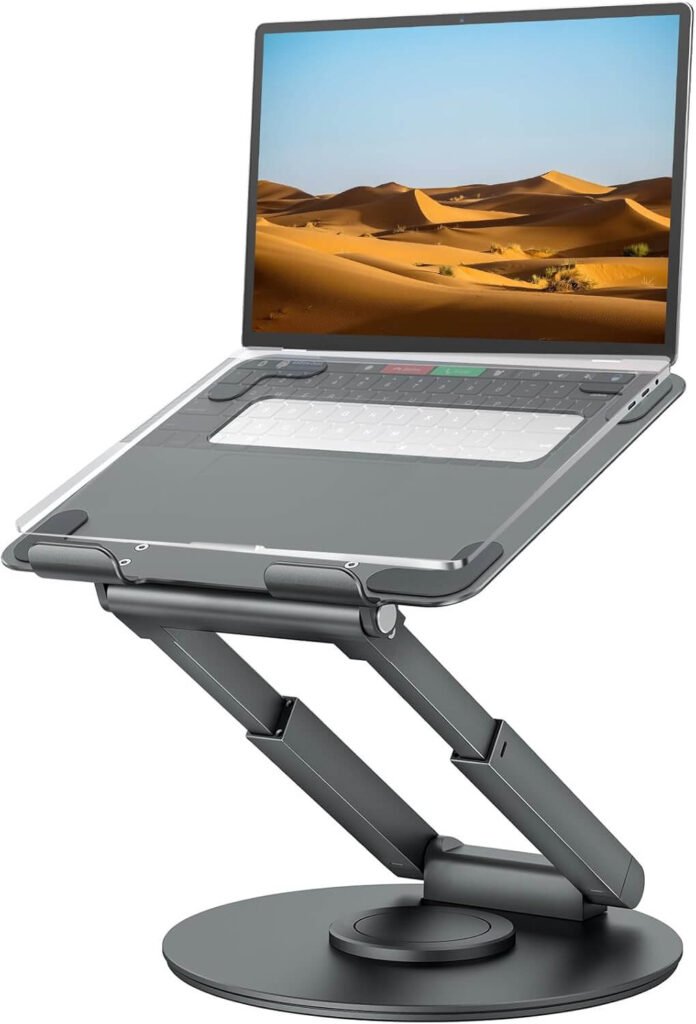
This stand raises a single laptop to eye level using a telescopic arm with a 360-degree swivel base.
It fits laptops from 10 to 17 inches. It helps posture and neck strain during long laptop sessions.
But it does not convert a desk between sitting and standing on its own. Also, it does not hold a separate keyboard and monitor together the way a converter does.
Lamicall Adjustable Laptop Stand
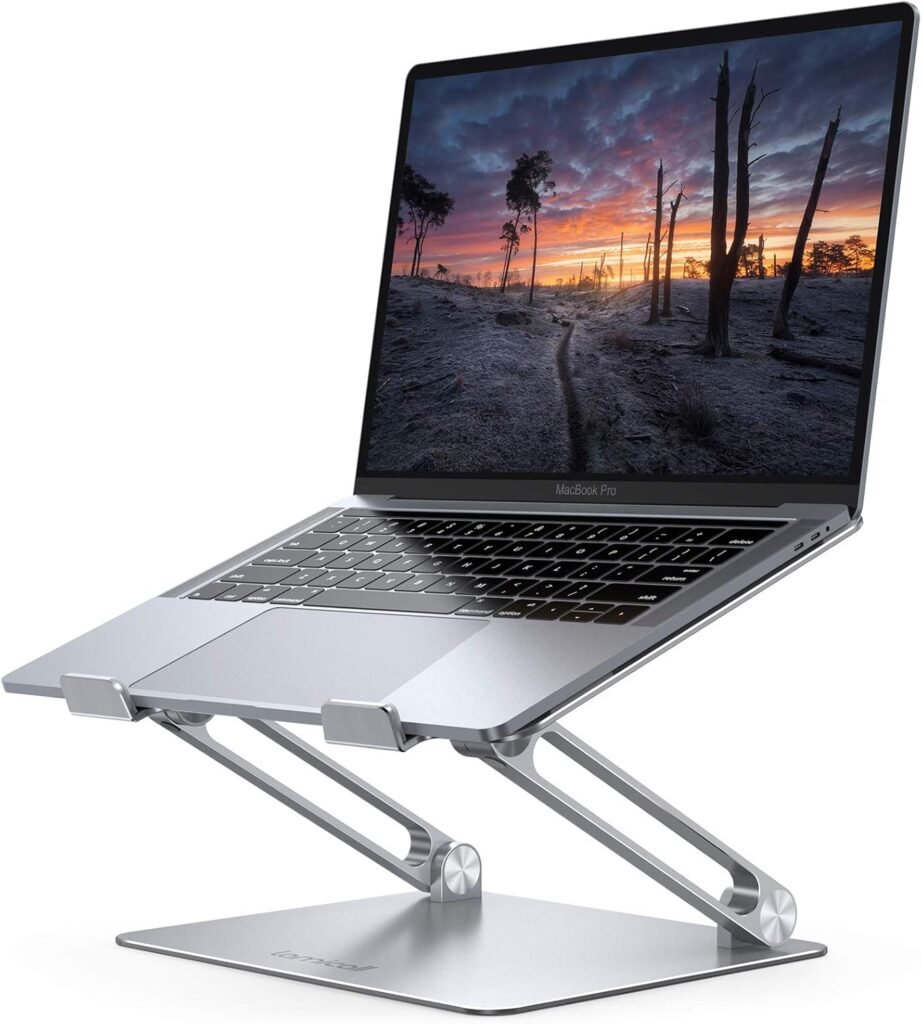
A foldable aluminum stand for laptops between 10 and 17.3 inches. It’s built for portability, folding flat for a bag or drawer.
Good for travel or switching workspaces during the day. Not a sit-stand converter.
LOXP Adjustable Laptop Stand
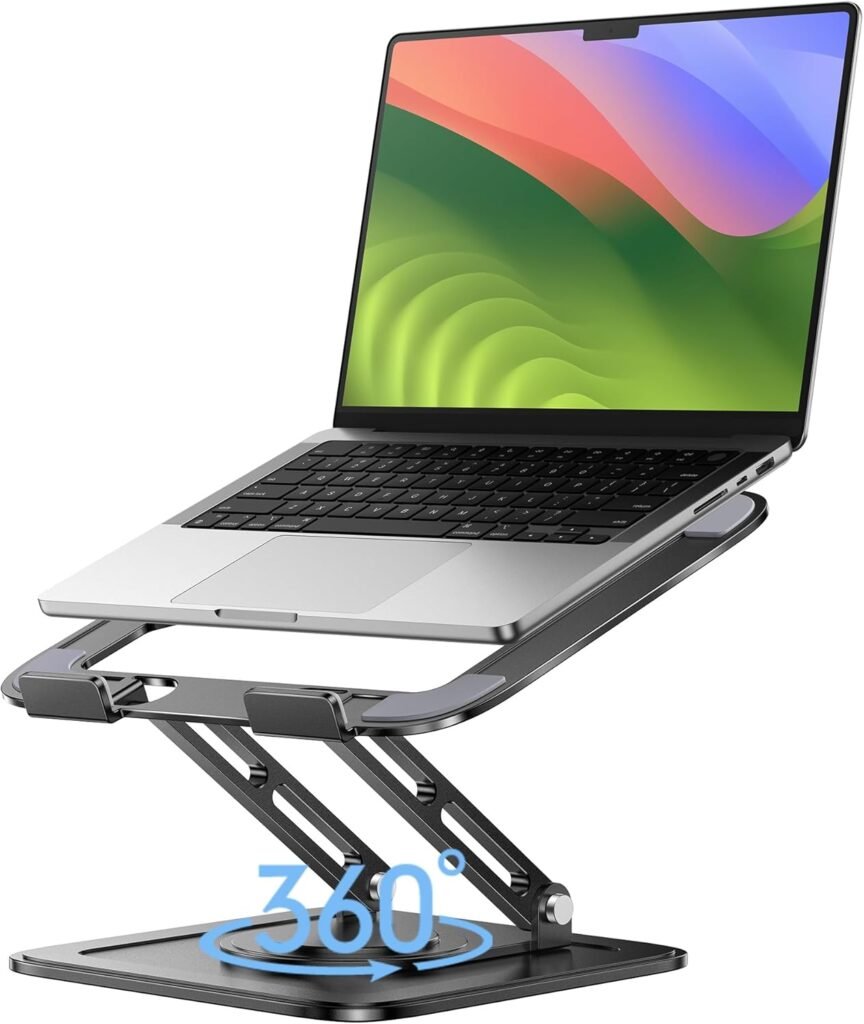
Similar concept, with a 360-degree rotating base for laptops from 10 to 16 inches. Useful for angling a laptop screen at a desk or couch. Also not a sit-stand converter.
Tips Before You Buy A Standing Desk Riser
- Measure your desk depth first. A wide converter needs enough desk space to sit flat.
- Check the lowest height setting. Some converters sit too high even when fully lowered.
- Add up your equipment weight before checking capacity limits.
- Pick gas spring lift over manual crank if you switch positions often.
- Look for anti-slip pads if you use a laptop on the surface.
- Confirm the surface width fits your monitor or dual monitor setup.
- Check if a keyboard tray is separate or built-in.
- Leave clearance above the converter for monitor arms or shelves.
- Test the handle mechanism reviews for smoothness before buying.
- Consider desk stability. A converter adds weight to your existing desk.
- Look at cable management features to avoid tangled wires during lifts.
- Match the converter height range to your actual standing eye level.
- Check return policies, since fit issues are common with converters.
- Read the assembly instructions before buying if you want zero setup time.
- If you already work standing most of the day, compare converter cost against a full electric desk before deciding.
What To Look For In A Sit-stand Desk Converter
You need to justify the following things while selecting one:
Surface Size
Match the surface to your setup. A single monitor needs less width than dual monitors. Measure your monitor base and keyboard together before choosing a size.
Height Range
Check both the lowest and highest points. The lowest height matters as much as the highest. A converter that sits too high when “lowered” defeats the purpose.
Weight Capacity
Add up your monitor, keyboard, mouse, and laptop weight. Stay under the stated limit with some room to spare. Overloading shortens the mechanism’s lifespan.
Lift Mechanism
Gas spring lifts feel smoother and faster. Crank mechanisms take longer but sometimes hold more weight. Pick based on how often you plan to switch positions during the day.
Desk Compatibility
Confirm your existing desk can support the converter’s weight plus your equipment. Glass desks and very thin desks may need extra caution.
Assembly Time
Some converters arrive fully built. Others need minor assembly. If you want to start standing the same day, check this before ordering.
Upgrade Your Desk Without Replacing It: The Power of Converters
A standing desk converter is a platform you place on an existing desk. It has a spring or crank mechanism inside.
You push or pull a handle, and the platform rises. It usually holds a monitor, a keyboard, and sometimes a laptop too.
This is different from a full standing desk. A full standing desk replaces your entire desk. The whole surface moves up and down on legs. A sit-stand riser only lifts the top part where you work.
It’s also different from a laptop stand. A laptop stand raises a single laptop for better eye level.
It does not usually convert between sitting and standing height on its own, and most don’t support a full monitor and keyboard setup together.
Knowing this difference matters. If you already love your desk and just want to add standing time, a converter is the right pick.
If you need a full desk overhaul, look at electric standing desks instead. If you only need to raise a laptop screen, a compact laptop riser solves that specific problem.
Final Recommendation
A standing desk converter fits your current desk. It lifts your monitor and keyboard together. No new furniture needed.
A full electric desk works better for larger setups. It gives you more surface space. But it costs more and takes more room.
Think about your space first. Then think about your budget. Pick the option that matches both.
Standing more helps your body. Even small changes add up. Start today.
FAQ
Does standing at a desk help blood sugar levels?
Some studies link standing breaks to lower blood sugar spikes after meals. Sitting for long stretches slows this process. Short standing sessions during the day may support better metabolic health.
Can a desk riser unit cause foot pain over time?
Yes, it can. Standing on hard flooring puts pressure on your feet. Cushioned shoes or a mat help reduce this strain during longer standing sessions.
Are standing desk risers becoming part of school and student setups?
Yes. More students now use converters at home desks. Teachers report better focus during long study sessions. This trend grew fast with remote and hybrid learning schedules.
Do desk converters work well for video calls?
Many people prefer standing during calls. It boosts energy and vocal clarity. Some professionals now schedule calls as their standing time each day.
Is there a link between standing desks and better focus at work?
Some workplace studies suggest standing improves alertness during afternoon hours. Blood flow increases when you stand. This can reduce the usual post-lunch energy dip.
Are tabletop standing converters getting more eco-friendly?
Yes. Newer models use recycled aluminum and recyclable packaging. Brands are responding to demand for sustainable office gear. This shift is growing across the furniture industry.
Can standing too long at a converter affect leg circulation?
Yes. Standing without movement for hours can affect blood flow in the legs. Shifting your weight or taking short walking breaks helps. This keeps circulation steady throughout the day.

Aliza Khatun is a Digital Marketing Professional and the founder of DigiGenHub. She has helped various businesses grow their online presence through real-world experience in marketing, branding, traffic growth, and business strategy.
Through DigiGenHub, she shows how to build and grow a business from the ground up using Website Setup, SEO, Branding, Paid Promotion, and smart digital tools.
She also highlights how AI can be used to its full potential to make content creation, automation, marketing, and business growth faster and smarter.
She believes that the right knowledge, modern technology, and the right tools can help any individual or business build a stronger online presence.