

When I first used AI tools for storyboarding, I made a mistake: I didn’t pick the right one. I wasted hours trying to make a tool work that wasn’t right for my project.
Still, I was ignorant about, what is the best AI storyboard a video concept? If you’ve been there, you know how frustrating that can be.
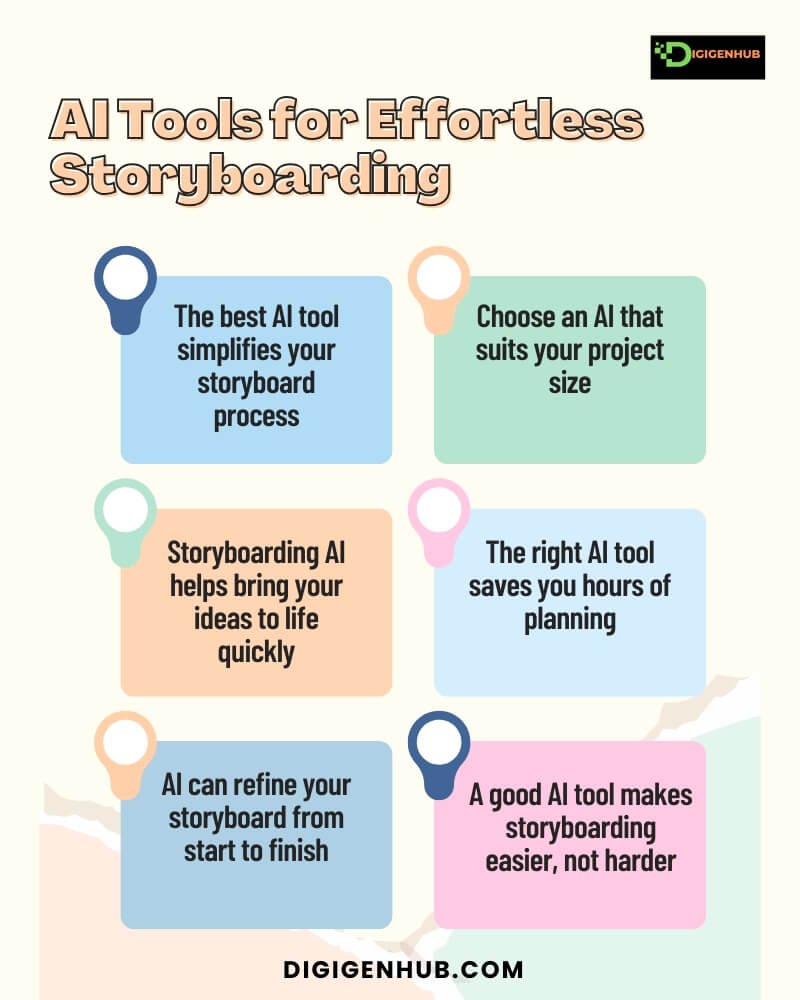
Yet, the best AI for storyboarding depends on your project. You may need a powerful tool like Runway ML if it’s big and detailed. For smaller projects, a simpler tool like Veed.io AI Storyboard Tool might be better.
Indeed, the right AI tool should match the size and needs of your project. So, before you start, consider what you need. This will save you time and avoid frustration.
So, let’s learn different AI to storyboard a video concept. Once you perceive these, you can start with what you need.
What is the Best AI to Storyboard a Video Concept
Choosing the wrong AI tool can waste time and cause headaches. For example, I tried using Adobe Firefly for a small task, but it was too advanced.
On the other hand, I used a simpler tool like Veed.io AI Storyboard Tool for a big project, but it didn’t have the features I needed. Both were mistakes.
Now, I’ve light on the AI tools that perform smoothly for different projects. Storyboarding is important for planning your video. AI tools can help you do it faster and easier. Let’s explain how to choose the right one for you:
For Simple Storyboards, Veed.io AI Storyboard Tool enables you to create quick storyboards with no fuss. It will save time and is easy for beginners.
So, small creators use these for YouTube or Instagram videos. Example: Many YouTubers use Veed.io to quickly plan out their short-form content before filming.
For Professional Projects, Runway ML and Deep Storyboard AI can be great options. With lots of features, they’re perfect for big, detailed projects.
They possess more control and better details for professional work. Example: Indie filmmakers use Runway ML to create AI-assisted previsualizations before shooting their movies.
For Creating Images from Text, DALL·E 3 and MidJourney turn text into images quickly. You just type what you want and the AI does the rest, no need to draw.
Example: Marketing agencies use DALL·E 3 to generate ad concepts before finalizing visuals for campaigns.
For Team Collaboration, Krock.io and Elai.io let teams work together in real-time, even from different places.
Example: Animation studios use Krock.io to manage storyboarding across remote teams, ensuring seamless communication.
For Turning Storyboards into Video, Pictory AI and Lumen5 turn your storyboards into videos automatically.
Example: Content creators use Pictory AI to transform their script-driven storyboards into engaging social media videos.
Simple projects need simple tools and big projects need powerful ones. In the next part, I will explain a few of the best AI tools for storyboarding a video concept. You can pick the right tool for your project by exploring this guide.
Veed.io AI Storyboard Tool
Veed.io AI Storyboard Tool helps create video storyboards quickly using AI. It offers templates and automatic scene generation.
User Rating: 4.7/5
Costs: Free, Pro ($14/mo), Business ($39/mo)
Activities: Script-to-video conversion, automatic scene generation
Performance: Fast, intuitive UI, accurate results
Industries: Ideal for content creators, marketers, filmmakers, educators and businesses in need of promotional or training videos.
Methods: Upload your script or ideas. The AI then creates storyboard scenes with visuals, text and timing. You can tweak or adjust these suggestions.
Elai.io
Elai.io helps create AI-powered videos by turning text into videos with real human avatars. It provides easy customization and seamless video generation.
User Rating: 4.8/5
Costs: Free, Starter ($29/mo), Pro ($49/mo)
Activities: Text-to-video conversion, AI avatars
Performance: Smooth, quick video generation, high-quality avatars
Industries: Perfect for marketers, educators, businesses, content creators and anyone needing personalized video content quickly.
Methods: Enter your script or text. The AI then generates videos with human avatars, adding voiceovers, animations and visuals. You can edit or customize the video as needed.
Krock.io
Krock.io helps create AI-driven videos with customizable characters and voiceovers, simplifying video production. It offers easy-to-use tools for video creation with avatars and text-to-speech features.
User Rating: 4.6/5
Costs: Free, Starter ($19/mo), Pro ($39/mo)
Activities: Text-to-video conversion, avatar creation, voiceover generation
Performance: Fast rendering, intuitive interface, high-quality visuals
Industries: Ideal for marketers, educators, content creators and businesses that need quick, engaging videos for promotions, training, or social media.
Methods: Input your script or text. The AI generates a video with avatars, voiceovers and visuals. You can edit the video to customize it further.
Deep Storyboard AI
Deep Storyboard AI uses artificial intelligence to turn your scripts or ideas into fully formed storyboards, speeding up and streamlining the video planning process.
User Rating: 4.6/5
Costs: Free, Standard ($29/mo), Advanced ($59/mo)
Activities: Script-to-storyboard generation, scene visualization
Performance: Quick, precise, easy-to-use interface
Industries: Ideal for filmmakers, animators, advertisers and content creators looking to speed up video pre-production and enhance story planning.
Methods: Simply upload your script or key ideas. Then generate AI detailed storyboards, suggesting shot angles, scene transitions and timing. You can adjust visuals or details to suit your vision.
Storyboard Creator AI
Storyboard Creator AI uses AI to generate storyboards based on your script. It’s designed to save time and simplify the process.
User Rating: 4.4/5
Costs: Free (limited), Premium ($15/month)
Activities: Auto-generate storyboards, adjust scenes, export to image or PDF
Performance: Quick AI-driven storyboard creation with customization
Industries: Filmmakers, video creators, production teams
Methods: Upload script, let AI generate storyboards, customize shots and export.
Pictory AI
Pictory AI uses AI to turn scripts or long-form content into short video storyboards. It’s designed to simplify video creation.
User Rating: 4.6/5
Costs: Free (limited), Premium ($19/month)
Activities: Convert text to video, generate storyboards, add captions
Performance: Fast AI-driven storyboard generation with easy editing
Industries: Marketers, content creators, social media managers
Methods: Upload scripts or articles, let AI generate video storyboards, edit and customize visuals and export videos.
InVideo AI
InVideo AI uses AI to help create videos and storyboards from text. It’s aimed at simplifying video production.
User Rating: 4.7/5
Costs: Free (limited), Business ($15/month), Unlimited ($30/month)
Activities: Convert text to video, storyboard creation, customize scenes
Performance: Quick AI-driven video creation with storyboard options
Industries: Marketers, content creators, small businesses
Methods: Upload scripts, use AI to create videos and storyboards, add transitions and effects and export.
Lumen5 (AI-driven storyboard-to-video workflows)
Lumen5 uses AI to turn blog posts, articles and scripts into engaging video storyboards.
User Rating: 4.6/5
Costs: Free (limited), Starter ($19/month), Premium ($59/month)
Activities: Convert text to video, storyboard creation, add media
Performance: Fast AI-powered video creation with customizable templates
Industries: Marketers, social media managers, content creators
Methods: Upload text, AI generates video storyboards, customize with media and export.
Runway ML
Runway ML uses AI tools for creative projects, including video editing and storyboard generation.
User Rating: 4.7/5
Costs: Free (limited), Creator ($12/month), Pro ($35/month)
Activities: Video editing, AI-generated storyboards, motion graphics
Performance: Powerful AI tools for fast, high-quality content creation
Industries: Filmmakers, designers, content creators
Methods: Upload footage or text, use AI to create and edit storyboards, add effects and export.
DALL·E 3 (or successors)
DALL·E 3 is an AI tool by OpenAI that generates images and storyboards from text prompts, helping creators visualize concepts quickly.
User Rating: 4.8/5
Costs: Pay-per-use (varies based on usage)
Activities: Generate images, create visuals for storyboards, conceptualize scenes
Performance: High-quality image generation with detailed accuracy
Industries: Filmmakers, artists, designers, content creators
Methods: Input text prompts, AI generates images and storyboards, customize visuals and download.
MidJourney (with video storyboarding features)
MidJourney is an AI tool that generates high-quality images and storyboards from text prompts, offering unique and artistic visuals.
User Rating: 4.7/5
Costs: Free (limited), Basic ($10/month), Standard ($30/month)
Activities: Generate images, create storyboards, explore visual styles
Performance: High-quality, artistic image generation with creative flexibility
Industries: Filmmakers, artists, designers, content creators
Methods: Enter text prompts, AI creates images and storyboards, refine and adjust visuals, download.
Adobe Firefly (expanded for storyboarding)
Adobe Firefly is an AI tool by Adobe that generates images, videos and storyboards from text prompts, designed for creative professionals.
User Rating: 4.6/5
Costs: Free (limited), Subscription-based pricing with Adobe Creative Cloud
Activities: Generate images, create storyboards, edit and enhance visuals
Performance: High-quality, customizable content generation with seamless Adobe integration
Industries: Filmmakers, designers, marketers, content creators
Methods: Input text prompts, generate images or videos, refine visuals and integrate with Adobe tools for further editing.
Canva (AI-powered storyboarding)
Canva is an AI design tool that helps create storyboards with templates, drag-and-drop features
and AI-generated visuals, making it easy for all users.
User Rating: 4.5/5
Costs: Free (limited), Subscription-based pricing with Canva Pro
Activities: Create storyboards, design marketing content, edit visuals, generate AI-powered graphics
Performance: Easy-to-use, fast design creation with AI assistance and a vast template library
Industries: Marketers, educators, content creators, businesses
Methods: Choose a template, input text or images, customize with AI tools and export designs easily
Synthesia (Advanced Video Storyboarding)
Synthesia is an AI video tool that creates storyboards and full videos using AI avatars and voiceovers, making video production fast and simple.
User Rating: 4.7/5
Costs: Subscription-based pricing
Activities: Create storyboards, generate AI videos, add voiceovers, customize avatars
Performance: High-quality AI-generated videos with realistic avatars and voices
Industries: Marketers, educators, businesses, content creators
Methods: Input text, choose an AI avatar, customize visuals and generate a complete video
Popular Non-AI to Storyboard a Video Concept
AI tools make storyboarding fast, but non-AI tools are still useful. Many creators like full control over their storyboards. These tools help them plan scenes step by step.
Non-AI tools let you draw, set camera angles and adjust shots. They are great for filmmakers, animators and video creators. Some tools even use 3D models to plan scenes before filming.
If you need simple sketching or advanced planning, these tools can help. Now, let’s look at some of the best non-AI storyboard tools.
ShotPro HQ
ShotPro HQ is a professional storyboard and shot planning app. This tool helps filmmakers and content creators design detailed scenes with 3D visuals and pre-visualizations.
User Rating: 4.7/5
Costs: Free, Pro ($9.99/mo), Studio ($29.99/mo)
Activities: Storyboarding, shot planning, scene visualization
Performance: Intuitive, fast, customizable 3D tools
Industries: Perfect for filmmakers, videographers and content creators needing precise scene planning, storyboarding and visualizations for film, TV and commercials.
Methods: Create your storyboard by adding scripts or scene descriptions. Use 3D tools to visualize camera angles, movements and shot composition. Adjust the visuals and scene flow as needed.
Toon Boom Storyboard Pro 22
Toon Boom Storyboard Pro 22 is a professional storyboarding software that creates detailed storyboards with sketches, timing and camera movements.
User Rating: 4.8/5
Costs: Subscription ($25/mo), Perpetual ($449 one-time)
Activities: Storyboarding, animatics, timing and scene planning
Performance: Robust tools for drawing, animation and precise timing
Industries: Ideal for animators, filmmakers and game developers needing high-quality storyboards for animated or live-action projects.
Methods: Draw your scenes and add camera movements, timing and audio. The software allows detailed customization of every frame. You can also create animations to preview the flow of the story.
FrameForge
FrameForge is a professional storyboarding software designed to visualize shots in 3D before filming. It allows detailed planning with camera angles, lighting and actor movements.
User Rating: 4.6/5
Costs: Basic ($199 one-time), Pro ($399 one-time), Studio ($899 one-time)
Activities: 3D storyboarding, shot planning, camera and actor blocking
Performance: High-quality 3D visuals, accurate scene planning
Industries: Perfect for filmmakers, directors, cinematographers and production teams looking for in-depth pre-visualization of scenes.
Methods: Create storyboards by placing 3D characters, cameras and props. Adjust lighting, angles and movements to visualize shots. You can also add detailed camera notes and create shot lists.
Scriptation Storyboard Generator
Scriptation Storyboard Generator is a tool that turns scripts into storyboards quickly. It’s designed for easy integration with your script and shot planning.
User Rating: 4.5/5
Costs: Free (limited), Pro ($9.99/month)
Activities: Convert scripts into storyboards, add notes, export to PDF
Performance: Fast, seamless script-to-storyboard integration
Industries: Filmmakers, directors, production teams
Methods: Upload scripts, auto-generate storyboards, add shots and export final boards.
Shotdeck
Shotdeck is an AI tool that helps filmmakers and video creators plan shots using a large library of high-quality images.
User Rating: 4.7/5
Costs: Free (limited), Premium ($19/month, $199/year)
Activities: Find shots, create storyboards, match styles
Performance: Fast AI search with high-quality images
Industries: Filmmakers, directors, editors, production teams
Methods: Search a library of 20,000+ shots. Filter by scene type, lighting, angle and more. Build custom storyboards by adding shots.
Storyboarder
Storyboarder is a free, open-source tool for creating storyboards. It helps filmmakers visualize scenes with simple, easy-to-use features.
User Rating: 4.5/5
Costs: Free
Activities: Create storyboards, draw scenes, export to other tools
Performance: Simple, fast interface with export options
Industries: Filmmakers, animators, video creators
Methods: Draw scenes, add notes, organize panels and export to various formats.
Boords
Boords is an online tool for creating and sharing storyboards. It’s easy to use and great for team collaboration.
User Rating: 4.6/5
Costs: Free (limited), Pro ($12/month), Team ($24/month)
Activities: Create storyboards, collaborate, add notes
Performance: Fast, cloud-based, user-friendly
Industries: Filmmakers, animators, production teams
Methods: Create and edit storyboards, add text and images and collaborate with teams.
Conclusion
Thus, you have learned all, what is the best AI storyboard a video concept? Now You can easily pick the right one. The best AI tool depends on the scope of your project. To avoid mistakes like mine, assess your storyboard size, complexity and goals. Selecting the right tool for your needs can save time and avoid unnecessary obstacles.
FAQ
Is there a free AI video generator?
Yes. Free AI video makers include Pictory, Lumen5 and InVideo. They turn text into videos quickly. These tools have free plans with basic features. Check the limits to see what fits your needs. They’re reliable for simple projects.
Is there a free AI story generator?
Yes, there are free AI story generators. ChatGPT, Rytr and Writesonic are great options. They help create stories from just a few prompts. These tools have free plans for basic use. They’re reliable for quick and creative writing.
Is Fliki completely free?
Fliki is not fully free. It has a free plan with limits, like shorter videos and fewer options. You get a 7-day free trial to try it out. After that, you’ll have limited access unless you upgrade. The free version includes text-to-speech and basic video tools. To get more features, you need to pay.