

Pinterest for small business is a vigorous way to promote brands or services that increase sales and profit. This platform had 553 million monthly active users last year. fayestrangedigital.com
Ads on Pinterest reached 340 million users in January 2025, up 10.6% from the previous year. DataReportal . So, it opens a unique opportunity for any business to connect with a highly engaged audience.
So, ignoring Pinterest could mean losing visibility. Without regular posts or keyword optimization, you risk dropping engagement by 50%. Poor targeting wastes ad spend can reach only 3% of your audience.
To avoid this, focus on high-quality visuals and engaging descriptions. Use Pinterest’s rich pins for visual presentation.
Schedule posts and track performance with analytics. Stay updated on trends to display your products or services first to the audiences.
By using tools like Pinterest Ads Manager, you can see an average return of $4.30 for every $1 spent. This impressive return on investment converts commitment into revenue.
niche
How to Use Pinterest for Small Business
70.3% of Pinterest’s audience is female. This offers a niche market for targeted campaigns. So, what are the best practices for posting on Pinterest for business?
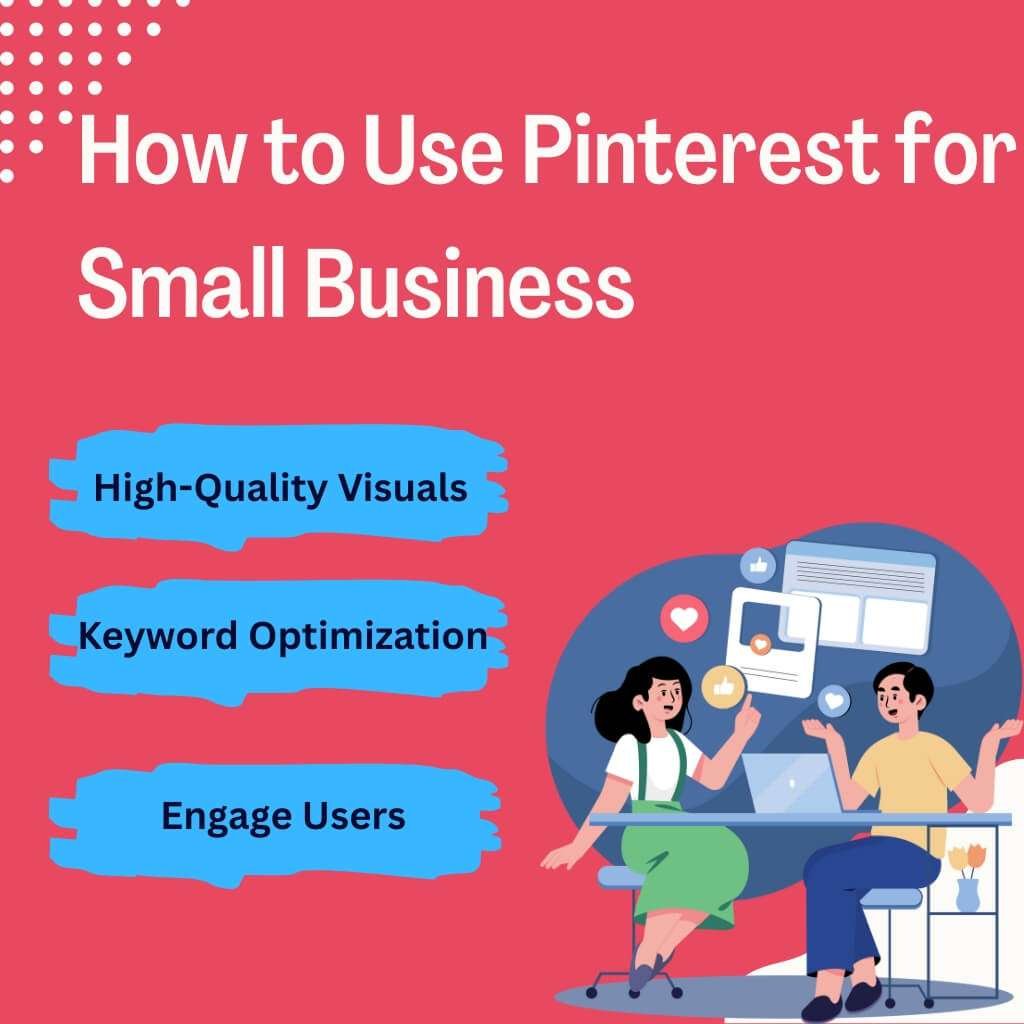
To effectively impress Pinterest users, you should create content that resonates with the platform’s audience. This includes:
High-Quality Visuals: Use clear, vertical images that showcase your products or services. Of course, the photos must be well-lit and visually appealing to capture attention. Alisa Meredith
Incorporate Keywords: Optimize pin titles, descriptions and board names with relevant keywords to improve discoverability.Shopify
Maintain Flexible Branding: Use compatible colors, fonts and logos to establish brand identity.
Create Engaging Descriptions: Write compelling descriptions encouraging users to click to your website.
Utilize Rich Pins: Enable Rich Pins to provide more context about your product, service, article, or app.
Pin Regularly: Aim to post 3–5 fresh pins per day to maintain visibility and engagement. Pinterest Business Community
Schedule Pins: Use scheduling tools to plan and automate your posts for regular content delivery.
Engage with Users: Respond to comments and messages to build community and trust.Pinterest
Analyze Performance: Regularly review Pinterest Analytics to understand what content resonates with your audience.
Stay Updated with Trends: Monitor Pinterest Predicts and other trend reports to align your content with current interests.
How often should You Post to maintain harmonious engagement?
You should post at least once per week on Pinterest. However, aiming for 3–5 fresh pins daily is recommended to maximize engagement. This frequency helps maintain visibility and keeps your audience engaged. Social Media Dashboard
Educational Content: Create “how-to” guides or tutorials that provide value to your audience.
Seasonal and Trend-Based Pins: Align your content with current trends and seasonal events to increase relevance.
Video Pins: Use short, engaging videos to capture attention and effectively convey your message.
Focusing on these content types can enhance your brand or service visibility and engagement on Pinterest.
What features does Pinterest offer specifically for businesses?
Pinterest provides several features suited for businesses:
Business Profile: Access to analytics and ad tools.
Pins Consideration: Enhanced pins with real-time data.
Idea Pins: Multi-page video content.
Shopping Features: Product tagging and catalogs.
Pinterest Trends: Insights into trending topics.
Performance+: AI-driven ad optimization.
Video Pins: Engaging short-form videos.
Collaborative Boards: Shared boards for team efforts.
Pinterest Academy: Educational resources.
API Integrations: Connect with e-commerce platforms.
These tools empower businesses to reach their target audience effectively.
How does Pinterest increase your business’s brand visibility?
To increase brand visibility, consider the following strategies:
Unity in Posting: Regularly share content to stay top-of-mind.
Engage with Followers: Respond to comments and messages.
Leverage Analytics: Monitor performance to refine strategies.
Collaborate with Influencers: Partner with influencers to expand reach.
Seasonal Content: Align content with holidays and events.
These tactics can significantly increase your brand’s presence on Pinterest.
How Pinterest Can Become Your Top Traffic Source?
Pinterest’s traffic growth continues with millions of engaged users. To effectively drive traffic from Pinterest, consider the following strategies:
Create a Business Account: This grants access to analytics and advertising tools.
Optimize Your Profile: Use a clear profile picture and a keyword-rich description.Pinterest
Develop High-Quality Pins: Ensure your images are clear, vertical and visually appealing.
Utilize SEO: Incorporate relevant keywords in your pin descriptions and board titles.
Engage with Your Audience: Respond to comments and messages promptly.
Leverage Analytics: Monitor your performance to understand what works and refine your strategy.
Ads in Pinterest: Attainable ROI for Small Businesses
Pinterest’s advertising has increased effectiveness in paid campaigns. It enhances brand visibility, drive traffic and generate direct sales from the regular audience. So, it is a valuable platform for businesses to enhance their online presence.
Pinterest Ads Cost Guide for Small Businesses
| Ad Type | Cost Range | Best For |
| Cost Per Click (CPC) | $0.00 – $0.20 | Driving website traffic |
| Cost Per Thousand Impressions (CPM) | $2.00 – $5.00 | Brand awareness campaigns |
| Cost Per Conversion (CPA) | $0.00 – $8.00 | Direct sales or lead generation |
| Average Monthly Spend | $0 – $500 | Small business budgets |
| Return on Ad Spend (ROAS) | $4.30 for every $1 spent | High-performing campaigns |
Market Value: Pinterest’s advertising revenue is projected to reach $4.2 billion in 2025, reflecting a 17.1% growth from the previous year. Adgully+3MediaCat UK
What types of ads should you use on Pinterest for better conversion rates?
Selecting the appropriate ad format customized to your business niche is mandatory. This maximizes conversions. Let’s see 10 ad types matched with specific online business niches:
E-commerce (Fashion): Shopping Ads – Display your products directly within users feeds. This enables unified purchasing experiences.
Health & Wellness: Video Pins – Demonstrate product usage or share fitness routines to engage users effectively.
Home Decor: Carousel Ads – Display multiple products or design ideas in a single ad to inspire potential customers.Metricool
Food & Beverage: Idea Pins – Share recipes or cooking tips to attract food enthusiasts.
Beauty & Cosmetics: Try On Product Pins – Help users try products virtually. This enhances their shopping experience.Veuno
Travel & Leisure: Collection Ads – Group related travel destinations or packages to entice wanderlust-driven users.
Education & Learning: Standard Pins – Promote courses or educational content to learners seeking new skills.
Technology & Gadgets: Shopping Ads – Highlight tech products with detailed specifications to attract gadget enthusiasts.
Art & Crafts: Video Pins – Present DIY projects or craft tutorials to engage creative audiences.
Finance & Consulting: Carousel Ads – Present potential clients with various services or financial tips.
How can you target the right Audience for Your Ads on Pinterest?
Pinterest offers active targeting options to ensure your ads reach the most relevant audience:
Interest Targeting: Reach users based on their interests, such as “home improvement” or “fitness.
Keyword Targeting: Target users search for terms like “budget travel” or “vegan recipes.”
Demographic Targeting: Refine your audience by age, gender, location and language.
Customer List Targeting: Upload your customer email list to target existing clients.
Engagement Targeting: Reach users who have interacted with your Pins or website.
Actalike Audiences: Target users who share behaviors similar to your existing customers.
So, practice these targeting options. You can effectively reach your desired audience. Your right patch enhances ad performance and return on investment.
How Does Pinterest Business Work?
Pinterest continues to provide detailed analytics through its business account features. So, what business features should you focus on when starting with Pinterest? Well. Here I am. To effectively utilize Pinterest for business, consider focusing on the following features:
Business Account: Access to analytics and advertising tools.
Idea Pins: Multi-page video content.SocialPilot
Shopping Features: Product tagging and catalogs.Ayalie
Pinterest Trends: Insights into trending topics.Sprout Social
Performance+: AI-driven ad optimization.
Video Pins: Engaging short-form videos.
Collaborative Boards: Shared boards for team efforts.
Pinterest Academy: Educational resources.
API Integrations: Connect with e-commerce platforms.
These tools empower businesses to reach their target audience effectively.
How do you use Pinterest Analytics to track your business performance?
Pinterest provides comprehensive analytics to monitor and improve your business performance:
Profile Analytics: Track overall performance metrics.
Audience Insights: Understand your audience’s interests and behaviors.
Pin Performance: Analyze the performance of individual pins.
Conversion Tracking: Measure actions taken on your website after interacting with your pins.
Attribution Insights: Understand the role of Pinterest in your customer’s journey.
Regularly reviewing these analytics enables businesses to make informed decisions to enhance their Pinterest strategy.
For more information on Pinterest’s business features and analytics, visit the Pinterest Business website.
Which Pinterest Marketing Tools are Essential for Your Business?
Pinterest offers marketing tools to help businesses grow and engage with their audience effectively. This includes Promoted Pins and scheduling features to help businesses grow.
Let’s see ten essential Pinterest marketing tools specialized for various types of small businesses:
Tailwind – Ideal for bloggers and content creators. Tailwind offers scheduling and analytics features to unified Pinterest marketing efforts.
Buffer – A versatile tool for small businesses. Buffer helps scheduling and analytics across multiple social media platforms, including Pinterest.
Hootsuite – Suitable for businesses managing multiple social media accounts. Hootsuite provides scheduling and monitoring tools for Pinterest and other platforms.
Canva – For businesses needing to create visually appealing pins. Canva offers user-friendly design tools with Pinterest-specific templates.
Sprout Social – A comprehensive social media management tool. This includes scheduling, analytics and engagement features for Pinterest.
Piktochart – Useful for businesses in education or non-profits, Piktochart helps create infographics and visual content suitable for Pinterest.
Social Champ – A budget-friendly option for small businesses, Social Champ offers scheduling and analytics tools for Pinterest.
Pablo by Buffer – Designed for quick image creation, Pablo helps businesses create shareable visuals for Pinterest.
PinGroupie – A tool for businesses looking to join group boards, PinGroupie helps find and join relevant Pinterest boards to increase reach.shanebarker.com
Loop88 – A platform for businesses focusing on visual content, Loop88 provides tools to create and share images on Pinterest.
How can you schedule and automate posts for better engagement?
Tools like Tailwind and Buffer help you to plan and schedule pins in advance. This saves time and maintains a steady presence.
Best Practices:
Consistency: Regular posting keeps your brand visible to your audience.
Timing: Schedule posts during peak engagement times to maximize reach.
Content Variety: Mix different types of pins (e.g., product pins, blog posts, videos) to keep the audience engaged.
To entirely utilize Pinterest’s marketing tools:
Utilize Pinterest Ads Manager: Create and manage campaigns to reach a broader audience.
Implement Performance+: Use AI-powered solutions to optimize campaigns and reduce costs per action.Pinterest
Monitor Analytics: Regularly review performance metrics to adjust strategies accordingly.
Example: A handmade jewelry shop utilized Pinterest Ads Manager to run targeted campaigns. By analyzing performance data, they optimized their ads, resulting in a 25% increase in sales.Pinterest+1
Is Pinterest Effective for Businesses in Your Niche?
Pinterest’s visual-centric platform makes it particularly effective for industries that rely on aesthetics and inspiration. Let’s see how various niches can expand through Pinterest:
E-commerce (Fashion, Home Decor, Beauty): Use Shopping Ads with Pin to showcase products directly.
Food & Beverage: Share recipes and cooking tips through Idea Pins to engage food enthusiasts.
Health & Wellness: Post fitness routines, wellness tips and healthy recipes to attract health-conscious users.
Education & Online Courses: Promote courses and educational content using Carousel Ads and Standard Pins.
Travel & Leisure: Share travel guides, destination highlights and itineraries to inspire wanderlust.
You can effectively reach and engage your target audience by aligning your content with Pinterest’s strengths.
How Pinterest Helps Small Businesses Reach More Customers
So, how can Pinterest help small businesses reach more customers? It is a visual search engine where users actively seek inspiration and products. It aims to introduce your business to this platform’s large audience.
This purposeful behavior helps businesses to expose their offerings to users interested in similar products.
Example: Mallory Leckey, a fashion designer, utilized Pinterest to promote her hand-painted clothing line. One of her pins garnered 2 million views. This increased sales and brand visibility .adelaidenow
How Do You Convert Pinterest Users into Paying Customers?
Converting Pinterest users into customers involves a strategic approach:
Optimize Your Profile: Ensure your business profile has a clear description, logo and a link to your website.
Implement Call-to-Action (CTA): Include compelling CTAs in your Pin descriptions to encourage users to take action.
Leverage Pinterest Ads: Utilize Pinterest’s advertising options to reach a broader audience and drive traffic to your site.
Create Shoppable Pins: Allow users to purchase products directly from your Pins, streamlining the buying process.
Engage with Your Audience: Respond to comments and messages promptly to build trust and relationships.
Collaborate with Influencers: Partner with influencers to expand your reach and credibility.
Offer Exclusive Deals: Provide special promotions or discounts to Pinterest users to incentivize purchases.
Pinterest’s Position Among Other Social Media Platforms
As of 2025, Pinterest ranks 7th in social media platforms. As of March 2025, Pinterest ranks #22 globally in website traffic. For more detailed insights, refer to the full report here: Similarweb.
This positions Pinterest among the top 25 most visited websites worldwide, underscoring its significant presence in the digital zone.
Can Pinterest Surpass Other Social Media Platforms in Driving Traffic?
Pinterest has distinct advantages that can make it a top traffic source:
Longevity of Pins: Pins have a longer lifespan than posts on other platforms, providing prolonged exposure.
Intent-Driven Users: Users often visit Pinterest with the intent to discover and purchase, increasing the likelihood of driving traffic.
E-commerce Integration: Features like Product Pins and Shop the Look enhance shopping experiences directly on the platform.
Pinterest vs. Other Social Platforms for Marketing
Pinterest offers unique advantages for marketers, like other social media marketing platforms. While platforms like YouTube and Facebook have larger user bases, Pinterest’s strength lies in its ability to drive purchase intent through visual discovery.
Users often turn to Pinterest for inspiration. This makes it a valuable platform for businesses aiming to influence purchasing decisions.
Conclusion
Summing up, it’s your moment. Pinterest for small business is still an profit making social media marketing platform. Use it right and your brand can soar.
Don’t wait. Opportunities are everywhere. Millions are ready to discover your business. Each post, pin and campaign matters. With smart choices, success follows.
FAQ
Is Pinterest Still a Good Marketing Tool?
Yes, Pinterest remains a potent marketing tool today. Its user base continues to grow and its advertising effectiveness is rising. It continues to expand its user base and increase its advertising effectiveness. This makes it a preferable tool for business marketing.
Is Pinterest totally free?
Pinterest is free for small businesses in 2025. You can create a business account and access tools like analytics and Rich Pins at no cost. It also offers free features like Idea Pins and product catalogs. These tools help showcase your brand and engage with your audience. You can track your performance without spending money.