


Customer data breach is a critical issue and concern for businesses. It leads to identity theft, massive financial losses and irreversible reputational damage.
In the digital era, businesses are increasingly willing to collect sensitive information, such as emails, credit card details and personal data.
They do it to meet their customers’ needs and maintain industry dominance. But, with this growth comes a higher risk at times. Indeed, this makes them prime targets for cybercriminals.
After a breach, customers lose trust. 80% of them will stop buying from you. Legal consequences follow and a company’s reputation may collapse. I’ve seen businesses lose customers for good after their data was stolen.
Still, in my role, I’ve assisted clients across various industries in gathering and protecting customer data. Let’s learn all about this extreme issue.
How Customer Data Breache Destroys Trust and Hurts Small Business
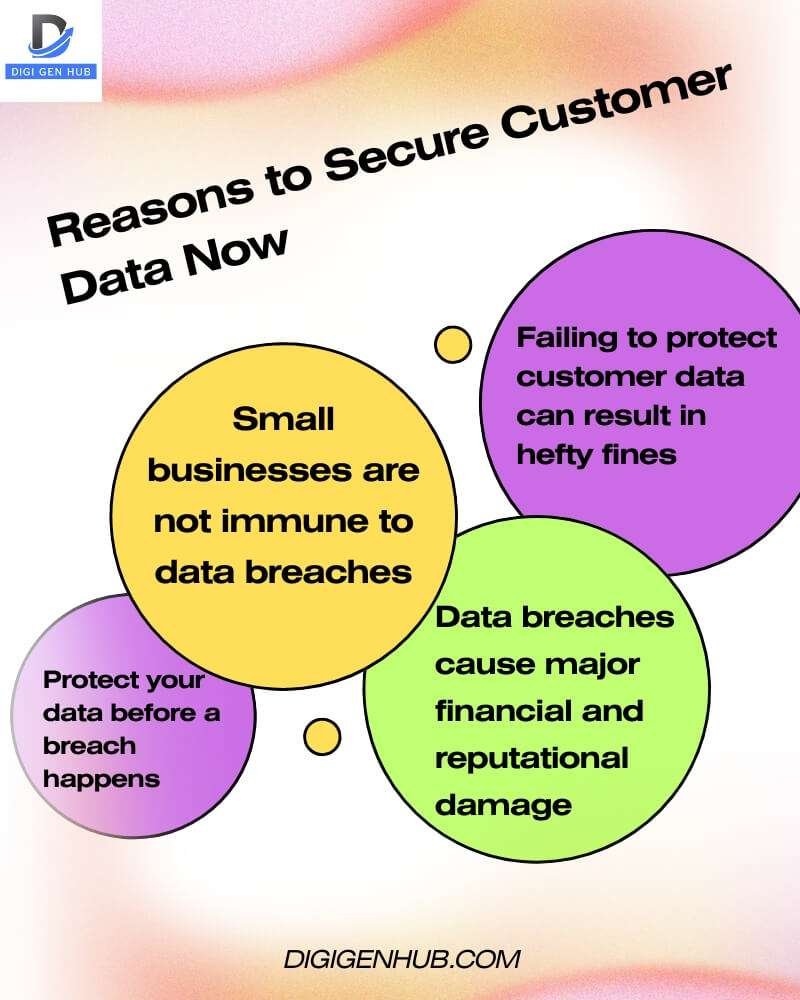
Many businesses think data breaches won’t happen to them. They believe they are too small to be targeted. This is a big mistake. Ignoring data security can lead to significant problems.
A data breach happens when unauthorized individuals access or expose sensitive customer data. Through my experience, I’ve witnessed businesses facing identity theft, financial loss and significant reputational damage after such incidents.
Also, businesses face significant fines if they don’t follow laws like GDPR or CCPA. I’ve worked with companies that had to pay up to $10 million in penalties for not protecting customer data appropriately.
The best way to avoid this is to focus on security. I’ve helped my clients use encryption, multi-factor authentication and security audits.
These steps keep data safe and help maintain customer trust. Hence you should not wait for a breach to happen. Indeed protect your customer data now. In the next part, I’ll explain the different types of data breaches.
What are the Different Types of Data Breaches?
Data breaches happen when sensitive information is accessed or stolen without permission. They can occur in many ways, from hacking to human mistakes. These breaches can cause serious harm to businesses and customers. Let’s look at the several types and their impact.
Main Types of Customer Data Breaches (Most Common)
These types of breaches are the most frequent and pose the highest risks to customer data. They often involve direct attacks or vulnerabilities that can lead to large-scale data exposure. Let me explain about these execrations:
1 . Hacking/IT Incidents
This mainly happened due to forbidden access to company systems or networks to steal or corrupt data.
Example: Hackers break into a database and steal sensitive customer information like personal and financial data.
Impact: Large-scale data theft, identity theft, financial fraud.
2 . Phishing
Fraudulent emails or messages that trick individuals into revealing sensitive information, such as usernames and passwords.
Example: A fake email from a bank requests login credentials. This leads to prohibited access to customer accounts.
Impact: Stolen login credentials, financial information and personal data.
3 . Ransomware
Malicious software that locks access to systems or data and demands payment for release.
Example: A company’s system is infected with ransomware, locking customer data until a ransom is paid.
Impact: Loss of data availability, potential exposure of sensitive data and business disruption.
4 . Insider Threats
Employees or contractors intentionally or accidentally expose or steal sensitive customer data.
Example: A disgruntled employee leaks customer information to a competitor.
Impact: Theft of confidential customer information loss of customer trust.
5 . Malware
Malicious software that can infect systems to steal or corrupt customer data.
Example: A virus is spread through an email attachment, capturing keystrokes and stealing customer credentials.
Impact: Data theft, exposure to personal and financial details, system compromise.
6 . SQL Injection
A vulnerability allows attackers to inject malicious SQL code to manipulate databases and steal data.
Example: A hacker exploits a website’s unprotected input field to execute an SQL query that retrieves customer information.
Impact: Unauthorized access to sensitive customer data in a database.
7 . Stolen Credentials
Criminals use stolen login credentials to access customer accounts.
Example: Cybercriminals gain access to customer accounts using stolen usernames and passwords from a previous data breach.
Impact: Identity theft, improper financial transactions and privacy violations.
Additional Types of Customer Data Breaches (Less Common but Still Alarming)
These breaches may not happen as frequently but still pose significant risks to customer data and business operations.
1 . DDoS (Distributed Denial of Service)
Overloading a server or network with traffic to make services unavailable. This might expose vulnerabilities.
Example: A DDoS attack targets a company’s website, making it crash and open up for a follow-up data breach.
Impact: Service disruptions and indirect vulnerabilities exploited during downtime.
2 . Social Engineering
Deceptive manipulation to persuade individuals to reveal confidential information.
Example: An attacker impersonates an IT support technician and convinces an employee to disclose login credentials.
Impact: Exposed data, unofficial access to systems.
3 . Worms
Self-replicating malware that spreads across networks, potentially stealing data.
Example: A worm spreads through a network, stealing customer data as it moves from device to device.
Impact: Data theft, system compromise, widespread damage.
4 . Spyware
Malicious software that secretly monitors user activity, often collecting sensitive information.
Example: Spyware infects a computer, logging keystrokes and sending customer information to cybercriminals.
Impact: Privacy violations, theft of login credentials, financial data exposure.
5 . Payment Card Skimmers
Devices or software installed on ATMs or point-of-sale systems that collect credit card details.
Example: A malicious card reader installed at a gas station captures customers’ credit card information.
Impact: Stolen payment details, financial fraud.
6 . Business Email Compromise (BEC)
A scam where cybercriminals impersonate a business leader and trick employees into transferring funds or sensitive data.
Example: An attacker impersonates the CEO and sends an email requesting customer data from an employee.
Impact: Financial loss, data exposure, business reputation damage.
7 . Lost and Stolen Assets
Devices like laptops, smartphones, or hard drives containing sensitive customer data are lost or stolen.
Example: An employee’s laptop with encrypted customer data is stolen from a coffee shop.
Impact: Exposure of sensitive data if devices aren’t properly secured or encrypted.
8 . Physical Security Breaches
Unapproved physical access to secure areas results in the theft or exposure of customer data.
Example: A criminal enters a data centre and steals physical records containing customer information.
Impact: Physical theft of sensitive data, risk of data exposure.
9 . Human Error
Accidental mishandling or exposure of customer data by employees.
Example: An employee mistakenly sends an email containing sensitive customer data to the wrong person.
Impact: Data leakage, privacy violations.
Recent Data Breaches in Small Businesses
Customer data breaches are happening more often, even in small businesses. These breaches can expose personal information like emails, addresses and payment details. Here’s a list of some recent breaches:
TalkTalk Data Breach (January 2025):
A hacker stole data from 18.8 million TalkTalk customers. It included names, emails and phone numbers. No financial info was leaked. Read more.
Gravy Analytics Breach (January 2025):
Hackers accessed data showing people’s locations. This included sensitive areas like the White House. More details.
Genea Fertility Clinic Breach (February 2025):
Genea’s data was hacked, exposing patient info. This included emails, medical history and appointment details. Read more.
Community Health Center Breach (January 2025):
Over 1 million patients were affected. Their medical records and Social Security numbers were exposed. Learn more.
Bank of America Data Exposure (December 2024):
Bank of America lost documents with personal data. This included Social Security numbers. Find out more.
Zapier Code Repository Breach (February 2025):
Hackers accessed Zapier’s code. Some customer data was exposed. Read full details.
Australian Small Businesses Targeted (August 2024):
Many small businesses in Australia had their data stolen. The losses were around $50,000 per attack. Learn more.
Nelson Alexander Real Estate Agency Breach (October 2024):
Nelson Alexander lost renter details. This included names, addresses and dates of birth. Read more.
Krispy Kreme Cyberattack (November 2024):
Krispy Kreme was hacked. The attack slowed down their online systems. Find out more.
Yet, these breaches show the need for small businesses to protect customer data better. Stronger security can stop hackers and preserve customer trust.
How to Prevent Data Breach
Hackers are sneaky. They want to steal customer info. But you can stop them. You can protect your customers. You can build trust. You can be the business everyone loves. Start today. Keep data safe. These easy steps will help. Let’s do this:
1. Check Your Security Now
Look at what you already have. Find weak spots.
What to Do:
List all customer data you collect (names, emails, card details).
Check where you store it (like on your website, laptop, or cloud).
See if it’s locked tight (encrypted) or easy to steal.
Make sure you follow laws (like GDPR or CCPA).
Help: Look at Shopify’s security page for ideas.
2. Start with Easy Fixes
Fix the most prominent risks first. Do these now.
Lock Data Tight: Ensure your website has “https” (look for the padlock). Ask your website host if you don’t see it.
Add Extra Login Steps: Use two-step login (like password + phone code) for all accounts. Try Google Authenticator—it’s free.
Teach Your Team: Send a short video on spotting fake emails (phishing). Google has free ones.
Help: Check how Mailchimp locks things down.
3. Make a Plan
Write down the next steps. Do one thing at a time.
Week 1: Set up a two-step login and lock data tight.
Week 2: Teach your team not to click bad links.
Month 1: Check if companies you work with (like payment processors) are safe. Ask them about their security.
Month 2: Make a “what if we get hacked” plan. Write who to call and what to say.
Help: Look at FreshBooks to see how they check partners.
4. Keep Everyone Safe
Make security part of daily work.
Pick one person to be the “security boss.” They remind everyone to stay safe.
Tell your team it’s okay to report mistakes (like clicking a bad link).
Share quick security tips every month (like “don’t use the same password everywhere”).
Help: See how Buffer teaches their team.
5. Keep Checking
Don’t stop. Keep looking for problems.
Every 3 months, check if your locks are still strong.
Once a year, pretend you got hacked. Practice your “what if” plan.
Watch for new tricks hackers use. Read simple news on sites like Krebs on Security.
Help: Look at BigCommerce to see how they keep checking.
6. Get Help if Stuck
If this feels hard, ask an expert.
Find a local tech person to check your setup.
Small businesses can use simple security services (like Norton or McAfee).
Ask a lawyer if you’re following data laws.
7. Talk to Customers
Tell customers you keep their data safe.
Add a “we protect your data” page to your website. Keep it simple.
Send an email saying, “We care about your privacy. Here’s what we do.”
If something goes wrong, tell customers fast. Be honest.
Help: Copy how Basecamp talks to customers.
8. Track Your Wins
Keep a list. Feel good about progress.
Write down what you finish (like “Added two-step login”).
Set small goals (like “Teach team by Friday”).
Celebrate when you finish something big (like “No hacks this year!”).
9 . Start Right Now
Do these 3 things today. They’re fast.
Check your website for “https.” Fix it if missing.
Add a two-step login to your email. Use Google Authenticator.
Send your team a quick tip: “Don’t click links in weird emails.”
This isn’t hard. Start small. Do one thing at a time. Use examples from big companies. You’ll keep your customers and your business firm safe.
Conclusion
Thus, protecting customer data is more than just avoiding trouble. Indeed it’s all about building trust and growing your business.
Common and rare data breaches pose serious risks to businesses and customers. Recognizing these risks helps businesses act quickly.
Strong cybersecurity is a must. Train your employees to spot risks. Use encryption to protect sensitive data.
Businesses must follow data protection laws. Regular checks help spot problems early. Lastly, having a clear action plan ensures quick and effective responses.
FAQ
What are the three 3 kinds of data breach?
Confidentiality: Use encryption and MFA to restrict access to sensitive data.
Integrity: Regularly audit and verify data, use hashing.
Availability: Backup data, set up disaster recovery and ensure redundant systems.