


Thinking of a digital product business for sale can be confusing. Indeed, this happens due to the many available platforms. Yet, each one offers unique benefits depending on what you’re selling.
Shopify gives you customization and scalability, while Gumroad and Payhip are perfect for beginners with their simplicity and affordability.
If you’re focusing on online courses, Podia is a great option, while SendOwl and Selz streamline integrations with other tools. WooCommerce works well for those already using WordPress.
What matters most is asking yourself: What are you selling? And What skills and resources do you have?
Still, the right platform depends on your product and purpose. So, pick the one that works best for you and your digital business will soar.
Digital Product Business for Sale
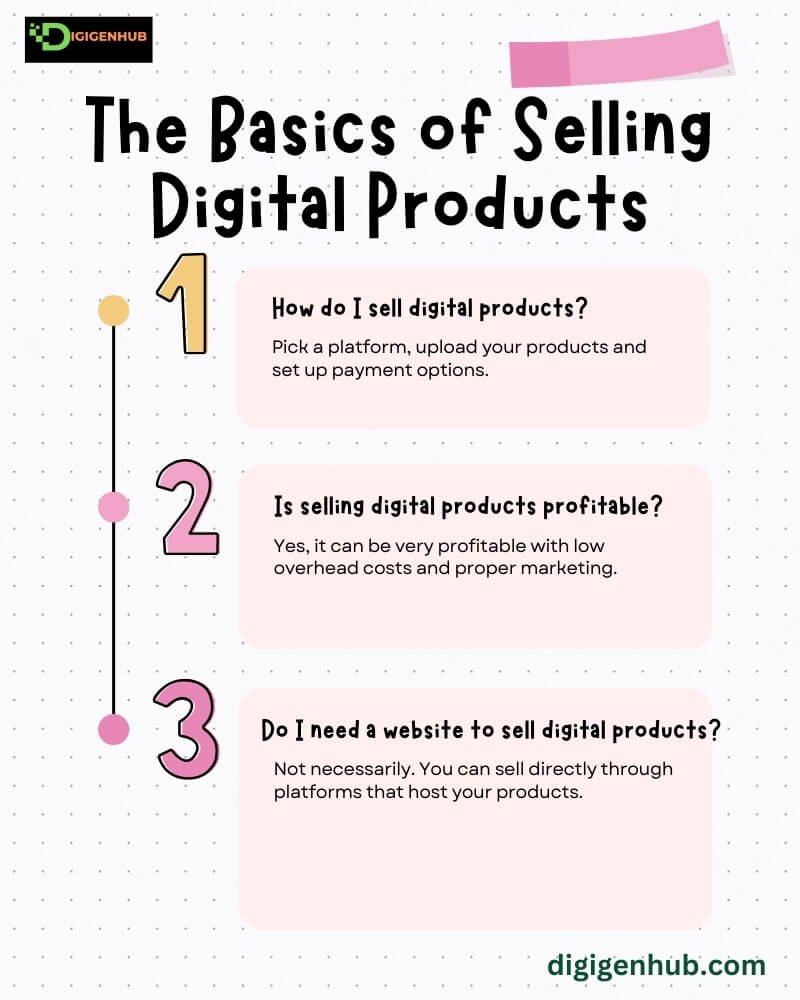
Selling digital products online is a popular and profitable business model. You can create your products or buy them to resell through platforms.
To sell digital goods, choose the right platform for your product, such as Shopify, BigCommerce, or WooCommerce. Many entrepreneurs sell through their own websites or specialized marketplaces.
With the right tools and marketing strategies, selling digital products can be a successful business without the overhead of physical stock. In the next section, we will learn more about individual digital product marketplaces.
Shopify as a Digital Store
Shopify is ideal for selling digital products, including online courses, eBooks, digital templates, music, photography, printables, licensed content, digital art, software, audiobooks, stock photography, website themes, business cards and cooking guides. It’s a good choice if you want a professional store.
Shopify Plans & Pricing
| Plan Categories | Monthly Price | User Rating |
| Basic Shopify | $39/month | 4.1/5 (Trustpilot)4.3/5 (G2)4.5/5 (Capterra) |
| Shopify | $105/month | |
| Advanced Shopify | $399/month | |
| Shopify Plus | Custom pricing (around $2,000/month |
Principal Aspects:
Basic Shopify:
- Online store and blog
- 2 staff accounts
- 24/7 support
- Discount codes
- Basic reports
- Up to 4 inventory locations
Shopify:
- Everything in Basic Shopify
- 5 staff accounts
- Professional reports
- Advanced shipping options
- Gift cards
- Lower credit card fees
Advanced Shopify:
- Everything in Shopify
- 15 staff accounts
- Advanced reporting and analytics
- 3rd-party calculated shipping rates
- Lower transaction fees
Shopify Plus:
- Everything in Advanced Shopify
- 15+ staff accounts
- Custom checkout
- Enterprise-level support
- API access for integrations
Skills Needed:
Basic Web Design: You must set up and manage your online store.
Marketing: Shopify helps, but you must drive traffic through ads or SEO.
Customer Support: You’ll handle inquiries and complaints, so communication is key.
Time and Resources:
Initial Setup: Setting up your store and product pages takes time.
Ongoing Management: You must update your products, manage orders and promote the store regularly.
Marketing: Time spent on social media, ads, or SEO will be essential to grow your audience.
Gumroad for Managing Digital Sales
Gumroad is ideal for selling digital products like online courses, eBooks, digital templates, music, photography, digital art, software, audiobooks and website themes. It offers an easy platform for digital delivery and sales management.
Cost and review
| Plan | Monthly Price | User Rating |
| Free | $0 | 4.3/5 (Trustpilot)4.5/5 (G2)4.7/5 (Capterra) |
| Gumroad Basic | $10/month | |
| Gumroad Pro | $30/month |
Fundamental Objects
Free Plan:
- 1 product upload
- 3.5% + 30¢ transaction fee
- Basic analytics
Gumroad Basic:
- Everything in the Free Plan
- Unlimited product uploads
- 3.5% + 30¢ transaction fee
- Custom branding
Gumroad Pro:
- Everything in the Basic Plan
- 2% transaction fee
- Advanced analytics
- Affiliate Program
- Access to premium features (e.g., subscription support, product variants)
Skills You Need:
A . Basic tech skills (to upload products)
B . Marketing (to promote your products)
C . Customer support (answering questions)
Time and Resources:
Time: Setting up takes only a few hours. Ongoing time is needed for marketing and customer service.
Resources: You’ll need a computer, internet and possibly some budget for ads.
SendOwl as a Platform for Digital Products
SendOwl is an easy-to-use platform for selling digital products like e-books, courses and software. It’s great for creators who want a simple setup and smooth delivery.
Price and feedback
| Plan | Monthly Price | User Rating |
| Free Trial | $0 (14-day trial) | 4.5/5 (Trustpilot)4.5/5 (G2) |
| Standard | $15/ | |
| Advanced | $24/ | |
| Premier | $39/ |
Key Features:
Free Trial:
- 14-day trial period
- Limited features (e.g., 1 product, basic integrations)
Standard:
- 10 products
- Custom branding
- PayPal, Stripe and Apple Pay integration
- Digital product delivery automation
- Discount codes
Advanced:
- 50 products
- Advanced analytics
- Subscriptions & memberships
- Affiliate management
- Email marketing integrations
Premier:
- Unlimited products
- Priority customer support
- Enhanced analytics and reporting
- Advanced subscription features
Skills You Need:
A . Basic tech skills (to upload and manage products)
B . Marketing skills (to promote your products)
C . Customer support (to handle issues and questions)
Time and Resources:
Time: Setup takes a few hours. Ongoing time for marketing and customer service.
Resources: You need a computer, internet and a budget for marketing or ads.
Payhip for Selling Online
Payhip is an easy platform for selling digital products like e-books, courses and software. It supports digital downloads, subscriptions and more.
Price and assessment
| Plan | Monthly Price | User Rating |
| Free | $0 | 4.6/5 (Trustpilot)4.4/5 (G2) |
| Plus | $29 | |
| Pro | $99/ |
Key Features:
Free Plan:
- 5% transaction fee
- Unlimited products
- Basic payment processing (PayPal, Stripe)
- Basic analytics
Plus Plan:
- 2% transaction fee
- Unlimited products
- Custom branding
- Discount codes
- Affiliate Program
Pro Plan:
- 0% transaction fee
- Unlimited products
- Advanced analytics
- Subscription options
- Enhanced marketing tools (e.g., email marketing integration, coupons)
Skills You Need:
A . Basic tech skills (to upload products)
B . Marketing skills (to drive traffic and sales)
C . Customer support (to handle inquiries)
Time and Resources:
Time: Quick setup, takes a few hours. Ongoing time for promotion.
Resources: You need a computer, internet and ad budget.
WooCommerce for Running a Digital Product Business
WooCommerce is a powerful tool for selling digital products like e-books, courses, software, music, videos and printable designs. It offers ideal integration with WordPress for easy setup and management of online stores.
Cost and score
| Plan | Monthly Price | User Rating |
| Free | $0 | 4.4/5 (Trustpilot)4.3/5 (G2) |
| WooCommerce Extensions | Aries (Add-ons start from $10/month | |
| WooCommerce Hosting | Varies (typically $15–$50/month) |
Key Features:
Free Plan:
- Free plugin for WordPress
- Unlimited products
- Essential payment gateways (PayPal, Stripe)
- Basic analytics
- Built-in shipping and tax options
WooCommerce Extensions (Paid Add-ons):
- Extra features like subscriptions, memberships, advanced shipping options and more
- Prices vary based on extension (typically $10 to $100+ per year)
WooCommerce Hosting:
- Hosting options optimized explicitly for WooCommerce stores
- Managed hosting, security features and performance optimizations
- Prices vary based on the hosting provider (e.g., SiteGround, Bluehost, etc.)
Skills Needed:
A . Basic WordPress knowledge
B . Some design skills (for product images and website layout)
C . Understanding of online payments (like PayPal, Stripe)
D . Marketing skills (to attract customers)
Time & Resources:
Setup time: A few hours to a couple of days to set up the store
Ongoing work: Regular time for managing products, orders and marketing
Costs: Hosting fees, WooCommerce extensions and possible advertising costs
BigCommerce as a Digital Product Marketplace
BigCommerce is easy to use and designed for growth. Before deciding if it’s right for you, let’s look at the details.
Price list and customer rating
| Plan | Monthly Price | User Rating |
| Standard | $39/ | 4.3/5 (Trustpilot)4.2/5 (G2) |
| Plus | $105/ | |
| Pro | $399/ | |
| Enterprise | Custom pricing |
Key Features:
Standard:
- 2 staff accounts
- Unlimited products
- Online store and blog
- 24/7 support
- Basic reporting and analytics
- Standard payment gateways (PayPal, Stripe)
Plus:
- Everything in Standard
- 5 staff accounts
- Advanced reporting and analytics
- Customer groups and segmentation
- Abandoned cart saver
- Lower transaction fees
Pro:
- Everything in Plus
- 15 staff accounts
- Advanced product filtering
- Custom SSL
- Google customer reviews
- Real-time carrier shipping
Enterprise:
- Custom features tailored to large businesses
- Unlimited staff accounts
- Priority support
- Enterprise-level customizations
Skills Needed:
A . Basic website setup (BigCommerce is user-friendly)
B . Product management (adding and updating products)
C . Online marketing (promoting your store)
D . Customer service skills (handling inquiries and support)
Time & Resources:
Setup time: A few hours to set up your store
Ongoing time: Time for managing products, marketing and orders
Costs: Monthly fee for BigCommerce plan, plus marketing costs
Selz, a Digital Sales Hub
Selz is an easy platform to sell digital products. But is it right for you? Before you start, it’s essential to understand how it works. So, let’s explain:
Cost and satisfaction score
| Plan | Monthly Price | User Rating |
| Free | $0 | 4.6/5 (Trustpilot)4.4/5 (G2) |
| Starter | $8.99/ | |
| Pro | $24.99/ | |
| Business | $49.99/ |
Fundamentals:
Free Plan:
- Unlimited products
- 5% transaction fee
- Essential payment gateways (PayPal, Stripe)
- Digital product delivery
- Basic analytics
Starter Plan:
- Everything in the Free Plan
- 2% transaction fee
- Custom branding
- Product variants
- Discount codes
Pro Plan:
- Everything in the Starter Plan
- 1% transaction fee
- Advanced reporting and analytics
- Subscription options
- Digital product options (e.g., audio, video, software)
Business Plan:
- Everything in the Pro Plan
- No transaction fee
- Priority support
- Advanced integrations (e.g., Mailchimp, Google Analytics)
- Unlimited staff accounts
Skills Needed:
A . Basic Website Setup: You need to set up a simple online store.
B . Marketing: Use ads, social media, or email to bring customers.
C . Customer Support: You’ll handle questions and solve problems.
Time and Resources:
Setup Time: You can create your store quickly but need to upload products.
Ongoing Work: Manage orders, update products and promote regularly.
Marketing Time: You’ll spend time driving traffic to your store.
Podia as Digital Storefront Solution
Podia could be a good choice if you plan to create courses, sell memberships, or create digital products. Let’s learn more:
Pricing details and ranking
| Plan | Monthly Price | User Rating |
| Free Trial | $0 (14-day trial) | 4.7/5 (Trustpilot)4.8/5 (G2) |
| Mover | $39/ | |
| Shaker | $79/ |
Skills Needed:
A . Content creation: Create courses, videos, or digital products.
B . Marketing: Promote your products to attract customers.
C . Basic tech skills: Upload products and set up pages.
Time and Resources:
Time: You must create and upload your content (courses or digital products). Expect to spend time marketing, too.
Resources: A camera or recording equipment for videos, design tools for content (e.g., Canva) and email marketing tools.
CartFlows as a Digital Goods Retailer
CartFlows is a tool that helps you sell digital products on WordPress using WooCommerce. It focuses on creating high-converting sales funnels.
Cost structure and reviews
| Plan | Monthly Price | User Rating |
| Free | $0 | 4.6/5 (Trustpilot)4.5/5 (G2) |
| Pro | $299/year (approx. $24.99/month) | |
| CartFlows Pro + WooCommerce | $399/year (approx. $33.25/month) |
Best for:
Digital Products: E-books, courses, printables, software, memberships.
Skills Needed:
Basic WordPress knowledge.
Some understanding of sales funnels (how to guide people through buying).
Marketing and design skills for creating effective sales pages.
ThriveCart for Digital Product Sales
ThriveCart helps you create checkout page funnels and manage payments for selling digital products.
Value and customer scores
| Plan | One-Time Price | User Rating |
| Standard | $495 (One-time) | 4.9/5 (Trustpilot)4.8/5 (G2) |
| Pro | $690 (One-time) |
Best for:
Digital Products: eBooks, courses, software, memberships.
Skills Needed:
A . Basic marketing knowledge.
B . Understanding how sales funnels work.
C . Simple design for checkout pages.
Wix for Digital Product Sales
Wix is a website builder that lets you sell digital products online. It’s easy to use and has eCommerce features.
Pricing details and ranking
| Plan | Monthly Price | User Rating |
| Free | $0 | 4.5/5 (Trustpilot)4.4/5 (G2) |
| Combo | $16/month | |
| Unlimited | $22/month | |
| Pro | $27/month | |
| VIP | $45/month |
Best for:
Digital Products: eBooks, courses, music, software, photos, art, printables.
Skills Needed:
A . Basic website-building skills.
B . Some design skills for customization.
C . No coding is needed.
Squarespace for Digital Product Sales
Squarespace is a website builder that also helps you to sell digital products. It’s known for its beautiful designs and ease of use.
Cost estimate and ranking
| Plan | Monthly Price | User Rating |
| Personal | $16/ | 4.4/5 (Trustpilot)4.3/5 (G2) |
| Business | $23/ | |
| Basic Commerce | $27/ | |
| Advanced Commerce | $49/ |
Time & Resources:
Time: Quick setup with pre-made templates, but customizing can take longer.
Resources: Squarespace subscription, payment processor (PayPal, Stripe), digital file hosting.
Weebly for Digital Product Sales
If you need a simple, affordable way to sell small digital products, Weebly is a good option.
Price structure and user opinions
| Plan | Monthly Price | User Rating |
| Free | $0 | 4.4/5 (Trustpilot)4.3/5 (G2) |
| Personal | $6/month | |
| Professional | $12/ | |
| Performance | $26/ |
Time & Resources:
Time: Quick setup with templates, but customizing takes longer.
Resources: Weebly subscription, payment processor (PayPal, Stripe), digital file storage.
Additional Options to Consider
Choosing the right platform for selling digital products is necessary for your success. Etsy is fantastic for selling creative items like printables, art and unique designs.
Creative Market is perfect for design assets like fonts, graphics and templates. ClickBank is a strong choice if you want to sell information products like eBooks or software.
For online courses, Teachable and Udemy are great platforms to reach learners. If you’re an author, Amazon Kindle Direct Publishing (KDP) is the best for eBooks.
Each platform is designed for specific types of digital products. Picking the right one can help you reach the right customers.
Conclusion
Selling digital products online is a great business idea. You don’t need physical stock. Platforms like Shopify, Gumroad and Podia offer easy ways to market. Pick the one that fits your product. Whether you create or resell, the right platform makes all the difference. With good tools and marketing, your business can grow fast. Choose wisely and watch your digital products succeed!
FAQ
Is it profitable to sell digital products?
Yes, selling digital products can be very profitable. They don’t require physical inventory, which saves costs. With the right platform and marketing, you can earn a steady income.
Is it legal to sell digital products?
Yes, it is legal to sell digital products. However, you must follow copyright and licensing rules and ensure that you own the rights to what you sell.
Can I sell digital products on Google?
Google doesn’t have a place to sell digital products. However, you can use Google Ads or Google Shopping to show your products. This helps people find and buy them.