


I still remember the smell of burnt plastic from a summer storm in 2018. I had plugged my custom-built PC into a cheap $10 power strip I picked up at a grocery store.
One close lightning strike later, my motherboard was toast. That $10 mistake cost me $400. At that time, I realized the necessity of a surge protector power strip.
Most people don’t realize that a “power strip” and a “surge protector” are two distinct devices.
A power strip simply provides more outlets. A surge protector acts as a safeguard against electrical surges. This diverts dangerous voltage spikes into the ground before they can destroy your computer, TV, or fridge.
What Actually Happens Inside a Surge Protector?
Have you ever wondered how a plastic strip stops a lightning strike? It all comes down to a component called a Metal Oxide Varistor (MOV).
Think of the MOV as a pressure valve for electricity. Under normal conditions, it does nothing.
But when a voltage spike hits—whether from a storm or your AC unit kicking on—the MOV wakes up instantly.
It absorbs that dangerous excess energy and diverts it safely into the ground wire.
Is it just an extension cord?
No. A standard power strip is essentially a splitter, offering no protection. A surge protector is an active firewall.
What are Joules?
This is the unit of energy absorption. Think of it like a shield’s “health bar.” Once the Joules are used up, the shield is gone.
Why do the lights matter?
That green “Protected” LED isn’t just decoration. If it goes dark, your “shield” has shattered, and you are effectively using a naked wire.
If you live in the US, where grid fluctuations and storms are common, relying on a basic extension cord is a gamble you shouldn’t take.
Below, I’ve broken down the best surge protectors available right now—based on Joule ratings, clamping voltage, and real-world durability. So you never have to smell that burnt plastic yourself.
Top 6 Surge Protector Power Strip
If you are in a rush, you can judge the following sheet. These are the top performers for different needs.
| Product Model | Best For | Joule Rating | Outlets | USB Ports | My Rating |
| Belkin 12-Outlet Pivot-Plug | Heavy Duty / Overall | 4,320J | 12 (8 Pivot) | No | 9.8/10 |
| Kasa Smart HS300 | Smart Home Control | 1,710J | 6 (Smart) | 3 | 9.5/10 |
| APC Performance SurgeArrest | Home Theater | 4,320J | 12 | 2 | 9.4/10 |
| Anker 332 USB Strip | Travel / Compact | 300J | 6 | 2 USB-A, 1 USB-C | 9.0/10 |
| JACKYLED Tower Strip | Desktop Organization | 1,080J | 12 | 5 | 8.8/10 |
| Tripp Lite Isobar 6 | Industrial / Premium | 3,330J | 6 | No | 9.9/10 |
Detailed Reviews: The Best Surge Protectors
Here is my in-depth analysis of why these specific models stand out from the hundreds of budget options on Amazon.
1. Belkin 12-Outlet Pivot-Plug Surge Protector
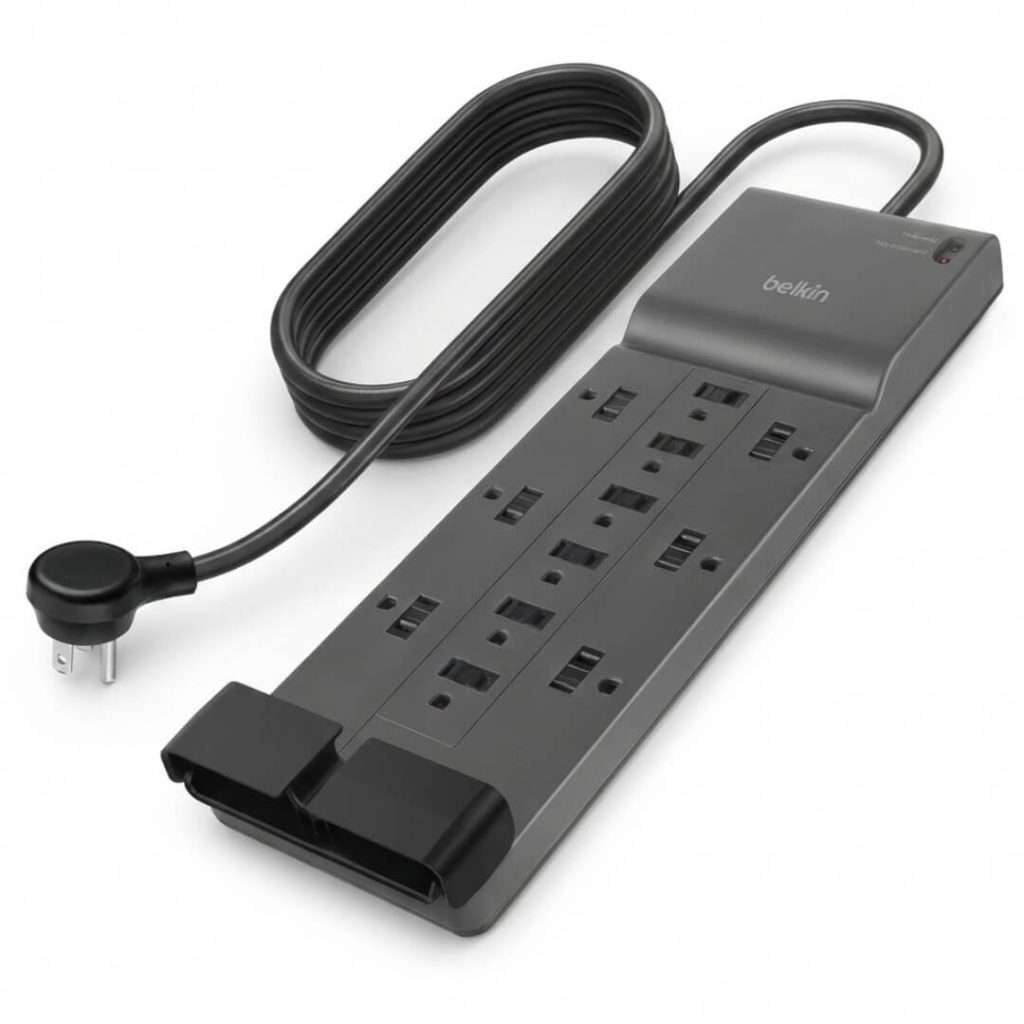
Best Heavy Duty Protection for Offices
If you have a messy setup with large adapter bricks (like those for monitors or printers), this is the one you need.
The Belkin Pivot-Plug solves the biggest annoyance in cable management: blocked outlets.
Overview:
The standout feature here is the design. Eight of the twelve outlets can rotate 90 degrees.
This means you can plug in bulky AC adapters without covering up the neighbor’s outlets.
With a massive 4,320 Joule rating, this unit can absorb a serious amount of punishment before it fails.
My Experience:
I use this under my main desk. I have two monitors, a standing desk motor, and a printer plugged in. The “Protected” and “Grounded” lights are bright and easy to check. The 8-foot cord is thick and feels durable, which is great if your wall outlet isn’t right next to your desk.
Pros:
High Joule Rating: 4,320J is industrial-grade protection.
Rotating Outlets: Easily fit bulky plugs.
Warranty: $300,000 Connected Equipment Warranty gives peace of mind.
Cable Management: Clip keeps cords tidy.
Cons:
No USB Ports: You’ll need your own charging bricks.
Size: It’s large and occupies a significant amount of floor space.
Verdict:
If you have expensive gear and bulky plugs, this is the gold standard. It prioritizes safety and function over gimmicks.
2. Kasa Smart Plug Power Strip (HS300)
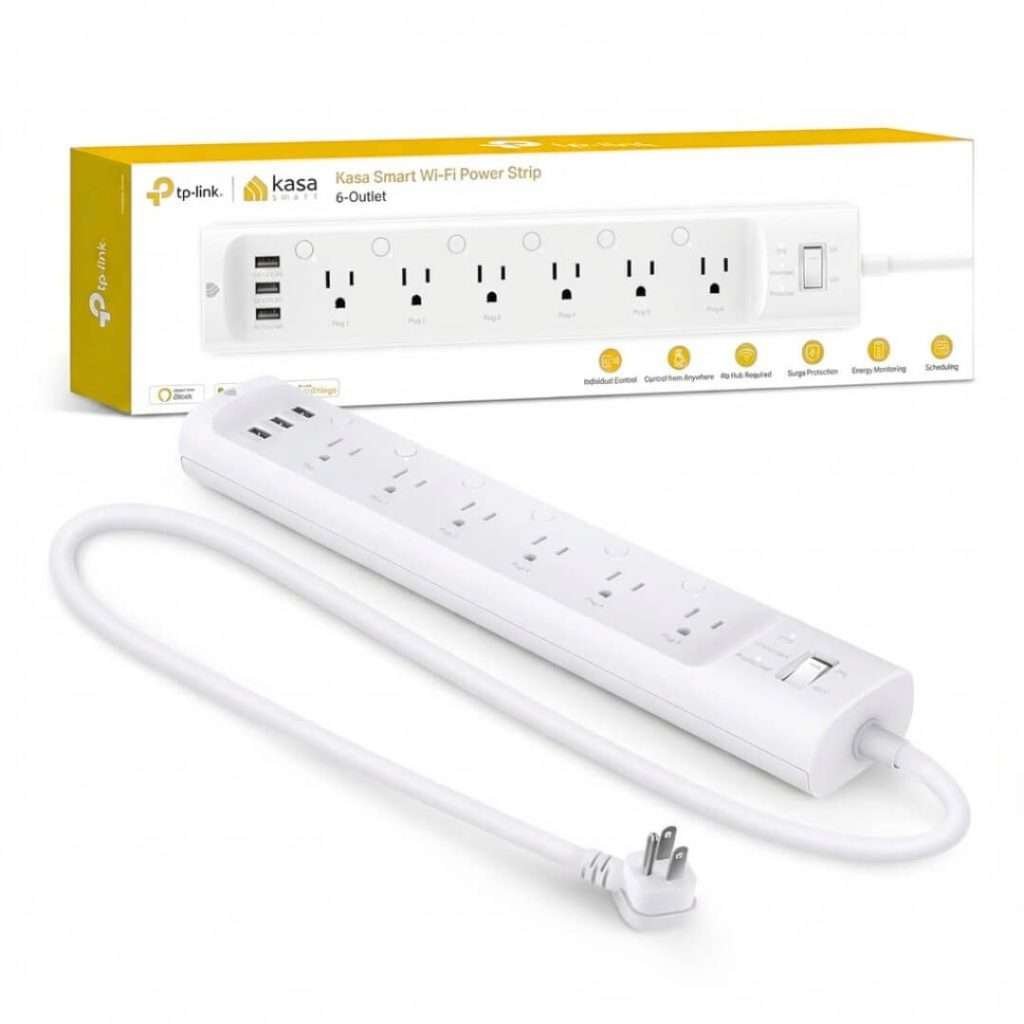
Best for Smart Home Enthusiasts
This isn’t just a surge protector; it’s a command center. If you love Alexa or Google Assistant, the Kasa HS300 changes how you manage power.
Overview:
Most power strips are “all or nothing.” The Kasa HS300 allows you to control each of the six outlets individually via your phone or voice.
It also monitors energy usage, so you can see exactly how much electricity your gaming PC consumes.
My Experience:
I use this for my aquarium and holiday lights. I can set a schedule to turn off the lights at midnight while keeping the filter pump running 24/7.
The app is incredibly responsive. The surge protection is decent at 1,710 Joules—enough for general electronics but maybe not for a massive server rack.
Pros:
Individual Control: Turn off one device without affecting the others.
Energy Monitoring: Great for identifying power-hungry devices.
Voice Control: Works flawlessly with Alexa/Google Home.
3 USB Ports: Handy for charging phones nearby.
Cons:
Price: Significantly more expensive than standard strips.
Setup: Requires Wi-Fi (2.4 GHz) to function properly.
Verdict:
Perfect for the modern smart home where you want automation alongside protection.
3. APC Performance SurgeArrest 12-Outlet (P12U2)
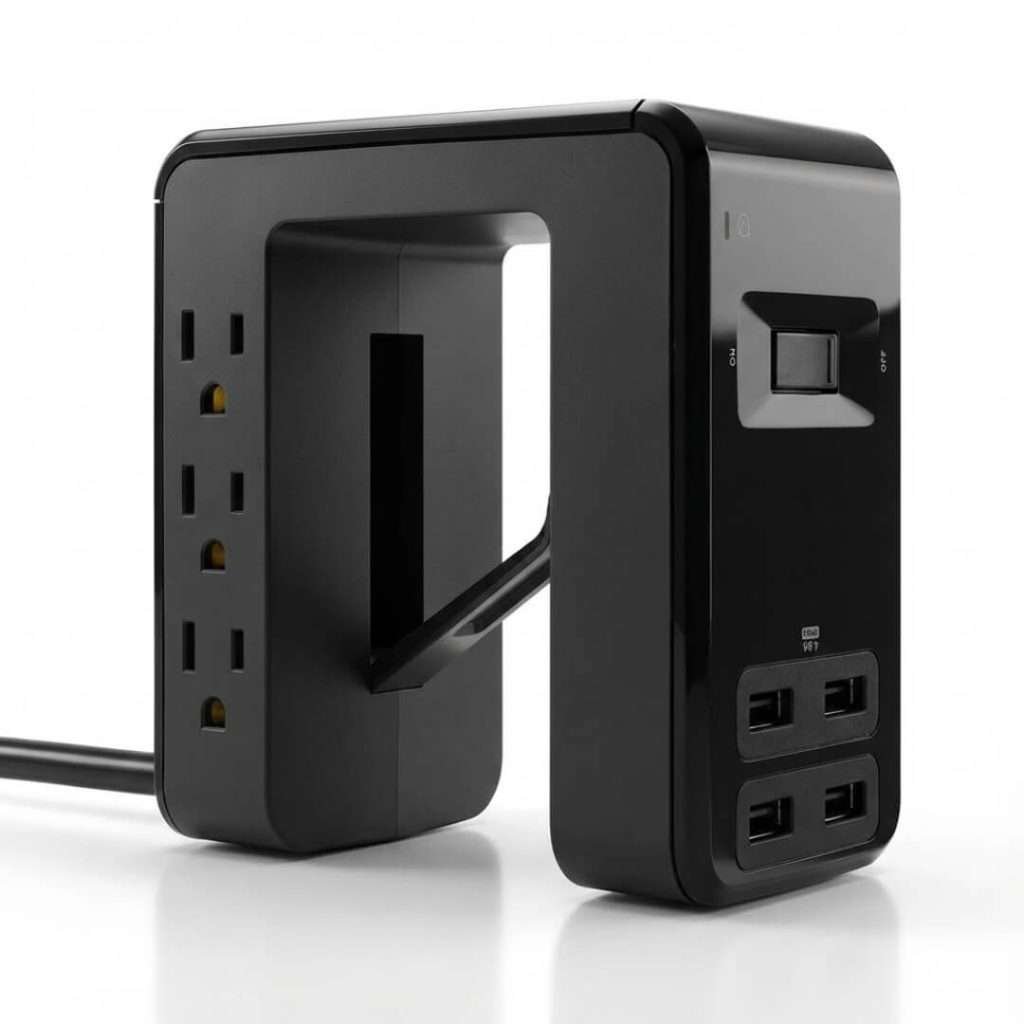
Best for Home Theaters & Living Rooms
APC is a giant in the server room backup battery world, and they bring that same engineering to this home unit.
Overview:
This strip is built for AV setups. It includes EMI/RFI noise filtering, which reduces the static or “noise” in your electrical line that can cause audio hum or video flickering. It also features a “Fail Safe” mode—if the surge protection wears out, it cuts power completely rather than letting your devices run unprotected.
My Experience:
The layout is practical. It has widely spaced outlets on the sides for big bricks. The two USB ports (2.4A total) are convenient for charging game controllers. I noticed a slight reduction in speaker hum after switching to this from a generic strip.
Pros:
Fail Safe Mode: Ensures you never run unprotected.
Noise Filtering: improves audio/video performance.
Safety Shutters: Protects kids from accidental shocks.
High Protection: 4,320 Joules.
Cons:
USB Speed: USB ports do not support fast charging (USB-C is not included).
Stiff Cord: The heavy-duty cord can be hard to route around tight corners.
Verdict:
The safest choice for your 4K TV and expensive sound system.
4. Anker 332 USB Power Strip
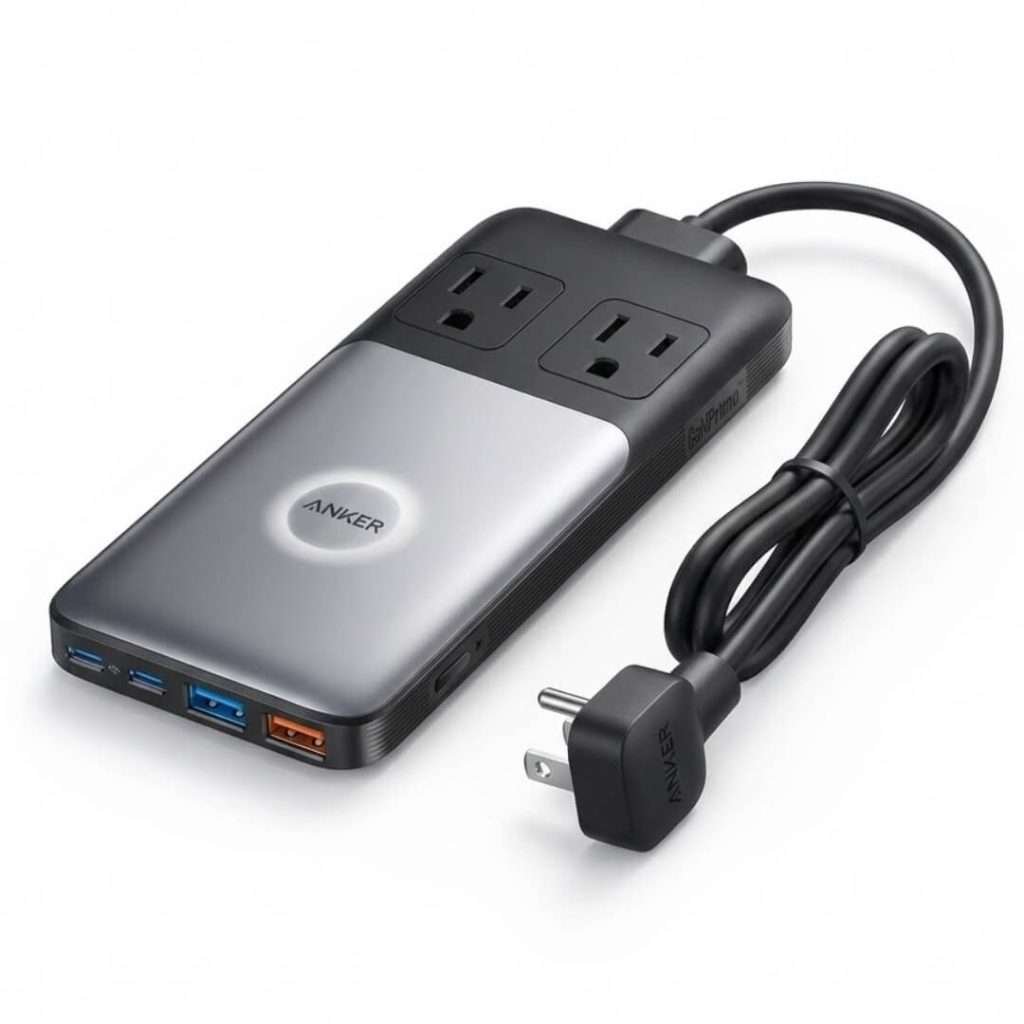
Best for Travel & Nightstands
When you are in a hotel or a dorm room, you don’t need 12 outlets; you need compact power.
Overview:
Anker dominates the charging game. The 332 model is a compact square that fits in your palm.
It offers 6 AC outlets and, crucially, a 20W USB-C port. This means you can fast-charge an iPhone or iPad directly from the strip without needing a separate charger.
My Experience:
This travels with me everywhere. The flat plug fits easily behind hotel nightstands.
It’s small enough to sit on top of a desk without looking cluttered. Note that the surge protection is lower (300 Joules), so it’s better for phones and laptops than big appliances.
Pros:
Compact Design: Takes up zero space.
USB-C PD: Fast charging built in.
Flat Plug: Fits behind furniture.
Price: Very affordable.
Cons:
Low Joules: 300J is minimal protection (fine for chargers, not for PCs).
Tight Spacing: Cannot fit multiple large bricks side by side.
Verdict:
Essential for travelers, students, and minimalists.
5. JACKYLED Power Strip Tower
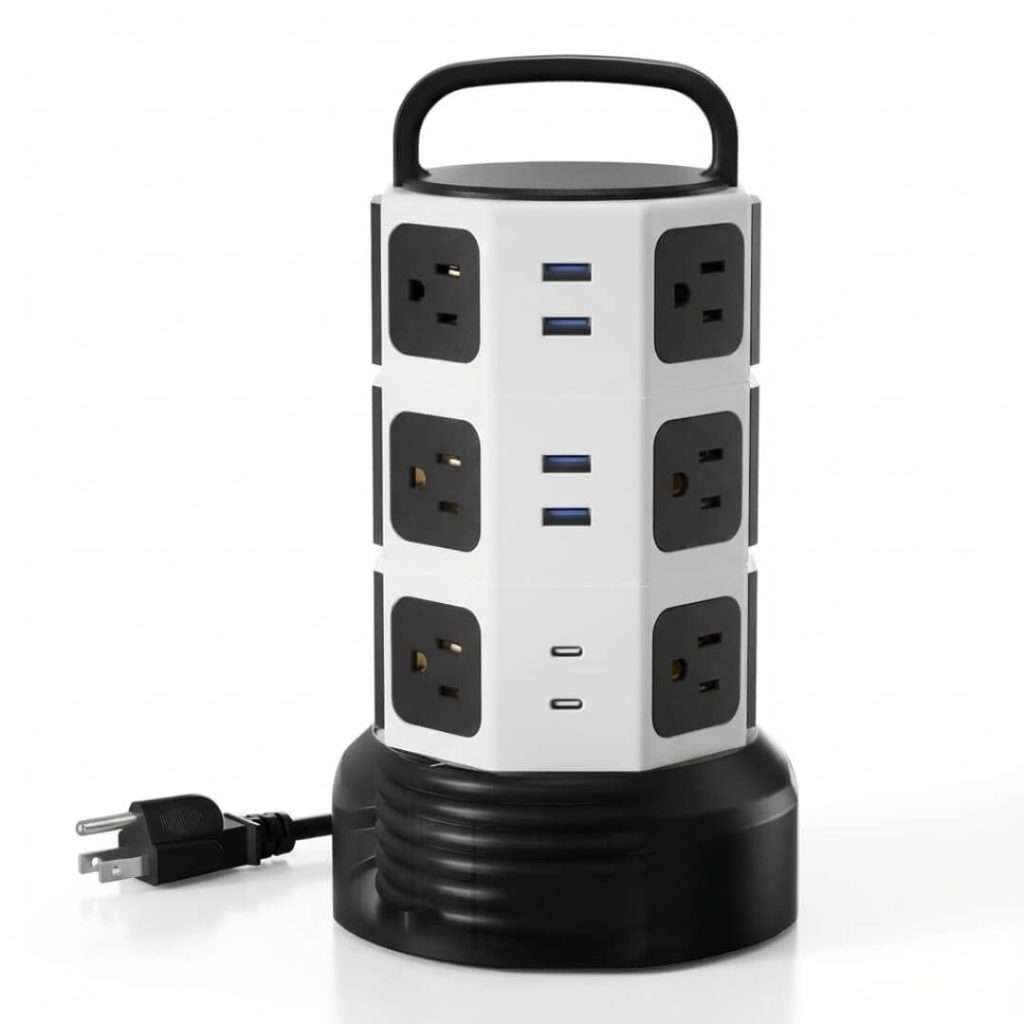
Best for Desktop Organization
If you dislike the appearance of a power strip lying on the floor, collecting dust bunnies, the “Tower” design is the solution.
Overview:
This vertical tower separates outlets onto four sides, meaning huge adapters never block each other. It has a small footprint on your desk but provides a massive 12 outlets. The top handle makes it easy to move, and it has independent switches for each layer.
My Experience:
I put this on my workbench. Being able to plug things in from any angle is surprisingly useful. I can turn off the top layer (where my soldering iron is) while keeping the bottom layer (lights) on. The 6.5ft cord is retractable, which keeps things neat.
Pros:
Space Saver: Vertical design clears floor space.
No Blocking: Adapters fit easily on all sides.
Layer Switches: Turn off sections you aren’t using.
Retractable Cord: Adjust length as needed.
Cons:
Top Heavy: Can tip over if the cord is pulled too hard.
Bright LEDs: The lights can be annoying in a dark bedroom.
Verdict:
A fantastic problem solver for messy desks and workbenches.
6. Tripp Lite Isobar 6-Outlet (Isobar6Ultra)
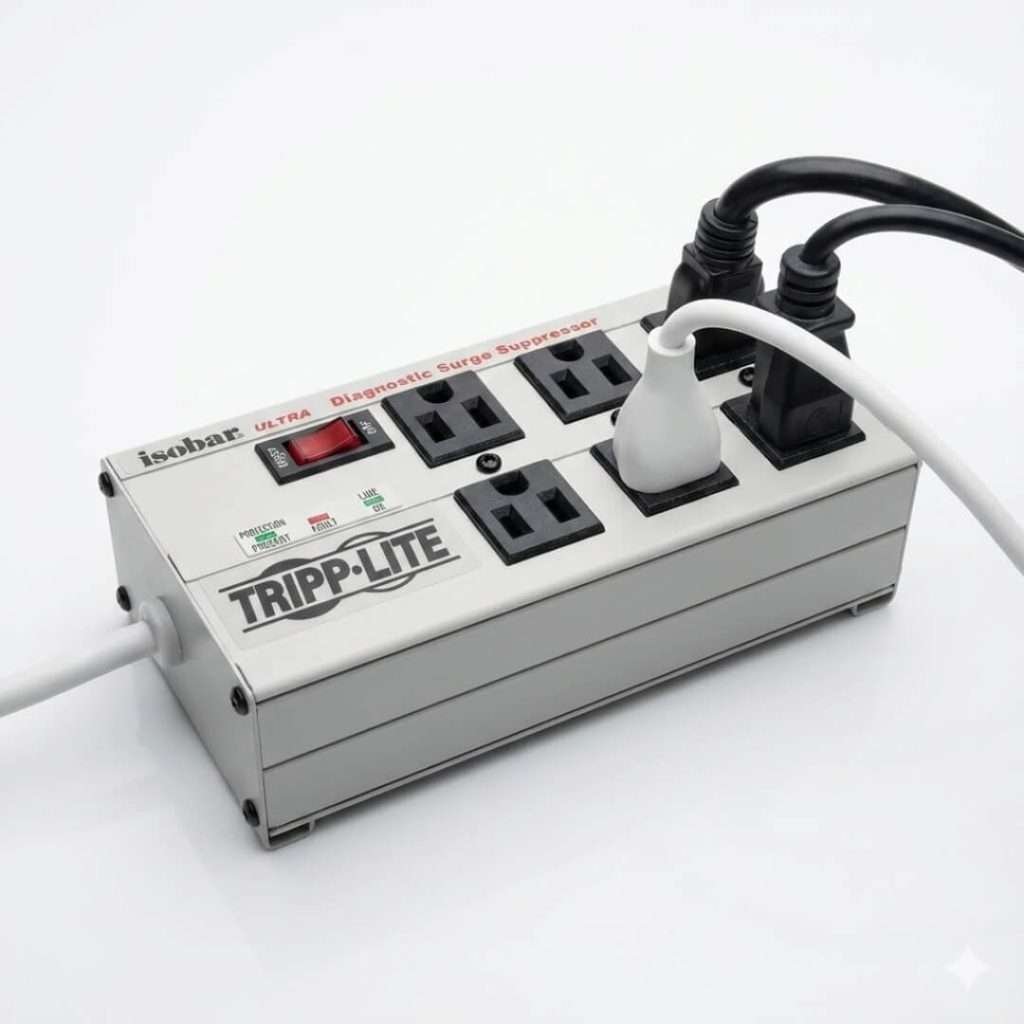
The “Buy It For Life” Premium Pick
This is the tank of surge protectors. If you dropped it, you’d worry about the floor, not the surge protector.
Overview:
Tripp Lite uses an all-metal housing that is fire-resistant and indestructible. Inside, it utilizes isolated filter banks to prevent noise from one device (such as a printer) from affecting another (like a computer). It is a favorite in hospitals and workshops for a reason.
My Experience:
You feel the quality immediately—it’s heavy. The diagnostic LEDs are clear. I use this for my expensive audio interface and studio monitors because the noise filtration is superior to almost anything else on the market.
Pros:
Metal Housing: incredibly durable and heat-resistant.
Isolated Banks: Prevents device interference.
High Protection: 3,330 Joules.
Lifetime Warranty: Excellent support.
Cons:
Ugly: It looks like industrial equipment (drab grey metal).
Pricey: You pay for the build quality.
No USB: Strictly for AC power.
Verdict:
If you want the absolute best electrical protection and don’t mind sacrificing style, buy this.
How to Choose the Right Surge Protector
Don’t just buy the cheapest option. Here are the three critical specs you must check before clicking “Add to Cart.”
1. The Joule Rating (The Shield)
Think of Joules as a health bar. Every time a surge hits, the protector uses up some Joules. Once they are gone, the protector stops working.
Under 1,000 Joules: Good for lamps, clocks, and phone chargers.
1,000 – 2,000 Joules: The minimum requirement for office computers and printers.
Over 2,500 Joules: Mandatory for gaming PCs, 4K TVs, and home theaters.
2. Clamping Voltage (The Trigger)
This is the voltage level at which the surge protector activates and begins diverting energy.
Lower is better. You want a clamping voltage of 400V or less (ideally 330V). If it’s 500V or higher, your electronics may be damaged before the protector even activates.
3. “UL 1449” Certification
The US safety standard. If you don’t see “UL Listed” or “ETL Listed” on the box, return it. Uncertified strips are often just cheap plastic extensions that offer zero protection against fire.
2. Why Your Electronics Deserve More Than a $5 Strip
We often plug a $2,000 gaming PC or a $1,500 Smart TV into a cheap $5 cord. This is the biggest gamble in the tech industry.
A quality surge protector doesn’t just prevent total destruction; it prevents the “silent killers” of electronics: micro-surges.
Can small surges hurt you?
Yes. Daily grid fluctuations degrade your device’s internal circuits over time, shortening their lifespan by years.
Do you need data protection?
Modern surge protectors often include coaxial or Ethernet ports because surges can travel through cable lines, not just power outlets.
Is fire safety a factor?
absolutely. An overloaded cheap strip can melt and spark. A UL-certified surge protector is built to shut down before it overheats, potentially saving your home from an electrical fire.
The Hidden Expiration Date: When Is It Time to Let Go?
Most people treat surge protectors like furniture. They buy them once and keep them for a decade.
This is a dangerous mistake. Surge protectors are consumable items; they are designed to take a bullet for your gear, and eventually, they wear out.
Do they expire?
Yes. MOVs degrade with every small surge they absorb. A strip that looks new might be internally useless.
How long do they last?
The general rule for 2026 is 3 to 5 years. If yours is older, replace it.
What if a big storm hits?
If your home takes a near-miss lightning strike, replace your surge protectors immediately. They likely sacrificed themselves to save your gear.
Can you daisy-chain them?
Never. Plugging one strip into another creates a fire hazard and voids all safety warranties.
Conclusion
Your electronics bring you joy, so give them the care they deserve. Swapping out an old strip is a quick win for your peace of mind. It feels great knowing your home is prepared for whatever the weather brings. Now you can relax and focus on enjoying your favorite gear. Stay safe and stay powered up.
FAQ
Can I use my indoor power strip outside for holiday lights?
Absolutely not. Indoor strips lack the weatherproofing and insulation required to handle moisture or temperature changes.
Using one outdoors creates a severe risk of electric shock or short circuits, even if it’s “covered.” You must use an outdoor-rated extension cord with a GFCI (Ground Fault Circuit Interrupter).
How do I safely clean dust out of the outlets?
Dust accumulation inside the slots is a fire hazard, but never use wet wipes or sprays. First, unplug the strip from the wall.
Then, use a can of compressed air to blow debris out of the holes. If you need to wipe the surface, use only a dry microfiber cloth.
Why did the power switch flip to “Off” by itself?
This is the internal circuit breaker doing its job, which is different from surge protection.
If you plugged in too many high-wattage devices (like a heater and a vacuum) at once, the strip overheated and physically tripped the switch to prevent a fire. Unplug the heavy items before flipping it back to “Reset.”
Can I take my US surge protector to Europe (220V)?
Be very careful. Most standard US surge protectors are rated for 110-120 Volts only. If you plug them into a 220V European outlet (even with a travel adapter), they can spark, smoke, and fry your devices instantly. You need a specific “Dual Voltage” (100V-240V) power strip for international travel.
How hard is it to claim the “Connected Equipment Warranty”?
It is not automatic. To file a successful claim, you usually need the original receipt for both the surge protector and the damaged device.
Most companies also require you to ship the damaged surge protector to them (at your cost) so they can verify it “failed” correctly. Keep your receipts digitized!