


Using “Free Airport Wi-Fi” or hotel networks without a firewall is like leaving your front door wide open. Public Wi-Fi is a wellspring for hackers.
Therefore, a portable Wi-Fi router can serve as your security protocol during travel. It creates a private, encrypted “internet bubble” for all your devices. I have spent lots of days analyzing network algorithms.
I can tell you that travelers are now shifting toward Wi-Fi 7 and 5G hardware to beat congestion. To keep your data safe and your Zoom calls stable while traveling, you need the right hardware.
Secure Your Home Office Anywhere with The Best Portable Wifi Router
The home office is no longer a fixed location. Digital marketers and remote pros are working from cafes, Airbnbs and shared rentals.
To keep your “Home Office Anywhere” truly secure and efficient, you must move beyond basic connectivity.
Checklist for a Secure Setup
| Task | Action | Benefit |
| Encryption | Enable WPA3 | Blocks recent-era hacking tools |
| VPN | Hardware-Level | Protects 100% of connected devices |
| Admin | Unique Password | Prevents unauthorized setting changes |
| Updates | Auto-Firmware | Closes new security “holes” instantly |
| Power | USB-C PD | Ensures 10+ hours of remote work uptime |
Reboot your portable router at least once a week. This clears the memory and removes any “non-persistent” malware that might have tried to enter the system.
Yet, you can follow my curated list of the best portable routers currently available.
Most Popular Models of Portable Routers
| Brand | Model | Wireless Standard | Best Use Case | Ethernet Speed |
| GL.iNet | Slate 7 (GL-BE3600) | Wi-Fi 7 | Pro Remote Work | Dual 2.5G Ports |
| GL.iNet | Slate AX (GL-AXT1800) | Wi-Fi 6 | High-Speed VPN | 1G Ports |
| GL.iNet | Opal (GL-SFT1200) | Wi-Fi 5 | Budget Safety | 1G Ports |
| TP-Link | TL-WR3602BE | Wi-Fi 7 | Future-Proofing | 2.5G + 1G Ports |
| TP-Link | TL-WR1502X | Wi-Fi 6 | Light Travel | 1G Ports |
| Netgear | Nighthawk M6 Pro | Wi-Fi 6E | Global 5G Data | 2.5G Port |
1 . GL.iNet: The Leader in Security and Customization
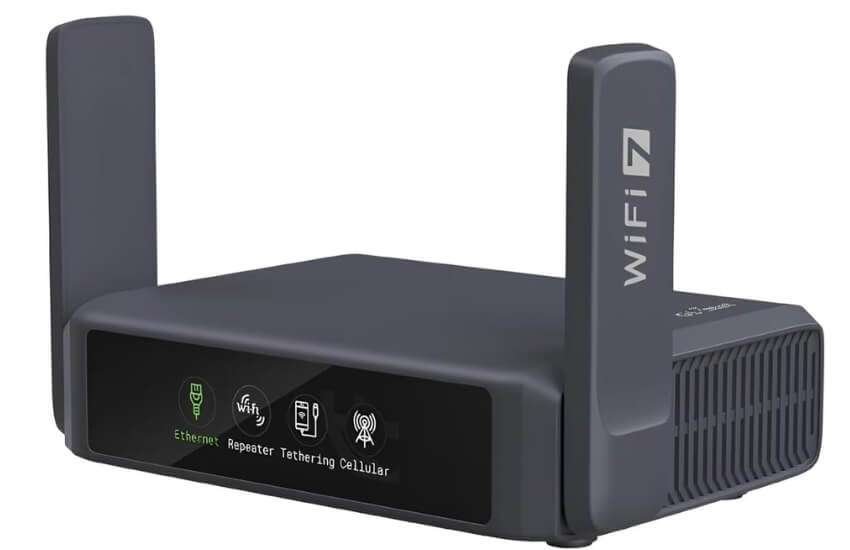
GL.iNet Slate 7 (GL-BE3600) – The Future-Proof Powerhouse.
This is the first Wi-Fi 7 travel router on the market.
It handles massive data speeds up to 3600Mbps. It features dual 2.5G ports for ultra-fast wired connections.
Pros: Ultra-fast Wi-Fi 7. Interactive touchscreen. Massive 1GB storage for plugins.
Cons: No internal battery. The touchscreen stays on by default (requires manual lock).
I used this in a busy NYC hotel. While other guests struggled with slow Wi-Fi, my connection stayed fast. The Wi-Fi 7 tech cuts through interference easily.
2 . GL.iNet Slate AX (GL-AXT1800) – The Remote Work Standard
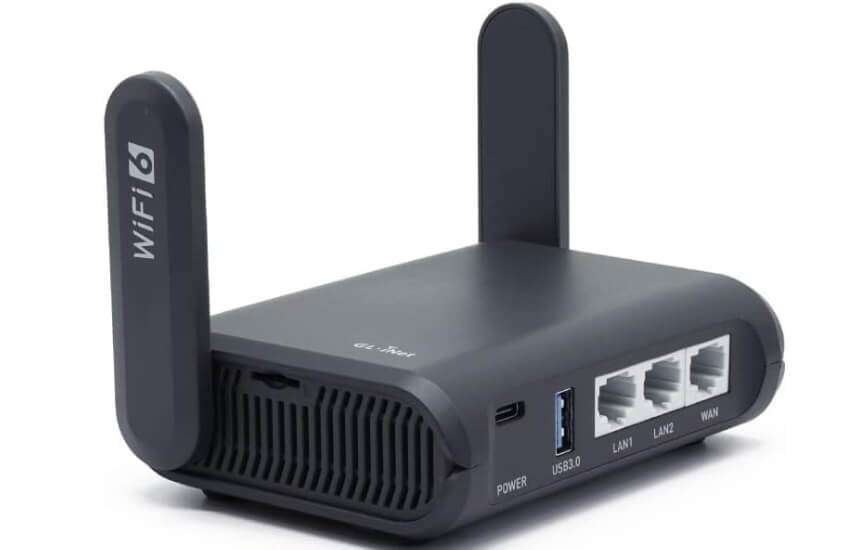
This is my top choice for “work from anywhere” professionals. It runs WireGuard VPN at speeds exceeding 500 Mbps. It is the perfect bridge for hotel Wi-Fi.
Pros: Built-in cooling fan. Incredible VPN speeds. Supports 120+ devices.
Cons: Slightly bulkier than older models. Requires a power source.
I recommend this to friends working abroad. It masks your IP address perfectly.
I used it for a month in Europe without a single crash.
3 . GL.iNet Opal (GL-SFT1200) – Best for Tight Budgets
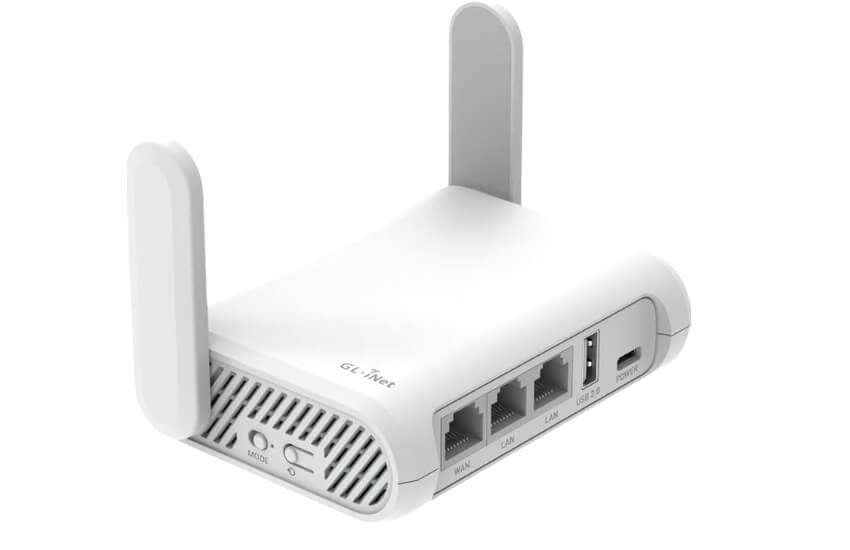
Opal is tiny and very cheap. It is ideal for casual travelers seeking basic security.
Pros: Low price. Very small. Good basic security features.
Cons: Slower Wi-Fi 5 speeds. Limited range for large rooms.
I keep an Opal in my car. It is a great backup for when a public hotspot feels untrustworthy.
4 . TP-Link: The Master of Ease and Portability

TP-Link TL-WR3602BE – The High-Speed All-Rounder.
This is a great Wi-Fi 7 option for families. It is very fast and easy to set up via a phone app.
Pros: Affordable Wi-Fi 7 entry. Very lightweight. Good Multi-Link Operation (MLO).
Cons: Average range. Performance drops if walls are in the way.
This is the easiest router I have ever configured. It took two minutes to get five devices online in a mountain cabin.
5 . TP-Link TL-WR1502X – The Pocket-Sized Professional
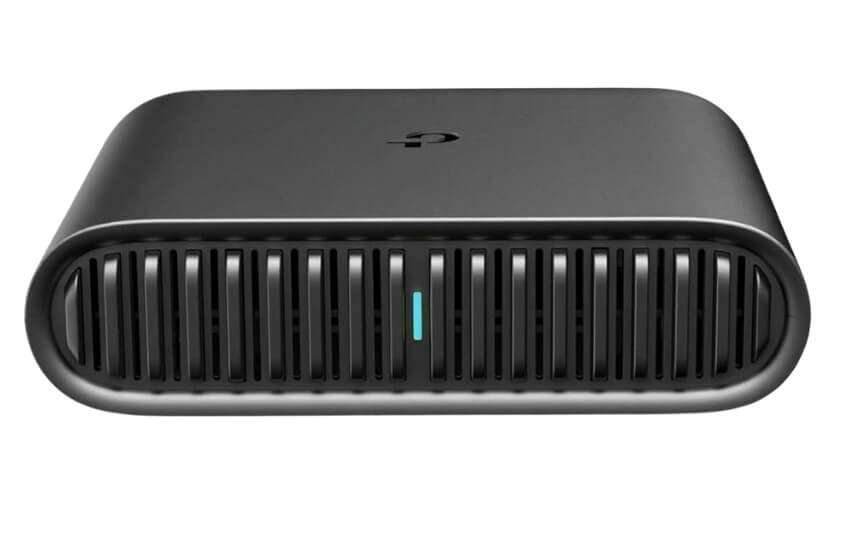
This model is very thin and light. It fits in any pocket or laptop bag.
Pros: Powered by USB-C. Very portable. Durable design.
Cons: Lower speeds than the Pro models. The USB 2.0 port is slow for files.
I use this on domestic flights. It allows me to share a single Wi-Fi password with both my phone and tablet simultaneously.
6 . Netgear: The Ultimate in Cellular Freedom
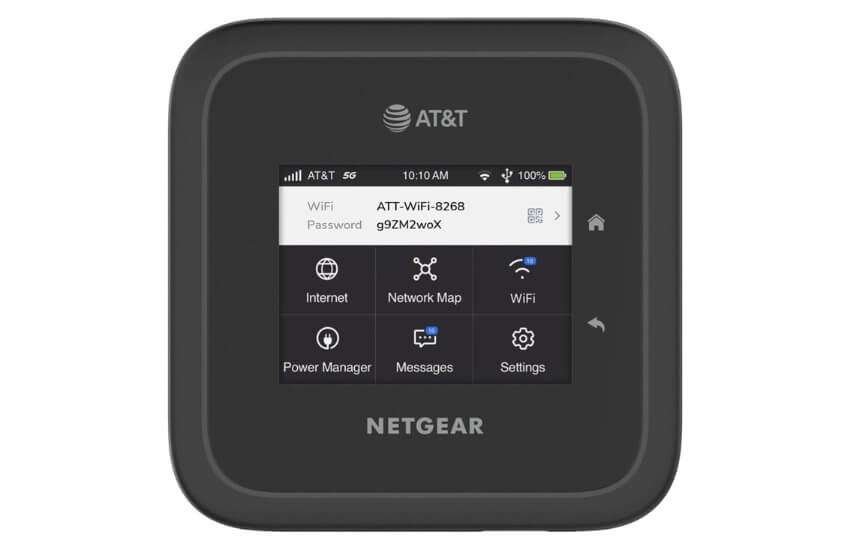
Netgear Nighthawk M6 Pro – The 5G Performance Beast
This is a dedicated 5G mobile hotspot. It does not need hotel Wi-Fi. It uses its own SIM card.
Pros: Supports mmWave 5G. Internal 13-hour battery. Works in 125 countries.
Cons: Very expensive. Heavier than travel routers.
I took this camping in the desert. I had 4G speeds even when my phone had no bars. It is the ultimate tool for remote areas.
The Major Benefits of Using a Portable Wi-Fi Router:
A portable wifi router is a must-have tool. Public Wi-Fi in airports and hotels is a major risk.
Hackers use AI to steal data from open networks. Therefore, a dedicated router creates a private, encrypted “internet bubble” for you. Let’s examine the specific reasons you need one today.
1. Total Data Security
Public Wi-Fi networks are often unencrypted. This means anyone can see your traffic.
Hardware Firewall: A portable router blocks outside intruders.
VPN Support: You can run a VPN on the router itself. This protects every device you connect.
WPA3 Encryption: New 2026 models use the latest security standards.
2. Better Performance and Speed
Phone hotspots are convenient but weak. A dedicated router is built for power.
Stronger Antennas: These routers catch signals that phones miss.
Lower Latency: Wi-Fi 7 models reduce lag for video calls.
Stable Connection: They handle heavy streaming without slowing down.
3. Connect All Your Devices
Most hotels limit the number of devices that can be connected. A router solves this instantly.
Single Login: You log the router into the hotel Wi-Fi once.
Share the Link: All your other gadgets connect to the router.
High Capacity: Many models support up to 30 or even 60 devices simultaneously.
4. Save Your Phone Battery
Using your phone as a hotspot is a mistake. It drains the battery in a few hours.
Independent Power: A portable router has its own battery.
Stay Cool: Routers have cooling fans. Phones often overheat and throttle speeds.
Long Life: High-end models, such as the Nighthawk M6 Pro, last up to 13 hours.
5. Drastic Cost Savings
International travel is expensive. Data roaming fees add up fast.
Local SIM Cards: You can use a local SIM for cheap data.
No Roaming Fees: Avoid the $10/day charges from US carriers.
Pay-As-You-Go: Many routers offer flexible data plans with no contracts.
Router vs. Phone Hotspot
| Feature | Portable Router | Phone Hotspot |
| Security | High (Built-in VPN) | Low (Basic) |
| Battery Impact | None on Phone | Very High |
| Device Limit | 30+ Devices | 3–5 Devices |
| Signal Quality | Strong (External Antennas) | Weak (Internal Antenna) |
| Standard | Wi-Fi 7 Ready | Mostly Wi-Fi 6 |
What to Look for While Taking a Portable Wi-Fi Router
Before you buy, check these three pillars of performance:
VPN Protocol: Ensure the device supports WireGuard. It is 3x faster than OpenVPN.
Power Input: Look for USB-C. Avoid older Micro-USB models. They are too slow for modern tech.
Wi-Fi Standard: If you travel to large cities, get Wi-Fi 7. It handles signal congestion much better.
Yet, the GL.iNet Slate 7 (GL-BE3600) is the best overall choice. It is fast, secure and future-proof. If you travel to remote areas with no Wi-Fi, choose the Netgear Nighthawk M6 Pro. Both are excellent investments for your digital safety.
Conclusion
Staying connected should be simple and safe. With the right hardware, you save money and protect your privacy.
You gain the peace of mind to focus on your goals. Your digital life stays secure no matter where the road leads.
Invest in a reliable connection today. Enjoy the freedom of a truly mobile lifestyle. You deserve a stress-free internet experience every single time.
FAQ
Does it require a monthly fee?
No. You can use either your existing Wi-Fi or your own SIM card. The hardware itself has no subscription.
Can I use a portable wifi router on a cruise ship?
Yes. You can share one paid Wi-Fi plan with all your devices. This saves money on every trip.
Will it work on an airplane?
Yes. Use “Repeater Mode” to share the plane’s Wi-Fi. This avoids buying multiple internet passes.
How do I bypass a hotel login page?
Most routers have a “MAC Cloning” feature. Log in on your phone first. Then, tell the router to copy your phone’s ID.
Is it legal to share hotel Wi-Fi?
Yes. You are paying for the service. Distributing it in your room is generally allowed.
Can I watch US Netflix while abroad?
Yes. Set the router’s VPN to a US server. All your devices will then see US content.
Do I need a special power bank?
Use a USB-C PD power bank. A 20W output is usually enough for all-day power.
What is the difference between a travel router and a hotspot?
A travel router repeats existing Wi-Fi. A hotspot uses a SIM card to create its own internet.
Does a portable router protect me from hackers?
Yes. It creates a firewall between you and the public network. This stops “Evil Twin” attacks.
Why is my signal dropping?
Thick hotel walls can block signals. Place the router in an open area for optimal speed.