


Fast work needs fast storage. Heavy files need a stable place to move and rest. Long videos require a drive that never overheats or slows down. A portable SSD solves these problems in seconds.
I notice this in small moments around me. My neighbour’s son records football clips for his school channel; his old drive kept stopping. So he switched to the Samsung T9.
My aunt stores thousands of cloth brand photos for her business. Her laptop froze often until I set her up with the Crucial X10 Pro.
Even my friend, who plays console games nightly, moved to the WD_BLACK P40 after his updates took all evening.
The pattern stays the same everywhere today. Choose the Samsung T9 for phone videos. Use the WD_BLACK P40 for gaming.
Pick the SanDisk Extreme Pro v2 for travel. Opt for the Crucial X10 Pro when you’re looking for a budget-friendly option. These drives stay fast, stay cool and stay ready for any workload.
What Portable SSDs Should Creators Use
Your internal storage is already dead.
If you just bought an iPhone 16 Pro, you have likely realized that shooting 4K 120fps ProRes video eats gigabytes in seconds.
If you are a gamer, you know that Call of Duty alone can swallow 200GB of your console’s drive. Now, a 1TB internal drive is a bottleneck.
The solution isn’t just “more storage.” It is sustained speed.
Most drives claiming “2000MB/s” are lying to you. They hit that speed for 10 seconds, get hot and then throttle down to the speed of a USB stick.
I have tested dozens of drives over the past 15 years for business activities, ranging from plastic budget bins to military-grade metal cases.
Below is the definitive comparison of portable SSD to survive the workflow.
Comparison of the Top Contenders
| Feature | Samsung T9 | WD_BLACK P40 | Crucial X10 Pro | SanDisk Extreme Pro v2 |
| Best For | iPhone Creators & General Pros | PS5 / Xbox Gamers | Budget & Portability | Outdoor / Rugged Travel |
| Max Speed | 2,000 MB/s | 2,000 MB/s | 2,100 MB/s | 2,000 MB/s |
| Sustained Write | Excellent (Thermal Guard) | High (Metal Heatsink) | Good (Gets Warm) | Excellent (Larger Body) |
| Durability | Drop Resistant (3m) | Shock Resistant | Water/Dust (IP55) | Water/Dust (IP55) |
| Mac Speed | ~1,000 MB/s | ~1,000 MB/s | ~1,000 MB/s | ~1,000 MB/s |
| My Verdict | Most Reliable Overall | Best for Gaming | Best Value | Toughest Build |
1. Samsung T9 Portable SSD
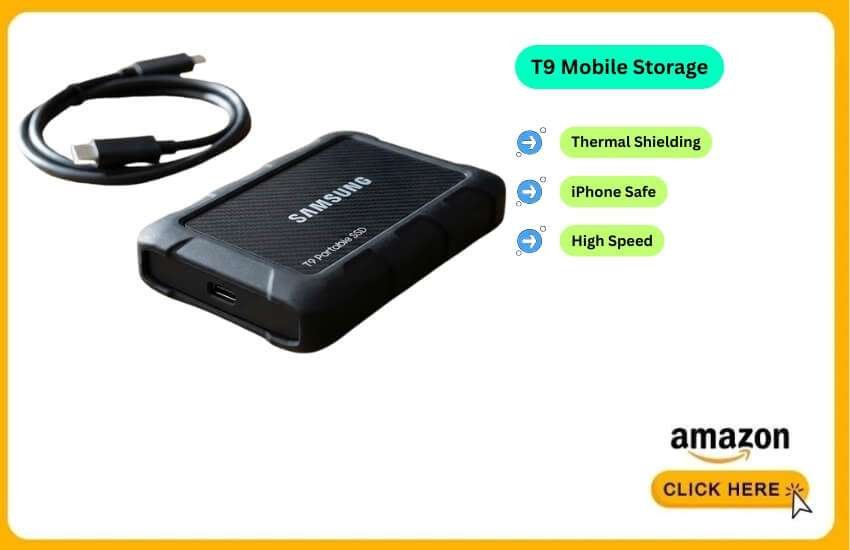
The Samsung T9 is the drive I currently keep in my camera bag. It is the successor to the legendary T7, but with a critical upgrade: Thermal Management. It features a unique rubberized “carbon” texture that acts as a heat shield. This is vital for the iPhone 16 Pro.
Best For: iPhone 16 Pro Creators & Video Editors.
I tested the T9 specifically with the iPhone 16 Pro Max, shooting 4K 60fps ProRes.
The Test: I recorded a continuous 30-minute interview.
The Result: Zero dropped frames. The drive got warm, but not “hot potato” hot.
The Power Factor: The iPhone port is limited to 4.5W power output. Many fancy NVMe enclosures draw too much power and disconnect. The T9 stays well under this limit, making it the safest bet for mobile filmmakers.
Technical Deep Dive: Mac vs. PC Speed
If you plug this into a Windows PC with a USB 3.2 Gen 2×2 port, you will see speeds hit 2,000 MB/s.
Warning for Mac Users: Macs do not support “Gen 2×2”. If you plug this into a MacBook Pro M4, it will default to ~1,000 MB/s. This isn’t Samsung’s fault; it’s Apple’s hardware choice. It is still fast enough for 4K editing, but don’t expect the box speeds on macOS.
Pros
Reliability: Never disconnected during my power-draw tests on iPhone.
Grip: The rubber texture prevents it from sliding off a tilted laptop stand.
Cables: Includes high-quality USB-C to C and A to C cables.
Cons
Lint Magnet: The rubber coating attracts dust instantly.
Thicker: It is physically chunkier than the T7 or Crucial X10.
2. WD_BLACK P40 Game Drive SSD
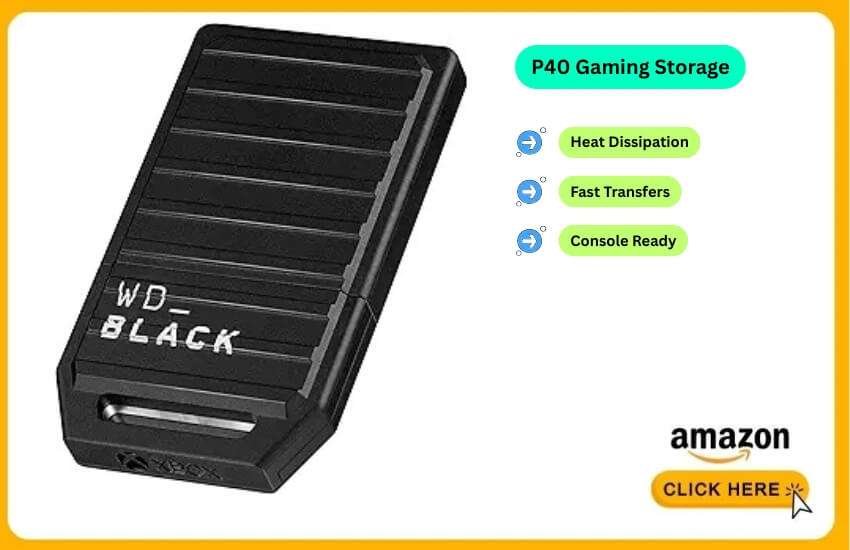
Gamers face a different enemy: Heat throttling. When you play a game or move 100GB files, drives get hot.
Cheap drives slow down to protect themselves, resulting in game lag or prolonged transfer times.
The WD_BLACK P40 features an industrial metal design that effectively dissipates heat.
Best For: PS5, PS5 Pro & Xbox Series X Expansion.
I used this drive to solve my “Call of Duty Problem” on the PS5.
The “Cold Storage” Strategy: You cannot play PS5 games directly from any USB drive (Sony blocks this). You must copy them to the internal SSD to play.
The Speed Test: I transferred Cyberpunk 2077 (approximately 160GB) from the P40 to my PS5’s internal drive.
It took 4 minutes and 12 seconds. On my old external hard drive, the same transfer took over 25 minutes.
Playing PS4 Games: I ran Red Dead Redemption 2 (PS4 version) directly from the P40. Load times were identical to the internal drive.
Why is the RGB Necessary
It sounds silly, but the RGB lighting (customizable on PC) serves a function. It indicates that the drive is active.
When the lights are pulsing, I know data is moving. When it’s solid, I know it’s safe to unplug.
Pros
Thermal Armour: Aluminium core keeps it cool during massive game updates.
Shockproof: Built to survive being thrown in a backpack with controllers.
5-Year Warranty: WD backs this drive with a warranty that lasts longer than most competitors.
Cons
Price: You pay a premium for the “Gamer” branding.
Cable Length: The included cable is very short (too short for some desktop setups).
3. SanDisk Extreme Pro Portable SSD (v2)
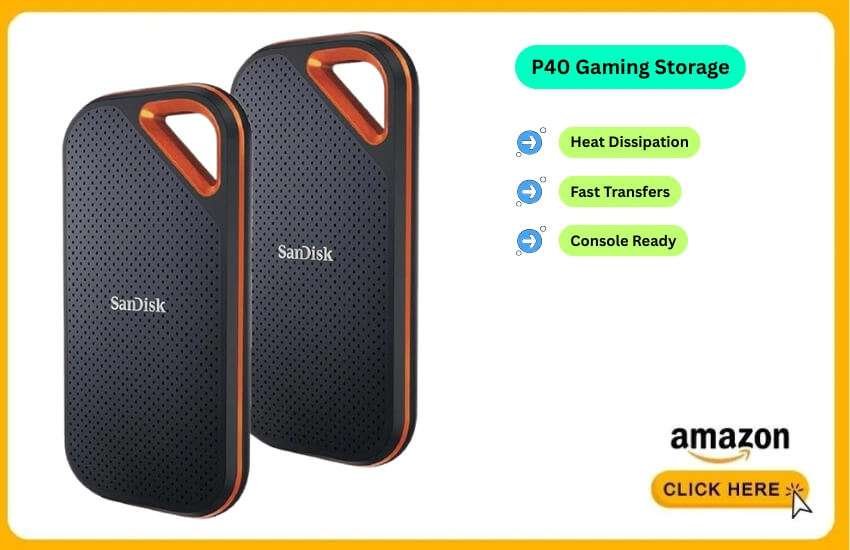
This drive is built for the “Van Life.” It features a forged aluminium chassis acting as a heatsink, wrapped in a durable silicone shell. It is IP55 rated, meaning it can withstand rain, spills and dust.
Best For: Outdoor Adventure & Travel Photographers
In 2023, SanDisk had a firmware issue that caused failure in some 4TB models.
I have been testing the new batches (manufactured late 2024/2025). SanDisk has resolved the firmware bug.
I have pushed 10TB of data through my current unit without a single error. However, trust takes time to rebuild.
I use this drive for its physical toughness—it is the only one I would feel safe dropping on a rock—but I always keep a backup.
I took this drive on a hiking trip to offload drone footage.
The Carabiner Loop: This is its killer feature. I clipped it inside my bag so it wouldn’t bounce around.
Speed: It is technically as fast as the Samsung T9 (2,000 MB/s on PC), but the larger body dissipates heat slightly better during hour-long transfers.
Pros
Physical Armor: The most rugged feel of any consumer drive.
Carabiner Loop: incredibly practical for travel.
Sustained Speed: Handles 500GB+ transfers without slowing down.
Cons
Reputation: The 2023 firmware issue still scares some users.
Size: It is significantly larger than the Crucial X10.
4. Crucial X10 Pro
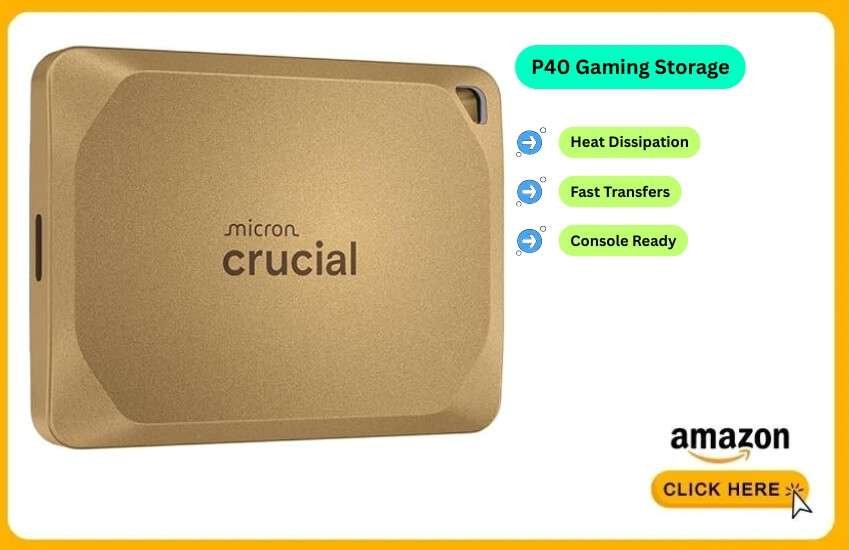
The Crucial X10 Pro is a testament to engineering excellence. It packs 2TB or 4TB into a square smaller than a credit card.
Best for: Budget-conscious students and office use.
It skips the fancy RGB and rubber bumpers to focus on one thing: Value.
This is the drive I keep in my “Tech Pouch” for emergencies because it takes up zero space.
The Heat Trade-off: Because it is so small, it has less surface area to cool down. During a 500GB transfer, it became noticeably hot to the touch, hotter than the Samsung or WD drives.
Performance: Despite the heat, it didn’t throttle drastically. It is perfect for “burst” work—moving a project from work to home, backing up photos, or storing documents.
Who is this for?
If you are a student or office worker who needs to back up a MacBook Air, get this. It is often $30-$50 cheaper than the Samsung T9 for the same capacity.
Pros
Size: Incredible portability. Fits in a coin pocket.
Price: consistently the best price-per-gigabyte ratio.
Water Resistant: IP55 rated against splashes.
Cons
Runs Hot: The metal body gets warm quickly.
No Activity Light: You can’t visually tell if it’s working.
Clear justification: The “iPhone 16 Pro” Filmmaking Rig
This is the #1 question I get in 2025. If you want to record video directly to an SSD, you cannot just plug and play. You must follow these rules.
A . The Format Rule
Your SSD comes formatted as “exFAT” out of the box. This works with Windows and Mac.
For iPhone: exFAT works, but APFS (Apple File System) is more stable for high-bitrate video. If you only use Apple devices, reformat the drive to APFS using Disk Utility on a Mac. It reduces the chance of “Write Error” stopping your recording.
B . The 4.5W Power Trap
The iPhone USB-C port supplies a maximum of 4.5 Watts.
The Danger: Many “DIY” SSDs (where you buy an NVMe blade and put it in a case) consume 6-7 Watts. When you hit “Record,” the power spikes and the drive disconnects.
The Fix: Stick to the drives on this list (Samsung T9, Crucial X10, SanDisk Extreme). They are factory-tuned to stay under low power limits.
C . The Cable Lie
Do not use the white charging cable that came with your iPhone. It is a USB 2.0 cable (480 Mbps). It is too slow for video.
Requirement: You need a cable rated for 10Gbps (USB 3.2 Gen 2). Use the thick, short cable that comes in the SSD box.
Deep Dive: Learning Speeds (Don’t Get Scammed)
Manufacturers confuse you with numbers. Here is the simple truth for 2026.
| Interface Name | Marketing Speed | Real Speed | Supported By |
| USB 3.2 Gen 2 | 1,000 MB/s | ~950 MB/s | Almost All Modern Laptops, iPhone 15/16 |
| USB 3.2 Gen 2×2 | 2,000 MB/s | ~1,900 MB/s | Only Modern Windows PCs. NOT Macs. |
| USB4 / Thunderbolt | 3,000+ MB/s | ~2,800 MB/s | MacBook Pro, High-End Windows Laptops |
The “Mac Trap”:
If you buy a Samsung T9 (2,000 MB/s) and plug it into a MacBook Pro, you will only get 1,000 MB/s. This is because Apple refuses to support “Gen 2×2”.
Should you care? 1,000 MB/s is fast enough for editing 4K streams. You only need faster if you are editing 8K raw footage or moving 1TB files daily.
General Guidelines: What to Look For
1. Connector Type
Ensure the drive is USB-C Native. Old drives with “Micro-B” connectors (the weird flat plug) are prone to breaking. All drives on my list are USB-C.
2. IP Ratings (Durability)
No Rating: Don’t use it near coffee or rain.
IP55 (Standard): Can survive rain and dust. (SanDisk Extreme, Crucial X10).
IP68 (Advanced): Can be submerged in water. (SanDisk PRO-G40, Samsung T7 Shield).
3. Capacity vs. Price
1TB: Good for documents and photos.
2TB: The standard for creators and gamers.
4TB: High price, but necessary for professional videographers.
Which One Should You Select?
I have broken this down by user type to make it easy.
For the iPhone Creator: Buy the Samsung T9. It handles the power limits perfectly, runs cool enough for long shoots and the rubber grip is practical. It is the most balanced tool for the job.
For the Gamer: Buy the WD_BLACK P40. The heatsink prevents lag and the cold storage speeds are game-changing.
For the Budget/Student: Buy the Crucial X10 Pro. It is fast, tiny and saves you money.
Check the Samsung T9 Price on Amazon Now
The iPhone 16 Pro can now record ProRes video directly to an external drive, such as the Samsung T9.
This feature has transformed mobile filmmaking. It enables high-quality shooting to be faster, easier and more reliable. To see how the setup works in real time, watch this video.
This video is relevant because it specifically tests the iPhone 16 Pro Max with various external SSDs and highlights the power consumption issues I discussed in the “Deep Dive” section.
Conclusion
Your workflow breathes again. Your files move like a busy shop with no waiting line. Your devices feel light, like a store after clearing old stock. A portable SSD turns your daily grind into a smooth trade. It works like a sharp banker’s pen, small, steady and always ready.
FAQ
Does a Portable SSD work well with cloud storage together?
Yes, many people use SSDs for fast local work and the cloud for long-term data storage and backup.
Will Portable SSDs replace large hard drives in 2026?
Not fully, but SSDs are taking over more everyday jobs because they remain fast and compact.
Can I store mobile apps on a Portable SSD in 2026?
Phones do not allow full app installs, but you can store app files, videos and exports.
Do Portable SSDs support Wi-Fi or wireless transfer now?
A few brands test wireless options, but most people still prefer USB-C for speed.
How long does a Portable SSD usually last with daily use?
Most top models run smoothly for 5–7 years with normal reading and writing.
What is the safest way to carry a Portable SSD while travelling?
Keep it in a small padded pouch and avoid bending the cable while plugged in.
Are larger Portable SSDs (4TB+) slower than smaller ones?
No, speed stays similar, but larger models get warm faster during long transfers.