

I have dropped my phone into a bowl of ramen while trying to film a recipe with no overhead phone mount. It was a disaster. I have also spent hours balancing a tripod on a stack of books. The result? A shaky drawing video.
If you create content, you’re familiar with this struggle. You might do nail art. You might cook or show fashionable clothes. You might film speed drawings. You need your hands free. You need the camera to look straight down.
Most cheap stands are bad. They wobble. They droop when you use a heavy phone, such as the iPhone 16 Pro Max or S25 Ultra.
I have tested dozens of mounts. I have experience working with different online businesses. I know what works for professionals. I know what belongs in the trash.
What is an Overhead Phone Mount and Why You Need It
An overhead phone mount is your setup’s quiet advantage. It hovers your camera directly above your hands.
It captures the magic of creation instantly. Think about it. No more shaky footage. No more awkward angles.
It gives your audience a front-row seat to your skills. Whether you cook, draw, or build, this tool changes everything. It turns a simple video into a professional tutorial.
Stop balancing your phone on books. Get the shot your talent deserves. It is time to create without limits.
Best 6 Overhead Phone Mount
| Product | Best Application | Stability Score | My Personal Verdict |
| Arkon Pro Phone Stand | Overall Best (Cooking/Crafting) | 9.5/10 | The industry standard. Zero bounce. |
| Lamicall Gooseneck | Best Budget (Beginners) | 6.0/10 | Good for the price. Best for starters. |
| CANVAS Smart Lamp | Best for Artists (Built-in Light) | 9.0/10 | Solves lighting and holding issues at once. |
| Elitehood Floor Tripod | Best Floor Stand (No Desk) | 9.5/10 | Keeps your counter space 100% clear. |
| Neewer Desktop Boom | Best Heavy Duty (Semi-Pro) | 10/10 | Feels like a mini TV studio setup. |
| Joby GripTight PRO | Best Portable (Travel Vlog) | 7.0/10 | Fits in a pocket. Great for travel. |
1. Arkon Pro Phone Stand (Remarkable Creator Bundle)
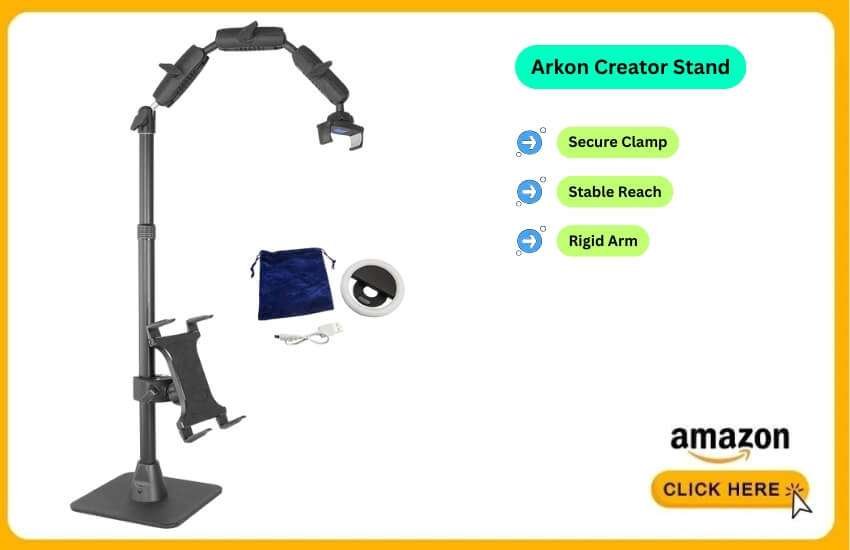
The Arkon Pro is the standard for crafters and bakers. It does not use a flimsy gooseneck. It uses a rigid metal arm structure.
It clamps securely to a table. It extends outward. It does not bounce when you touch the screen of your phone.
I keep the Arkon clamped to my studio desk permanently. The reach is the best part. I can pull it over the center of a large A3 sketchpad.
I can pull it over a cutting board. It holds the angle perfectly. I recently filmed a 2-hour unboxing.
I used an iPhone 16. The arm never sagged once. It feels like industrial equipment. It is not a toy.
Use Case:
Best for Cooking: Do you have a kitchen island? Clamp this to the edge. You can film steam rising from a pot. The phone won’t fog up. The arm gives you enough height distance.
The Good & The Bad:
Pros: Zero bounce. Rigid arm construction stops the “wobbly video” effect. Long reach. Fits almost any phone. The base is heavy (if you choose that version).
Cons: Not travel-friendly. It is bulky. It looks industrial, not “aesthetic.”
2. Lamicall Gooseneck Phone Holder
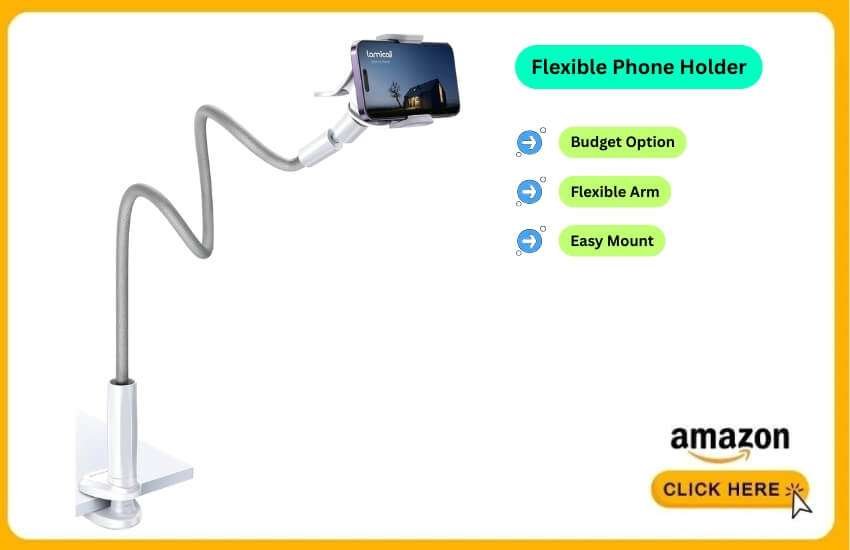
This is the entry-level king. It is a flexible wire arm. It is wrapped in leather. It twists into shape. It clips onto a bedframe, desk, or shelf.
I use this for FaceTime calls. I use it for movies in bed. I have also used it for quick TikTok overheads.
It is tricky to level. The arm fights you a bit when you bend it. But the price is unbeatable. Just don’t type on the table while filming. The video will shake.
Use Case:
Best for Nail Art (Beginner): Are you starting nail tutorials? Is your budget tight? This gets the job done. Just make sure your table is sturdy.
The Good & The Bad:
Pros: Very cheap. Flexible. You can twist it around objects. Easy to install.
Cons: The “Bounce.” It vibrates if you bump the table. Heavy phones might cause sagging over time.
3. CANVAS Smart Lamp (or Similar “Overhead Pro” Kits)
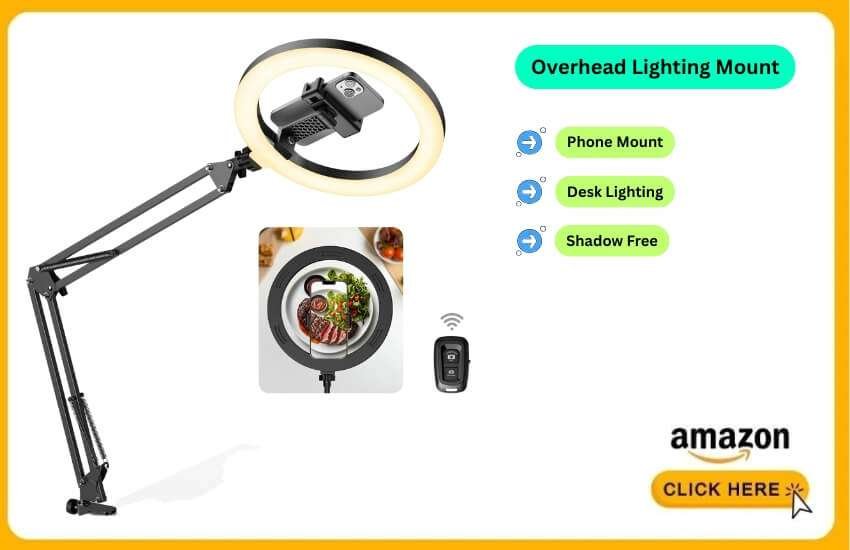
This is a hybrid product. It is a high-quality desk lamp. It has a phone mount in the center of the light ring. It solves two problems. It holds the phone. It lights your subject.
Lighting is hard for overhead video. The CANVAS (or the cheaper Acetak Overhead Ring Light) addresses this issue.
I used this for jewelry photography. The light surrounds the lens. There are no harsh shadows from my hands. It saves editing time.
Use Case:
Best for Drawing & Illustration: Artists love this. It lights up the paper evenly. Your time-lapse will look professional.
The Good & The Bad:
Pros: Shadow-free recording. All-in-one design. No need for a separate tripod. Looks aesthetic on a white desk.
Cons: Pricey. Costs more than a simple mount. Fixed position. You can’t move the light without moving the camera.
4. Elitehood Heavy Duty Floor Tripod
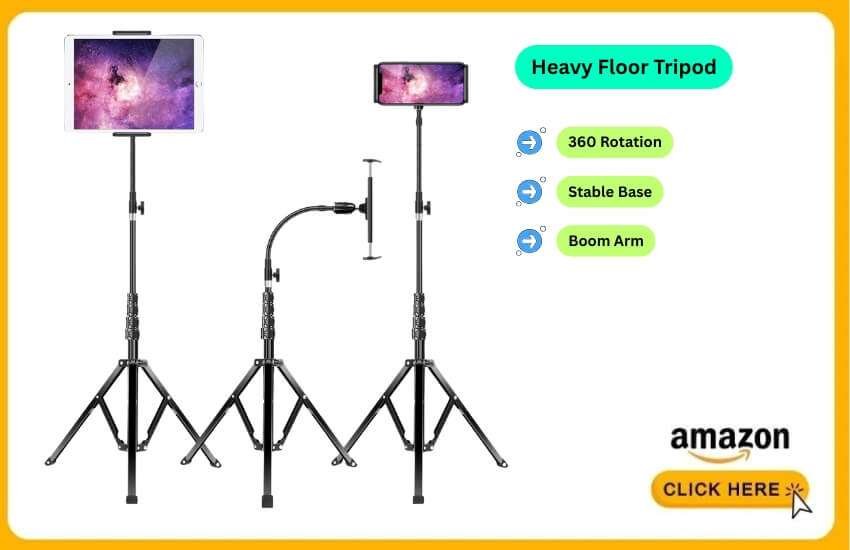
Sometimes you lack a table. The Elitehood is a tall floor stand. It has a boom arm. It reaches over your workspace. It looks like a microphone stand.
I needed to film a painting on the floor. Desk clamps were useless. I bought this. This tripod is heavy. That is good.
It doesn’t tip over. The arm rotates 360 degrees. I can switch from vertical TikToks to horizontal YouTube videos. It takes two seconds.
Use Case:
Best for Unboxing Big Products: Are you unboxing a laptop? Are you cleaning a vacuum on the floor? This is the only mount that works well.
The Good & The Bad:
Pros: No desk needed. Great for floating setups. Goes very high (over 6ft). Very stable base.
Cons: Large footprint. It takes up floor space. It is heavy. You cannot hike with it.
5. Neewer Desktop Boom Arm (C-Stand Style)
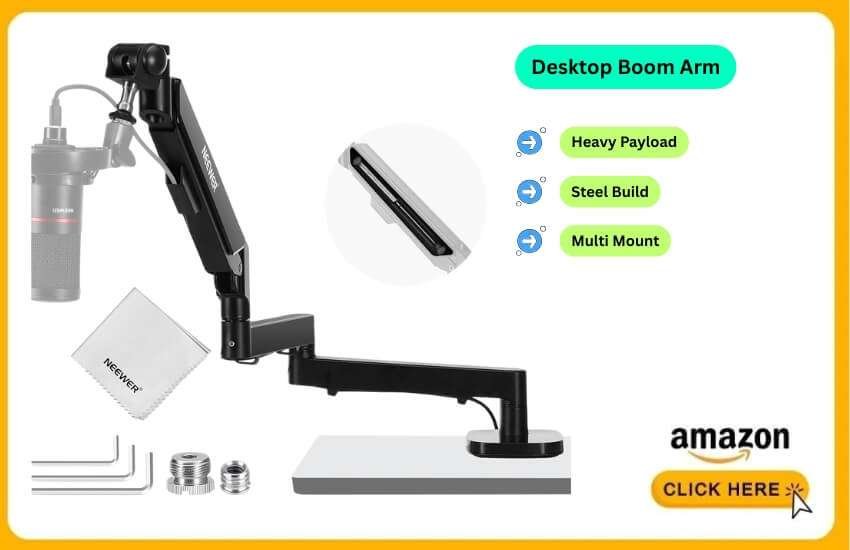
This mimics professional Hollywood “C-Stands.” It is miniaturized for a desk. It screws or clamps tightly. It uses solid steel tubes.
This is my current “daily driver.” I use it for tech reviews. It looks professional.
It handles heavy payloads. I mount a phone. I mount a microphone. I mount an extra light. All on one pole. It feels like a mini TV studio on my desk.
Use Case:
Best for Tech Reviewers: Perfect for top-down shots. Great for keyboards or intricate electronics repair. Stability is critical here.
The Good & The Bad:
Pros: Tank-like build. Lasts for decades. Modular. Keeps the desk surface empty.
Cons: Installation takes time. More expensive than plastic mounts.
6. Joby GripTight PRO (GorillaPod)
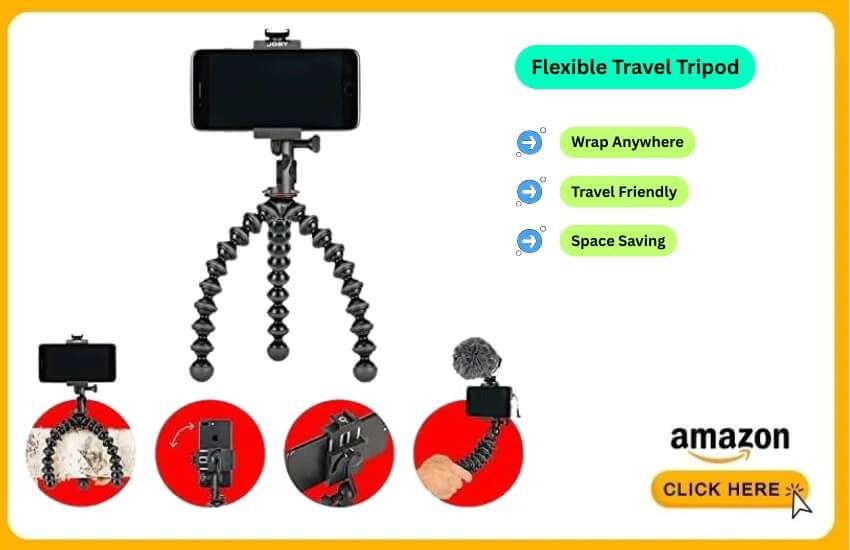
The famous flexible tripod. It is not strictly an “overhead” mount. But you can wrap its legs around things. You can use a shelf or a chandelier.
This stays in my travel bag. I went to Japan. I wanted to film a food video in a tiny Airbnb. There was no space for a big stand. I wrapped the Joby legs around a curtain rod. I got the shot. It is a lifesaver for travel.
Use Case:
Best for Travel Vlogging: Are you in a hotel room? Are you outdoors? Do you need a creative angle? This works without 5lbs of gear.
The Good & The Bad:
Pros: Ultimate portability. Fits in a pocket. Versatile. Strong grip.
Cons: Height limit. You need an anchor point above you. Setup takes creativity.
Specific Scenarios: Which One Fits You?
Best vs Cheapest
The Best: Get the Arkon Pro. It is an investment. It pays off immediately in video quality.
The Cheapest: Get the Lamicall Gooseneck. It is fine for starters. It costs less than a pizza. Be patient with the wobbles.
Overhead Phone Mount for Drawing
Artists should choose the CANVAS Smart Lamp or the Arkon Pro. Drawing takes hours. The Arkon stays out of your way. The CANVAS ensures accurate colors.
Overhead Phone Mount for Cooking
Cooking is messy. You want the Elitehood Floor Tripod or the Arkon Pro. The Elitehood sits on the floor. It stays away from splashing oil. It stays away from flour.
Overhead Phone Mount for Nail Art
Precision is key. The Neewer Desktop Boom Arm is fantastic. You can lower the phone very close to the nail. It does not lose balance.
How to Match Your Need
Consider these three factors before making a purchase. I learned these the hard way.
1. Clamp vs. Weighted Base
Clamp: Attaches to the edge of the table. Saves desk space. Very stable. Note: Do not use on glass tables. It might break them.
Weighted Base: Sits on top of the desk. Movable. Note: Takes up workspace. It can tip over if extended too far.
2. Arm Length (The “Reach”)
Measure your desk. Do you film on A3 paper? You need an arm that extends 20 inches in length. Many cheap stands only reach 10 inches. Your phone will only see the edge of the paper.
3. Phone Weight Capacity
Smartphones are heavy now. An iPhone 16 Pro Max with a case is over 250g. Cheap goosenecks droop. Look for “Metal Hinge” in the description. Look for “Rigid Arm.” Avoid “soft tube” arms for large phones.
How Do You Stop Your Overhead Mount from Shaking?
The shaking usually comes from the table. It is not always the mount. Do not type on the same table while filming. Do not erase vigorously.
Solution: Use a floor stand, such as the Elitehood. Or, put a heavy sandbag on the base of your desk mount.
Can you use a ring light with these mounts?
Yes. The Neewer and Arkon stands often have extra threads (1/4 inch screw). You can attach a small light. Or, just buy the CANVAS style. It has the light built in.
Will these fit a phone with a PopSocket?
Most clamps cannot grip a phone with a PopSocket. It blocks the center. You must remove the case. Or remove the PopSocket. MagSafe mounts are a better option for magnetic accessories.
Recommendation
Do not waste money on $10 plastic stands. You want high-quality content. You will end up buying a better one later anyway.
For most users, the Arkon Pro Phone Stand is the best investment. It is versatile. It is strong.
If you need lighting, go for the CANVAS Smart Lamp.
If you are on a budget, the Lamicall Gooseneck is a safe start.
Get the right tool. Stop fighting with your equipment. Focus on creating.
Conclusion
A good overhead phone mount works like a steady partner. Quiet. Strong. Always ready.
It clears your view. It lifts your work. It keeps your mind free.
A stable frame can significantly enhance your results. One simple tool can speed your progress.
Set it up. Lock it in. Move forward with clean focus.
Better gear builds better outcomes. Aim high. Create more. Keep rising.
FAQ
Can I shoot vertical video with an overhead mount?
Yes. Most mounts rotate easily for vertical shots.
Do overhead mounts help with perfect alignment?
Yes. Many include level guides or grid markers.
Will the mount block my phone’s microphone?
No. Newer holders leave the mic area open.
Can I attach a small light beside the phone?
Yes. Some mounts have extra screw ports.
Is there an overhead mount for filming on the floor?
Yes. Floor-stand boom mounts work well.
Is an overhead mount good for slow-motion video?
Yes. Tight joints reduce tiny movements.
Can I use an overhead mount for product photos?
Yes. It helps keep every shot consistent.
Does an overhead mount work outdoors?
Yes. Portable tripod booms are made for that.
Can I use it for scanning papers?
Yes. The stable top view improves scan clarity.
Do any mounts connect with apps?
Yes. Some offer leveling and framing tools.