


Analyzing tech trends, I’ve seen the “home office” evolve from a temporary corner to a permanent command center.
Yet, today I still see a massive oversight: lighting. Most people buy a $500 monitor but cheap out on a $20 lamp, unknowingly causing their own daily headaches and fatigue.
If you are serious about productivity and protecting your vision, a specialized office desk lamp is not a luxury; it’s a medical necessity for your workflow.
The truth is, standard ceiling lights or cheap LEDs are not designed for the way we work today. They create “micro-flicker”—invisible to the naked eye but exhausting to the brain.
Does Your Current Light Protect Your Eyes While Working?
Most people are unaware that their old desk lamp is harming them. Standard light bulbs often flicker. You cannot see this flicker with your eyes, but your brain feels it. This causes headaches and tired eyes after a few hours.
A bad light also creates glare on your screen. This glare forces your eyes to work harder to read text.
If your eyes feel dry or gritty at the end of the day, your lighting is likely the problem. You need a light that provides a steady, “flicker-free” beam. This simple change can stop eye strain before it starts.
Indeed, I have selected these office desk lamps based on current performance standards.
Best Office Desk Lamps
| Product Model | Best Use Case | Lumens (Brightness) | Key Feature | Control Type |
| Micomlan 24W Architect Lamp | Dual Monitors | 1200+ lm (Ultra Bright) | Dual-Head Design + Atmosphere Light | Touch + Auto-Dimming |
| Skyleo LED Swing Arm | Drafting/Crafting | 800-1000 lm | Memory Function + 360° Rotation | Button/Remote |
| EppieBasic 24W Clamp Lamp | Wide Desks (70″+) | 1300 lm | Ultra-Wide Bar (31.5 inch) | Touch w/ Auto-Sensor |
| Phive CL-1 LED Lamp | Detailed Work | 900 lm | High CRI (Color Accuracy) | Touch Control |
| BenQ ScreenBar Halo | Minimalist Setup | 800 lm (Focused) | Zero Glare (Screen Mounted) | Wireless Dial |
| Generic 12W Gooseneck | Small Spaces | 400-600 lm | Flexible Neck + USB Charging | Clip-on/Touch |
1. Micomlan 24W Architect Lamp (Dual Head)
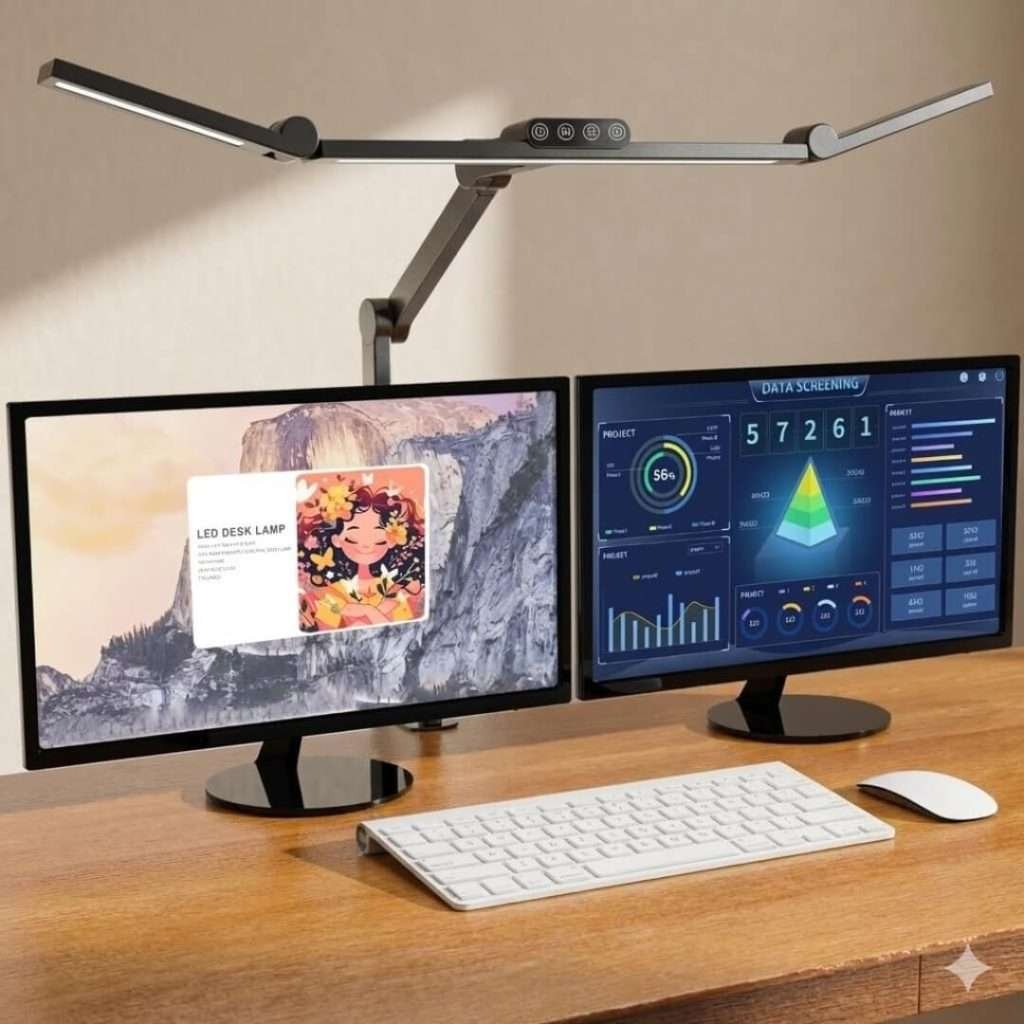
Quality & Build: This lamp is tough. It is made of strong metal and hard plastic. The arm holds its place well. It does not sag.
Best For People with Two Monitors. If you use two screens side by side, consider buying this one.
My Personal Experience I put this on my big standing desk. The best feature is the “Atmosphere Light.”
This is a small light on the back. It lights up the wall behind my screens. This made my eyes feel much better when I worked late. The light is very bright. I could see everything clearly.
Pros
Split Head: You can spread the light bars wide.
Back Light: Helps your eyes relax at night.
Very Bright: Good for big desks.
Cons
Hard to Reach: The buttons are located on top of the light.
Thick Desks: The clamp only fits standard desks (up to 2.5 inches).
2. Skyleo LED Swing Arm Desk Lamp
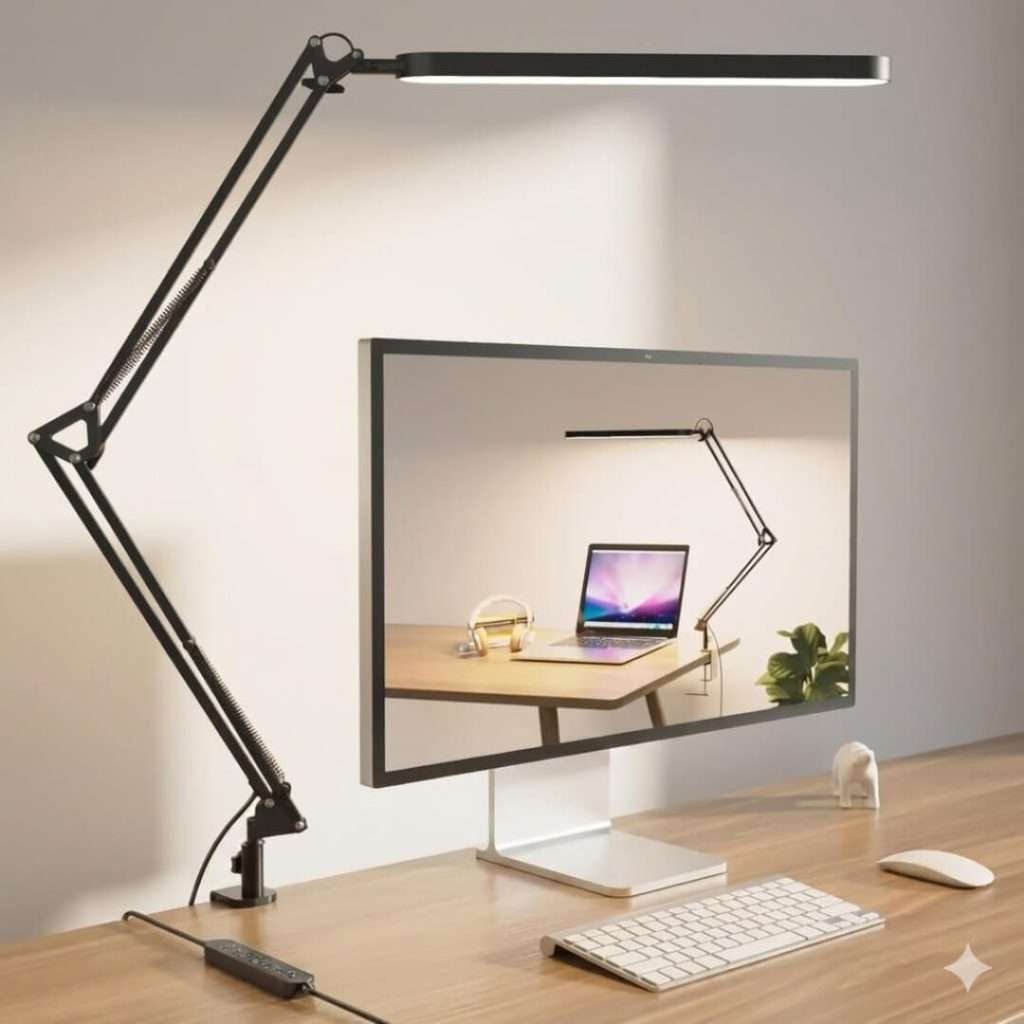
Quality & Build: This lamp is light and cheap. It is mostly plastic. However, the clamp is made of metal and is strong. The arm moves easily.
Best For Artists and Crafters. It is great if you need to pull the light close to your hands.
My Personal Experience: I used this for drawing pictures. I loved the “Memory Button.” I set the light to a bright white color once.
The next day, I turned it on, and it remembered my settings. It saved me time. The arm is long enough for most tables.
Pros
Great Price: Excellent features for a great value.
Smart Memory: Remembers your favorite light setting.
Flexible: You can twist it in many ways.
Cons
Not Super Bright: It is dimmer than the Micomlan.
Plastic Parts: It does not feel fancy.
3. EppieBasic 24W LED Desk Lamp (Ultra-Wide)
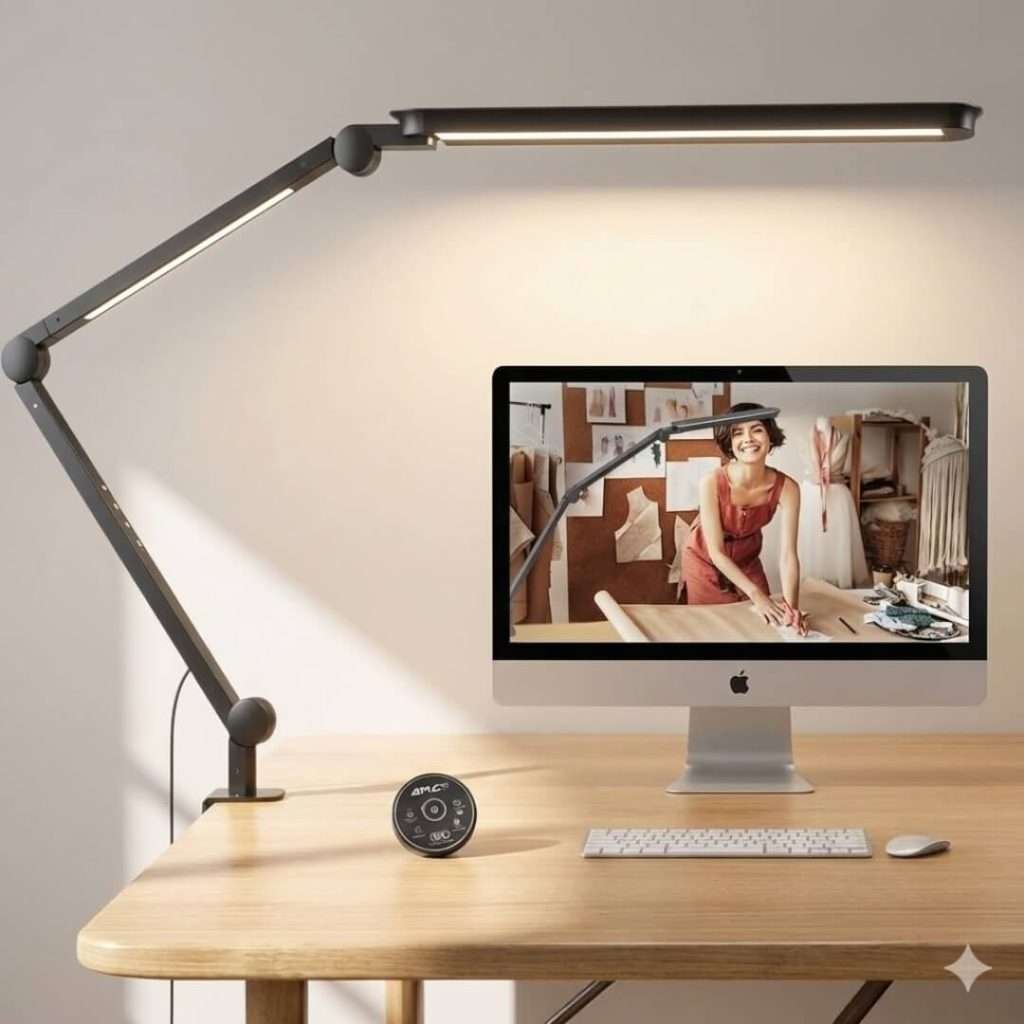
Quality & Build: This light is huge. The bar is over 30 inches wide. It looks very professional. The neck is stiff and remains in place.
Best For Big Office Desks. If you want one light to cover your whole table, this is it.
My Personal Experience: I placed this on a wide worktable. It covers the entire desk area. When I wrote in my notebook, I saw no shadows. The light hits the paper from both sides. The auto-dimmer works fast. It adjusted the brightness as the sun set.
Pros
Huge Reach: Lights up the whole desk.
No Shadows: Light comes from everywhere.
Front Buttons: Easy to press.
Cons
Fixed Height: You cannot pull it closer to you.
Large Size: It occupies a significant amount of visual space.
4. Phive CL-1 LED Architect Lamp
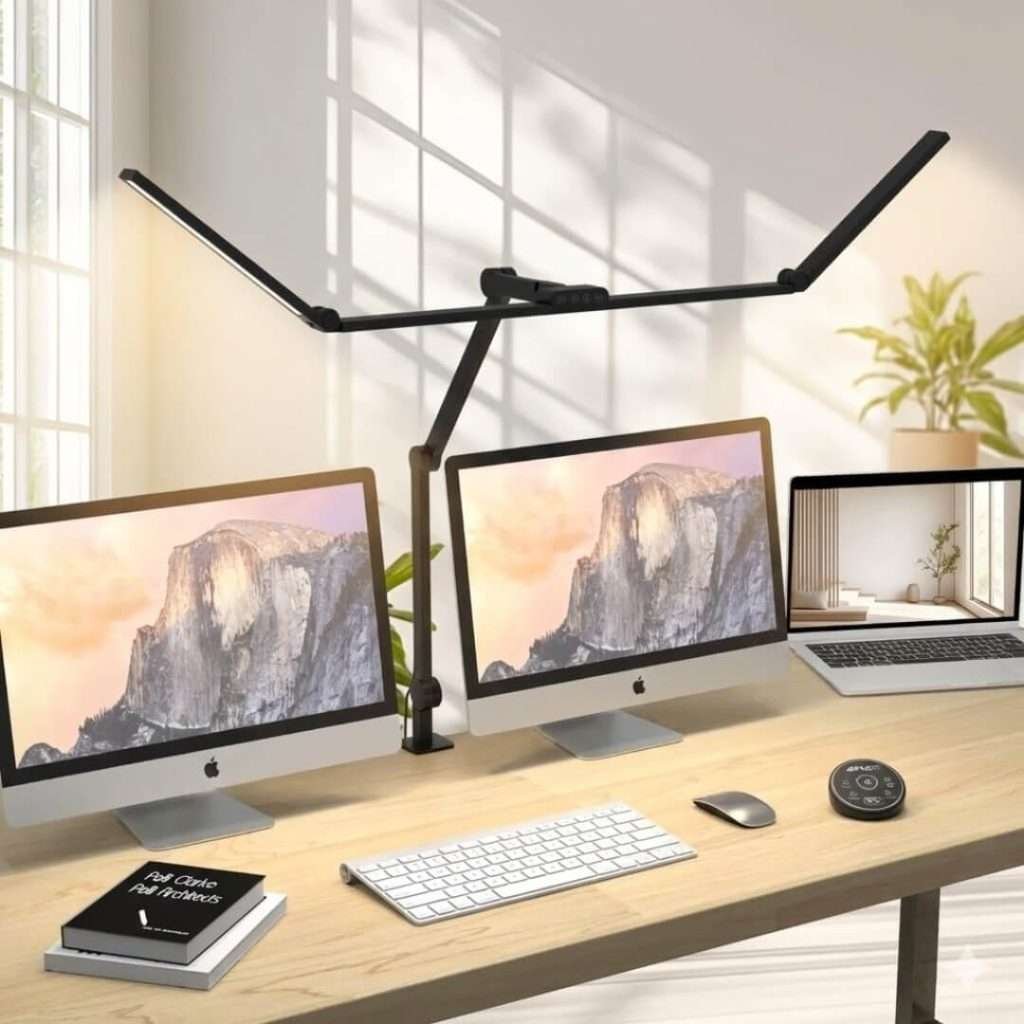
Quality & Build This looks like a classic tool. The arm is all metal. It feels very strong and heavy. It will last a long time.
Best For Architects and Designers. People who need light in a specific spot.
My Personal Experience: I was impressed by the quality. I moved the light head with one hand. It stayed exactly where I put it. The colors on my papers looked real under this light. It is simple but works perfectly. It has no extra fancy tricks. It just gives great light.
Pros
Built to Last: Metal parts are very durable.
Precise: Stays exactly where you aim it.
Clean Look: Looks great in a professional office.
Cons
Gets Warm: The metal head gets slightly warm.
Manual Only: You must adjust the brightness manually.
5. BenQ ScreenBar Halo
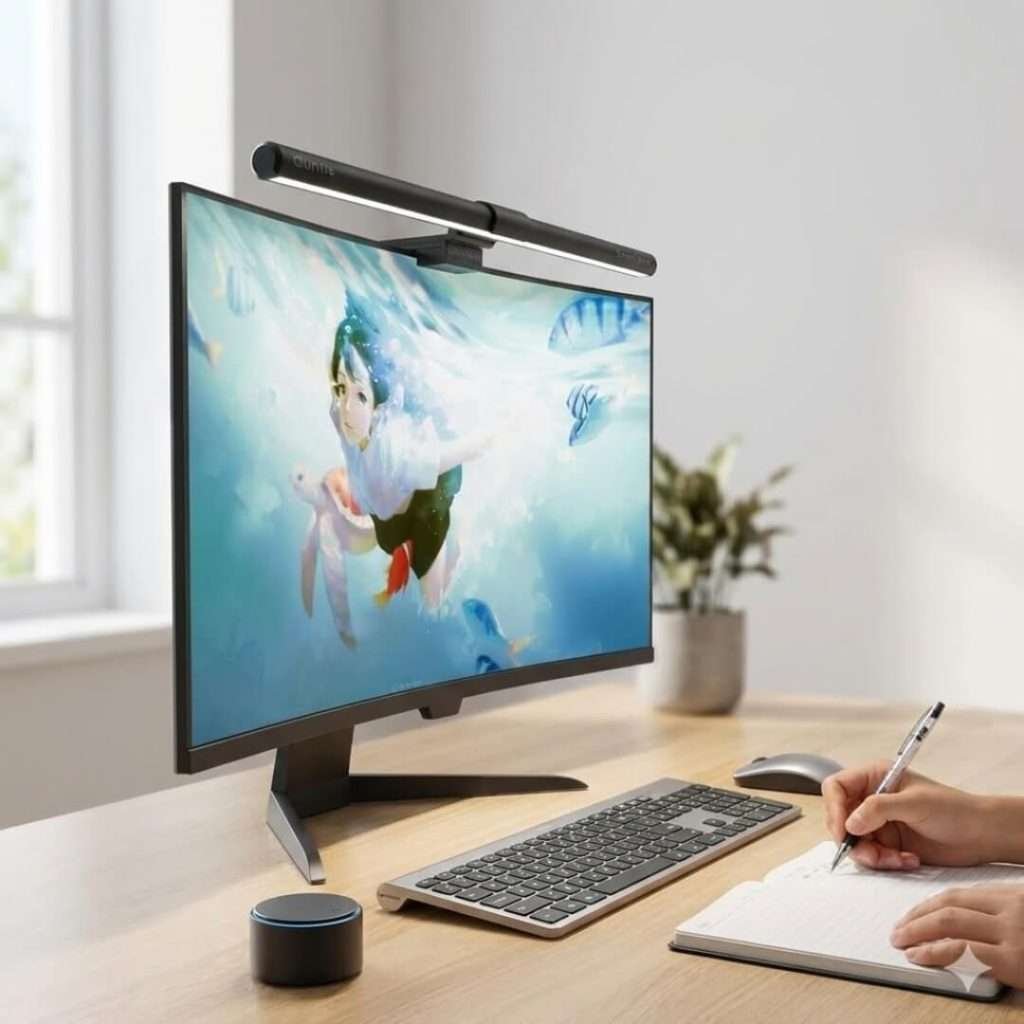
Quality & Build: This is a top-tier light. It sits on top of your monitor. It takes up zero desk space. The wireless dial feels heavy and expensive.
Best For Minimalists and Coders. Perfect if you hate messy cables.
My Personal Experience: This light is amazing for glare. It shines on my desk but keeps my screen dark.
I worked in a dark room with this. The back light created a soft glow on the wall. It made the screen easy to watch. The wireless controller is a lot of fun to use.
Pros
Saves Space: Clips right onto the screen.
Eye Safety: No glare on your monitor.
Wireless: No messy cords for the switch.
Cons
Expensive: It costs more than the others.
Webcam Issues: It might block your camera.
6. Generic 12W Gooseneck (Budget Option)
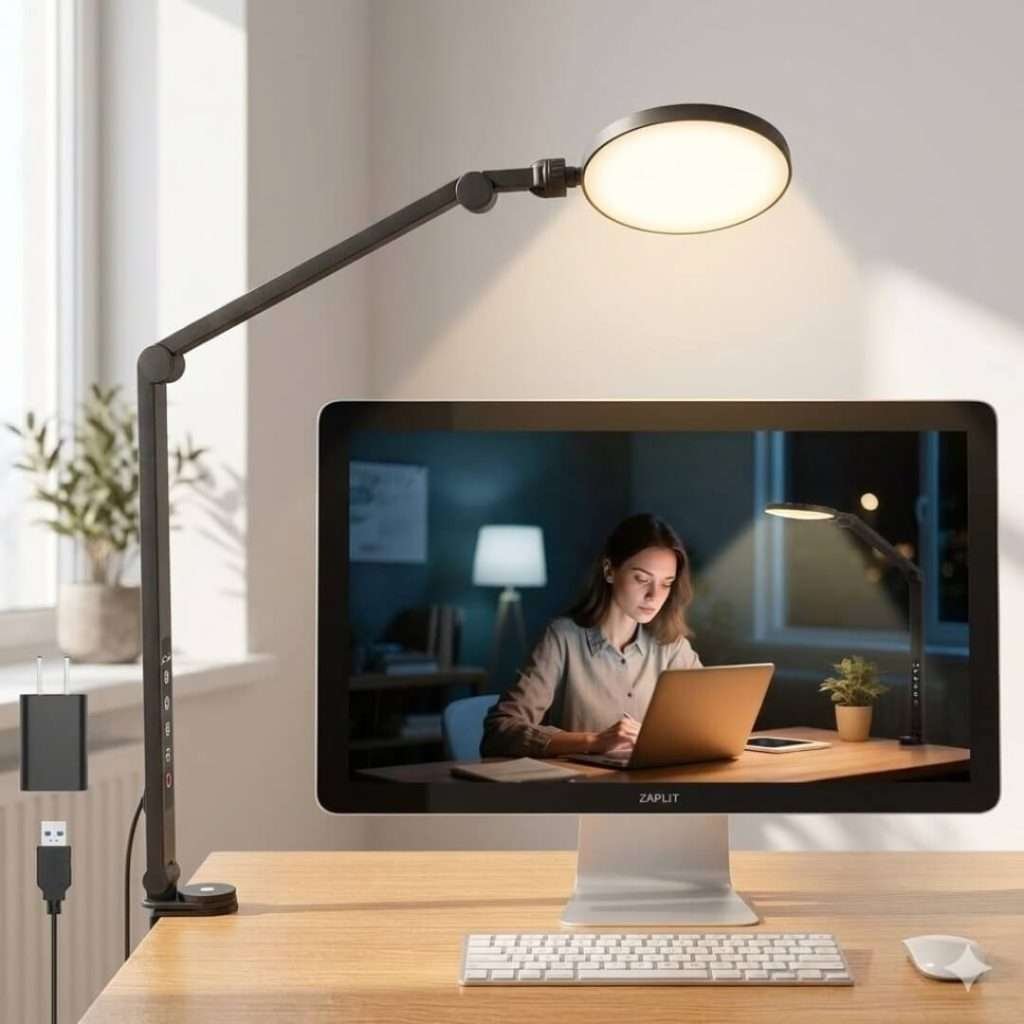
Quality & Build: This is simple and small. It has a bendy neck and a clip. It is basic, but it works.
Best For Dorms and Reading Nooks. Good for small spaces.
My Personal Experience I clipped this to a small side table. It is not very bright. I would not use it for a full workday. But it is fine for reading a book. It has a USB port in the base. I used it to charge my phone. That was handy.
Pros
Easy to Move: Take it anywhere.
Very Bendy: Point it any way you want.
Cheap: Very low price.
Cons
Dim: Not bright enough for serious work.
Small Area: Only lights up a small spot.
Which Features Define a Modern Office Desk Lamp?
A lamp is more than just a light bulb. It is a smart tool for your desk. Here are the key features you should look for:
Adjustable Brightness: You should be able to dim the light smoothly. Bright light is good for writing, but dimmer light is better for computer work.
Color Temperature Control: This changes the light color. Use cool white light (bluish) to focus in the morning. Use warm white light (yellowish) to relax in the evening.
High CRI: This stands for Color Rendering Index. A high score (over 90) means colors look real and vivid, not washed out.
Auto-Dimming: Some modern lamps have sensors. They detect the darkness in your room is and adjust the brightness automatically.
Which Lamp Style Fits Your Workspace Especially the Computer?
The shape of your lamp matters as much as the bulb. You need to pick a style that fits your specific desk setup.
Clamp-On Lamps: These are best for small desks. They clip to the back edge of the table. This saves space for your keyboard and mouse.
Wide Bar or Dual-Head Lamps: These are perfect for people with two monitors. The wide design evenly spreads light over both screens. This prevents shadows on your desk.
Monitor Light Bars: These sit directly on top of your computer screen. They shine light down on your desk, not on the screen. This is the best choice if you dislike glare and have limited space.
How Should You Position Your Lamp on Your Computer Desk?
Even the best lamp will fail if you put it in the wrong spot. Follow these simple rules to set it up correctly:
The 45-Degree Rule: Place the lamp head above and slightly behind your monitor. Angle the light down so it does not hit your screen.
Watch for Shadows: If you are right-handed, put the lamp on your left side. If you are left-handed, put it on your right. This stops your hand from casting a shadow while you write.
Check the Height: The light source should be above your eyes but below your direct line of sight. You should never look directly into the bulb. This keeps the light on your work, not in your face.
Conclusion
Your workspace should be a place where you thrive. The right light does more than just illuminate your desk—it eliminates eye strain, boosts your mood, and keeps you energized.
Don’t settle for fatigue. Treat your eyes to better lighting and enjoy a brighter, healthier, and more comfortable workday. You deserve it.
FAQ
Can I replace the bulb in a modern LED desk lamp?
Usually, no. Most modern desk lamps use “integrated LEDs.” This means the light chips are built directly into the frame. You cannot unscrew them like an old light bulb. However, these lamps are rated to last 20 to 25 years (50,000 hours). If the light dies, you typically have to replace the whole unit.
Will a desk lamp interfere with my Wi-Fi signal?
It is rare, but possible. Cheap LED lamps sometimes have poor shielding in their power adapters. This can create a weak signal that confuses your Wi-Fi router if it sits right next to it. To be safe, keep your lamp at least 3 feet away from your router.
Can I use a smart plug with a touch-control lamp?
Often, this does not work. Smart plugs cut the power on and off at the wall. When the power comes back on, most touch-control lamps stay “off” by default until you physically touch the button again. If you want to use a smart plug, you need a lamp with a physical “click” switch (mechanical switch).
How much money does an LED lamp actually save me?
A lot. An old 60-watt bulb costs approximately $9.00 per year to run if used for 4 hours a day. A modern 10-watt LED lamp produces the same light but costs only $1.50 a year. Over the lamp’s 20-year life, you save roughly $150 in electricity alone.
Why is my lamp flickering on my webcam video?
This happens when your camera’s “frame rate” fights with the lamp’s electrical frequency.
It is called the “strobe effect.” You might not see it with your eyes, but the camera does. To fix this, try adjusting your webcam settings to 50Hz or 60Hz, or simply dim the lamp slightly to change its frequency.
How do I clean the rubberized coating on my lamp?
Many lamps have a soft-touch rubber finish that gets sticky over time. Avoid using harsh chemicals, such as bleach.
Instead, mix baking soda and water into a paste. Gently rub it on the sticky spots with a cloth, then wipe it clean with a damp rag. This removes the sticky dust without ruining the finish.
Is 500 lumens enough for Zoom calls?
Yes, but position matters more than brightness. 500 lumens is plenty if the light is close to your face (about 2 feet away).
If the light is further back, you might need 800 lumens. The key is to bounce the light off a wall for a soft look, rather than pointing it directly at your face.
Is it safe to leave my USB charging lamp plugged in 24/7?
Yes. Modern LED lamps have safety chips that stop drawing power once your device is full.
They do not overheat like old chargers. However, if the lamp brick feels hot to the touch when nothing is charging, you should unplug it and check for damage.
How do I stop the light from glaring on my glasses?
The trick is “side lighting.” Do not put the lamp in front of you. Place it to your side, at ear level or slightly lower.
Angle the head away from your face. This prevents the light from bouncing off your lenses and into the webcam.