

Network uptime monitoring tools act as your digital watchdogs for any online niche business. It spots issues fast. These prevent costly downtime that can cut revenue by millions and harm customer trust.
Studies show these tools reduce outages by up to 70% and improve response speed by over 60%.
With the right tools and practices like redundancy and proactive checks, you ensure your business stays online, customers stay happy and profits keep growing.
Why Do You Need Network Uptime Monitoring Tools?
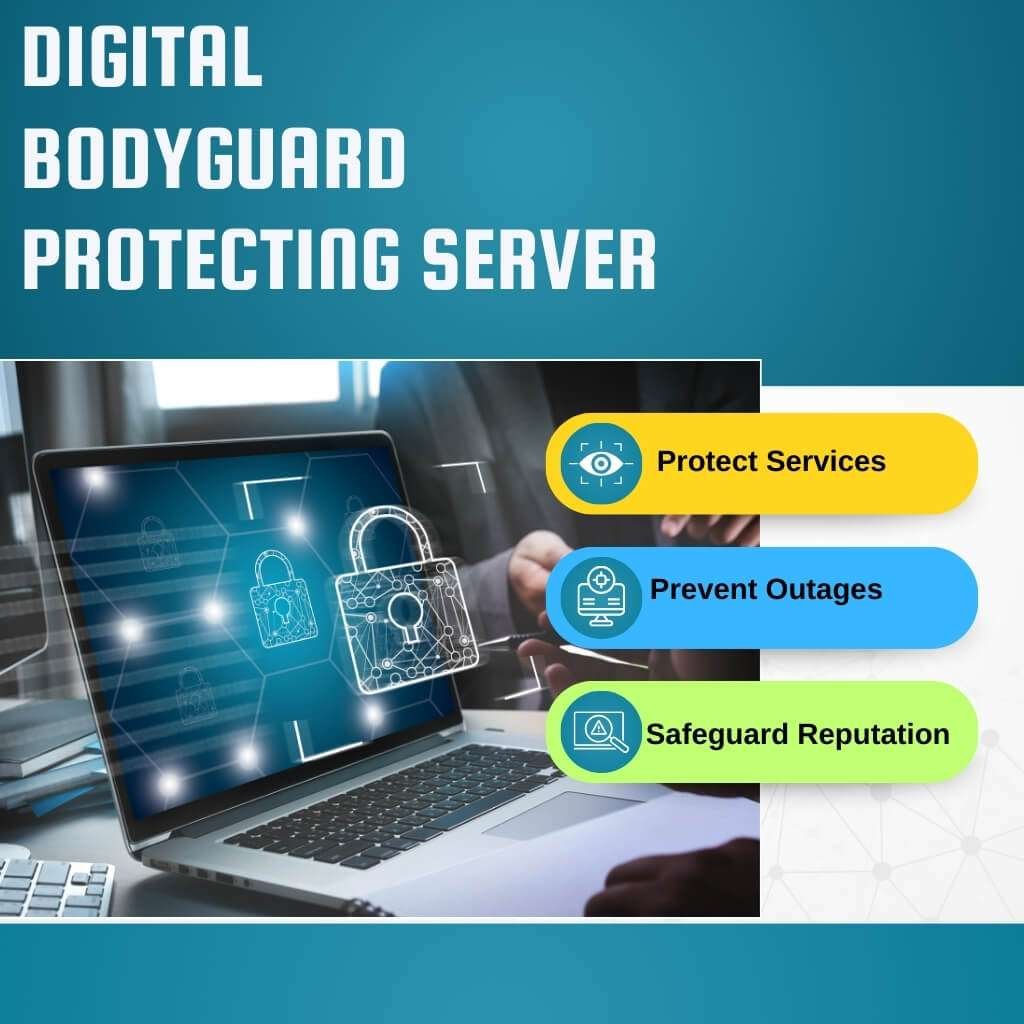
Think of your online business as a constant course. You need uptime monitoring to keep that stream always on. It’s your digital bodyguard.
It ensures your services are there for customers, employees and every operation. This proactive watch helps fix problems before they become costly outages. It saves your money and good name.
What is “uptime” in simple terms?
“Uptime” means your network or service is working fully and is reachable. Imagine your network’s pulse. If it beats, you have uptime. If it stops, even for a blink, that’s downtime. We use percentages like “99.999% uptime.” This means minimal downtime over a year, just minutes. It’s your promise: “We’re always open.”
How does downtime affect your business and users?
Downtime hits your business like a sudden storm. It shakes everything.
Lost Money
For online shops, even one hour of downtime can mean losing thousands, even millions, in sales. Individual companies can lose about $200 million per outage. ( /www.veeam.com/). Imagine cash registers suddenly closing.
Ruined Trust
Your brand’s good name, built over time, can vanish in moments. Annoyed customers move to rivals. They tell everyone online, turning small issues into loud public problems. Negative reviews are like lasting scars.
Work Stoppage
For your team, downtime is like a sudden, unexplained road block. They can’t use tools. Communication stops. Work falls behind. This means missed deadlines and stuck projects.
Security Risk
Downtime isn’t always an accident. Cyberattacks, like DDoS, actively cause shutdowns. Monitoring tools are your first line of defense. They help spot and stop suspicious actions in real-time. If your systems are down, they’re exposed like an open vault.
What metrics show your network’s performance?
These numbers tell you how well your digital backbone is doing:
Uptime Percentage
This is the most basic. It shows how much time your service was available. For vital systems, less than 99.99% (often “four nines”) is a serious warning.
Latency
This is the time data takes to travel. Think of a whispered word crossing a room. High latency means slow loading. You want it in milliseconds (ms).
Packet Loss
Data pieces fail to arrive. It’s like a letter missing pages. Even 1% packet loss can harm performance, especially for live video or calls.
Bandwidth Utilization
How much network capacity are you using? Picture a highway. If it’s over 80% full, traffic jams are coming. High use can mean congestion.
Throughput
The actual amount of data successfully sent. It shows how much work your network does.
Jitter
Variation in data arrival times. Imagine a choir singing, but some voices lag. High jitter makes calls sound choppy or video freeze. Aim for jitter below 30ms.
Yet, the global monitoring tools market, which includes network monitoring, will grow from USD 43.28 billion in 2025 to USD 185.78 billion by 2034. This is a massive Compound Annual Growth Rate (CAGR) of 17.62%. ( monitoring-tools-market).
Significant Features of Top Network Monitoring Software

Automated tools constantly scan for devices. They name them. They draw precise pictures of your network. This saves huge amounts of time.
It closes “blind spots” where unknown devices might lurk. This helps you find problems fast.
Without it, locating a faulty device is like finding one specific tiny stone on a vast beach.
What integrations are necessary for your IT team?
Integrations are the virtual coordinator between your monitoring tool and other IT systems. They make workflows smooth. Your monitoring tool can’t live alone. It must connect with:
IT Service Management (ITSM) Platforms (e.g., ServiceNow, Jira Service Management)
When an alert flashes, it should automatically create a help ticket. This ensures no alert is missed.
It also sends issues to the right person. The global ITSM market is surging. It’s expected to grow from USD 2.71 billion in 2025 to USD 5.07 billion by 2033. That’s a strong CAGR of 7.21%. /itsm-market-125139).
Logging Tools (e.g., Splunk, ELK Stack)
Network monitoring tells you what went wrong. Logs tell you why. Linking these tools helps your team quickly dig into alert details. It speeds up finding the root cause.
Incident Response Platforms (e.g., PagerDuty, Opsgenie)
These make sure alerts reach on-call engineers. They handle escalations if no one responds. This stops critical alerts from getting lost in daily noise.
Configuration Management Databases (CMDBs)
A CMDB holds all your IT asset info. Your monitoring tool updates the CMDB automatically. This keeps your asset list accurate. It’s key for rules and planning.
Yet, you may ask which network uptime monitoring tools are best (most preferred) for you? What makes these tools user favorites? Next section, you can see 18 highly preferred network uptime monitoring tools.
1. SolarWinds NPM
Functions
Monitors network devices, servers and applications. Offers deep packet inspection and intelligent alerts. Provides comprehensive visibility across complex networks.
User Appeal: Known for its robust feature set and scalability for large enterprises. Its deep insights help pinpoint network issues fast.
Differing abilities: Can be resource-intensive and complex for small setups.
Expense Analysis
| Plan/Tier (Estimated | Monthly Cost (USD) | Assessment |
| Standard (per node) | Starts from $1,800 | Pricing is typically perpetual license with annual maintenance, not truly monthly. Cost varies greatly by node count |
| Professional | Higher | Includes more advanced features and support. |
| Enterprise | Custom Quote | Tailored for very large environments. |
2. Paessler PRTG
Operations: All-in-one monitoring solution for network, server, application and cloud. Uses various sensors to collect data.
Customer Preference: Offers a wide range of monitoring capabilities in a single platform. Its sensor-based pricing is flexible.
Diverse abilities: Can become costly as the number of sensors grows, and the interface might feel dated to some.
Pricing Intelligence
| Plan | Monthly Cost (USD) | Analysis |
| Free (100 sensors) | $0 | Limited features for small needs. |
| PRTG 500 | ~$190 | For 500 sensors. (One-time license + annual maintenance) |
| PRTG 2500 | ~$900 | For 2,500 sensors. |
| Unlimited | Custom Quote | For unlimited sensors. |
3. ManageEngine OpManager
Logistics: Monitors network devices, servers, VMs and applications. Provides in-depth performance, fault and configuration management.
How It Resonates: Offers comprehensive features at a competitive price. Easy to deploy and manage for SMBs and large enterprises.
Accessibility needs: Some advanced features may require additional modules.
Spending Trends
| Plan | Cost (USD) | Explanation |
| Standard (25 devices) | ~$70 (approx. from annual | Annual license, typically paid upfront. Cost per device decreases with scale. |
| Professional | ~$200 (approx. from annual) | Includes more features like NCM and IPAM. |
| Enterprise | Custom Quote | For distributed and large networks. |
Contact Info: Toll-free US: +1 888 720 9500; Email: sales@manageengine.com.
4. Zabbix
Procedures: Open-source monitoring solution for networks, servers, applications and services. Highly customizable and scalable.
Driving User Engagement: It’s free and open-source, offering immense flexibility. Powerful for complex monitoring scenarios.
Individuals with disabilities: Requires significant technical expertise for setup and maintenance.
5. Datadog Network Monitoring
Excursions: Cloud-based network performance monitoring. Correlates network data with application and infrastructure metrics. Visualizes network topology.
User Satisfaction Factors: Unified platform for full-stack observability. Excellent for cloud-native and hybrid environments. Intuitive dashboards.
Cognitive abilities: Can become expensive with high data ingestion and many monitored entities.
Budgetary Breakdowns
| Plan | Cost (USD) | Detail |
| Network Performance Monitoring (NPM) | $5/host | Per monitored host per month. |
| Network Device Monitoring (NDM) | $7/device | Per network device per month. |
| Data Transfer | Additional costs apply | Based on data volume. |
Contact Info: Call Us: 866-329-4466; Email: info@datadoghq.com.
6. LogicMonitor Website
Feats: Cloud-based monitoring for hybrid IT infrastructure. Auto-discovers devices and offers intelligent alerting with AIOps.
Winning Over Users: Comprehensive out-of-the-box monitoring with quick setup. Strong AIOps capabilities for proactive issue detection.
Inclusion efforts: Enterprise-focused pricing can be high for smaller businesses.
Contact Info: Phone: +1 805 617 3884; Email: info@logicmonitor.com.
7. Nagios XI
Demonstrations: Enterprise-grade IT infrastructure monitoring. Provides comprehensive monitoring of applications, services, operating systems, network protocols, metrics and more.
Our Users’ Top Reasons: Built on the robust Nagios Core, offering extensive customization. Strong community support and many plugins.
Adaptive technologies: Configuration can be complex and setup often requires scripting knowledge.
Cost Efficiencies
| Plan | Cost (USD) | Description |
| Standard (Small) | ~$145 (approx. from annual) | Perpetual license with annual maintenance. Scales with hosts/nodes. |
| Enterprise | ~$290 (approx. from annual | Includes advanced features like audit logging and capacity planning. |
| Sitewide | Custom Quote | For very large, distributed environments. |
Contact Info: Phone: 1-888-NAGIOS-1.
8. Site24x7 Network Monitoring
Value proposition: All-in-one cloud monitoring for websites, servers, applications and networks. Offers deep network performance insights and outage alerts.
The Appeal to Users: Comprehensive monitoring from a single console. Cost-effective for broad IT visibility. Global monitoring locations.
Varied needs: Can be overwhelming initially due to the sheer number of features.
Expenditure Reviews
| Plan | Cost (USD) | Analysis |
| Starter | ~$9 | For basic website and server monitoring. |
| Pro | ~$39 | More monitors, advanced features. |
| Enterprise | ~$99 | Includes more network monitors and advanced capabilities. |
9. UptimeRobot
Scalability: Simple and effective website uptime monitoring. Checks websites/servers from multiple locations. Offers various alert types.
User Favorites: Extremely easy to use and set up. Excellent free tier for basic monitoring needs. Reliable and straightforward.
Support requirements: Limited in advanced network performance monitoring capabilities compared to full-suite tools.
Resource Allocation
| Plan | Cost (USD) | Explanation |
| Free | $0 | 50 monitors, 5-minute checks. |
| Pro | $8 | 50 monitors, 1-minute checks, SMS alerts. |
10. Pingdom
Bandwidth: Website and application performance monitoring. Focuses on uptime, page speed and transaction monitoring.
Big picture: Simple, cloud-based solution with robust synthetic monitoring. Great for understanding end-user experience.
Neurodiversity: Primarily focuses on web and application monitoring, less on deep network infrastructure.
Budgetary Breakdowns
| Plan | Cost (USD) | Detail |
| Starter | $10 | 10 uptime monitors, 1 advanced monitor. |
| Standard | $50 | More monitors, page speed insights. |
| Advanced | $200 | Higher limits, more transaction monitoring. |
11. Auvik
Touch base: Network visibility and monitoring for IT teams and MSPs. Automated network discovery, mapping and inventory.
Core competency: Excellent for rapid network mapping and inventory. Provides deep insights into network device performance.
Sensory impairments: Primarily focused on network infrastructure, less on application or server performance.
Contact Info: Sales: 888-609-2011; Support: support@auvik.com.
12. Dynatrace
Activities: AI-powered observability platform. Provides full-stack monitoring, including network, applications and cloud environments.
Why It’s Chosen: AI-driven root cause analysis and automation. Comprehensive full-stack visibility. Excellent for complex, dynamic environments.
Cognitive differences: Can be a significant investment, often tailored for large enterprises.
Budgetary Breakdowns
| Plan | Cost (USD) | Analysis |
| Full-Stack Monitoring | $0.08/hour for 8 GiB host | Usage-based pricing for various components. |
| Infrastructure Monitoring | $0.04/hour for any size host | Specific for infrastructure monitoring. |
| Real User Monitoring | $0.00225/session | Per user session. |
| Synthetic Monitoring | $0.001/request | Per synthetic request. |
Contact Info: Phone: +1 781 530 1000; Email: apmsales@dynatrace.com.
13. New Relic
Executions: Observability platform for applications, infrastructure and network. Provides APM, infrastructure monitoring, logs and more.
How It Resonates: Unified platform with powerful analytics. Offers a generous free tier. Strong for DevOps and SRE teams.
Disability awareness: Usage-based pricing can make costs unpredictable for high-volume users.
Budgetary Breakdowns
| Plan | Cost (USD | Analysis |
| Free | $0 | 100 GB data ingest/month, unlimited basic users. |
| Standard | $0.35/GB | Beyond free tier data, per GB |
| Pro | Custom Quote | For more users and advanced features. |
Contact Info: Phone: +1 650-777-7600; contact forms on their website.
14. WhatsUp Gold
Handling: Network monitoring software for discovering, mapping, monitoring and managing network devices. Offers performance and fault management.
What Makes It Suitable: User-friendly interface with intuitive network mapping. Comprehensive device support.
Disability: May require add-ons for full functionality like configuration management or bandwidth analysis.
15. Icinga
Workings: Open-source monitoring system. Highly extensible for network, server and application monitoring. Provides powerful automation.
Ahead of the curve: Flexible, scalable open-source solution. Strong community and enterprise support options.
Cons: Requires deep technical knowledge for setup and ongoing management.
Contact Info: Email: info@icinga.com; Phone: +49 911 92885-5.
16. Better Stack
Workflows: Modern uptime monitoring, incident management and status pages. Notifies users with screenshots of errors.
The User Advantage: Modern interface, easy to set up. Integrates incident management seamlessly. Provides visual error context.
Cons: Newer to the market, may lack the deep network insights of more mature, complex tools.
Budgetary Breakdowns
| Plan | Cost (USD) | Analysis |
| Basic (Forever Free) | $0 | 10 monitors, 3-minute checks. |
| Freelance | $24 | 50 monitors, 30-second checks, phone call alerts. |
| Small Team | $64 | 100 monitors, team members, all integrations. |
| Business | $120 | Unlimited monitors, multiple team members. |
Contact Info: Email: hello@betterstack.com.
17. NinjaOne
Logistics: Unified IT management platform (RMM, endpoint management). Includes network monitoring, patch management and backup.
User Value Proposition: Comprehensive suite for managed service providers (MSPs) and IT departments. Centralized management.
Cons: Pricing can be less transparent and typically targets professional IT service providers rather than just monitoring.
18. Atera
Activities: RMM (Remote Monitoring & Management) and PSA (Professional Services Automation) platform for MSPs. Includes network monitoring, remote access and ticketing.
What Customers Love: All-in-one platform for MSPs, streamlining operations. Per-technician pricing is often appealing.
Cons: Primarily built for MSPs, so single businesses might find some features less relevant or the pricing model less suitable.
Budgetary Breakdowns
| Plan | Cost (USD) | Analysis |
| Pro | ~$99 (per technician) | Annual subscription, includes core RMM features. |
| Growth | ~$129 (per technician | Adds advanced features like custom scripting. |
| Power | ~$169 (per technician) | Includes more robust PSA capabilities. |
AI in Network Monitoring: How does AI Improve Network Uptime Monitoring?

Instead of simply reporting problems, AI tools help avert them. It spots tiny shifts in network behavior.
This means your network operates more smoothly. It also keeps your digital services available more often. AI gives your network a keen intellect.
Think of AI features as new, powerful senses for your network. They truly benefit you. Let’s see what AI features are truly beneficial for your network management:
Predictive Analytics
AI reviews past data. It finds hidden patterns. Then, it can forecast future issues. Imagine knowing a device will fail before it does. This allows planned repairs, avoiding urgent fixes. It’s like having a crystal sphere for network health.
Anomaly Detection
AI learns what “normal” looks like. It then flags anything unusual. This helps find odd traffic. It can signal security threats or performance drops. These are things you might miss. It’s like a quiet sentinel for strange behavior.
Automated Root Cause Analysis
When a problem hits, AI quickly finds its origin. It sifts through vast data much faster than any human. This slashes the time to fix issues. It stops endless searching for problems. It’s like having an instant detective for network mishaps.
Intelligent Automation
AI can even trigger solutions. It can adjust network settings. It can restart devices. This resolves minor issues on its own. It frees your team for bigger tasks.
Can AI predict network issues for your system?
Yes, AI can predict network issues. This is a core strength. AI systems analyze huge data sets. They use historical records.
They look at live network data. They pinpoint subtle shifts. These changes hint at upcoming problems.
For example, a small rise in device heat might predict hardware failure. Or, a change in data flow could warn of congestion.
This moves you from fixing after a crash to preventing one. You act before your system breaks. This saves you money and stress.
How does AI reduce alert noise and improve efficiency for you?
AI excels at cutting through “alert noise.” Older systems often bury you in alerts. Many are false. Many are minor. This causes “alert fatigue.” It’s like hearing “wolf!” too often. Your team starts ignoring real warnings.
AI reduces this noise by:
Correlate Alerts
AI groups related warnings. It sees one major problem causing many small alerts. This turns dozens of alerts into one key incident.
Prioritize Alerts
AI learns which alerts are truly critical. It pushes urgent ones to the top. Less important alerts wait. This helps your team focus on real threats.
Suppress False Positives
AI learns when an “alert” is normal. A planned system update might cause a temporary spike. AI learns to disregard these.
Automate Responses
For minor, known issues, AI can trigger an automatic fix. You might not even get an alert.
To excel in AI-driven network monitoring, you need fresh skills:
Machine Learning (ML) Expertise: Understand algorithms. Know model training and deployment. You need to teach machines how to learn.
Data Engineering: Ability to gather, clean and manage large data sets for AI. Data is the fuel for AI.
Networking Core: Deep knowledge of network protocols and infrastructure. AI must speak the network’s language.
Cloud Native Skills: Know how AI services work on cloud platforms (AWS, Azure, Google).
AIOps Principles: Understand how AI automates IT operations.
Ethical AI: Be aware of data bias. Use AI responsibly.
Problem-Solving Creativity: AI is a tool. You must define the challenges it solves.
How to Choose the Right Uptime Monitoring Tool

Look for a tool that covers all your network elements. This includes traditional devices, virtual setups and cloud components.
Make sure it supports your specific communication types. It needs to grow with your business.
Security is paramount; the tool itself must be secure. It needs to give you clear, useful insights, not just raw data. You want a tool that helps you act, not just watch.
Cloud vs. on-premise: Which deployment is better for you?
This is a key choice. It’s like deciding between renting a cloud apartment or owning a local building.
Cloud (SaaS):
Benefits: You pay a subscription. No big upfront hardware costs. Updates happen automatically. You can scale resources up or down fast. Setup is often quicker. Cloud providers offer strong security. Good for rapid growth and global reach.
Drawbacks: You might have less direct control over your data. Long-term costs can become unpredictable with heavy use. Data rules for sensitive info might be a concern for some businesses.
On-Premise:
Benefits: You buy the software. You host it yourself. You get full control over your data and equipment. This is great for strict security needs or compliance rules. Costs can be more stable long-term, after the first big spend.
Drawbacks: Requires buying hardware first. You manage all updates and maintenance. Scaling up takes more planning and physical work. Initial setup can be complex and slow.
Is ease of use important for your network monitoring?
Yes, ease of use is very important. It’s like having a car with a clear dashboard versus one with confusing buttons.
A complex tool, even if powerful, can slow you down. If it’s hard to learn, your team won’t use it well.
This wastes time and money. An easy tool means your team learns faster. They quickly find issues. They fix problems quicker.
This boosts your team’s output. It directly impacts how fast you resolve problems (Mean Time To Resolution). A simple look makes complex data easy to understand. It helps you act fast.
What about pricing, support and scalability for your needs?
These are vital pillars for your long-term success with any tool.
Pricing: Look past the first price tag. Consider the Total Cost of Ownership (TCO). This includes licenses, ongoing fees and training. Understand the pricing model: Is it per device, per user, or based on data used? Does it fit your budget? Avoid hidden fees.
Support: When your network hiccups, you need help fast. Good support is like a solid lifeboat in rough seas. Look for vendors with strong customer service. Check for a quick-response help desk. Does it have a good help library or active user forums?
Scalability: Your network will grow. Your monitoring tool must grow with it. It should handle more devices, more data and more users easily. It needs to expand without huge extra costs or slowing down. A scalable tool stops you from outgrowing it too soon.
Best Practices for Maximizing Network Uptime
Yet, how can you prevent common network outages? Stopping outages is like building a strong shield for your network. These are:
Proactive Care
Don’t wait for things to break. Check hardware often. Update consulting software promptly.
This fixes small issues before they explode. Think of tuning a race car before the competition. Proactive maintenance can reduce unexpected shutdowns by 50% to 70%. (xenia.team).
Redundancy Everywhere
Duplicate key devices. Have backup power (UPS). Use more than one internet provider. If one path fails, traffic moves to another.
This is crucial. The Uptime Institute found that 67% of outages in 2023 cost over $100,000. Redundancy directly slashes these losses. (tailwindvoiceanddata.com).
Regular Drills
Test your backups. Test your failover systems. A plan not tested is just a wish. You need to know they work before a real crisis.
Security First
Cyberattacks cause downtime. Use strong firewalls. Require multi-factor logins. Apply security patches fast. Your network’s health depends on strong defenses.
Capacity Planning
Know your network’s limits. Plan for more growth. Don’t let traffic flood your systems. It’s like making sure your water pipes are large enough for future needs.
Conclusion
Your network beats strong, steady as sunrise. Uptime fuels growth, trust and bright futures. Like sparks in the dark, your business shines alive. Stay active, stay winning; success is yours to claim.
FAQ
How do you measure network uptime?
Network uptime is the time the network stays active.
Use the formula: (Total time − Downtime) ÷ Total × 100.
Track all outages by minutes.
99.9% uptime means about 43 minutes of downtime each month.
99.99% means about 4 minutes; 99.999% means 26 seconds.
Modern tools use AI to detect failures and auto-fix.
What happens if uptime is high?
High uptime saves money. Downtime costs $5K–$1M+ per hour. Teams stay productive. Customer trust grows. Sales and profit rise.