
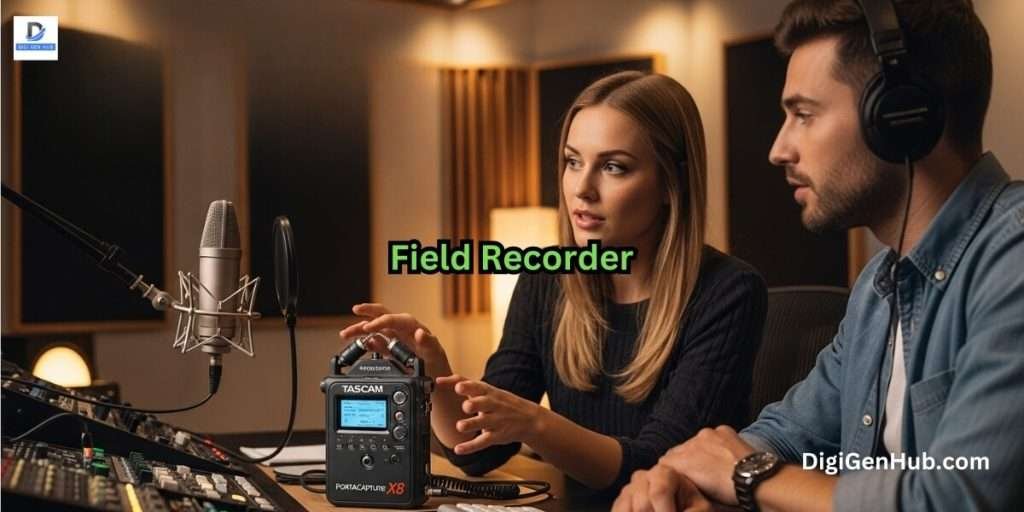

Clients notice weak sound before anything else. Viewers tend to leave quickly when voices sound thin or noisy.
Your brands lose trust when audio breaks the flow of a message. Many creators face this problem in tight spaces, on open streets, or at busy events.
A field recorder gives you a clean path out of that noise and helps you capture strong sound in any place.
Last year, my friend who runs a small filmmaking agency called me in a panic. His videos looked great, but clients complained about the thin audio.
I told him to try tools like the Zoom H4essential, Zoom F3 and Tascam X8. He used them on one project and the sound changed his client’s response. He now records with confidence and wins more projects.
How a Field Recorder Serves Your Recording Needs
A field recorder is one of the most important tools for filmmakers, podcasters and audio professionals.
Today, field recorder technology has undergone significant evolution. You can shoot 8K video and light your scene perfectly.
But if your audio sounds thin or noisy, your audience will click away. Bad audio is the number one reason viewers leave a YouTube video. The new standard is 32-bit float recording.
This technology makes capturing perfect audio almost foolproof. You no longer need to stress about setting gain levels. You won’t ruin a take because someone laughed too loudly.
Creators often ask which recorder fits their style. Some work in tight rooms. Some shoot fast scenes.
Some record long sessions outdoors. Each device supports a different workflow.
Your creative path works like a growing shop on a busy street. Each sound you record shapes how people notice your work.
Each clean voice clip feels like a strong sale. A Field Recorder gives you steady order in the noise and keeps your message clear.
6 Field Recorder Without the Stress
| Product Model | Best For | Recording Format | Inputs | Battery Life |
| Zoom H1essential | Beginners & Students | 32-Bit Float | Built-in XY Mic | ~10 Hours |
| Zoom H4essential | Indie Filmmakers | 32-Bit Float | 2 XLR + Built-in | ~9 Hours |
| Zoom F3 | Run-and-Gun Pros | 32-Bit Float | 2 XLR Only | ~8 Hours |
| Tascam Portacapture X8 | Pro Sound Designers | 32-Bit Float | 4 XLR + Detachable | ~11 Hours |
| Zoom PodTrak P4 | Podcasters | 16-Bit Linear | 4 XLR | ~4 Hours |
| Tascam DR-10L Pro | Wedding Videographers | 32-Bit Float | Lavalier (Wired) | ~24 Hours |
I recommend this list for different needs.
1. Zoom H1essential Handy Recorder
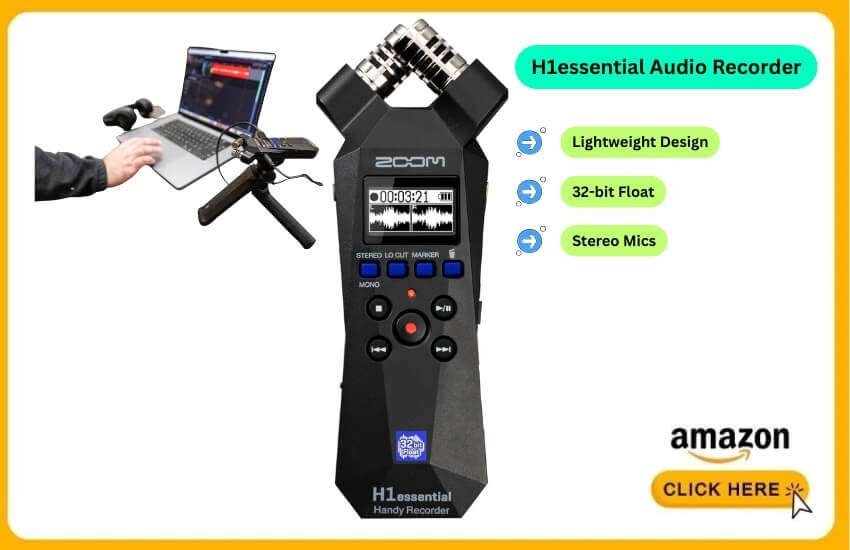
This is the best entry-level recorder for content creators.
The Zoom H1essential is the single best starting point for anyone new to external audio. Zoom recently released its “Essential” line.
It is expected to dominate the budget market through this year. It brings 32-bit float technology to a sub-$100 device.
This recorder is incredibly lightweight. It features a high-contrast OLED screen. It records via built-in X/Y stereo microphones.
The magic here is the 32-bit float. You literally cannot clip the audio. If you scream into it, you can just turn the volume down in post-production. The wave remains perfect.
I use this strictly for “run-and-gun” texture. I often walk through busy streets in New York.
I want to capture the ambience without setting up a rig. I pull this out of my pocket.
It is also perfect for students recording lectures. You don’t need to watch the levels at all.
Pros
32-Bit Float: No gain setting required.
Accessibility: Menus speak out loud for visually impaired creators.
USB Mic Mode: Plug it into your PC for Zoom/Teams calls.
Size: Fits easily in a shirt pocket.
Cons
Plastic Build: Feels a bit toy-like compared to the F-series.
No XLR Inputs: You cannot plug in professional shotgun mics directly.
If you are just starting a YouTube channel, buy this. It solves 90% of audio problems for a low price.
2. Zoom H4essential Handy Recorder
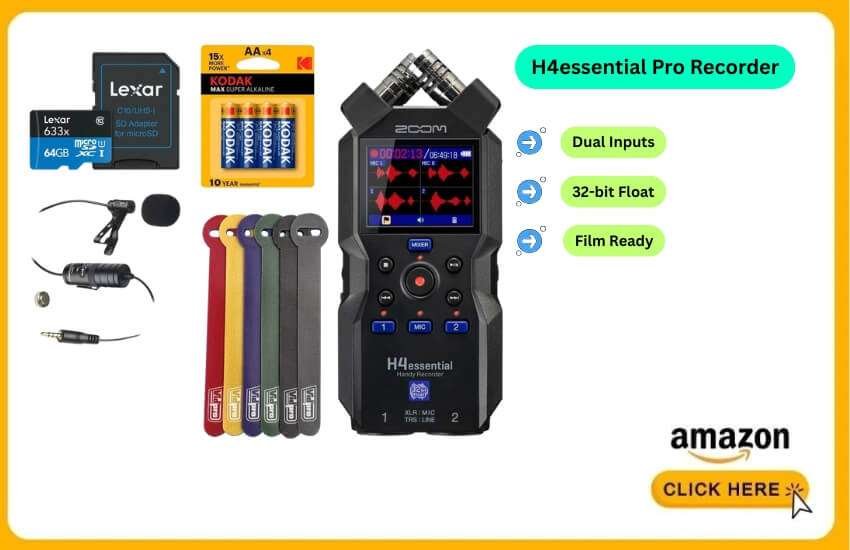
This one is the versatile workhorse for filmmakers.
Filmmakers need more options. You might need to plug in a boom mic or a wireless lavalier system.
The Zoom H4essential is the industry standard upgrade. It sits right in the “sweet spot” between affordability and professional features.
It keeps the 32-bit float engine of the H1. But it adds two locking XLR/TRS combo inputs on the bottom.
This means you can plug in a Sennheiser MKH 416 or a Shure SM7B directly into the input.
The interface is color-coded. It is very easy to see which track is active even in low light.
I recently used this on a short documentary shoot. I had a shotgun mic plugged into Input 1 for dialogue.
I used the built-in stereo mics to capture the room tone simultaneously. This 4-track capability gave me options in editing that saved the scene.
Pros
Dual XLR Inputs: Professional connectivity with reliable preamps.
Silent Controls: The buttons are “soft touch.” Clicking them adds no noise.
Screen: The color screen shows waveforms in real-time.
Cons
Handling Noise: Your fingers create noise if you hold it. You need a shock mount.
Battery Drain: Phantom power (48V) drains the batteries fast.
This is the best “first professional recorder” for aspiring filmmakers. It grows with you as you buy better microphones.
3. Zoom F3 Field Recorder
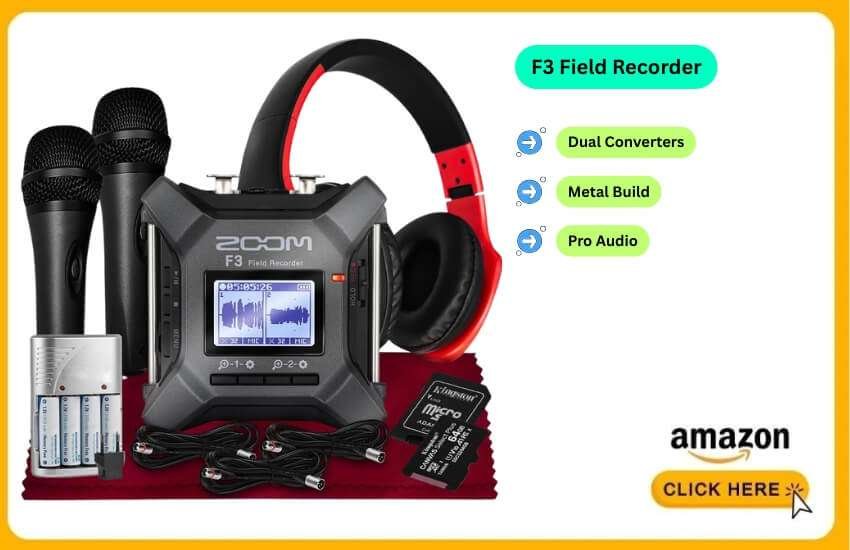
This is the indestructible choice for professionals.
The Zoom F3 looks different because it is different. It has no built-in microphones. It is a heavy, metal brick.
It is designed to be strapped to a boom pole or dropped in a bag. It does one thing perfectly: records two channels of XLR audio in 32-bit float.
This is for people who already own microphones. It features dual AD converters.
This means the noise floor is incredibly low. You get pristine, quiet audio even with low-output dynamic mics.
The display provides a real-time waveform view. It is mesmerizing and practical.
I strapped this to a boom pole for a wedding shoot. I taped it down and plugged in my shotgun mic.
I hit record and didn’t touch it for 4 hours. Because of the 32-bit float, I didn’t worry about the bride whispering or the DJ blasting music. Every second was usable.
Pros
Build Quality: A metal chassis with sidebars to protect connectors.
Compact: Tiny enough to mount on top of a DSLR without adding bulk.
Cleanest Preamps: Noticeably quieter than the H-series.
Cons
No Built-in Mics: You must have external microphones to use it.
Screen Size: The screen is tiny. It is hard to read if mounted high up.
If you own a good shotgun mic, get the F3. It is the most reliable piece of gear I own.
4. Tascam Portacapture X8
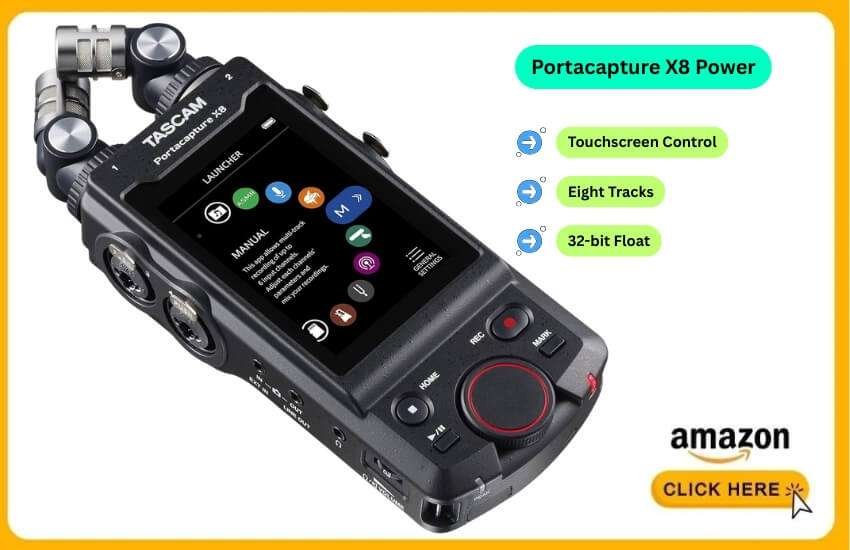
You can take this as the touchscreen powerhouse for sound Designers.
Tascam answered Zoom’s dominance with the Portacapture X8. They went big.
This device looks like a giant smartphone with microphones attached. It features a massive color touchscreen and an app-based interface.
This records up to 8 tracks (6 inputs + stereo mix). It uses 32-bit float technology. It supports sample rates up to 192kHz.
This is overkill for video but essential for sound effects work. The microphones on top are detachable and can be reconfigured for optimal sound quality.
I use the X8 for recording sound effects. The “Launcher” system is great. I just tapped “ASMR” mode.
It presets the limiters and EQ for quiet sounds. The large screen makes navigating folders 100 times easier than the tiny menus on Zoom devices.
Pros
Interface: The best user interface in the market, period.
Mic Quality: The included mics sound larger and richer than Zoom’s standard capsules.
Multitrack: 4 XLR inputs allow for complex setups.
Cons
Size: It is big. It won’t fit in a pocket.
Boot Time: Takes a few seconds longer to start up than the F3.
If you love tech and visual interfaces, the X8 is a joy to use. It feels like a device from 2026.
5. Zoom PodTrak P4
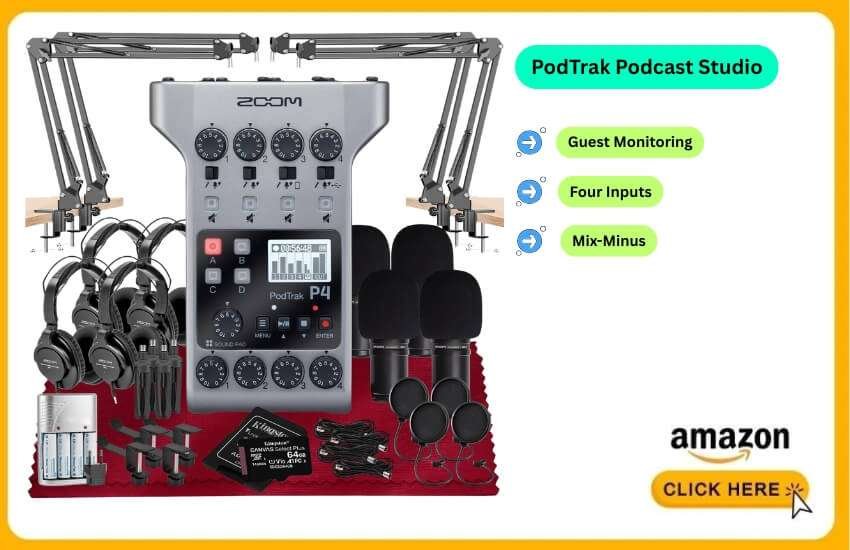
This is the ultimate tool for podcasters.
The PodTrak P4 is not a traditional field recorder. However, it is portable and battery-powered. It is the default choice for mobile podcasting.
It has 4 XLR inputs. Crucially, it has 4 headphone outputs. You and three guests can all monitor the audio.
It also features a “Mix-Minus” phone input. You can plug in your phone to record remote guests without echo.
It does not have 32-bit float. But for spoken word, its limiters work fine.
I keep this in my car. I might meet an interesting person for an interview. I can set this up on a coffee table in 2 minutes.
The sound pads allow for intros and jingles. It instantly adds a radio-ready feel to the recording.
Pros
Cost: Incredible value for 4 mic inputs.
Phone Integration: Seamless remote guest recording.
Headphone Amps: Each user has their own volume control.
Cons
16-Bit Audio: Not 32-bit float. You need to set your gain levels correctly.
Build: Very plastic. It feels lightweight.
If your primary goal is podcasting with guests, consider buying this over the H6 Essential. It is purpose-built for conversation.
6. Tascam DR-10L Pro
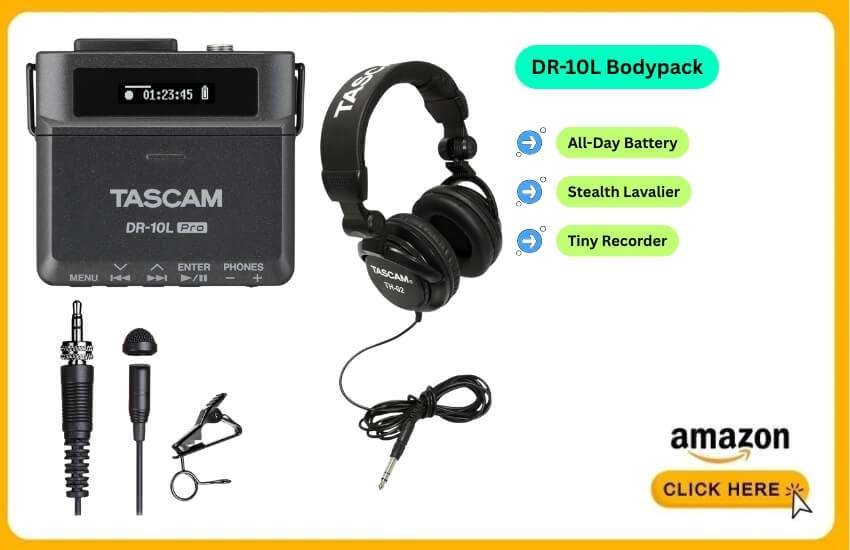
This one is the “Set and Forget” bodypack recorder.
Sometimes you don’t want a handheld device. You want to wire up talent and walk away.
The Tascam DR-10L Pro is a tiny recorder. It clips to a belt and includes a lavalier microphone.
This is a 32-bit float recorder that replaces wireless microphone systems. Instead of transmitting audio, it records directly to a microSD card on the actor’s body. It is tiny and stealthy. The battery lasts all day.
I clip this onto the groom for wedding speeches. I don’t have to worry about signal dropouts. I don’t need to be close to my camera. I just hit record in the morning. I sync the audio later.
Pros
Reliability: No radio interference issues.
Size: Invisible under a jacket.
Battery: Runs on a single AAA battery for hours.
Cons
Monitoring: You cannot hear the audio while it is recording. You have to trust the device.
App Required: You often need the Bluetooth dongle to check levels easily.
Essential for wedding videographers and documentary makers who need a safety track.
How to Choose the Right Field Recorder
You might still be undecided. Here are the three key technical factors to consider before making a purchase.
1. The “32-Bit Float” Factor
Traditional 24-bit recorders often distort when the sound becomes too loud. This is called clipping. 32-bit float captures a massive dynamic range. Clipping is mathematically impossible.
Choose 32-bit (Zoom Essential, F3, Tascam X8): If you record unpredictable sounds. This includes live events, shouting, or nature.
Choose 24-bit (PodTrak P4): If you are in a controlled studio. This works for spoken word where levels are consistent.
2. Inputs: XLR vs. 3.5mm
Built-in Mics / 3.5mm: Great for ambience, simple interviews and portability. (Zoom H1essential).
XLR Inputs: Required for professional microphones, such as shotguns and Condensers. If you plan to make short films, you need XLR inputs. (Zoom H4essential, F3).
3. Power Options
Field recording kills batteries.
Look for devices that support USB-C Power. This allows you to run the recorder off a standard Anker power bank.
It can extend recording time from 4 hours to 40 hours. All the models listed above support this.
Whatever, If you are a solo creator looking for the best all-around value, buy the Zoom H4essential.
It gives you the flexibility of XLR inputs. You get great built-in mics. And you get the safety of 32-bit float.
If you are strictly a podcaster, grab the Zoom PodTrak P4.
If you are a professional needing rugged reliability, the Zoom F3 is your best bet.
Audio is the heartbeat of your content. Invest in one of these recorders. Your production value will instantly jump to the next level.
Conclusion
You now stand in a place of choice, not confusion. You see the tools. You see the flow. You see the next step. Your sound can elevate a small brand into a recognized name.
Take one tool and start. Build small wins. Add new layers. Shape your voice with calm moves and steady craft.
Your next project waits like a bright storefront at sunrise. Open the door. Bring your ideas. Carry your clear sound forward.
FAQ
Do field recorders work well in extreme temperatures?
Yes. Most models run safely in wide temperature ranges. Still, creators check the official operating specs before outdoor use.
Are new field recorders compatible with USB-C laptops and tablets?
Yes. Many recorders connect directly through USB-C for fast file transfers.
What speed memory card should I use for high-resolution audio?
A V30-rated card is recommended. It helps prevent buffering or dropped recordings.
Can field recorders save files if the battery dies suddenly?
Yes. Many recorders auto-save audio as you record. This reduces the risk of losing files.
Do any field recorders offer encrypted audio files?
Some new models do. These features help protect sensitive or private recordings.
Are there field recorders made for environmental sound studies?
Yes. Some devices focus on long recording times, quiet noise floors and outdoor durability.
How fast can modern field recorders transfer large audio files?
Transfers are faster now. USB-C and improved internal hardware enable the quick transfer of large files.
Do field recorders include power-saving options?
Yes. Many models allow you to adjust screen brightness, timeouts and background features to conserve power.
Can I use AI noise-reduction tools with recordings from these devices?
Yes. Modern audio files work smoothly with today’s AI cleanup and enhancement tools.
Can field recorders add markers or tags during the recording process?
Yes. Some models allow quick metadata tags. This helps editors identify takes faster.