

The global live streaming market offers a giant opportunity for event live streaming services providers. It will grow by $20.64 billion from 2025-2029. This is a quick 16.6% growth each year, says Technavio.
The wider media streaming market alone will hit $108.73 billion this year. Coherent Market Insights. This huge growth means big rewards for those who do things well.
Customers love good service. 77% of streaming users gave 4 or 5 stars for their experiences.
When customer happiness goes up by just 1%, companies often see $2-5 more revenue from loyal clients.
They also keep 10-15% more customers. This comes from Sobot’s research. This shows that perfect service directly leads to more earnings.
Still, I’m ready to share how to set up, earn money, keep clients happy, grow your business, pick good platforms and use AI. So, let’s explain all about this topic in a fast-growing digital world.
What Are Event Live Streaming Services
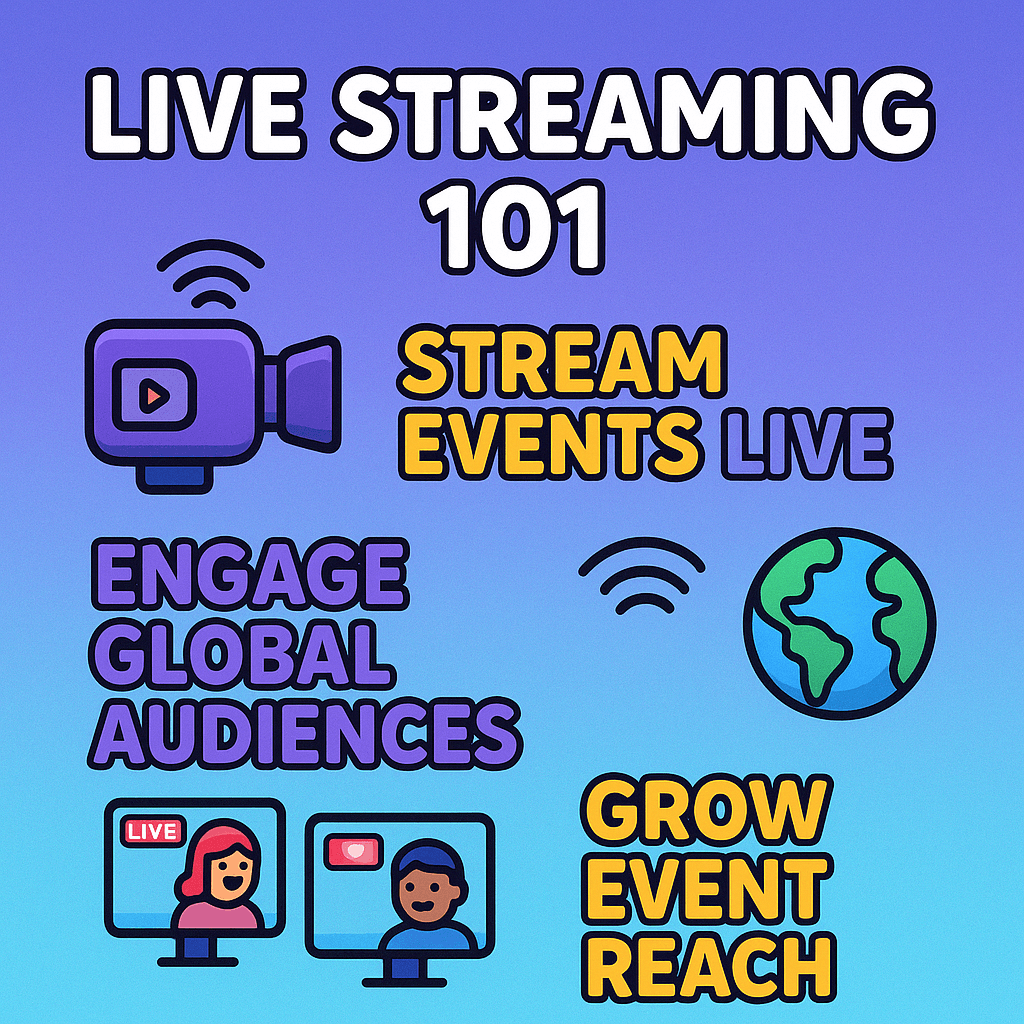
Live streaming services for live events provide everything needed to share your live event over the internet.
It brings your message, performance, or celebration directly to anyone, anywhere. This includes cameras, sound gear and the online magic to make it happen instantly.
Different Event Live Streaming Services: Live Production, Broadcast, Virtual and Hybrid
The live streaming world is rich with options, like a well-stocked pantry of solutions. The core options are:
Live Production
This is the hands-on work, the artist painting the scene. It covers all the technical tasks at the event site. It involves setting up cameras, mixing sound, adjusting lights, adding on-screen graphics and preparing the raw video for the internet. It crafts the visual and sound quality of your event.
Broadcast Services
This is the act of sending the perfectly prepared live video out to the world. It’s the signal sent from a lighthouse.
It ensures your stream reaches its audience without a hitch. This means using powerful online platforms and Content Delivery Networks (CDNs) for global reach.
Virtual Event Streaming
These events happen entirely online. They are a digital town square. No one needs to be there in person.
Everyone, from speakers to viewers, connects through an online platform. This model has become huge in recent times. It remains popular because it’s easy to access, saves money and reaches a huge audience.
Hybrid Event Streaming
This combines the best of both. It’s a clever handshake between physical and online worlds. Some people attend live at the venue.
Others join online from their homes or offices. This format is growing fast. It gives you the energy of in-person gatherings with the vast reach of online participation.
Yet, to shine in this field, you need a strong mix of tech skills, creative vision and business savvy. Let’s explain:
Tech Mastery
Deep knowledge of audio (clear sound is paramount), video (camera angles, lighting, live switching) and streaming software (like OBS Studio). A solid grasp of internet connections and IT basics is urgent to prevent problems.
Creative Spark
The ability to tell a compelling story with your live event, even spontaneous ones. This includes strong graphic design skills for on-screen visuals and sharp directing skills to guide the show’s flow.
Business & People Skills
Top-notch client relations and clear communication are vital. You need to solve problems fast under pressure. Being good at marketing and sales helps find clients.
Strong project management keeps everything on track. And always be ready to adapt and learn; this industry moves quickly.
Also, prioritize these points for your service:
1 . Be Rock-Solid Reliable: A dropped stream is a disaster. Invest in backup internet, spare gear and robust platforms. Your reputation is like a delicate glass sculpture; one wrong move can shatter it.
2 . Plan Deep, Move Light: Can your setup handle 50 viewers or 500,000? Pick tools and platforms that can easily grow with your success.
3 . Words Are Wealth: Even with perfect tech, boring content won’t hold attention. Focus on providing real value or great entertainment. Good content is the magnet for your audience.
4 . Use Your Data: Look at your stream’s numbers. What worked? What didn’t? Use this data like a precise map to guide your improvements.
5 . Find Your Niche: The market is huge. Pick a specific area, like corporate training or music events. This helps you become a true expert and builds a strong name.
6 . Play by the Rules: Understand copyright, privacy and legal aspects. Make sure you have rights for music, visuals and data. This is your legal armor.
Get Started with Live Event Streaming
You need good plans, the right tools and a solid foundation to launch live event streaming.
How Do You Set Up to Stream Events Live?
Setting up isn’t just plugging in. It’s a strategic dance:
Define Your Mission
What’s your goal? A product launch? A concert? A big corporate talk? Knowing your “why” helps shape everything. It’s your north star.
Plan Your Flow
Create a detailed script or “run-of-show.” This covers every segment, speaker and transition. It’s your event blueprint. Practice makes perfect; do test runs!
Pick Your Platform
Choose where your stream will live. Will it be YouTube, Facebook, a dedicated platform, or your website? This is your digital stage.
Gear Up
Gather your cameras, microphones and other vital tools (more on this below).
Connect & Test
Hook everything up. Run a full test stream (make it private first!). Check audio, video and internet. This is your dress rehearsal. Don’t skip it! Many sources, like VPlayed, highlight test runs as crucial.
Promote Your Event
Let people know! Use social media, emails and your website. Build excitement. It’s your buzz machine.
What Essential Equipment is Needed for Live Stream Production?
You don’t need a huge budget to start. But certain tools are essential, forming your production toolkit:
1 . Cameras:
Beginner: Your smartphone or a good webcam (like Logitech C922). They’re easy, quick and surprisingly capable.
Intermediate: DSLR or mirrorless cameras (e.g., Sony Alpha series). These give much better image quality.
Pro: Professional camcorders or cinema cameras. These offer top-tier visuals and flexibility for large productions.
2 . Microphones: Audio is king! Bad audio kills a stream faster than bad video.
Basic: USB microphones (like Blue Yeti). They offer good sound for solo setups.
Better: XLR microphones (like Shure SM7B) with an audio interface. These provide broadcast-quality sound, crucial for interviews or multiple speakers. VdoCipher highlights the importance of microphones for sound quality.
3 . Lighting: Good lighting makes a huge difference. Think bright, even light on your subjects.
Budget: Natural window light, or simple LED panels.
Pro: Softbox lights or ring lights. These remove harsh shadows and give a polished look. Riverside.fm emphasizes experimenting with lighting for the best look.
4 . Encoder: This turns your video and audio into a format ready for streaming.
A . Software Encoder (Free/Low Cost)
OBS Studio or Streamlabs OBS. Great for beginners and many pros. They run on your computer.
B . Hardware Encoder (More Costly)
Dedicated devices. These are powerful and reliable for large, complex events. They free up your computer’s power.
5 . Capture Card (if using DSLR/Mirrorless): This bridges your high-quality camera to your computer or encoder. Top brands include Elgato and AVerMedia.
A . Tripods/Stabilizers: Keep your shots steady. A shaky camera is a viewer turn-off.
B . Headphones: Essential for monitoring your audio and catching problems before they go live.
What Internet Speed and Setup are Crucial for Event Webcasting?
Your internet is the lifeblood of your stream. Without good speed, your stream dies. So, maintain the following things strictly:
Upload Speed is Key
While download speed is for viewing, upload speed is for sending your stream out. This is often overlooked.
Minimum for Basic Streaming
Aim for at least 5-10 Mbps upload for standard definition (SD) or 720p HD.
Recommended for Professional HD
For 1080p HD, aim for 10-25 Mbps upload. For 4K, you’ll need 30-50+ Mbps upload.
Wired Connection is Best
Always use an Ethernet cable if possible. Wi-Fi can be unstable, like a wobbly ladder. A wired connection is steady.
Redundancy
For crucial events, have a backup internet connection. This could be a second wired line or a reliable cellular bonding device. This combines multiple mobile signals (e.g., 4G/5G bonding). This is your safety net.
Minimize Network Use
Ask others at your location to avoid heavy internet use (downloads, other streams) during your broadcast.
How to Prepare for a Professional Event Broadcast?
Preparation is the secret script of a smooth broadcast. So, calculate these things:
Detailed Run-of-Show
Create a minute-by-minute plan. Who speaks when? What graphics appear? When are breaks? This is your event Bible.
Tech Check & Test Streams
This cannot be stressed enough. Do multiple full test runs. Test every camera, microphone, graphic and connection. Test with your actual stream platform. Identify and fix any issues before going live.
Backup Everything
Have spare cables, batteries and even backup equipment if possible. Know your backup internet plan. This is your emergency kit.
Audio & Video Checks
Ensure all sound levels are perfect. Check video framing and lighting. A good frame and clear sound make a huge difference.
Audience Preparation
Tell your audience when and where to watch. Send reminders. Use engaging teasers.
Team Roles
Assign clear roles: director, audio engineer, camera operator, chat moderator, tech support. Everyone knows their job.
What are the Earning Possibilities in Event Live Streaming Services?
The income potential is vast. It ranges from providing simple technical support to running full-scale, multi-day virtual events. This industry is booming, as seen by the projected $247.9 billion live streaming market by 2027 (Grand View Research).
How do Beginners Generate Income from Basic Live Streaming?
Think of the following objects as planting seeds:
Small Local Events
Offer services to local businesses, community groups, or schools for modest fees. Think small workshops, local sports, or school plays.
Social Media Live
Help individuals or small businesses run better Facebook Live, Instagram Live, or YouTube Live sessions. Focus on improving their audio, lighting and basic setup.
Basic Webinars/Workshops
Charge a small fee to set up and manage simple online presentations for coaches, trainers, or consultants.
Online Courses
Live stream lessons or tutorials and charge for access. Different sharp digital tools make your task smooth.
Virtual “Open Mics”
Help local musicians or comedians host online performances, taking a small cut or charging a setup fee.
Build a Portfolio
Early on, focus on gaining experience and glowing testimonials. This builds your foundational blocks.
Revenue Streams for Intermediate Live Streaming Professionals?
As you gain skill, your opportunities expand. This is where your garden begins to bloom:
Corporate Events
Target businesses for internal meetings, town halls, or small-scale product launches. These often have larger budgets and may be recurring.
Conferences & Seminars
Offer services for virtual or hybrid conferences. This involves more cameras, speakers and interactive features.
Recurring Clients
Secure ongoing contracts for regular broadcasts (e.g., weekly webinars for a firm, monthly updates for an organization). Stable income is key.
Value-Added Services
Offer pre-production planning, graphic design for overlays, basic video editing of the stream afterwards, or setting up interactive polls.
Specialized Content
Focus on a niche like real estate virtual tours, local sporting events, or online religious ceremonies.
How do Established Professionals Maximize Profit and Achieve High Earnings?
At this level, you’re not just growing; you’re harvesting a thriving farm. So, focus on the following conceptions:
Large-Scale Productions
Bid on major projects like national conferences, large-scale virtual festivals, or multi-day hybrid summits. These require extensive teams and advanced tech.
Specialized Expertise
Become the go-to expert in a complex area (e.g., multi-language simultaneous interpretation, advanced virtual reality integration, or high-security government webcasts).
Multiple Revenue Streams
Beyond core streaming, offer consulting, equipment rental, post-production studios, or even develop your streaming tools.
Branding & Reputation
A strong, trusted brand allows you to command premium prices. Referrals become a major source of business.
Partnerships
Collaborate with event planners, marketing agencies, or production companies to offer comprehensive solutions.
Global Reach
Expand your services internationally, tapping into diverse markets.
Typical Pricing Models for Event Live Streaming Services:
Pricing is flexible. These are:
Hourly Rate: Simple for small, predictable tasks. (e.g., $75-$250+ per hour, depending on expertise and region).
Per Event/Flat Fee: Common for defined projects. You quote a total price based on complexity, duration and resources needed. This offers clarity to clients.
Package Deals: Bundle services (e.g., basic setup + 4 hours streaming + post-event recording). This offers tiered options to clients.
Retainer/Monthly Fee: For recurring clients or ongoing virtual support. This provides stable income.
How do Factors like Event Type, Duration and Audience Size Impact Earning Potential?
These are the levers that adjust your earning power:
1 . Event Type
A . Simple (webinar, small meeting): Lower earnings, but easier to execute.
B . Complex (multi-day conference, concert): Higher earnings due to more equipment, crew and preparation.
2 . Duration
Longer events require more crew hours, equipment rental and post-production. A 10-hour stream costs more than a 1-hour one.
3 . Audience Size
Larger audiences often need more robust platforms, better internet infrastructure (CDN) and more crew for moderation. This drives up costs and thus your fee.
4 . Production Quality
High-definition, multi-camera, interactive elements all increase costs and value, allowing for higher pricing.
5 . Location
On-site events incur travel, lodging and venue-specific setup costs.
Become a Professional: Ensure Client Satisfaction
Client satisfaction is your North Star in this business. A happy client is a returning client.
How to Ensure Client Satisfaction in Event Live Streaming?
It’s about going above and beyond the technical delivery:
Crystal Clear Communication
Be upfront about what you can deliver. Avoid jargon. Keep clients informed at every step. This builds trust, like a solid foundation.
Understand Their Vision
Don’t just execute; understand why they’re streaming. What are their goals? How can you help them achieve them?
Flawless Execution
Technical glitches are the enemy. Strive for perfection. Test, test and test again. This is your silent promise of quality.
Proactive Problem Solving
Issues happen. Your response matters. Have backup plans. Fix problems calmly and quickly. Being a problem-solver makes you a hero.
Post-Event Follow-up
Ask for feedback. Offer recordings. Discuss future needs. This shows you care beyond the project.
How do you Manage Client Expectations and Communication?
This is like being a skilled negotiator and a clear storyteller:
Early & Often: Start discussions early. Continue them frequently.
Detailed Proposals/Contracts: List services, deliverables, timelines and costs. Leave no room for doubt.
Set Realistic Goals: Don’t overpromise. If a client wants a complex feature with a tiny budget, explain what’s feasible.
Visual Aids: Use mock-ups or examples to show what the stream will look like.
Feedback Loops: Schedule review points. Get client approval on key elements (e.g., graphics, run-of-show) before the live day.
Post-Mortem: After the event, review successes and areas for improvement. This shows commitment.
What Makes for Excellent On-Site Support During a Live Broadcast?
On-site support is where the rubber meets the road. It’s about being a calm anchor in a storm:
1 . Preparedness: Arrive early. Have all gear ready. Know the venue.
2 . Professionalism: Be calm, courteous and efficient. Dress appropriately.
3 . Technical Acumen: Ability to quickly diagnose and fix issues without panicking.
4 . Adaptability: Events rarely go exactly as planned. Be ready to pivot, solve unexpected problems and improvise.
5 . Clear Communication: Talk to the client and event staff. Provide updates.
6 . Unseen Heroics: Often, the best on-site support is invisible. Problems are solved before anyone notices them.
What’s the Best Way to Launch Live Streaming Services?
Starting right sets you up for success, like building a strong foundation:
Business Plan: Define your services, target audience, pricing and growth strategy.
Legal Structure: Register your business, handle licenses and get insurance.
Initial Equipment & Skills: Start with essential gear. Build your core skills.
Portfolio Building: Offer services for free or at a reduced rate for early clients to build case studies and testimonials.
Networking: Connect with event planners, marketing agencies and potential clients. Word-of-mouth is powerful.
Online Presence: Create a professional website, showcase your work and use social media to highlight your expertise.
How to Manage Operations and Resources Efficiently?
Efficiency is your secret weapon against waste:
Workflow Automation: Use tools for scheduling, invoicing and project management.
Equipment Management: Track inventory, ensure regular maintenance and plan for upgrades.
Team Management: Clear roles, effective communication and training are key for smooth operations.
Financial Tracking: Monitor income and expenses closely. Understand your profit margins.
Outsourcing: Consider hiring freelancers for specific tasks like complex graphics or advanced video editing if it’s not your core strength.
What Strategies Help Overcome Common Streaming Challenges?
Every live stream hits bumps. Your ability to navigate them defines you:
Internet Issues: Always have a backup plan (e.g., secondary internet line, cellular bonding, pre-recorded segments to play during an outage).
Audio Problems: Do thorough sound checks. Have backup mics. Monitor audio continuously.
Software Glitches: Keep software updated. Have a spare computer. Know quick fixes.
Hardware Failure: Have spare crucial cables. Basic backup cameras.
Last-Minute Changes: Build flexibility into your plan. Communicate calmly with the client. Your ability to pivot smoothly is key.
Audience Engagement Drops: Use interactive tools. Change segments. Bring in guest speakers to reignite interest.
How do you Achieve Long-Term Success and Growth for Live Streaming Solutions?
This is about building a legacy, not just a single event:
Continuous Learning: The tech changes fast. Stay updated on new software, hardware and platforms.
Adaptation: Be ready to offer new services based on market trends (e.g., more VR, AR).
Client Relationship Building: Foster strong, long-term relationships. Repeat business is the most profitable.
Reputation: Consistently delivers high quality. Excellent word-of-mouth is your best marketing.
Innovation: Explore new technologies and creative approaches to stand out.
Diversify Services: Don’t put all your eggs in one basket. Offer a range of services from basic streaming to full event production and consultation.
What are the Top Reliable Virtual Live Streaming Platforms?
The field is competitive. Let’s judge some strong contenders, though the “best” depends on specific needs:
1 . Dedicated Event Platforms:
Hopin: Strong for virtual and hybrid events, with good networking features.
Whova: Excellent for conference management, often with integrated streaming.
BigMarker: Focuses on webinars and virtual events, known for strong engagement tools.
Kaltura: A powerful enterprise-grade platform, very versatile for education, corporate and media. (Note: The search results provided multiple Kaltura links; this is the main corporate one.)
Dacast: A robust platform offering white-label streaming, monetization and analytics.
2 . Multi-Purpose Platforms with Live Features:
Vimeo Livestream: Offers high-quality streaming with good monetization and analytics options.
Brightcove: A robust video platform for businesses, strong on scalability and analytics.
Restream: Excellent for simulcasting to multiple social media platforms at once.
StreamYard: Easy-to-use, browser-based platform for professional-looking streams with guests.
3 . Social/Consumer Platforms (for broad reach):
YouTube Live: Massive audience, easy to use, good for public events.
Facebook Live: Great for community building and reaching existing followers.
What Features Matter Most in a Professional Webcasting Platform?
Think of these as the must-have tools in your platform’s kit:
Reliability & Uptime: The platform must work flawlessly, consistently.
Scalability: Can it handle 10 viewers or 10,000 without crashing?
High-Quality Streaming: Supports HD and 4K video.
Engagement Tools: Live chat, Q&A, polls, surveys, virtual breakout rooms..
Branding & Customization: Ability to add your logos, colors and design.
Analytics: Detailed data on viewership, engagement and audience demographics.
Monetization Options: Pay-per-view, subscriptions, ads, e-commerce integration.
Security Features: Password protection, geographic restrictions and unique viewer links for private events.
Integration: Can it connect with other tools you use (CRM, marketing automation)?
Ease of Use: Both for you (the broadcaster) and your audience.
AI’s Role in Event Live Streaming Services
AI is a powerful helper, like having a super-smart crew member on your team.
Can AI Help Launch or Improve Event Live Streaming Services?
Absolutely. AI is a catalyst for efficiency and innovation:
Automated Tasks: AI can automate repetitive jobs, saving time and money.
Enhanced Quality: It can boost video and audio quality.
Better Engagement: AI helps you understand and connect with your audience more deeply.
New Capabilities: AI enables features previously impossible or too costly.
How does AI Enhance Video Quality and Production?
AI is a digital artist and technical wizard:
Smart Cameras & Framing
AI-powered cameras can automatically track speakers, zoom in and frame shots perfectly. No human operator needed for basic shots.
Automatic Color Correction & Lighting Adjustment
AI can fix uneven lighting or poor colors in real-time, making your video look professional without manual tweaking.
Noise Reduction
AI can filter out background noise from audio feeds, ensuring clear sound even in challenging environments.
Virtual Backgrounds & Sets
Advanced AI can create realistic virtual studios, allowing you to stream from anywhere with a green screen, making even small setups look grand.
Automated Editing (Post-Event)
AI can quickly identify highlights, cut out dead air and even generate short social media clips from your long stream, saving hours of manual editing.
How can AI Increase Audience Engagement and Analytics?
AI helps you read the room and connect deeper:
Real-time Sentiment Analysis
AI can monitor live chat for viewer emotions. Are they excited? Confused? This helps you adjust your content live.
Automated Q&A Moderation
AI can filter questions, identify common themes and even suggest answers to moderators.
Personalized Content Delivery
AI can learn viewer preferences and suggest relevant segments or follow-up content.
Smarter Analytics
AI goes beyond basic numbers. It can analyze viewer behavior patterns, identify peak engagement times and tell you why viewers dropped off. This is like getting a deep dive report on your audience.
Chatbots for Support
AI-powered chatbots can answer common viewer questions, reducing the need for human support during the stream.
Are AI-Powered Tools Simplifying Live Stream Production Tasks?
Yes, AI is becoming your indispensable assistant:
Automated Captioning & Translation
AI can generate accurate live captions and even translate them into multiple languages in real-time. This makes your content accessible globally.
Content Tagging & Indexing
After the stream, AI can automatically tag and categorize content, making it easier for viewers to find specific moments or for you to repurpose sections.
Script Generation & Prompters
AI can help outline scripts or generate prompter text, speeding up preparation.
Resource Optimization
AI can help manage cloud resources for streaming, ensuring you use just enough bandwidth and processing power.
Predictive Analytics
AI can forecast potential issues (like network congestion) before they happen, allowing you to take pre-emptive action.
Conclusion
Thus, every successful stream builds your reputation and boosts profits. Keep innovating and your service will shine in the market. This is your chance for a thriving business right now.
FAQ
How much does the average person pay for streaming services?
Most people pay about $10 to $12 a month for streaming. Many homes (53%) subscribe to four or more services.
People, especially younger ones, are watching their wallets. About 76% of Gen Z would ditch a service if prices go up. More and more are choosing free, ad-supported options; 66% of US streamers use these in 2025. This is a big jump from 18% in 2021.
Who is the most popular live streamer?
Kai Cenat is a top contender. He often leads in active viewers, drawing over 100,000 people at once. He also boasts over 18 million followers on Twitch and 7 million on YouTube.
Other major streamers with huge fan bases include Ninja (19M+ Twitch followers), Ibai Llanos (17M+ Twitch followers) and Auronplay (16M+ Twitch followers).
Live viewership shifts constantly. For the freshest numbers, check sites like TwitchTracker and Streamcharts.
What is the most watched live event ever?
The 2022 FIFA World Cup Final had over 1.1 billion viewers worldwide. A recent ICC World Test Championship Final (2025) hit 225 million digital views and 2.94 billion minutes on Indian TV.
For a single online stream, a 2025 Brazilian football final by CazéTV reached over 5.16 million peak viewers.
What is the most profitable streaming service?
Netflix shows strong profit, reporting $3.35 billion in operating income in Q1 2025. Disney+ is also turning a profit, with $336 million from its streaming in Q2 Fiscal 2025.
Amazon Prime Video’s profit is harder to see; it mostly boosts overall Amazon Prime subscriptions.