

AI voice recorder technology has changed how we capture information. I still remember the panic I felt during a crucial client strategy meeting in 2023.
I was scribbling notes while the client explained their Q4 vision. I looked down for five seconds to write “budget allocation.”
When I looked up, they were already on “competitor analysis.” I missed the bridge. I missed the logic. And the audio recording later turned out to be an hour of muffled noise.
That was the old way.
By June 2025, everything felt different. The way we take in information has changed. I don’t just record sound now.
I make it useful instantly. Tools like the Plaud Note and Plaud NotePin show this evolution.
As a content writer and digital marketer at Digigenhub, I cannot afford to waste time. I need summaries. I need action items. I need mind maps. I need them instantly.
What Is an AI Voice Recorder
It sounds complex, but it is simple.
A traditional recorder creates an audio file. It is a “dumb” container of sound. You have to listen to it again to get value.
An AI Voice Recorder is different. It uses a processor (either inside the device or in the cloud) to “listen” to the speech.
It turns that speech into text. Then, it utilizes large language models (such as ChatGPT) to comprehend the text.
It doesn’t just type what you said. It tells you what it means. It extracts dates. It lists to-do items. It acts like a secretary.
I have spent the last few months testing the latest wave of “AI voice recorders”. Some are genuine productivity powerhouses.
Others are just “dumb” recorders with a fancy sticker. If you are a student, a journalist, or a business executive, you can justify the following chart:
Top 6 AI Voice Recorders for You
| Product Model | Best For | Battery Life | Storage | Privacy Mode |
| 1. Plaud Note | Overall Best (Business/Mobile) | 30 Hours (Recording) | 64GB | Cloud Processed |
| 2. Plaud NotePin | Always-On Users | 20 Hours (Continuous) | 64GB | Cloud Processed |
| 3. Anker Soundcore | Meetings & Calls | 16 Hours | 4GB (Local) | Local + Cloud |
| 4. iFLYTEK Smart Pro | Privacy First | 10 Hours | 32GB | 100% Offline |
| 5. EVISTR | Budget / Students | 40-60 Hours | 64GB | Offline (No AI) |
Why AI Voice Recorders Are Replacing Traditional Dictaphones
The shift is happening fast. Here is why everyone is switching.
Searchability: You cannot use the “Control+F” feature to search an audio file. You can search a text transcript. Finding a quote takes seconds, not hours.
Visual Memory: Most of us are visual learners. Seeing a summary is better than hearing a drone of voices.
Sharing: You can’t easily email a 500MB audio file. However, you can instantly send a text summary to your team via Slack.
Workflow: Old recorders created more work (due to the need for listening). AI recorders remove work.
1. Plaud Note: (Best Overall for Professionals)
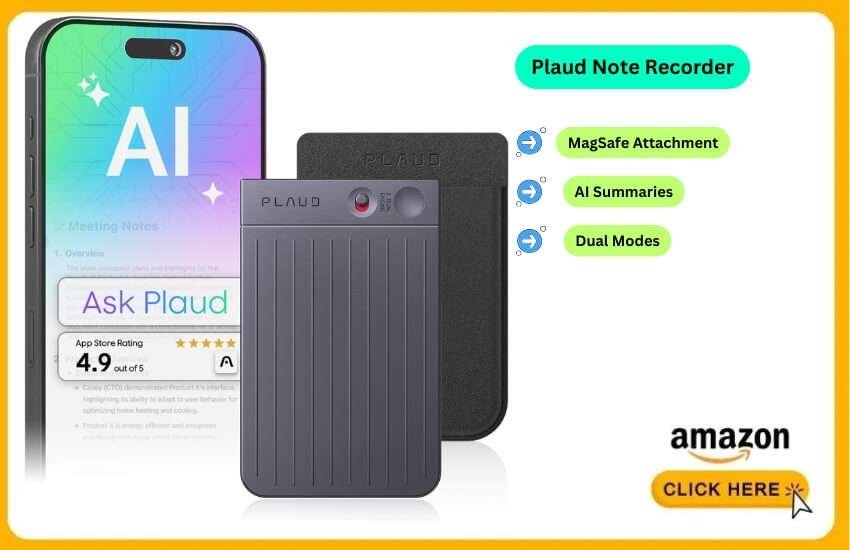
If you have scrolled through TikTok or Instagram lately, you have seen this device. The Plaud Note is currently the #1 best-selling AI recorder. It solved the biggest problem with traditional recorders: bulk.
The Plaud Note is barely thicker than a credit card. It comes with a MagSafe case.
It snaps directly onto the back of your iPhone or Android. This design choice is brilliant. I never forget it.
It features a physical switch to toggle between “Note Mode” (for room recording) and “Call Mode” (which records phone calls via vibration).
I used this for a month of supplier calls. The AI summary feature is shockingly good.
After a 45-minute call, I didn’t get a transcript. I got a “Sales Logic” summary. It listed the client’s objections. It listed budget limits. It felt like I had a human assistant listening in.
Pros:
Form Factor: You literally cannot feel it on your phone.
Call Recording: The only reliable hardware solution for recording iPhone calls clearly.
AI Templates: You can select templates such as “Class Lecture” or “Sales Call.”
Battery: It holds a charge for weeks on standby.
Cons:
Subscription Model: You get a free starter plan. Heavy users need the Pro plan (approx. $79/year).
Cloud Reliance: You must sync with the app. No internet = no summary.
Who It’s For:
Real estate agents, sales professionals and anyone who lives on their phone.
2. Plaud NotePin: The “Star Trek” Communicator
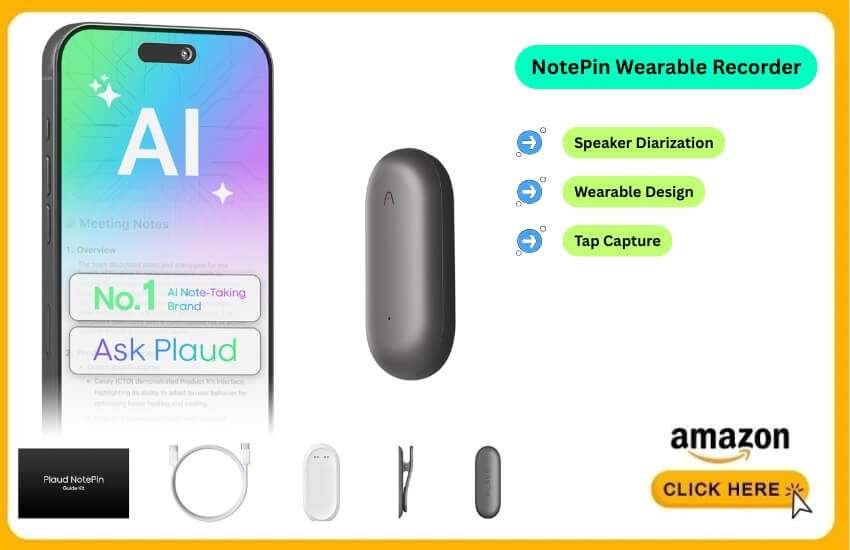
Released late in 2024, the NotePin is Plaud’s answer to the wearable tech trend.
It encapsulates the intelligence of the Plaud Note and puts it into a wearable capsule.
This is for the “always-on” generation. You can wear it as a necklace. You can clip it to your shirt.
You can wear it as a wristband. You just tap it and it starts capturing.
I wore this during a digital marketing conference in New York. I just sat there with the NotePin on my lapel.
The audio quality was surprisingly crisp. The 2025 firmware update introduced “Speaker Diarization.” It successfully labeled “Speaker A” as the presenter and “Speaker B” as the audience.
Pros:
Wearable: Impossible to drop or lose if you use the magnetic clip.
Discreet: It appears to be a fitness accessory, not a recording device.
Always Ready: Great for capturing spontaneous ideas while driving.
Cons:
Battery Life: Smaller battery. You need to charge it every couple of days.
Button Feel: The capacitive touch can sometimes be triggered accidentally.
Who It’s For:
Doctors on rounds, creative directors and field journalists.
3. Anker Soundcore: The Conference Room King
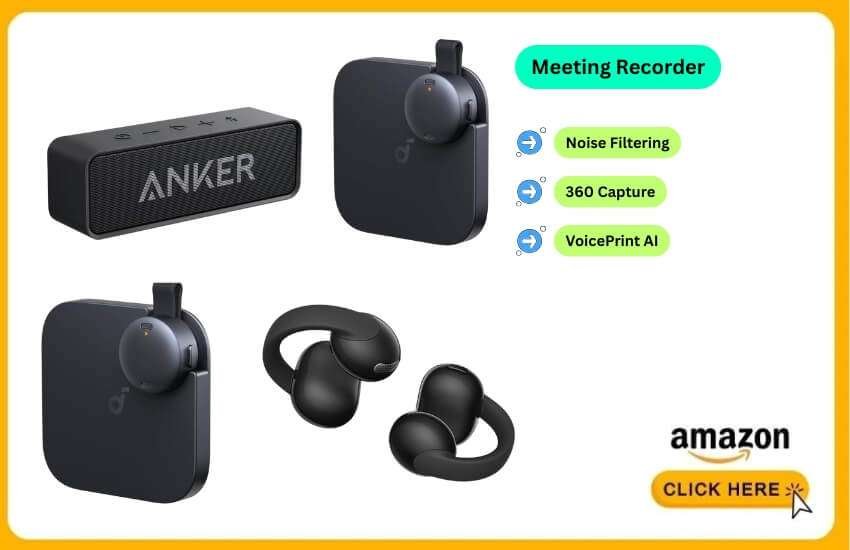
While the Plaud devices are personal, the Soundcore Work S600 is designed for communal use. Anker has taken their audio expertise and applied it to the corporate meeting room.
This isn’t something you put in your pocket. It’s a “puck” that sits on a table. It utilizes a 4-microphone array to capture sound in a 360-degree range. What makes it “AI” is its VoicePrint technology. It learns your voice.
I tested this during a team brainstorming session at Digigenhub. Usually, recordings of five people talking at once are useless.
The S600 isolated the voices. In the app, it was color-coded to indicate who was speaking. It filtered out the sound of typing. This was a huge plus.
Pros:
Noise Cancellation: It effectively deletes background AC hum.
Speaker ID: It knows who said what. Critical for meeting minutes.
No Subscription (Mostly): Basic features work well without a heavy monthly fee.
Cons:
Not Portable: It’s too bulky to carry in a pocket.
Setup: You need to “train” it on your voice for the best results.
Who It’s For:
Project managers and small business owners who hold weekly team reviews.
4. iFLYTEK Smart Recorder Pro: The Privacy Fortress
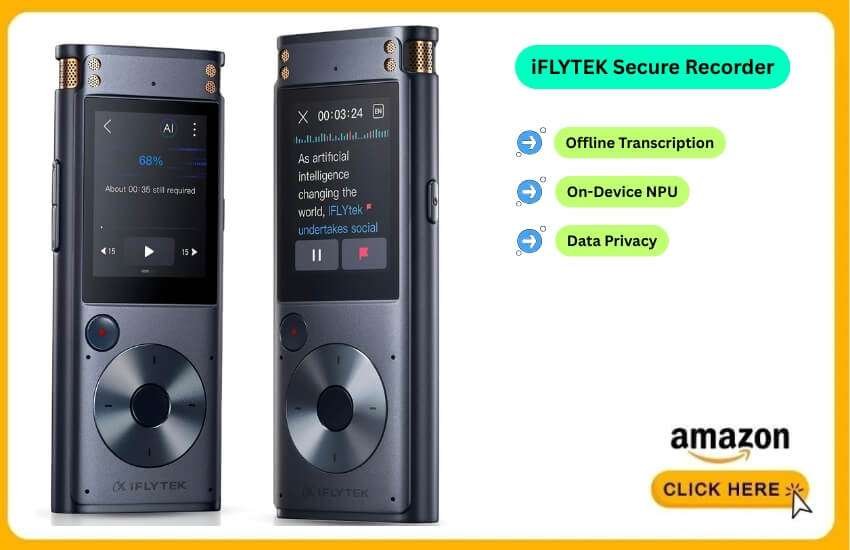
If you work in legal or medical fields, uploading your audio to the cloud might be illegal. Enter iFLYTEK.
This device is expensive. It often hovers around the $250-$300 mark. But you are paying for an on-device Neural Processing Unit (NPU). It transcribes audio on the device itself. No Wi-Fi needed. No data leaves the recorder.
The accuracy is slightly lower than cloud models. It is approximately 90% accurate compared to 98%.
But the peace of mind is unmatched. It feels like a premium traditional dictaphone. It has a touchscreen. It also translates languages in real-time on the screen.
Pros:
100% Privacy: Your data stays in your hands.
No Subscription: You pay once for the hardware. Transcription is free forever.
Screen: You can read the text as you record.
Cons:
Price: It is significantly more expensive upfront.
Bulkier: It’s about the size of a small smartphone.
Who It’s For:
Lawyers, therapists and government contractors.
5. EVISTR: The Reliable Budget King
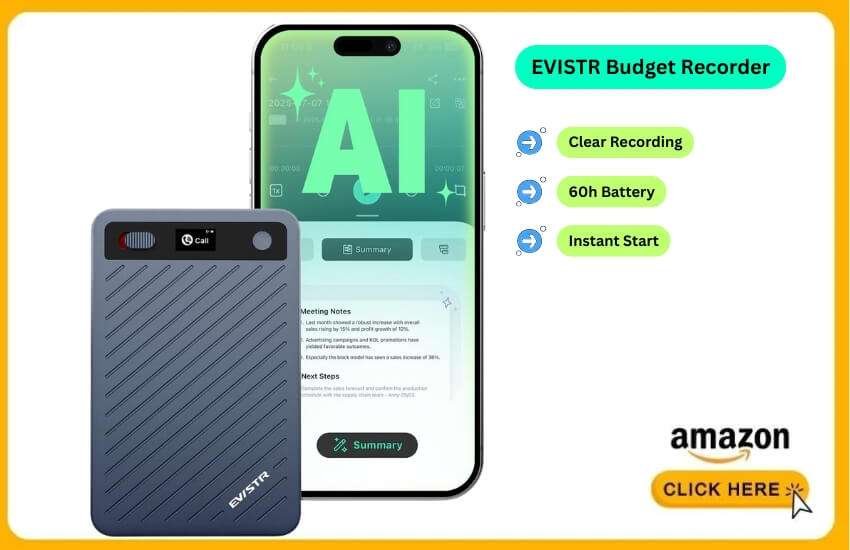
We have to be realistic. Not everyone has $159 to spend on a note-taker. The Evistr (and its upgraded 2025 variants) remains a top seller. It costs less than a nice dinner.
This is a “dumb” digital recorder. It is not familiar with ChatGPT. It does not connect to Wi-Fi. However, it records crystal-clear audio for 60 hours on a single charge.
I keep one of these in my car’s glovebox as a backup. It turns on instantly. It never crashes.
If you are a student, you can record a 2-hour lecture. You transfer the MP3 to your laptop.
Then you use free online AI tools to transcribe it. It requires one extra step. But it saves you $130.
Pros:
Price: Usually under $40.
Reliability: No software updates to break features.
Battery: Lasts for days of continuous recording.
Cons:
Manual Workflow: You must manually move files.
Micro USB: Check for the USB-C upgrade on newer models.
Who It’s For:
College students and anyone who needs a simple “set it and forget it” backup.
How I Tested These 5 AI Voice Recorders
I didn’t just look at spec sheets. I put these devices through real-life hell.
The Coffee Shop Test: I took each recorder to a busy Starbucks. I tested if the AI could separate my voice from the barista shouting names in the background.
The “Pocket” Test: I walked around with them. I checked if they were bulky or annoying to carry.
The Transcription Challenge: I read a fast-paced news script with complex words. Then, I checked the AI transcript for accuracy.
Battery Drain: I left them recording until they ran out of power.
I have one question: Does this device actually save me time?
How to Choose?
Before you click “Buy,” consider three critical factors.
1. The Subscription Trap
This is the biggest complaint I see. Devices like Plaud Note rely on expensive cloud computing.
They usually give you a “Free Trial” or a limited monthly quota. If you record 4 hours of lectures a day, you will need to pay for the recording equipment.
Advice: If you dislike subscriptions, consider purchasing the iFLYTEK or the Evistr.
2. Privacy: Cloud vs. Edge
Where does your voice go?
Cloud (Plaud, Anker): Audio is sent to a server. It is processed by AI. It is sent back. This is faster and smarter.
Edge (iFLYTEK, Zoom): The audio never leaves the device.
My Take: For 99% of people, Cloud is fine. The convenience outweighs the risk. If you are discussing trade secrets, go to Edge.
3. The “2026 Ready” Trend
We are seeing a shift towards “Actionable AI.” In 2024, AI just gave you a transcript. Devices will be integrating with apps like Notion, Slack and Salesforce.
Look for: “App Integration” in the specs. A recorder that posts action items to your Slack channel is worth its weight in gold.
Conclusion
The “Best” recorder depends entirely on what you are recording.
If you want the smartest experience and don’t mind a small subscription fee, the Plaud Note is the undisputed king of today. Its MagSafe design changed my life.
If you are a student on a strict budget, grab the Evistr. It’s bulletproof and cheap.
If you are a Creator, get the Zoom H1essential. The audio quality is professional-grade.
We are living in a time where we no longer have to fear missing a detail. These tools handle the memory work. You can focus on the thinking work.
FAQ
What makes an AI voice recorder different from a regular one?
AI recorders analyze audio. They recognize patterns, highlight key points and structure notes. Regular recorders only capture raw sound.
Will AI voice recorders soon replace note-taking?
Yes, for most routine tasks. By 2026, AI will handle major note-taking duties. Handwritten notes will remain for personal use.
Can AI voice recorders connect with apps like Notion or Google Docs?
Yes. Many new models integrate directly with workspace apps. They can send summaries, tasks and notes automatically.
Do AI voice recorders work well in noisy places?
Yes. Modern AI uses adaptive noise filtering. It separates voices from background noise in busy settings.
Can AI voice recorders aid in language learning?
Yes. Some devices support pronunciation analysis. Others offer translation tools that assist language learners.
How long do AI voice recorders keep stored files?
Most can store recordings for months. Efficient compression and cloud syncing extend available space.
Can AI voice recorders detect emotion or tone?
Some new models include emotion detection. They analyze voice tone and identify basic emotional cues.
Are AI voice recorders good for group discussions?
Yes. They track multiple speakers. AI separates voices and keeps conversations organized.
What file formats do AI recorders export?
They export audio in MP3, WAV, or M4A. Text outputs often include PDF, DOCX, TXT, or Markdown.
Do AI voice recorders need regular updates?
Yes. Updates improve accuracy and stability. They also add new AI features over time.