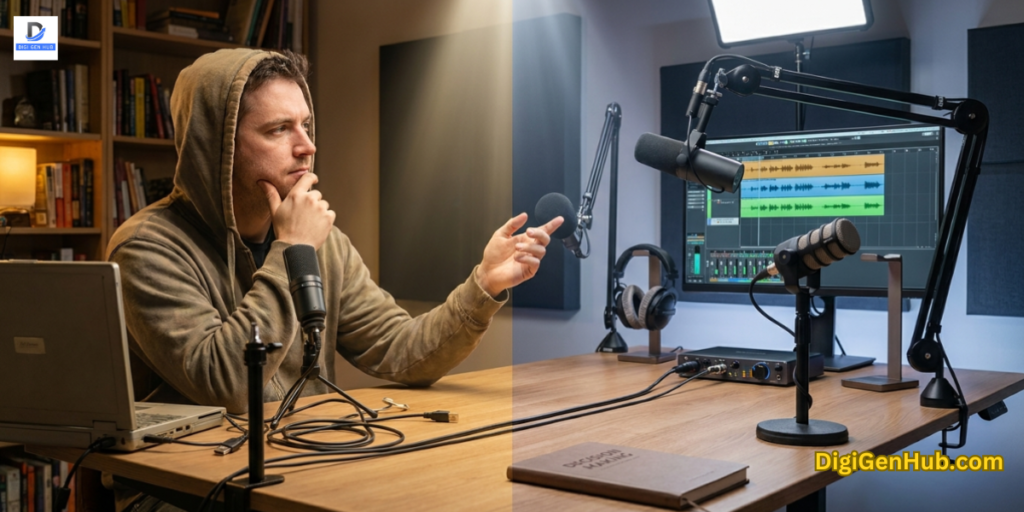
Trying to record professional audio directly into your computer? You are likely fighting a losing battle.
Your laptop has a built-in sound card. It is designed for Zoom calls. It is not built for music. It cannot capture the rich texture of a guitar. It misses the warmth of a podcast voice.
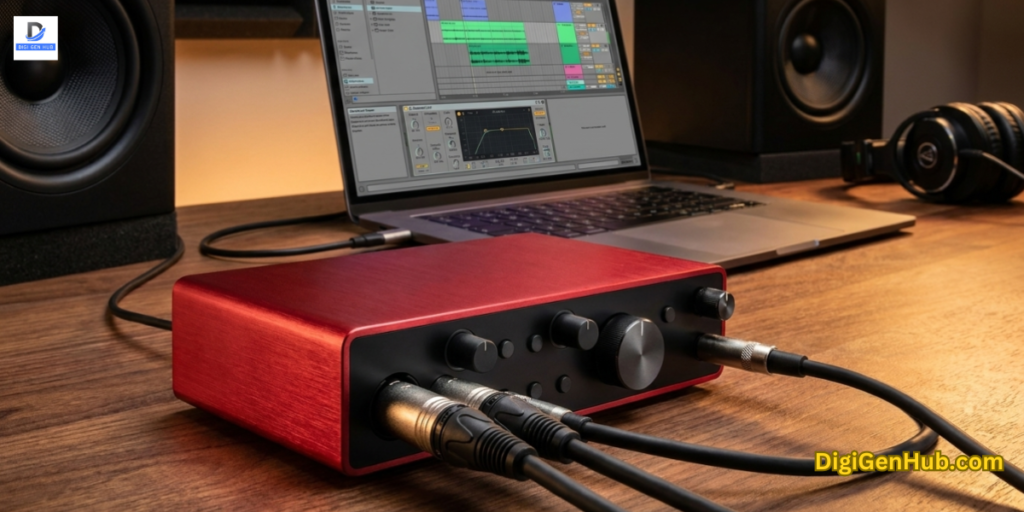
This is where a dedicated audio interface USB unit comes in. It is the most efficient tool on your desk.
I remember my first year creating content. I bought a high-end microphone. I plugged it straight into my PC. The result? It sounded like I was recording in a tin can.
The missing link was the interface. This device cleans up your signal. It powers your microphone.
It lets you hear exactly what you are recording. Best of all, it removes that annoying half-second delay.
What is an Audio Interface USB?
A USB audio interface is an external device. It connects microphones and instruments to your computer.
Think of it as a bridge. It takes analog signals from your voice or guitar. It converts them into digital data that your computer understands.
Standard sound cards are weak. An interface is powerful. It provides professional preamps.
These boost your volume without adding static noise. It also allows for zero-latency monitoring. This means you hear yourself in real-time.
Yet, musicians want a pure tone. Gamers want “hybrid” mixers with effects. I have tested six of the most popular units. You can judge and see how they compare.
Which Audio Interface USB Is Best
| Product Name | Best For | Traits | Audio Quality |
| Focusrite Scarlett Solo 4th Gen | Musicians & Vocalists | Air Mode (Presence & Drive) | 192kHz / 24-bit |
| MaonoCaster G1 NEO | Gamers & Streamers | RGB & Voice Changers | 48kHz / 16-bit |
| Shure MVX2U | Minimalists & Travel | Pocket-sized XLR Adapter | 48kHz / 24-bit |
| PreSonus AudioBox USB 96 | Total Beginners | Studio One Software Included | 96kHz / 24-bit |
| MAONO PS22 Lite | Windows Routing | Loopback & ProStudio App | 192kHz / 24-bit |
| MaonoCaster Lite AU-AM200 | Mobile Podcasting | Built-in Battery & Bluetooth | 48kHz / 16-bit |
1. Focusrite Scarlett Solo 4th Gen USB Audio Interface
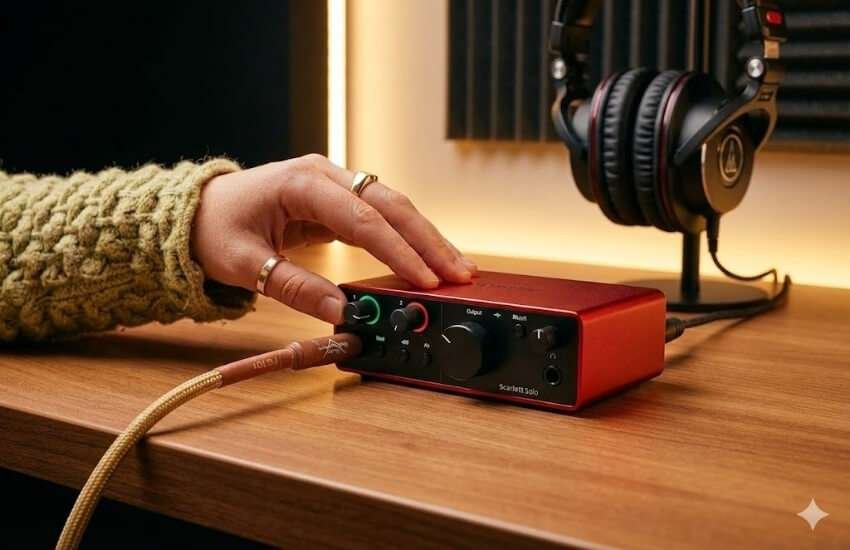
Best For: Musicians, Singers, and Guitarists who need studio-grade purity.
Ask any producer about their first interface. Half will say “a Scarlett.” The 4th Generation is a massive leap forward.
It borrows tech from their flagship RedNet range. It is a serious recording console. It is just shrunk down to desktop size.
Why it stands out:
The “Air” mode is the winner. In previous versions, it just added treble. Now, it has two settings: “Presence” and “Harmonic Drive.” I use Presence for voiceovers. It gives that crisp, modern radio sound. No EQ needed.
My Take:
I use this when I need absolute cleanliness. The “Halo” gain lights are a lifesaver. They circle the knobs. Green means volume is good. Red means you are too loud. It takes the guesswork out of setting levels.
Pros:
Huge 120dB dynamic range. You hear quiet details clearly.
“Air” mode adds professional character instantly.
The loopback feature is finally included for streaming.
Cons:
Only one microphone input. You cannot interview a guest.
The price is slightly higher than that of budget brands.
2. MaonoCaster G1 NEO Gaming Audio Mixer
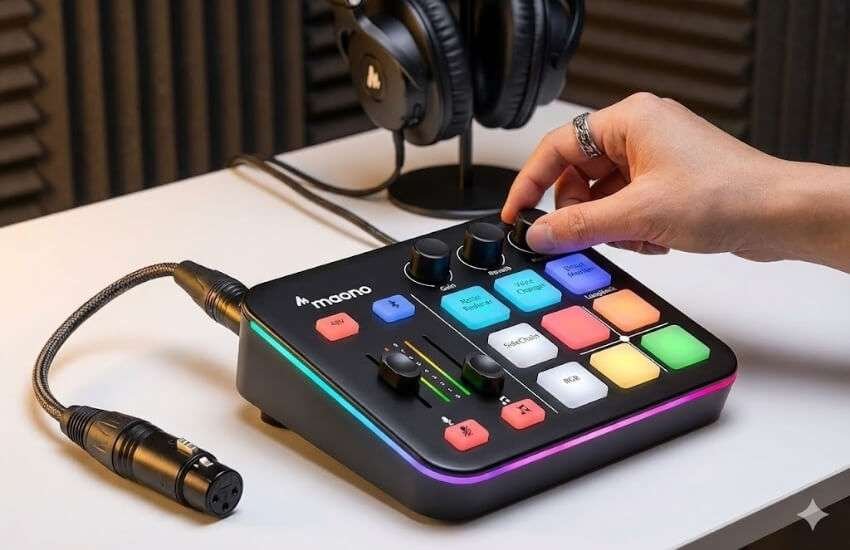
Best For: Game Streamers (Twitch/YouTube) who want style and effects.
This is not a traditional interface. It is a command center. Gamers do not just record voice. They entertain.
The G1 NEO combines a mic interface with a soundboard. It glows with RGB lights. You can change your voice to a robot. You can do this with a single button press.
Why it stands out:
It solves a big headache for streamers. It balances game audio with voice audio. It has dedicated knobs for this.
You can turn down teammates in Discord. You can keep your stream volume up. It also has +48V phantom power. Now you can use pro condenser mics for gaming.
My Take:
I set this up for a client. He was starting a gaming channel. The “Noise Reducer” button is aggressive.
But it works. It cut out his mechanical keyboard clicks. That noise is usually a nightmare to fix.
Pros:
Built-in RGB lighting is perfectly suited for gaming PCs.
Voice changers and sound pads are great for adding fun to live streams.
Bluetooth input lets you play music from your phone.
Cons:
Audio resolution is 16-bit. This is lower than studio units.
The plastic build feels less durable than the metal units.
3. Shure MVX2U XLR-to-USB Interface
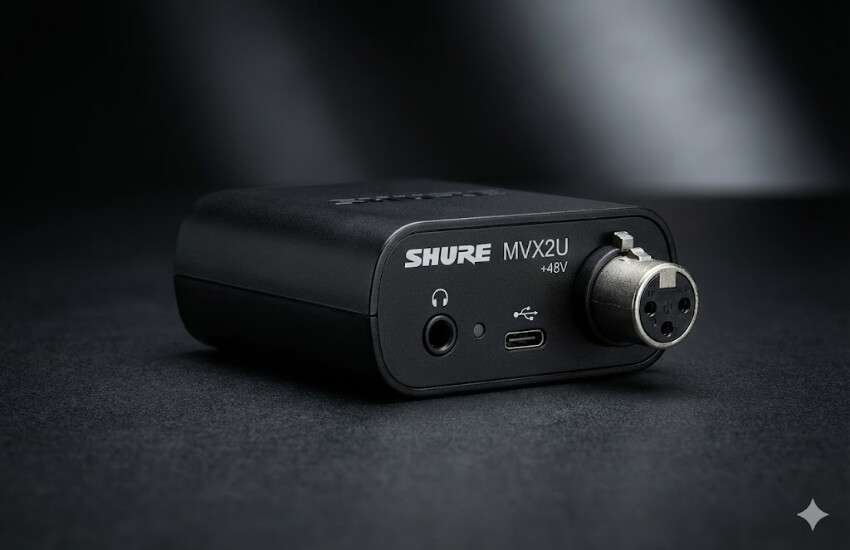
Best For: Travel vloggers and minimalists who hate cable clutter.
Imagine a massive mixing board. Now shrink it to the size of a lighter. That is the MVX2U.
It plugs directly into your XLR microphone. It turns it into a USB mic. It is incredibly powerful.
It offers over 60 dB of clean gain. This powers hungry mics like the Shure SM7B. You do not need a separate Cloudlifter.
Why it stands out:
The onboard DSP is amazing. Download the ShurePlus MOTIV app. Set the “Auto Level” mode. If you shout, it turns you down. You won’t distort. If you whisper, it turns you up.
My Take:
I keep one in my laptop bag. Sometimes I need to record a podcast from a hotel. I don’t want to deal with unpacking cables.
I just plug this into my mic. I run one USB-C cable to my laptop. I am recording studio-quality in seconds.
Pros:
Tiny form factor. It disappears behind the mic.
Auto-Level mode is like a built-in audio engineer.
Zero-latency headphone jack is built right in.
Cons:
No physical knobs. You control everything via software.
Only handles one microphone.
4. PreSonus AudioBox USB 96 Studio Package
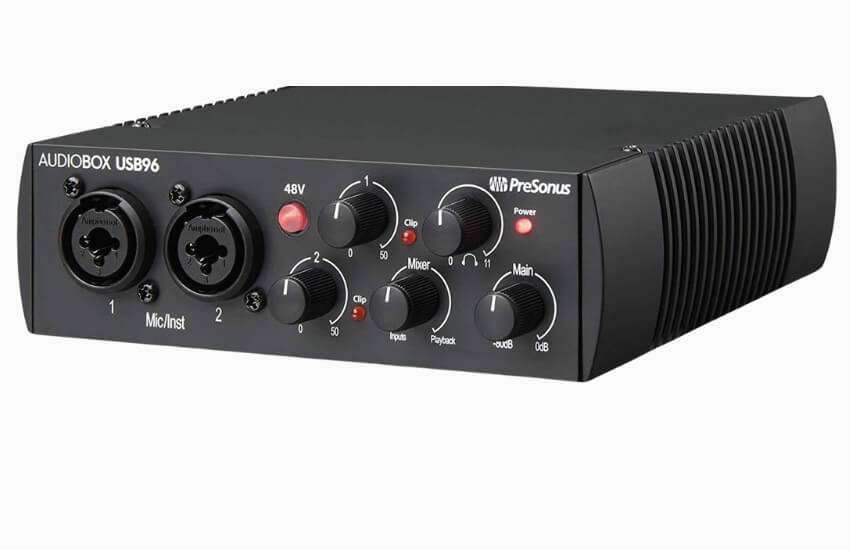
Best For: Complete beginners who have no gear yet.
Buying an interface is just the first step. You still need a mic. You need headphones. You need software. PreSonus solves this.
They put everything in one box. The AudioBox USB 96 is a classic. It is tank-tough. It has been a bestseller for years. Why? It just works.
Why it stands out:
The value is the software. It comes with Studio One. This is a full professional DAW. It is not just a “Lite” version. Other brands force you to upgrade. This saves you about $100.
My Take:
The preamps are loud. I dropped my old AudioBox once. It fell off a desk. It didn’t even scratch. It is built like a brick. This is my top pick for parents. It is the perfect gift for a teenager starting music.
Pros:
Comes with a microphone, headphones, and cables.
Includes Studio One software. It is easy to learn.
MIDI ports are included. This is rare at this price.
Cons:
Design looks a bit dated.
A headphone amp can distort at 100% volume.
5. MAONO PS22 Lite USB Audio Interface
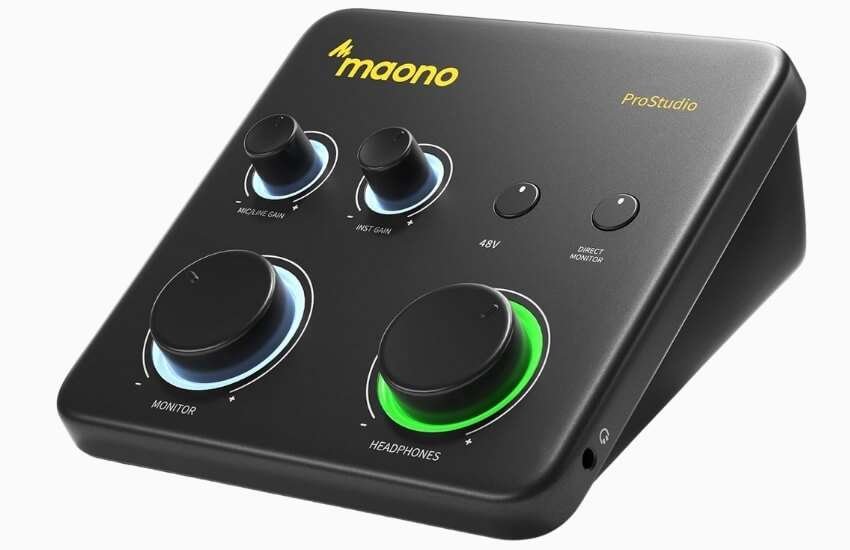
Best For: Windows users who need advanced audio routing.
The PS22 Lite is a “hidden gem.” Big brands focus on hardware. Maono focused on software. Routing audio on Windows is hard.
Sending Spotify music to Zoom is usually impossible. The PS22 Lite makes it easy. It uses ProStudio Routing Software.
Why it stands out:
It offers dual XLR inputs. This is huge for the price. Most “Solo” interfaces have one input. This has two.
You can record a podcast with a guest immediately. It supports 192kHz sample rates. This matches expensive units.
My Take:
I tested this with a two-mic podcast. The “Loopback” function worked perfectly. We recorded our voices.
We also recorded audio from a YouTube video. Everything stayed on separate tracks. For the price, you cannot beat these features.
Pros:
Two microphone inputs for the price of one.
Advanced software routing for streamers.
Two headphone jacks. Both the host and the guest can listen.
Cons:
Routing software has a learning curve.
Knobs feel a bit wobbly compared to Focusrite.
6. MAONO MaonoCaster Lite AU-AM200-S1
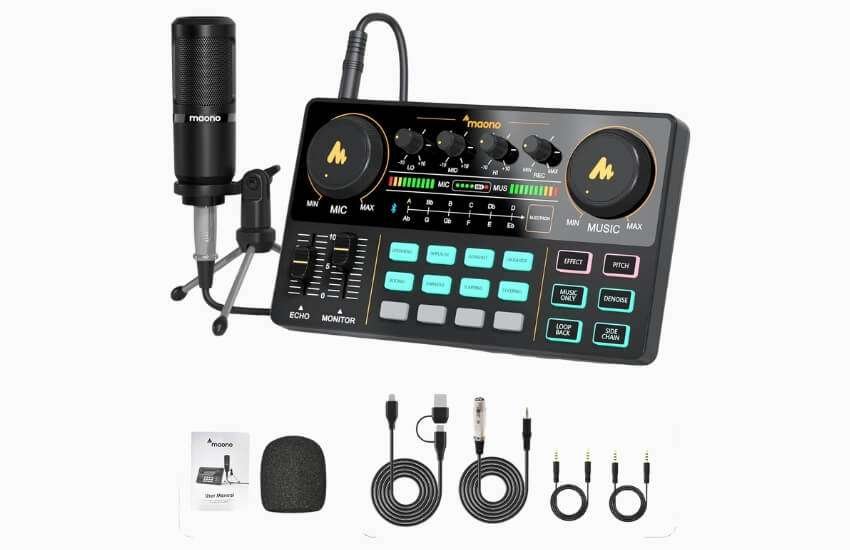
Best For: Mobile Podcasting and Smartphone Streaming.
This is the “fun” option. It is a portable podcast studio. It has a built-in battery. You don’t even need a computer. Plug it into your phone. Go to a park. Stream live.
Why it stands out:
It focuses on connections. It has specific ports for three phones. You can stream to TikTok, Instagram, and YouTube simultaneously.
It includes 8 sound effects. You get applause and laughter. It has 4 empty slots. Record your own intros there.
My Take:
I used this for an outdoor interview. Being wireless is liberating. The battery lasts for hours. The audio is 16-bit. It isn’t “Abbey Road” quality. But for phone screens? It is more than enough.
Pros:
Built-in battery lasts up to 8 hours.
Connect multiple smartphones at once.
Includes a decent microphone.
Cons:
No Phantom Power (+48V). You cannot use pro condenser mics.
Background noise is higher in studio interfaces than in other environments.
Why You Need an Audio Interface USB (Core Benefits)
Studio Quality Sound: It replaces noisy computer circuitry. You get clean, high-fidelity audio.
Phantom Power (+48V): Pro condenser mics need electricity. Your computer jack cannot provide it. An interface can.
Zero-Latency Monitoring: Hear your voice instantly in your headphones. No echo. No confusion.
Multi-Track Recording: Record a host and a guest simultaneously. They stay on separate tracks. This makes editing easy.
How to Choose Your Interface
Unsure which one fits? Ask yourself these three questions.
1. What is your main goal?
Music/Vocals: You need High Fidelity. Look for “24-bit/192kHz”. Go with the Focusrite Scarlett Solo.
Streaming/Gaming: You need Features. Look for “Loopback” and “Voice Effects”. Go with the MaonoCaster G1 NEO.
Podcasting: You need Inputs. Have a guest? You need two XLR ports. Go with the MAONO PS22 Lite.
2. Do you use a Mac or Windows?
Mac Users: You are lucky. Most interfaces are “Plug and Play”. You rarely need drivers.
Windows Users: You must look for ASIO Drivers. Without ASIO, you will have lag. The PreSonus and Focusrite drivers are very stable.
3. What microphone do you own?
Condenser Mic: These need power. You MUST buy an interface with +48V Phantom Power. The MaonoCaster Lite (AM200) does not have this feature. Avoid it if you have a condenser mic.
Dynamic Mic: These do not need power. They need volume (Gain). The Shure MVX2U is the king here. It boosts quiet mics easily.
Conclusion
Upgrading to a dedicated audio interface USB is the most impactful upgrade for your setup. It turns a basic computer into a production studio. Are you chasing the perfect vocal take? Are you building a live stream? The right interface gives you control. It gives you clarity.
Grab the one that fits your workflow. Plug it in. Let the world hear you clearly.
FAQ
Can I use a USB microphone with a USB audio interface?
No. Interfaces are for XLR microphones. USB mics have an interface built inside them. They cannot plug into another one.
Does a USB audio interface enhance the sound quality of headphones?
Yes. Interfaces have better amplifiers than laptops. They drive professional headphones much better.
What is “Loopback”?
Loopback records your computer’s internal audio. It captures game sound or Zoom calls. It records them alongside your mic. Streamers need this.
Will these work with an iPhone?
Most do. You may need a “Lightning to USB Adapter.” You might also need an external power bank. Phones often cannot power the interface on their own.
Why is sound only in my left ear?
Microphones are “Mono.” Your software is likely set to “Stereo.” Change the input track to “Mono.” This will center the sound.
Do I need drivers?
On Mac? Usually no. On Windows? Yes. Install the manufacturer’s ASIO drivers. This prevents delay.
Can I connect an electric guitar?
Yes. Use the input marked “Inst” or “Hi-Z.” This makes your guitar sound bright. It won’t sound muddy.
Is USB-C sound quality better than USB 2.0?
Not really. USB-C is faster. But sound quality depends on the chips inside. The cable shape does not change the sound.
Can I use these for Zoom calls?
Absolutely. Your computer sees it as a microphone. Select it in your Zoom settings.
Do I need a Cloudlifter?
Maybe. Do you have a quiet mic like the SM7B? Does your interface have less than 60dB of gain? If yes, you might need one.

Aliza Khatun is a Digital Marketing Professional and the founder of DigiGenHub. She has helped various businesses grow their online presence through real-world experience in marketing, branding, traffic growth, and business strategy.
Through DigiGenHub, she shows how to build and grow a business from the ground up using Website Setup, SEO, Branding, Paid Promotion, and smart digital tools.
She also highlights how AI can be used to its full potential to make content creation, automation, marketing, and business growth faster and smarter.
She believes that the right knowledge, modern technology, and the right tools can help any individual or business build a stronger online presence.