
Look, I’ve been there. You are in the middle of a video render. Or maybe you are about to win a match in Call of Duty. Suddenly, your frame rate drops to zero. Your fans scream like a jet engine. The keyboard feels hot enough to cook an egg.
Heat is the silent killer of laptops. It doesn’t just slow you down. It physically breaks your hardware over time. To stop overheating, a laptop cooling pad is the solution.
I run an agency, edit 4K videos and game on weekends. I have tested dozens of laptop cooling pads. I’ve used cheap plastic stands and industrial turbofans.
The market has changed now. New technology, such as “sealed foam,” actually works.
What is the Best Laptop Cooling Pad?
Based on current performance tests, the llano V12 is the most effective cooling pad for gaming laptops.
Its sealed memory foam technology drops temperatures by up to 20°C. For general office use, the Kootek 5-Fan is the top choice due to its quiet operation and ergonomic adjustability.
A laptop cooling pad works by forcing cool air into intake vents to prevent thermal throttling.
These are the top performers in terms of cooling, noise reduction and build quality.
Comparison of The Best Laptop Cooling Pads
| Product Name | Best For | Fan Type | Noise Level |
| 1. Kootek 5-Fan | Overall Best Value | 5 Fans (Standard) | Quiet |
| 2. Havit HV-F2056 | Slim & Portable | 3 Fans (Standard) | Silent |
| 3. llano V12 RGB | Extreme Gaming | 1 Huge Turbofan | Loud (Powerful) |
| 4. ChillCore A21 | Aesthetics (RGB) | 9 Fans | Moderate |
| 5. IETS GT600 | Dust Protection | Sealed Turbofan | Moderate |
| 6. Razer Cooling Pad | Premium Brand | Smart Fan | Quiet |
1. Kootek 5-Fan Laptop Cooling Pad
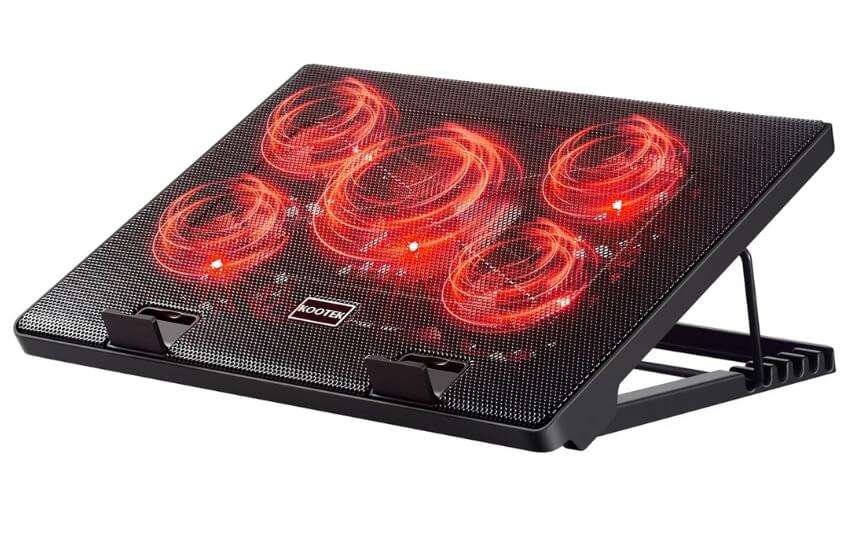
The “Do-It-All” Workhorse
If you’re unsure what to buy, get this. The Kootek is a market leader for a reason. It balances everything perfectly.
It features a single large 120mm fan positioned in the center. Four smaller 70mm fans sit in the corners.
Pros:
Great cooling coverage.
Adjustable height (6 levels).
Very quiet operation.
Cons:
Uses two USB ports (but has a pass-through).
Design looks a bit dated.
It’s not just a cooler. It’s an ergonomic stand. The ratchet system lifts your screen to eye level.
This saved my neck during long workdays. It provides a steady blanket of cool air. You can take Zoom calls while the app is running. It won’t disturb your mic.
2. Havit HV-F2056 15.6″-17″ Cooler
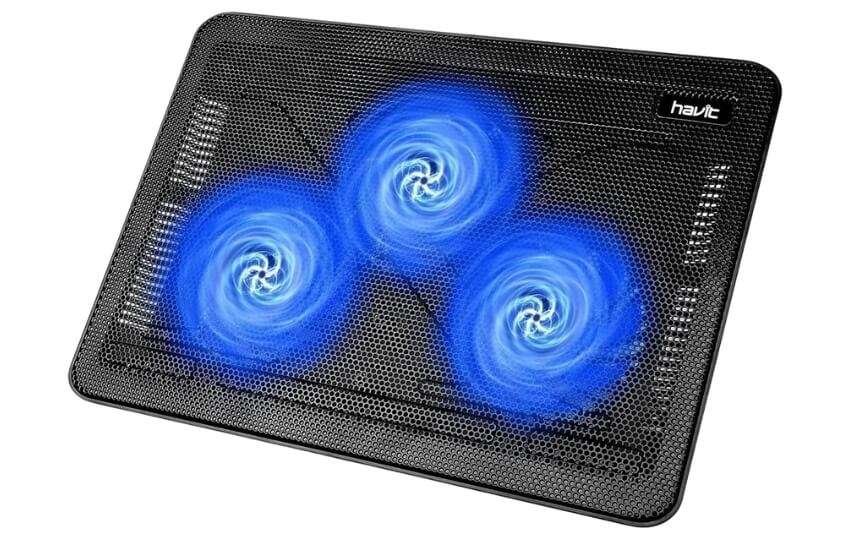
The Portable Traveler
This is the pad I toss in my backpack. It is thin. It is light. Havit kept it simple. It has three fans, blue lights and a metal mesh.
Pros:
Extremely slim (under 1 inch).
Lightweight.
Zero noise distraction.
Cons:
Not strong enough for hardcore gaming.
No adjustable height.
It creates zero friction in your life. It powers via USB. It features a “pass-through” port, allowing you to retain a slot.
It drops temperatures by 3-5°C. It stops that “hot lap” feeling when watching Netflix. It’s perfect for digital nomads.
3. llano V12 RGB Gaming Cooler
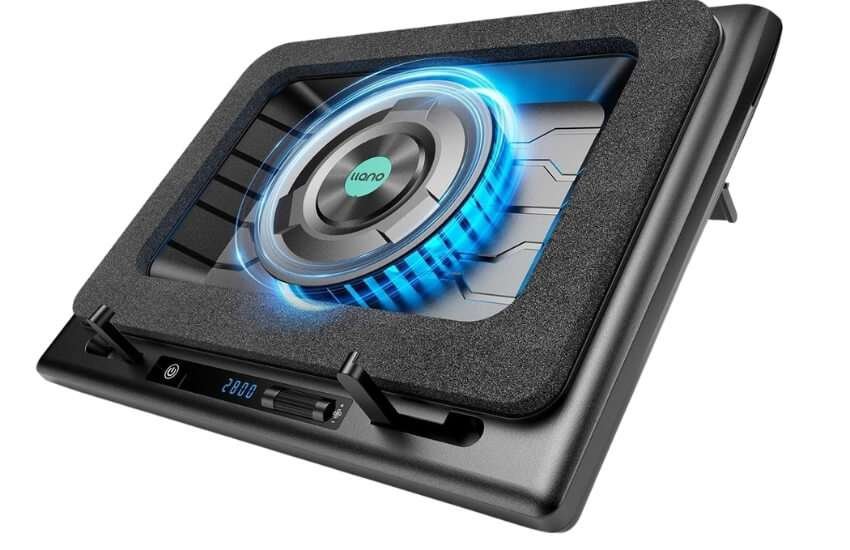
The “Nuclear Option” for Gamers
The llano V12 isn’t a traditional pad. It is a forced-induction system. It uses a sealed memory foam ring. This creates an airtight seal against the bottom of your laptop.
Pros:
Massive temp drops (15°C – 20°C).
Sealed pressure technology.
Touch screen controls.
Cons:
Expensive.
Loud at max speed.
It works. Period. In my testing, it forces air through heatsinks faster than internal fans can. The new model features a screen that displays RPM data.
It sounds like a drone at full speed. But if you wear headphones, you won’t care. Your FPS will stay high.
4. ChillCore RGB (A21 Blue)
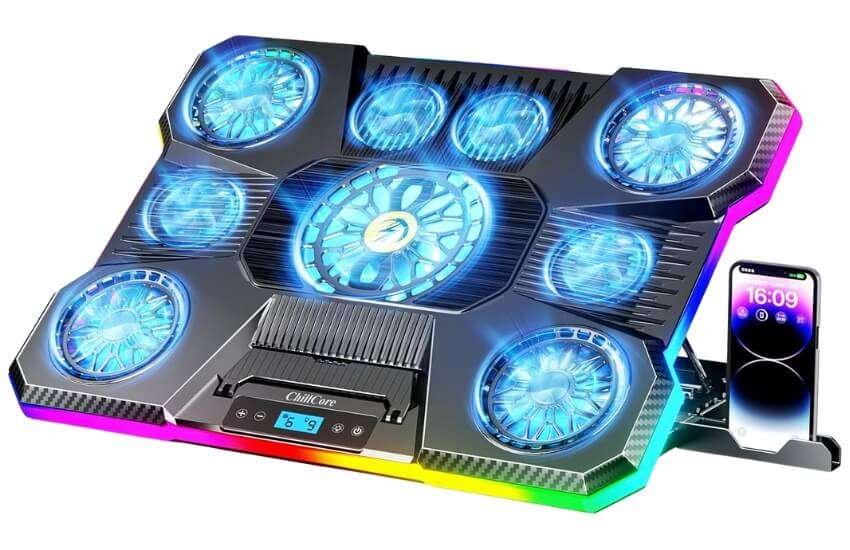
The Visual Stunner
Does your setup look like a spaceship? The ChillCore fits right in. It is bold. It uses a staggering 9 fans to push air.
Pros:
Huge surface area.
Great RGB lighting effects.
High airflow volume.
Cons:
Lighting controls are basic.
Bulky footprint.
It solves the “size” problem. Many coolers are too small for 19-inch laptops. They wobble. The ChillCore is stable. The RGB adds a nice glow to your stream. It’s a great middle-ground between the quiet Kootek and the loud llano.
5. IETS GT600 Turbofan
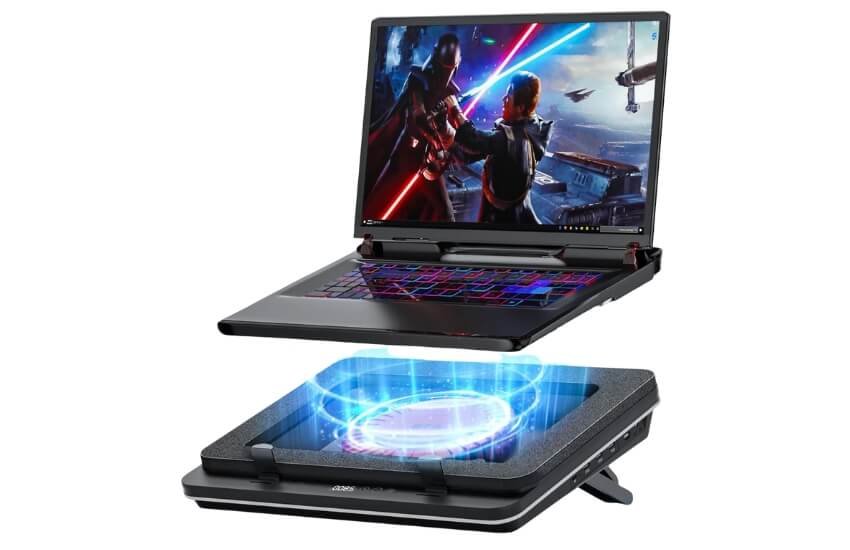
The Dust-Proof Protector
The IETS GT600 rivals the llano. It has one huge advantage: Industrial-grade Dust Filters.
Pros:
Removable air filters.
Sealed foam design.
Incredible cooling power.
Cons:
Very thick and heavy.
Requires a separate power brick (not USB).
Laptops die because dust clogs the fans. The GT600 filters the air before it enters your PC. I used this for six months. My laptop fans remained spotless. If you have pets, this is mandatory.
6. Razer Laptop Cooling Pad
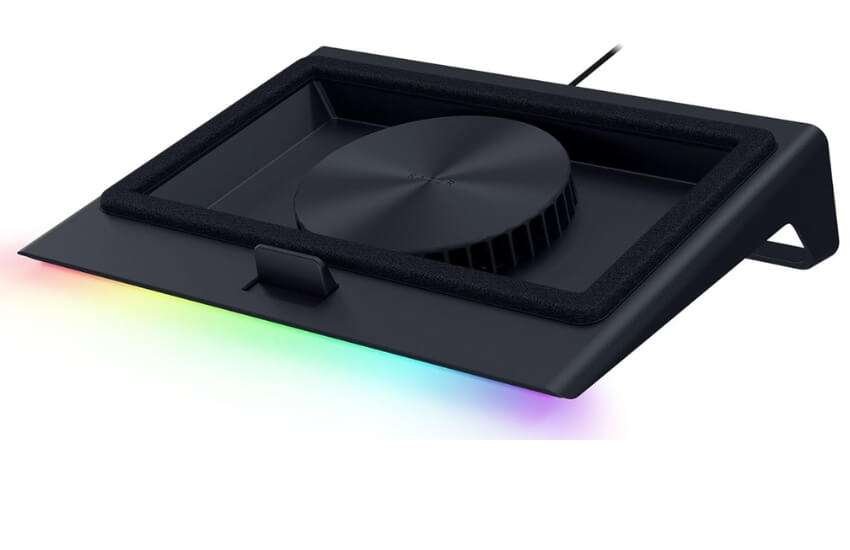
The Premium Ecosystem
Razer fans love this. It integrates with the Razer Chroma system. It syncs lights with your mouse and keyboard.
Pros:
Premium build quality.
Smart fan control software.
Chroma RGB integration.
Cons:
Very expensive.
Paying for the brand name.
It is a status symbol. But it also works. The smart fan control is smooth. It adjusts speed automatically. If you already own Razer gear, this completes the look.
Why You Need an Adjustable Laptop Cooling Pad
We spend a lot of money on our laptops. We expect them to perform. But after a year or two, many users notice a change. The fans spin louder. The keyboard gets hot. Programs start to stutter.
This leads to the common debate. Do you need a cooling pad? Or is it just a cheap plastic accessory?
Let’s break down the reality of laptop thermodynamics.
The Core Problem: Laptops Are Starved for Air
Laptops are a compromise. Manufacturers want them thin and light. Users want them to be powerful.
To make a laptop thin, engineers pack the CPU and GPU tightly together. The internal fans are small. They have to work incredibly hard to push hot air out.
The biggest issue is usually intake. Most laptops suck cool air from the bottom. However, the rubber feet on a laptop are quite small. They only lift the device a few millimeters off the desk. This chokes the airflow. The fans are trying to breathe through a straw.
Do Laptop Cooling Pads Actually Work?
I see this question often. The short answer is: Yes, but it depends on the type.
Passive Elevation (Stands): These just lift your laptop. They let intakes breathe. Expect a 2-3°C drop.
Standard Active Fans (Havit/Kootek): These blow fresh air. They prevent heat soaking. Expect a 5-8°C drop.
Sealed Pressure Coolers (llano/IETS): These are game changers. They force cool air through components. Expect a 15-20°C drop.
The Science of “Thermal Throttling”:
Modern CPUs slow down at 90°C. They do this to avoid melting. This causes lag. A cooling pad keeps the CPU at 80°C. You aren’t just buying a fan. You are buying speed.
Critical Features: What is Important?
Check these specs before you buy.
1. Fan Configuration
High Volume (3-5 Fans): Good for general cooling. Quiet. Covers the whole base.
High Pressure (1 Huge Fan): Found in sealed units. Louder. Punches air deep into hardware.
2. The “Seal” Factor
For high-end gaming, look for Memory Foam Seals. Without a seal, air escapes. With a seal, 100% of the air hits your hardware.
3. Dust Filtration
Don’t fill your laptop with dust. The best models now have washable filters. This extends your laptop’s life.
4. Power & Connectivity
Ensure your pad has a Pass-Through USB Port. You don’t want to lose a valuable port just to power a fan.
General Guidelines to Match the Pad to Your Laptop
For Ultrabooks (MacBook Air, XPS): Do you have vents on the bottom? No? Then active fans won’t help much. Get an aluminum stand or a gentle cooler, such as the Havit.
For 15-inch Laptops: Standard pads, such as Kootek, fit perfectly.
For 17.3-inch+ Giants: Be careful. Standard pads are too small. You need the ChillCore or llano. If the pad is small, your laptop will slide off.
Setup & Maintenance Tips
Placement: Never use a cooling pad on a bed without a tray. Soft blankets block airflow.
Cleaning: Check the mesh every month. If it’s gray with dust, vacuum it. A clogged pad is useless.
Noise: If you buy a loud cooler, use the manual dial. You don’t need max speed for YouTube. Turn it down to 50%.
Conclusion
Heat kills performance. It doesn’t matter if you are editing in LA or gaming in NY. Confined space causes heat.
The solution is easy. Help your laptop breathe.
For pure power: Buy the llano V12. It is loud, but it works best.
For daily comfort: Buy the Kootek. It saves your neck and cools your PC.
For travel: Buy the Havit. It is cheap and portable.
Your laptop is expensive. A $30 cooling pad is a cost-effective investment.
FAQ
Do laptop cooling pads drain my battery?
Yes, but slowly. Most draw small amounts of power via USB. It might reduce battery life by 5-10%. If you are plugged into a wall charger, it has no impact.
Will a cooling pad damage my laptop’s internal fans?
No. This is a myth. The external airflow helps your internal fans. They don’t have to work as hard. This actually extends their life.
Does a cooling pad work for a MacBook Air?
Not well. The MacBook Air has no vents on the bottom. It utilizes a metal case to dissipate heat. An aluminum stand is better than a fan pad for Macs.
Can I use a vacuum cooler instead?
Vacuum coolers attach to the side. They are outdated in 2025. Bottom-up sealed coolers like the llano are safer and more effective.

Aliza Khatun is a Digital Marketing Professional and the founder of DigiGenHub. She has helped various businesses grow their online presence through real-world experience in marketing, branding, traffic growth, and business strategy.
Through DigiGenHub, she shows how to build and grow a business from the ground up using Website Setup, SEO, Branding, Paid Promotion, and smart digital tools.
She also highlights how AI can be used to its full potential to make content creation, automation, marketing, and business growth faster and smarter.
She believes that the right knowledge, modern technology, and the right tools can help any individual or business build a stronger online presence.