
Let’s be honest. Cables are a mess. You might be like me. You have a coffee cup on your desk. Maybe a notepad and a phone, too.
Then there is a tangled wire. It runs across your desk. It knocks everything over when you try to move your keyboard. It is frustrating.
But a great wireless keyboard? It changes how you work. It cleans up your desk. It lets you type on your laptop. Then you can switch to your phone. You can answer a text with a single button press.
Now, wireless technology is finally perfect. Gamers used to fear “input lag.” That lag is gone. Batteries now last for years, not weeks.
You might be coding. You might be gaming. Or maybe you just want to clear the clutter. I have tested the best options on the market. I will help you find the right one.
The Most Reliable Wireless Keyboard Today
I have been working online for the past few years. So, I have typed millions of words. I have tested numerous keyboards beyond count.
A bad keyboard slows you down. It hurts your wrists. It makes an annoying plastic clatter. This drives everyone around you crazy.
Are you in a rush? Let’s judge the top performers. I currently recommend these.
Top 6 Wireless Keyboards at a Glance
| Product Name | Best For | Connection | Battery Life | Keyboard Type |
| Logitech Signature Slim K950 | Overall Best (Productivity) | Bluetooth + Bolt USB | 36 Months | Scissor (Laptop-style) |
| Logitech ERGO K860 | Ergonomics (Wrist Pain) | Bluetooth + USB | 2 Years | Split / Curved |
| ASUS ROG Strix Scope II 96 | Premium Gaming | Tri-Mode (2.4G/BT/Wired) | 1500+ Hours | Mechanical (NX Snow) |
| AULA F99 Wireless | Typing Feel (Thocky Sound) | Tri-Mode | Rechargeable (8000mAh) | Mechanical (Gasket) |
| Logitech K270 | Budget Office | 2.4 GHz USB Dongle | 2 Years | Membrane |
| KLIM Chroma Wireless | Entry Gaming | 2.4 GHz USB Dongle | Rechargeable | Membrane (RGB) |
Still, I have selected these eight keyboards based on three key factors. First is reliability. Second is typing feel.
Third is value for money. I skipped the over-hyped models. Those usually break after six months. These are the ones that actually last.
1. Logitech Signature Slim K950
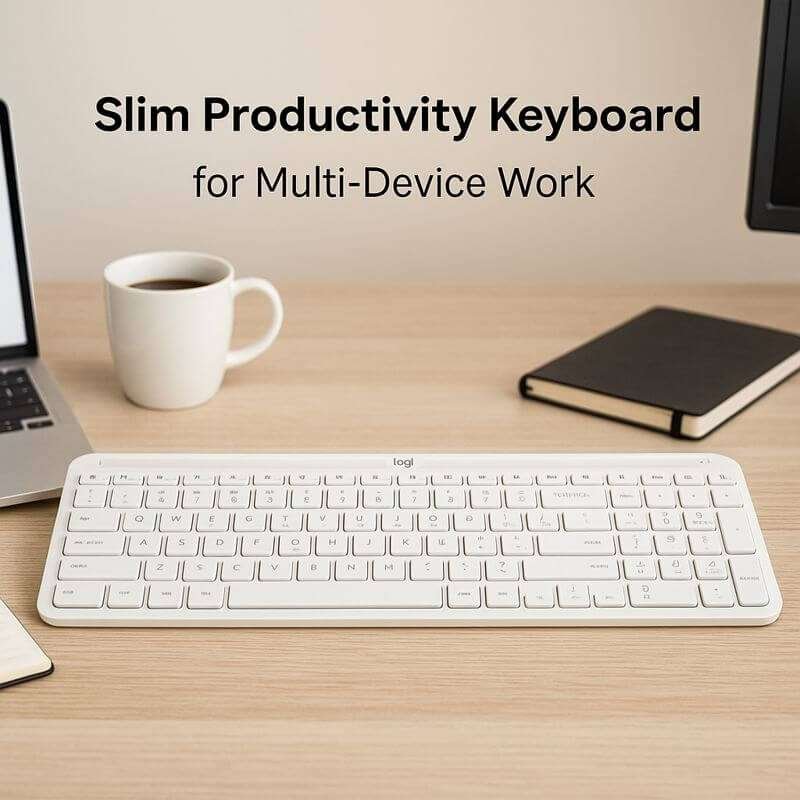
Best Overall for Productivity & Multi-Tasking
The Logitech Signature Slim K950 is my daily keyboard. I use it for general office work. It sits in the “sweet spot.”
It has a premium build. But it has a reasonable price. It uses a full-size layout. Yet it keeps a slim profile.
It looks great on a modern desk. The software is the magic here. It integrates with Logi Options+. You can automate repetitive tasks with “Smart Actions.”
I write for a living. I need speed. The keys on the K950 feel great. They feel like a high-end laptop keyboard.
But they have better travel. My favorite feature is the “Easy-Switch” buttons. I have it paired to my Windows PC.
I also paired it to my iPhone. Sometimes I get a WhatsApp message. I hit the ‘2’ key. I type the reply on the keyboard. Then I hit ‘1’. I go back to my article. It is instant. No re-pairing. No waiting.
Pros:
36-Month Battery Life: Simply insert two AAA batteries. You essentially forget about power for three years.
Quiet Typing: It is nearly silent. You might work in a shared office. You might have a sleeping baby nearby. This is the one to get.
Multi-Device Switching: It jumps flawlessly between three devices. It works with Windows, Mac, Chrome and Android.
Cons:
No Backlighting: The keys do not light up. This might be tricky in the dark.
Non-Rechargeable: You must purchase AAA batteries. Though you do this very rarely.
Who is this for?
Professionals who juggle multiple devices. It is for those who want a clean, no-fuss typing experience.
2. Logitech ERGO K860
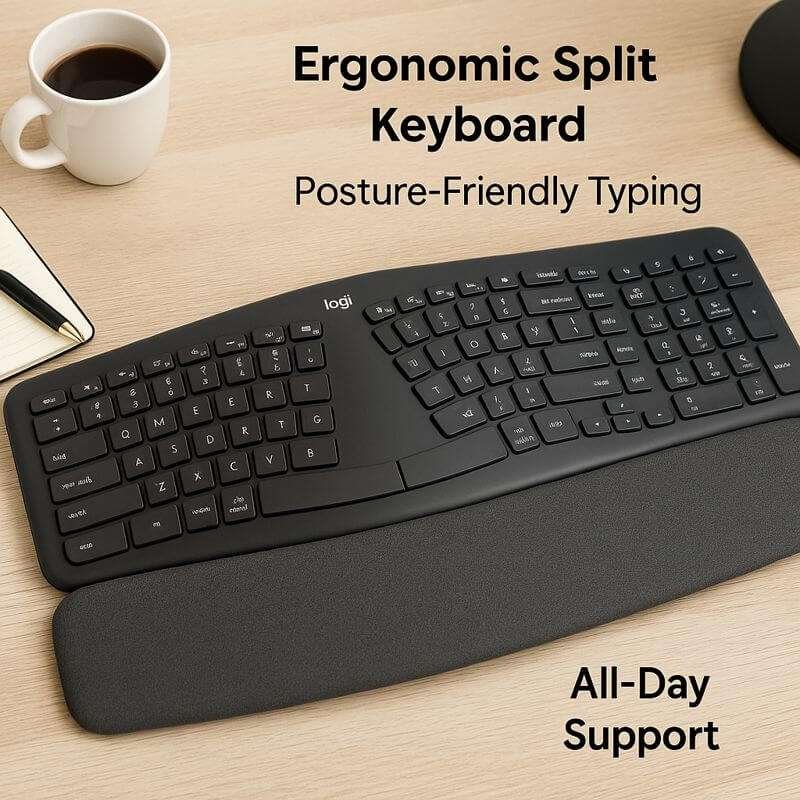
Best for Wrist Pain & Health
Do your wrists hurt after a long day? Stop ignoring it. The Logitech ERGO K860 fixes that. It is designed specifically for comfort.
It features a split keyframe. It is curved. This forces your hands into a natural position.
It also comes with a massive wrist rest. It is pillowed. You cannot remove it. You shouldn’t remove it anyway.
I forced myself to use this last year. My carpal tunnel flared up. The first two days were weird. My fingers kept missing keys.
This was because of the split in the middle. By day three, things changed. I realized my shoulder tension was gone.
The “lift” feature is brilliant. You can tilt the keyboard away from you. This is called negative tilt. It is great for standing desks. It keeps your wrists perfectly straight.
Pros:
Real Ergonomic Benefit: It is certified by US Ergonomics. It reduces muscle strain by 21%.
Pillowed Wrist Rest: It uses three layers. This includes memory foam and high-density foam. The fabric is stain-resistant. It offers extreme comfort.
Split Layout: This reduces the pressure on your forearm muscles.
Cons:
Learning Curve: It takes about 3-4 days. You must relearn your touch-typing muscle memory.
Large Footprint: It is big. You need a wide desk for this beast.
Who is this for?
Writers and coders. Anyone who feels pain in their wrists or shoulders at the end of the day.
3. ASUS ROG Strix Scope II 96 Wireless
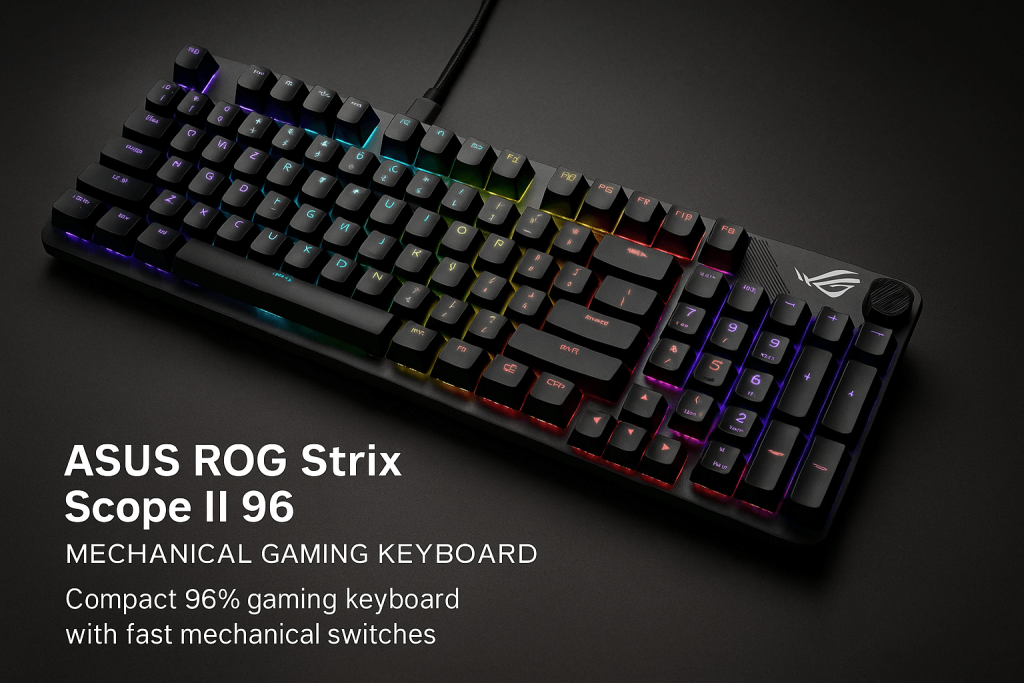
Best for Premium Gaming & Enthusiasts
This is not just a keyboard. It is a piece of high-performance machinery. It uses the “96%” layout. This is a clever 2025 trend.
It squeezes a full number pad into a smaller body. It is barely wider than a tenkeyless (TKL) board.
It uses ASUS’s “SpeedNova” wireless tech. This is technically faster than standard Bluetooth. It is also more stable.
Gamers often ask me a question. “Is wireless fast enough for competitive shooters?” With this board, the answer is yes.
I tested it on fast-paced games. I could not feel a single millisecond of delay. The “NX Snow” switches are incredibly smooth.
They come pre-lubed from the factory. They don’t have that scratchy feel. Cheap mechanical boards often feel scratchy. This one sounds “thocky.” It feels solid right out of the box.
Pros:
Tri-Mode Connectivity: Use 2.4GHz for gaming. Use Bluetooth for work. Or use a wired USB-C to charge while playing.
Hot-Swappable: You can pull out the switches. You can replace them. This lets you try a different feel later.
Insane Battery Life: It lasts up to 1500 hours with RGB lights off. That is unheard of in the gaming space.
Cons:
Expensive: It is a premium investment.
Heavy: It is built like a tank. Do not plan on carrying it in a backpack often.
Who is this for?
Gamers who want the absolute best performance. Enthusiasts who care about sound and feel.
4. AULA F99 Wireless Mechanical Keyboard
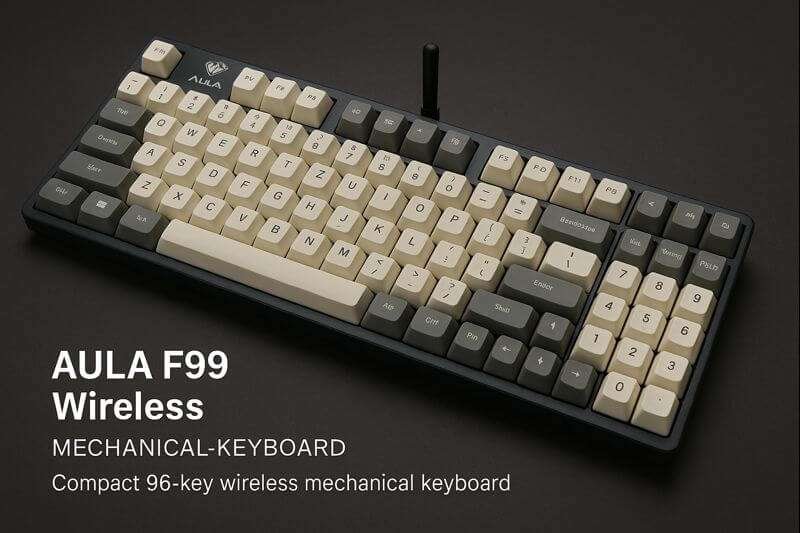
Best for Typing Feel & Custom Sound
The AULA F99 has taken the internet by storm in late 2025. Why? It offers a “custom keyboard” sound.
But it costs a fraction of the price. It uses a “Gasket Mount” structure. This means the internal plate floats on soft foam pads.
This absorbs vibration. It creates a creamy, deep sound. Keyboard nerds love this sound.
I was skeptical about the hype. But the F99 surprised me. The typing experience is soft. It is bouncy.
It doesn’t feel rigid like a standard plastic keyboard. The RGB lighting is very bright. It is vibrant.
You might look for that specific “creamy” sound. You hear it on TikTok or YouTube tech channels. This keyboard delivers it. You do not need to mod anything.
Pros:
Gasket Structure: Provides a soft typing feel. It is flexible. It is gentle on fingers.
Pre-Lubed Switches: The action is smooth. There is no spring ping noise.
Tri-Mode: It has Bluetooth 5.0. It has 2.4GHz. It has USB-C wired options.
Cons:
Software: The driver software creates custom lights. It is a bit clunky compared to Logitech or ASUS.
Thick Case: It sits high off the desk. You might want a separate wrist rest.
Who is this for?
People who want a trendy mechanical keyboard. It sounds great for both work and play.
5. Logitech K270 Wireless Keyboard
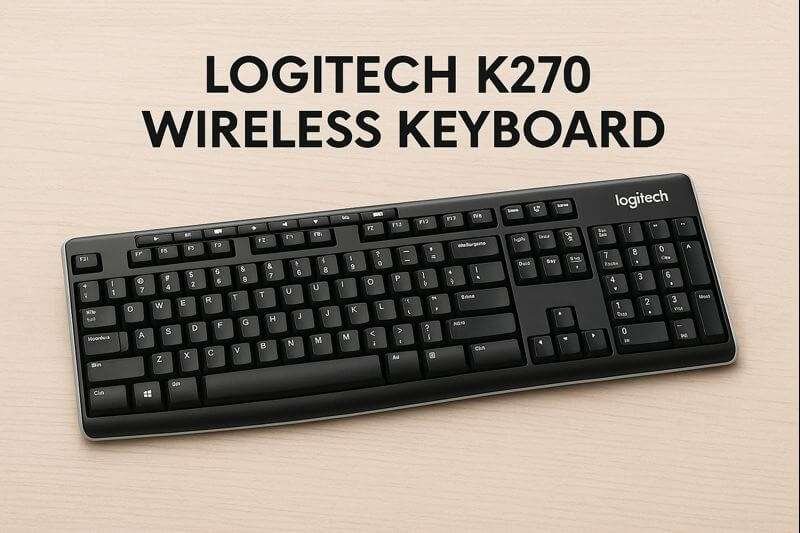
Best Budget Option for Basic Office Work
Sometimes you just need a keyboard that works. The Logitech K270 is the “Toyota Corolla” of keyboards. It isn’t flashy.
It doesn’t have lights. But it is reliable. It is cheap. It refuses to die. It uses a tiny USB receiver. It has full-sized keys.
I keep a K270 in my closet as a backup. I use it whenever I set up a new PC. It connects instantly.
The keys are membrane. They feel a bit mushy compared to a mechanical board. But they are comfortable enough.
They work well for emails and data entry. You get spill resistance. You get media keys (play, pause, volume). These are rare at this price.
Pros:
Very Affordable: It is the best value for money. Perfect for those on a tight budget.
Unifying Receiver: Connects up to 6 Logitech devices. It uses one tiny USB dongle.
Spill-Resistant: It has drain holes. Coffee spills flow out. They do not kill the board.
Cons:
Build Quality: It feels plasticky. It feels light.
Key Feel: It is not satisfying for heavy writers. Keys can feel a bit loose.
Who is this for?
Students and office managers are buying in bulk. Anyone who needs a simple wireless keyboard for under $30.
6. Macally Wireless Bluetooth Keyboard for Mac
Best for Apple / Mac Users
Most wireless keyboards are designed primarily for use with Windows. The Macally is designed for Mac first.
It mirrors the official Apple Magic Keyboard. It includes the Command key. It includes the Option key.
It has specialized function keys for brightness. It also has Mission Control keys.
Do you own a MacBook Pro? Maybe an iMac? Using a Windows keyboard is annoying.
The bottom row keys are swapped. The Macally fixes that. It looks like an Apple product, too. It has a clean aluminum-style finish.
Note that it is plastic. It has white keys. It pairs quickly. It wakes up quickly from sleep mode. Faster than many third-party Mac boards I have tried.
Pros:
Native Mac Layout: No need to remap keys. No guessing where “Command” is.
Solar/Rechargeable Options: Some versions feature solar charging capabilities. Even the standard battery lasts months.
Slim Profile: It perfectly matches the aesthetic of Apple setups.
Cons:
Flat Keys: It is like a laptop. There is very little key travel. Some people dislike this.
Who is this for?
Mac users. Those who want a full-sized keyboard with a number pad. But they don’t want to pay Apple’s high prices.
7. Logitech MK335 Wireless Keyboard & Mouse Combo
Best All-in-One Combo
The MK335 is a practical bundle. It gives you a keyboard. It gives you a mouse. Both run off a single USB receiver.
It is designed for compact spaces. It is designed for portability. The keyboard is slightly smaller than a full-size one. But it still retains the number pad.
I recommend this setup to my non-techy friends. Especially when they buy a new desktop PC.
You plug in one dongle. Both devices work immediately. The mouse is basic. But it is comfortable for smaller hands.
The keyboard has dedicated media keys. These are great for controlling music while working.
Pros:
Single Receiver: Saves USB ports on your laptop or PC.
Quiet Keys: Very low noise profile.
Durable: It is tough enough. You can toss it in a bag for travel.
Cons:
Mouse is Small: Do you have large hands? The included mouse might cause cramping.
Who is this for?
Home office users. Those who need a complete setup (mouse + keyboard) in one easy package.
8. KLIM Chroma Wireless Keyboard
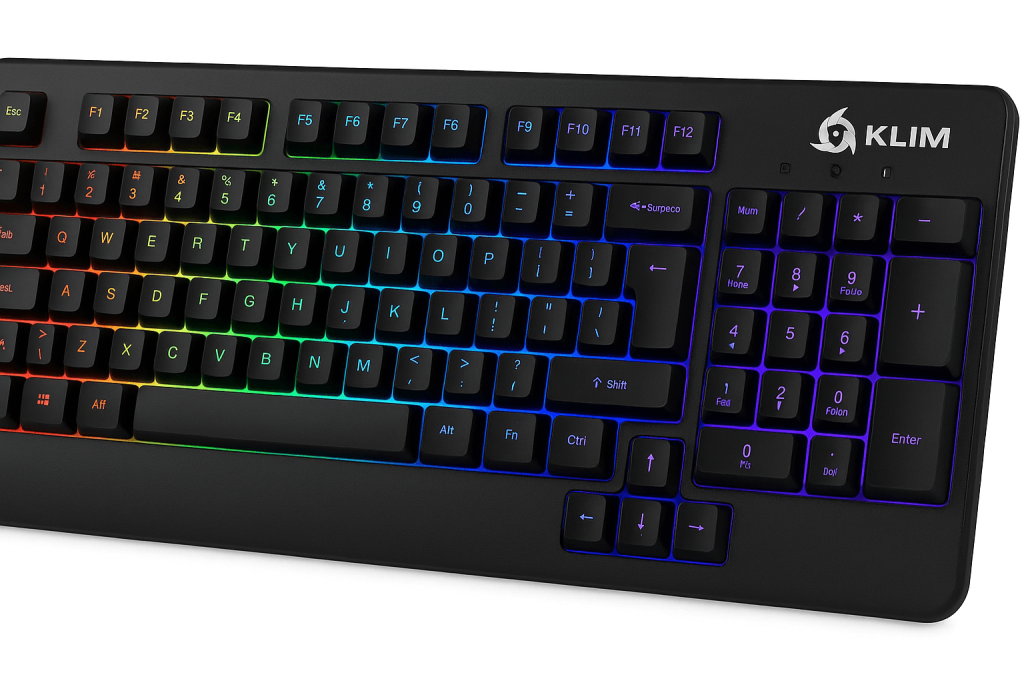
Best Budget Gaming & RGB
The KLIM Chroma proves something. You don’t need to spend $150 to get a glowing gaming keyboard. It is a membrane keyboard.
So it is quiet. But it is styled like a mechanical one. It features full RGB backlighting. It is water-resistant.
I was impressed by the responsiveness. The 2.4GHz connection is fast on this cheap board. It charges via USB-C.
This is a nice modern touch for a budget device. The lights are fixed. You can’t customize every single key like on the ASUS.
But they look cool. They help you see in the dark. It is surprisingly light. This makes it easy to move around.
Pros:
Rechargeable: No need to buy batteries. The built-in battery charges quickly.
Silent Gaming: Membrane keys are much quieter than mechanical switches. Good for late-night gaming.
Water Resistant: Can survive an accidental soda spill.
Cons:
Membrane Feel: You don’t get the “click.” You lack the tactile feedback of a real mechanical keyboard.
Fixed Lighting: The RGB patterns are limited.
Who is this for?
Young gamers. Or parents buying a gift. They want the “gamer look.” They want wireless freedom. But they want it without the high cost.
How to Choose the Right Wireless Keyboard
Buying a keyboard in 2025 is confusing. There are many technical terms. Here is what you actually need to know before you click “buy.”
1. Connectivity: Bluetooth vs. 2.4 GHz vs. Tri-Mode
Bluetooth: Connects directly to your device. No dongle needed. Great for phones and tablets.
Good for laptops with limited USB ports. Downside: It may experience a slight delay (latency). This is fine for typing. It is bad for gaming.
2.4 GHz (RF): Uses a USB dongle. It is faster. It is more stable than Bluetooth. This is the standard for gaming. It is best for reliable office work.
Tri-Mode: The modern standard. Found in the ASUS ROG and AULA F99. These keyboards have Bluetooth. They have 2.4 GHz. They also have a wired mode. They offer the best of all worlds.
2. Switch Type: How do the keys feel?
Membrane (e.g., Logitech K270): Mushy. Soft. Quiet. Cheap and durable.
Scissor (e.g., Logitech K950, Macally): Low profile. Snappy. Short travel. Feels like a MacBook laptop keyboard. Good for fast typists.
Mechanical (e.g., AULA F99, ASUS): Uses physical switches for each key. They are durable. They feel satisfied.
They sound great. Look for “Linear” switches (often red or snow color). They have a smooth, quiet feel. Or look for “Tactile” (brown). They have a bump when you press.
3. Form Factor: Size Matters
Full-Size (100%): Has the number pad. Essential for Excel and data entry. (Logitech K950, K270)
96% Layout: Keeps the number pad. But it removes the empty space. Compact but fully functional. (ASUS ROG Strix, AULA F99)
TKL (Tenkeyless): No number pad. Better for gaming. It gives your mouse more room to move.
4. Battery Life
Do not settle for a keyboard that dies every week.
AA/AAA Powered: Usually lasts 12 to 36 months. Very convenient.
Rechargeable (Lithium): Usually lasts 40 to 1500 hours. This depends on backlighting. If you use RGB lights, you will need to charge them on a weekly basis. If you turn the lights off, it can last months.
Conclusion
Wireless keyboards handle modern workloads easily. They support quiet typing, multi-device use and long work hours.
A good keyboard is an important tool. You touch it more than anything else in your life. Don’t settle for the cheap plastic one.
It likely came with your PC. Upgrade to one of these wireless options. Enjoy the freedom of a clean desk.
FAQ
Do wireless keyboards experience input lag when used for gaming?
In the past, yes. Today, no. High-quality 2.4 GHz wireless keyboards (like the ASUS ROG Strix) have less than 1ms of latency.
This is indistinguishable from a wired connection. Bluetooth keyboards still have a slight lag. They are not recommended for competitive gaming.
How do I clean my keyboard?
For mechanical keyboards (AULA F99), remove the keycaps. Use a brush or compressed air. For membrane boards (Logitech K270), simply turn it upside down. Shake it.
Then wipe the keys with a damp microfiber cloth. Never use harsh chemicals. They can strip the letter paint.
Can I use a Windows keyboard with a Mac?
Yes. But the modifier keys (Control, Alt, Windows) will behave differently. The “Windows” key serves as the “Command” key on a Mac.
Keyboards like the Logitech Signature Slim K950 have both labels printed on the keys. This makes it easier.
What does “Hot-Swappable” mean?
It means you can pull the switch out of the keyboard. You can plug in a new one. You do not need soldering.
This is great if a single key breaks, or if you want to change the feel of your keyboard later.

Aliza Khatun is a Digital Marketing Professional and the founder of DigiGenHub. She has helped various businesses grow their online presence through real-world experience in marketing, branding, traffic growth, and business strategy.
Through DigiGenHub, she shows how to build and grow a business from the ground up using Website Setup, SEO, Branding, Paid Promotion, and smart digital tools.
She also highlights how AI can be used to its full potential to make content creation, automation, marketing, and business growth faster and smarter.
She believes that the right knowledge, modern technology, and the right tools can help any individual or business build a stronger online presence.