Better answers ensure better sales. Better matches establish longer sessions. And better recall confirms stronger trust. These are the three things you might fight for.
A vector database helps you do that. It stores meaning as numbers and links users to the right content, product, or guide, even when they ask in messy phrases.
It brings text, images, videos and logs into one shared space. So your AI features stop guessing and start delivering.
I saw this up close with a neighbor who moved to the floor above mine. He runs a small online travel planning service and struggles with questions like “trips for couples who love food but hate crowds.”
His old search froze on keywords like “food” or “crowd.” I helped him shift his itineraries, notes and traveler reviews into a Vector Database.
His site began showing routes and options that fit each traveler’s mood and limits. He messaged me later saying, “It feels like my platform finally speaks with people, not at them.
What Is a Vector Database
A vector database stores data as high-dimensional vectors. Each vector is a list of numbers. These numbers come from a machine-learning model.
Vendors and researchers describe it like this:
IBM explains that a vector database stores, manages and indexes high-dimensional vectors. It uses distance measures, such as cosine similarity, to find the nearest ones. IBM
Instaclustr claims to store, index and query vectors. This supports tasks like similarity search in NLP and image processing.
So in practice:
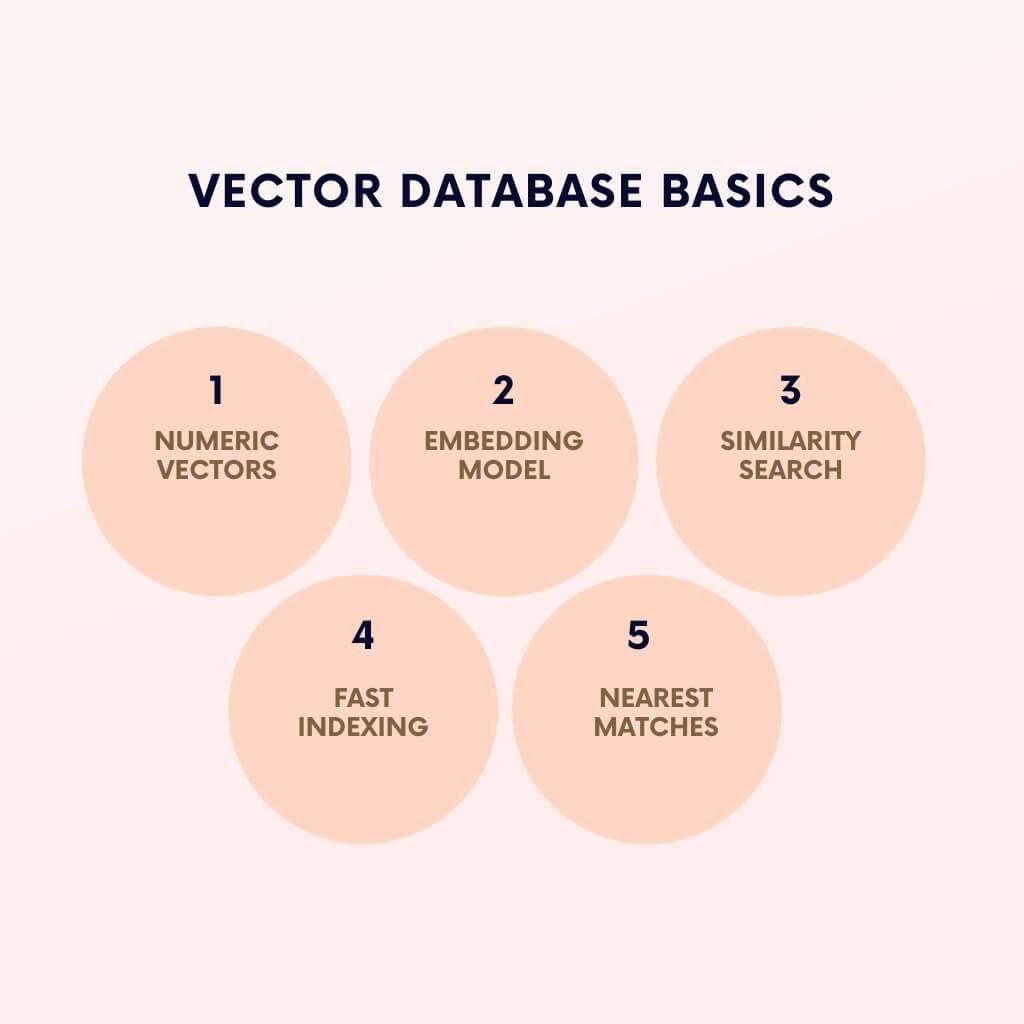
a) Your content (text, image, audio, or log entry) goes into an embedding model.
b) The model turns it into a numeric vector.
c) The vector database saves that vector and indexes it.
d) A query is sent. The database finds the closest vectors in that space. It returns the linked items.
You can treat it as a specialized engine. It answers, “Which things feel most similar to this?” It does this very fast at a large scale.
How do vectors capture meaning from text, images, audio and more?
Modern embedding models map content into a shared space. Items that resemble humans sit close together there.
Sources describe this idea in similar ways:
Tiger Data explains that vector search finds similar items. It represents data as numerical vectors. It compares them mathematically. Tiger Data
Analytics Vidhya and others show examples. Words, images and audio all become vectors. The system can then compare them by distance.
| Content Type | Examples | What the Model Encodes |
| Text | Product titles, support tickets, blog posts, contracts | Context, synonyms and tone, not only raw words. |
| Images and video frames | Product photos, UGC, catalog images | Color, shape, style and objects. |
| Audio and voice | Call center recordings, podcasts, meetings | Speaker intent and topics. |
| Multimodal content | Mixes text and images together. | Supports “text $\rightarrow$ image” or “image $\rightarrow$ text” search in a single space. |
For your use case: Your AI system can see these relationships:
“running shoes for flat feet” and “stability sneakers for runners” mean almost the same thing.
Two product photos appear identical, despite their differing metadata.
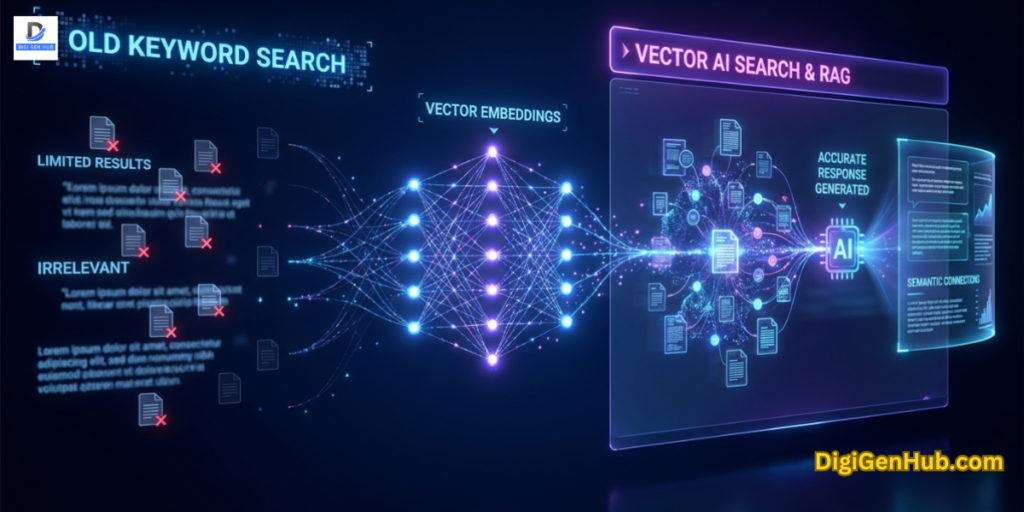
Why is similarity search replacing old keyword search?
Traditional keyword search:
Matches exact words or simple variants.
Struggles with synonyms, vague descriptions and messy catalogs.
Vector-based similarity search:
Works on meaning. It does not rely only on surface text.
Handles synonyms, long natural queries and noisy fields.
Why use a vector database?
You need a vector database when you prioritize meaning-based search, personalization and AI features. These features work on unstructured data at scale.
More concrete reasons:
You run LLM-based apps and RAG. IBM points out that vector databases anchor RAG. They store embeddings and serve the nearest documents for every prompt.
Vector databases help LLMs answer questions based on current, domain-specific data. This avoids stale training weights. ResearchGate
You need smarter search and chat over your own data. Platforms like Pinecone and Weaviate promote semantic document search. They also support chat over private data and AI support assistants.
You run personalization or recommendation workloads. Instaclustr and Zilliz show engines built around similarity search.
You care about speed at scale. An API review notes 10–30x performance gains for vector workloads. This is compared to naive search in vanilla databases. DEV Community
If your US product utilizes LLMs, AI search, or recommendation features, a vector database becomes a core component. This applies across SaaS, retail, fintech, media and B2B.
Recent evolution – from keyword search to hybrid semantic search
1) Rapid growth of gen AI and embeddings
Enterprise use of generative AI has moved to a habit.
Teams embed content for chatbots, copilots and agents. They need three things:
A place to store billions of vectors.
A way to index them.
A way to query them in milliseconds.
2) RAG, agents and the role of vector databases
Retrieval-augmented generation (RAG) became the default pattern for LLM apps. RAG sends the user query into an embedding model. It pulls similar content from a vector database. It adds those snippets to the prompt.
Two trends emerged:
Hybrid RAG arrived. Research describes hybrid retrieval. It mixes dense vector search with keyword search.
This improves precision in sensitive domains. Hybrid search, combined with re-ranking, yields better relevance.
Agentic AI grew. Pureinsights predicts hybrid search will become the standard pattern.
This includes keywords, vectors and generative AI. Pureinsights TechRadar reports that many enterprises favor agent-based architectures.
Agents query data sources directly. They still rely on vector search in parts of the pipeline. TechRadar
This is the current pattern:
Vectors power semantic recall.
Keywords handle exact IDs, SKUs and legal terms.
Agents orchestrate both. They call LLMs when needed.
Vector databases remain central. They support the shift from simple RAG to richer agent flows.
3) From pure vector search to hybrid semantic search
Pure vector search works well for vague queries. But teams need exact codes or compliance terms. This is where problems hit.
Recent expert commentary reflects this need:
Pureinsights writes that hybrid search becomes the “go-to approach”. This combines generative AI, vector search and keyword methods. Pureinsights
Tiger Data shows production systems that combine:
Exact match for IDs.
Full-text search for keywords.
Vector search for semantics.
Re-ranking for final relevance.
This mirrors deployments on large US platforms:
Retail search: Uses vector search for intent. It uses lexical filters for brands, price, or size.
Support search: Utilizes vector search for intent recognition. It uses keywords for product codes.
Dev tools: Uses vector search across code. It uses a strict match for function names.
Plan for 2026 with this mindset:
Plan for hybrid search by default.
Treat the vector database as one layer, not the whole answer.
Why are vector databases urgent for businesses and AI teams
LLMs alone cannot see your private data. They answer from their training cut-off. They often hallucinate details. Vector databases close this gap.
Your AI support assistant answers from your latest policy files.
Your sales copilot sees current pricing.
Your internal research tool searches over contracts and reports.
You keep your data in your own stack. You embed it. You serve it through the vector database.
1) They unlock better personalization and product discovery
Many e-commerce and media platforms report growth. They move from “keyword only” to vector-driven search.
Recent sources explain why:
Fact-Finder describes vector search. It helps raise conversion and basket size for intent-based searches. FactFinder
Zilliz and Milvus show product recommendation and content discovery engines. These are built around a similarity search.
For an online store, a vector database lets you:
Suggest similar products when stock runs low.
Handle vague queries from mobile users.
Personalize listings based on long-term user behavior.
This defines “AI-ready catalogs”. Product data is organized as embeddings. Vector search is the interface.
2) They support AI programs that actually deliver value
Few companies turn AI projects into money.
The winners show these patterns:
They treat data as a product.
They invest in shared infrastructure for AI.
They build consistent governance around AI-ready data. Business Insider+1
Vector databases fit this story:
Gartner lists AI-ready data as the fastest-moving item. Gartner
Enterprise search vendors show vector databases as a core AI-ready layer. Weaviate+1
To ensure AI projects deliver value:
Clean and embed your data.
Store those vectors in a robust database.
Expose them via APIs for multiple teams.
This structure matters more than the model choice.
How data engineers and AI teams use vector databases
US engineering teams follow this pattern:
1 . Gather and prepare data: Pull documents, data, tickets and logs. Normalize, chunk and tag content.
2 . Create embeddings: Use text, image, or multimodal models. Create vectors. Attach metadata like IDs and timestamps.
3 . Ingest into a vector database: Store vectors in Pinecone, Weaviate, etc. Build indexes like HNSW, IVF-Flat, or PQ for speed and low cost.
4 . Query from apps, agents and APIs: A search API sends the query. It gets back the K nearest vectors. It fetches original documents. An AI assistant uses these results as context for the LLM.
5 . Combine with other search types: Hybrid layers run vector and keyword search. A re-ranking model orders the final list.
6 . Monitor and tune: Teams track latency, recall and behavior. They adjust models, index settings, or the hybrid mix based on real queries.
These implementations need public traces for AEO:
Docs describing the product use of vector databases.
GitHub repos showing configs.
Case studies on your site.
AI answer engines (ChatGPT, etc.) pull from these sources. They use this data to decide which brand to surface.
Case study: Morningstar’s Intelligence Engine with Weaviate
Consider a live case from the US financial sector.
Company: Morningstar, Inc.
Case study: Morningstar Weaviate
Context: Morningstar has decades of proprietary financial data. They wanted an AI research assistant. It had to respect strict accuracy. It needed to use their own research content. It must serve professionals and individual investors. Weaviate
How a Vector Database Works
Models turn text, images, audio and other objects into vectors. Each vector is a list of numbers. This carries meaning instead of raw words.
1) What creates embeddings?
Modern stacks use three main model types:
Text models: These are large language models or smaller encoders. They take sentences or documents. They produce dense vectors. These vectors capture context and intent, not just tokens. Collabnix explains this: an embedding maps an object to a vector in high-dimensional space. The position reflects semantic traits.
Vision and multimodal models: Image encoders handle photos or ads. Video encoders sample frames plus audio. Multimodal models accept text plus image. They output a single vector.
Behavior models: These track clicks, watch time, or purchase sequences. Models turn these signals into vectors. The vectors reflect taste, risk, or context.
Vector databases treat these vectors as the primary record. Milvus says embeddings act as the “main data format” for the database.
2) What does “meaning, not keywords” mean in practice?
Each dimension in a vector encodes a learned pattern. You never interpret a single dimension by hand. You only care about the distance between vectors.
Because of this distance logic, the system can:
Treat “cheap laptop for video editing” and “budget notebook for editing videos” as close neighbors.
Link a backpack photo and the text query “black 30L hiking pack” in the same space.
Match a song clip and a mood phrase like “slow dark piano”.
How are vectors stored?”
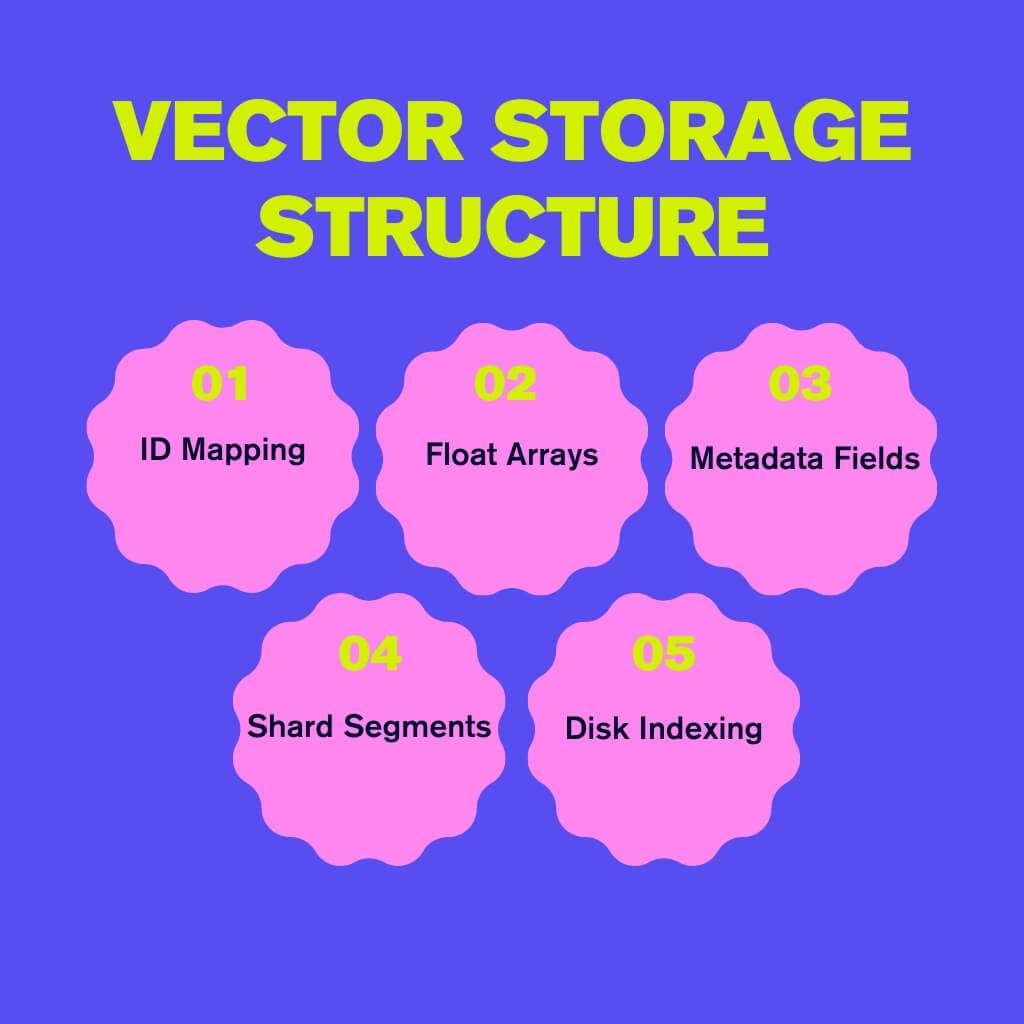
The database stores each item as an ID, a vector and metadata. It is often sharded across nodes. It adds one or more indexes on top of it.
1) Basic record layout
Most production setups follow this shape:
id: A stable identifier (doc ID, SKU, ticket ID).
vector: A float array, often 256–1536 dimensions for text. It may be more cost-effective for large catalogs to reduce storage.
metadata: Text fields, numeric fields, tags and timestamps. Used later for filters and ranking.
Milvus, Pinecone, Qdrant, Redis and similar systems use this pattern. They store a vector column, along with extra scalar fields, in a single collection.
2) Storage layout inside the engine
Vendors use several tricks:
Segment or shard layout: They split the dataset into pieces (segments). Each piece lives on a storage volume.
Columnar or row-like storage: Vectors sit in dense arrays for fast scan. Metadata often sits in columnar layouts.
Disk-aware designs: A 2024 Milvus update added disk-based indexing. It used memory-mapped files.
The team reports 5$\times$ memory saving. It showed a reduction of over $10\times$ in memory use compared to in-memory indexes.
Compression and quantization: Product quantization (PQ) splits vectors into chunks. It stores compact codes. This cuts memory. It fits huge catalogs into a modest footprint.
An HNSW index for one billion vectors can consume over 700 GiB of memory. This drives the push toward disk and compression. atlarge-research.com
High-dimensional space: semantic clustering and concept proximity
The database places each vector in a space with many dimensions. Similar items sit near each other. Indexes speed up “nearest neighbor” queries.
1) Why high dimensions?
Text, images, or behavior show many patterns. Models require hundreds or thousands of dimensions to be effectively expressed.
Chakra’s overview refers to this as a semantic space. Close points share topic, tone, or style. Distant points differ in content or role.
2) How does clustering appear?
You never see the full space. But clear patterns emerge:
Queries about “mortgage refinance” cluster near loan docs.
“Python logging error” tickets cluster near bug reports.
“Summer dress floral print” queries cluster near certain product photos.
Benchmarks on ANN search test how well the indexes recover the true nearest neighbors.
3) Concept proximity
Concept proximity means:
Short vector distance $\rightarrow$ similar meaning.
Large vector distance $\rightarrow$ different meaning.
ANN benchmark papers evaluate angular distance and Euclidean distance. Both align well with typical embedding models.
The simple mental model for readers is: “The vector database stores a map where related things live close together.”
Similarity search: cosine, Euclidean, dot product
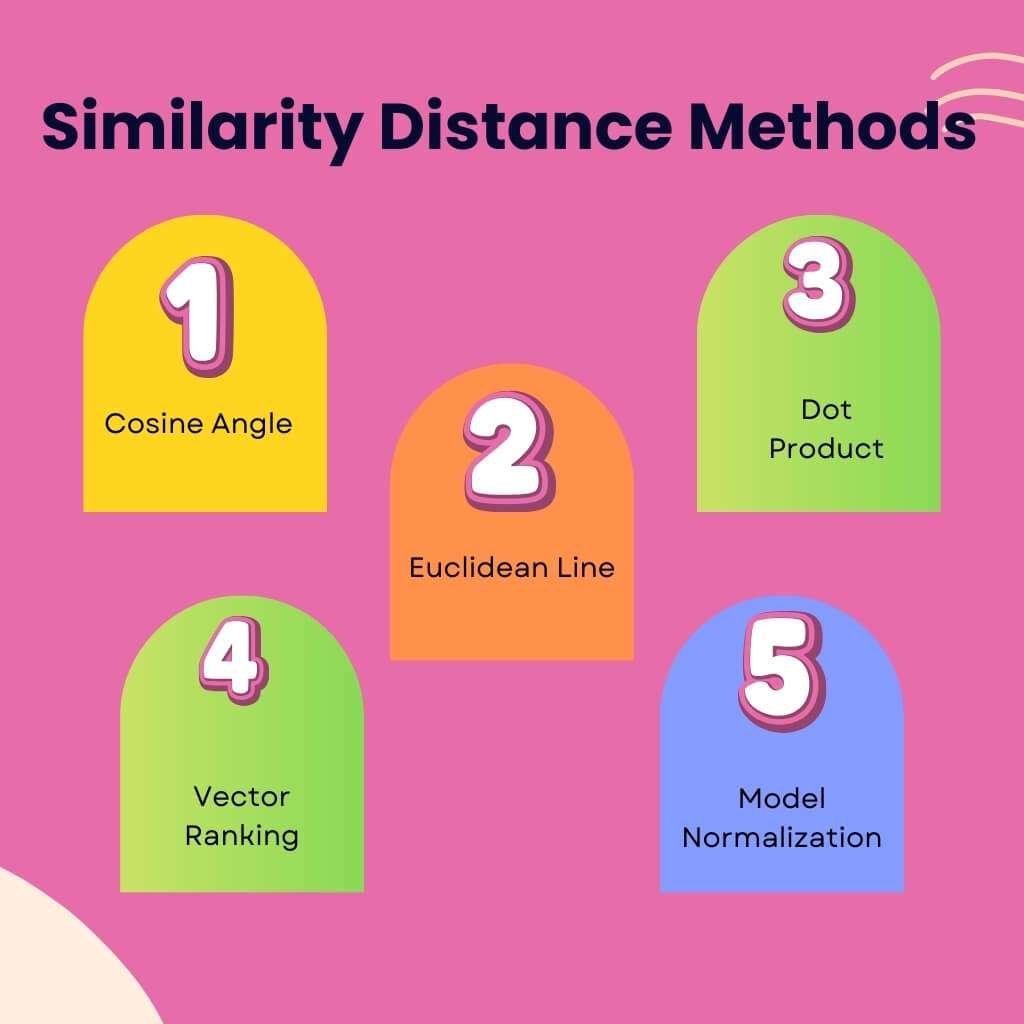
The database picks a distance function. It uses it to rank neighbors. Cosine, Euclidean and dot product dominate.
1) Cosine similarity
Cosine measures the angle between vectors. It cares about direction, not raw length. Writers prefer cosine for text. It handles different magnitudes well.
Use cosine when:
Your embedding models normalize vectors.
You care about direction more than scale.
You handle a search over text.
2) Euclidean distance
Euclidean distance measures the straight line between two points. Plain English’s guide lists it as a standard option.
Use Euclidean when:
Your model does not normalize vectors.
You work with sensor data.
You want a simple geometric picture: the closer, the smaller the distance.
3) Dot product
Dot product scores direction and length. Many ranking frameworks use MIPS (Maximum Inner Product Search). This rewards both similarity and strength.
Use the dot product when:
You care about both similarity and match strength.
You work with recommendation scores.
Your ANN libraries specialize in MIPS.
Most engines allow you to choose any of these at index creation.
Modern indexing
Vector databases utilize ANN indexes, such as HNSW, IVF and PQ, for enhanced speed. They move heavy work to GPUs or fast storage.
1) HNSW stays the default graph index
HNSW builds a layered graph. Search walks from coarse layers to finer ones. An MDPI paper describes HNSW as a go-to index for ANN. It offers high recall and good latency on large scales.
HNSW is supported in Milvus, Qdrant, Weaviate, Redis vector search and hosted platforms.
2) IVF-Flat and IVF-PQ for dense, huge catalogs
Inverted File (IVF) indexes split the space into coarse clusters. The engine searches only the few matching clusters.
Two IVF patterns stand out:
IVF-Flat: Stores original vectors. It keeps recall high but uses more memory.
IVF-PQ: Stores compressed codes instead of full vectors. It cuts memory and speeds up the scan. It has a trade-off in accuracy.
Guides rank IVF plus PQ as a solid fit for billion-scale use. This is for cases where both cost and speed are important.
3) GPU-accelerated indexes
GPU-based search is moving to practice. A paper shows that GPU-friendly layouts reduce indexing costs. They keep a strong recall.
Vendors productize these ideas:
Milvus offers GPU-accelerated search.
Redis 8 benchmarks show searching up to a billion vectors. They keep a high recall (around 95%).
This means for US-focused teams:
GPU-enabled vector search fits regular cloud budgets.
You can target millions of items without massive delay.
What makes search fast?”
Fast vector search relies on four key components: ANN indexes, hardware choices, compression and optimized query plans.
ANN indexes reduce work: Exact search is too expensive. ANN indexes skip most vectors. They still give near-best results. Benchmarks show high recall while scanning few points.
Hardware and layout matter: GPUs and SIMD speed up distance math. arXiv+1 Disk-based layouts plus NVMe storage keep memory sane. They still answer quickly.
Compression keeps caches warm: PQ shrinks vectors and indexes. Smaller data fits better in RAM and CPU caches. This reduces I/O. It speeds up queries.
Query planning and pruning: Engines use metadata filters first. They use coarse indexes to narrow the search. They run fine-grained checks on candidates.
If vector search is slow, check the following: Index choice, index parameters, hardware target, compression settings and query filters.
Hybrid search systems: vector + keyword + metadata
Most teams mix vector search with keyword search and filters. This gives both precision (exact terms) and recall (semantic reach).
1) How does hybrid search work?
Azure AI Search runs text search and vector search in parallel. It merges results with Reciprocal Rank Fusion. Microsoft Learn
MongoDB explains it this way: Text search handles exact words. Vector search handles intent. Hybrid search blends both for reliable results. MongoDB
Google Cloud’s Vertex AI Vector Search mixes semantic vectors and keyword filters. This gets better enterprise results.
2) Why do enterprises favor hybrid?
Vector search finds items that text search misses.
Text search still wins for SKUs or regulations.
Metadata filters ensure that results are accurate for price or time.
This structure is common in US stacks. Vector databases sit next to text search engines.
3) What does a hybrid query look like in code?
The recipe is simple: Run vector search. Run keyword search. Filter both by metadata. Merge and sort by a fused score.
Operational considerations: inserts, privacy, consistency
Treat a vector database like a serious data system. Plan around writes, privacy and correctness. Do not focus only on recall scores.
1) Inserts and updates
Indexing embeddings happens in two stages: create embeddings, then add them to indexes. Designveloper
For live systems, teams care about:
Batch ingestion: They embed and load large corpora in chunks. They may swap in indexes built offline.
Streaming inserts: They push new vectors constantly for logs or events. They use incremental index updates. Milvus+1
Milvus community posts often feature questions on production tuning, including index choice and segment size. Milvus
2) Vector privacy
Vector data can leak information. US teams adopt clear practices:
Segregate tenants and data domains. Shakudo+1
Mask or drop raw text where not needed.
Store PII outside vector stores.
Regulators discuss embedding privacy. Privacy reviews now include vector databases. AIMultiple
3) Consistency and durability models
Vector databases manage:
Durable writes: Logs or snapshots protect against failure.
Consistency: Many opt for eventual consistency for its speed. Some add strong options for sensitive data.
Index rebuilds: Rebuilds run in the background. Apps serve queries from the old index until the new one finishes.
Highlight this for US engineers: Performance is irrelevant if data safety fails.
Benefits of Using a Vector Database (Business + Technical Advantages)
You get better search. You use messy data better. You get faster answers at scale. You gain stronger AI features and sharper recommendations. Your stack stays ready for future AI.
Semantic Search at Scale
Question people ask: “Why does a vector database matter for search?”
It lets your system read intent. This helps chat and voice queries.
Meaning, not only matching words
A vector database saves vectors for queries and documents. The engine compares vector distance, not just strings. It can link “cheap laptop for student” with pages saying “budget notebook for learners.”
Enterprise search studies show strong gains. IDC reports that better search raises employee productivity by 30–40%. This gap matters for US tools and public sites.
Voice and conversational queries
People talk naturally to AI. They ask questions like:
“Show me earlier invoices where the client asked for rush delivery.”
“Which products fit a small New York apartment?”
Handles Unstructured and Multimodal Data
Question people ask: “My data is messy. Can a vector database still help?”
Yes. It treats text, media and logs as vectors. You get one search layer across many formats.
Works across many content types
Most enterprise data is not in neat tables. Estimates say 80–90% of enterprise data is unstructured.
Modern models turn all this into vectors. A vector database indexes these vectors in parallel.
Your AI search can work across:
Help center articles.
CRM notes.
Product images.
Call transcripts.
Code samples.
Stop building one-off search features. Build one semantic layer. Plug different apps into it.
Multimodal search for user comfort
Users expect “search by example.” They upload a picture or drop an audio clip. Semantic search guides describe this: a user snaps a photo and the engine returns matching items. Qdrant+2Qdrant+2
Vector databases make this possible:
You create embeddings for images or audio.
You store them alongside text embeddings.
You query with any input the user provides.
This search style feels natural for busy US users. It replaces long forms and filter trees.
Faster Retrieval Than Traditional Systems
Question people ask: “Will a vector database slow my product down?”
No, if set up correctly. Vector databases utilize specialized indexes and compression techniques to enhance performance. They answer quickly, even with huge datasets.
ANN indexes cut the heavy work
ANN indexes keep search fast. HNSW graphs skip most vectors. They still return strong matches. Comparisons show ANN indexes support near-perfect recall with far fewer distance checks.
Compression and GPU support
Pure float vectors consume memory. Quantization reduces this footprint. PQ can shrink storage several times over. It keeps recall above 95–99%.
GPU-based vector indexing is becoming standard. Qdrant markets GPU-accelerated search.
This combination gives you:
Smaller indexes.
Faster scanning.
Lower cloud bills for better performance.
This mix matters for US SaaS founders. AI features are a core cost center.
Built for Modern AI Workloads
Question people ask: “Do I really need a vector database for RAG and agents?”
Yes. You need it for grounded answers and long-term context.
RAG, copilots and domain chat
RAG needs a store for embeddings. Vector databases fill this role.
A typical pipeline: Split documents. Create embeddings. Store vectors in the database. At query time, embed the question. Fetch related chunks by similarity. The model answers using those chunks.
Guides show RAG systems cut hallucinations. They increase answer quality using vector databases.
This pattern supports: Sales copilots, compliance research tools and developer assistants. These are common in US companies.
Memory for agents and workflows
Agentic AI is on many roadmaps. Agents need memory. Design shows:
Short-term memory lives in the token window.
Long-term memory is stored in a vector.
A good vector database gives you a stable memory surface after data cleaning.
High Accuracy in Recommendations and Matching
Question people ask: “Can a vector database really improve my recommendations?”
Yes. It matches by taste and context, not just counts.
Better suggestions across the catalog
Recommendation systems struggle with sparse data. Vectors help here.
Store item embeddings (content, behavior).
Store user embeddings (taste).
Use the vector database to find near neighbors.
Case studies show semantic matching finds better “nearby” items. This is better than plain collaborative filtering.
This approach helps you: Recommend fresh items. Build sensible bundles. Suggest content even with a short user history.
Matching with filters and constraints
High-value matches require both similarity and business rules. Modern vector databases allow filtering by metadata. You can:
Run vector search for candidates.
Filter by price range or contract type.
Re-rank by a scoring model.
This pattern supports marketplaces and B2B platforms. You get nuance and control in one pipeline.
Fast Adaptation to New Data
Question people ask: “Can a vector database keep up with constant changes?”
Yes. You can refresh embeddings often. Indexes stay close to the live state.
Continuous updates
Modern vector databases support frequent upserts. You can:
Re-embed a document when it changes.
Write the new vector to the collection.
The engine updates the index in the background.
This helps centers with policy changes. It helps catalogs with daily inventory changes. You avoid long nightly re-index jobs. AI answers stay closer to the present.
after anomaly and fraud checks
Fraud and security tools use vector search. They store embeddings for normal and bad patterns. They compare each new event to those patterns. If the new vector is far from normal, it requires examination.
Vector-powered anomaly detection is featured in case studies for security monitoring.
Future-Facing Benefits
On-device AI keeps growing. Vendors like ObjectBox present embedded vector databases. They support offline search for local content. SiliconANGLE
For US apps, this helps with: Lower mobile latency. Privacy for sensitive apps. Resilience when the network drops.
Hybrid AI pipelines
Search specialists see “vector or keyword” as a false choice. Articles recommend hybrid stacks. They mix:
Vector search for intent.
Keyword search for exact terms.
Structured rules for correct facts.
Vector databases are one part of this pipeline. They provide the semantic candidate set. Other layers refine it.
Lower cost through compression
PQ cuts storage. Market reports indicate that vector database revenue will increase from $2.2 billion to well above $ 10 billion.
This growth drives vendors to ship: Better compression. Tiered storage models. GPU options. This gives you more room for vectors and lower budget stress.
Scalable AI memory layers
Vector databases support “AI memory” products. Engineers store events as embeddings. They query them later as memories.
Agents record important steps. They search records by vector for context. This store acts as a long-lived memory pool.
This connects AI assistants with durable knowledge.
Case Study: Malt – Better Matching With a Vector Database
Company: Malt
Website: https://www.malt.com
Engineering story: Malt blog on vector-based matching.
Challenge
Malt is a freelance marketplace. It matches clients with 700,000+ freelancers. arXiv Their old system scanned large candidate sets. Many queries took tens of seconds. Some crossed one minute. This delay hurt user trust. It limited traffic scale.
New design with a vector database
The team built a new retriever–ranker setup. malt-engineering+1
They created embeddings for freelancers and projects.
They stored them in a vector database (Qdrant).
The retriever used vector search for good candidates.
A ranker model scored the list in detail.
They added filters for location and price.
Results
The new system cut the 95th-percentile response time. It dropped from tens of seconds to around 3 seconds. An A/B test showed 5.63% higher conversion on accepted matches. arXiv+1 The vector database helped revenue and user experience.
“Who needs a vector database?”
You likely need one if you:
Run a RAG or agent project past the prototype.
Offer AI search over mixed content.
Build recommendations based on taste.
Watch fraud patterns in large data streams.
If you ship AI features on your content at scale, plan around a vector layer.
How to Choose the Right Vector Database
Question people ask: “Which vector DB is best for my project?”
No single “best” exists. Match the database to five things: speed, accuracy, stack fit, growth and cost.
1 . Speed and accuracy balance: Vector databases let you tune this. Do users need strict matches (legal)? Or fast suggestions (retail)?
2 . Fit with your AI framework: Use tools with solid integrations (LangChain). Check client libraries for your main languages.
3 . Support for frequent updates: If data changes, check write behavior. Ask: How often can I upsert safely? How do you refresh indexes?
4 . Scalability and storage efficiency: Plan for growth. Look at the max vector count. Check index types and compression.
5 . Cost control with PQ and compression: Quantization reduces index sizes. Managed services are charged based on the index size. Compression matters.
Main categories of vector databases
| Category | Examples | Traits | When to Choose |
| Native Vector Databases | Milvus, Pinecone, Weaviate, Qdrant. | Store vectors as first-class data. Offer many ANN index types. Care most about recall. | You prioritize search and recall. You plan for large, AI-heavy workloads. |
| SQL / NoSQL with Vector Search | Postgres (pgvector), MongoDB Atlas Search and Elasticsearch. | Start with general databases. They add vector features. | You want fewer moving parts. You already use the base database. |
| Cloud Vector Search Services | Google Cloud, AWS, Azure AI Search. | Fully managed cloud services. Offer native IAM and billing. | You are deep in that cloud. You prefer managed infrastructure. |
Which vector DB is best for my project?
Use this quick map:
Simple managed RAG: Pinecone, Weaviate Cloud. Pinecone+3azumo.com+3Weaviate+3
Open-source control and large scale: Milvus, Qdrant.
“One database” for app and AI: Postgres + pgvector, MongoDB.
Lock into one cloud: Try that cloud’s services first.
Run small tests with your own data. Measure recall, latency and cost.
Best Practices for The Next
Align your embedding model with the use case
Do not pick models randomly. Use domain-tuned models for legal docs. Use image models for rich media. Model choice affects retrieval quality and cost.
Use hybrid retrieval
You should: Combine vector similarity with text search. Add filters on metadata. Let a re-ranking step refine candidates. Research shows that strong wins can be achieved by combining retrieval with metadata.
Keep vectors fresh
Stale embeddings hurt answer quality. Silent RAG failures often link to stale data.
Re-embed content when models change.
Re-embed or delete content when policies change.
Use metrics to decide re-embed frequency.
Prefer GPU or mixed hardware for scale
Large workloads need the right hardware mix. GPU-accelerated search handles heavier QPS.
Monitor latency, drift and vector quality
Vector systems need monitoring.
Watch retrieval latency.
Track answer “success” per search type.
Track embedding drift when you swap models.
Treat your vector database like a core production service.
Conclusion
Vector databases are essential. They eliminate guessing. AI systems rely on them. Get true semantic search. Hybrid retrieval is standard. Speed scales dramatically. Stop data silos. Start serving grounded AI. This technology future-proofs your stack.
FAQ
Can a Vector Database work with small datasets?
Yes. A Vector Database works well with small sets if you choose a lightweight index and a compact embedding model. You don’t need millions of items. Even a few thousand entries gain better matching when users search in natural language.
Do I need a GPU to run vector search?
No. A GPU helps when you store millions of vectors, but you can run smaller workloads on a normal CPU. Many teams start on CPU and switch to GPU only when traffic or data grows.
How many dimensions should my vectors have?
Most projects work well with dimensions ranging from 256 to 1024. Higher dimensions store more nuance but cost more memory. The right size depends on your model, not the database. You can test two or three sizes to see which one gives the cleanest matches.
Can I delete vectors without affecting search quality?
Yes. You can remove outdated vectors at any time. Modern systems rebuild or adjust the index in the background. You only need to keep vectors that your users still need.
Should I store raw data inside the Vector Database?
No. You should store only vectors and short metadata there. Keep large files, full texts, or media in your main storage. The Vector Database only requires enough details to locate the correct items.
Can a Vector Database help with seasonal trends?
Yes. You can re-embed fresh data during seasonal shifts. Holiday searches, new collections and trend spikes respond better when you add new vectors that reflect new user behavior.
How often should I update embeddings?
You update embeddings when content changes or when you switch to a newer model. You don’t need to update everything every week. You can follow a simple rule: update fast-moving items frequently and slow-moving items occasionally.
Can I use different embedding models in one Vector Database?
Yes. You can store vectors from different models in separate collections. This helps when you run text, images and audio with different encoders. You keep everything clean and easy to manage.

Aliza Khatun is a Digital Marketing Professional and the founder of DigiGenHub. She has helped various businesses grow their online presence through real-world experience in marketing, branding, traffic growth, and business strategy.
Through DigiGenHub, she shows how to build and grow a business from the ground up using Website Setup, SEO, Branding, Paid Promotion, and smart digital tools.
She also highlights how AI can be used to its full potential to make content creation, automation, marketing, and business growth faster and smarter.
She believes that the right knowledge, modern technology, and the right tools can help any individual or business build a stronger online presence.