Reels are now a mix of storytelling, ads and business. Meta built a system that rewards effort through ad payouts, Stars, brand collaborations and direct product sales. If you enjoy making Facebook Reels, this is the perfect time to monetize your creativity.
Yet, how to earn money from Facebook Reels? The format now favors originality and rhythm over luck or copying. Connect your niche business with it.
Once, I met Jennifar, one of my neighbours, who runs an online design course. She told me she felt invisible on bigger platforms.
I suggested she should rework content into short, clear Reels that answered one design problem at a time.
The system works amazingly to increase users loyalty. Her followers grew and new students joined her course straight from those clips. It reminded me that people buy clarity, not noise.
How to Earn Money from Facebook Reels (Find Earnings Opportunities)
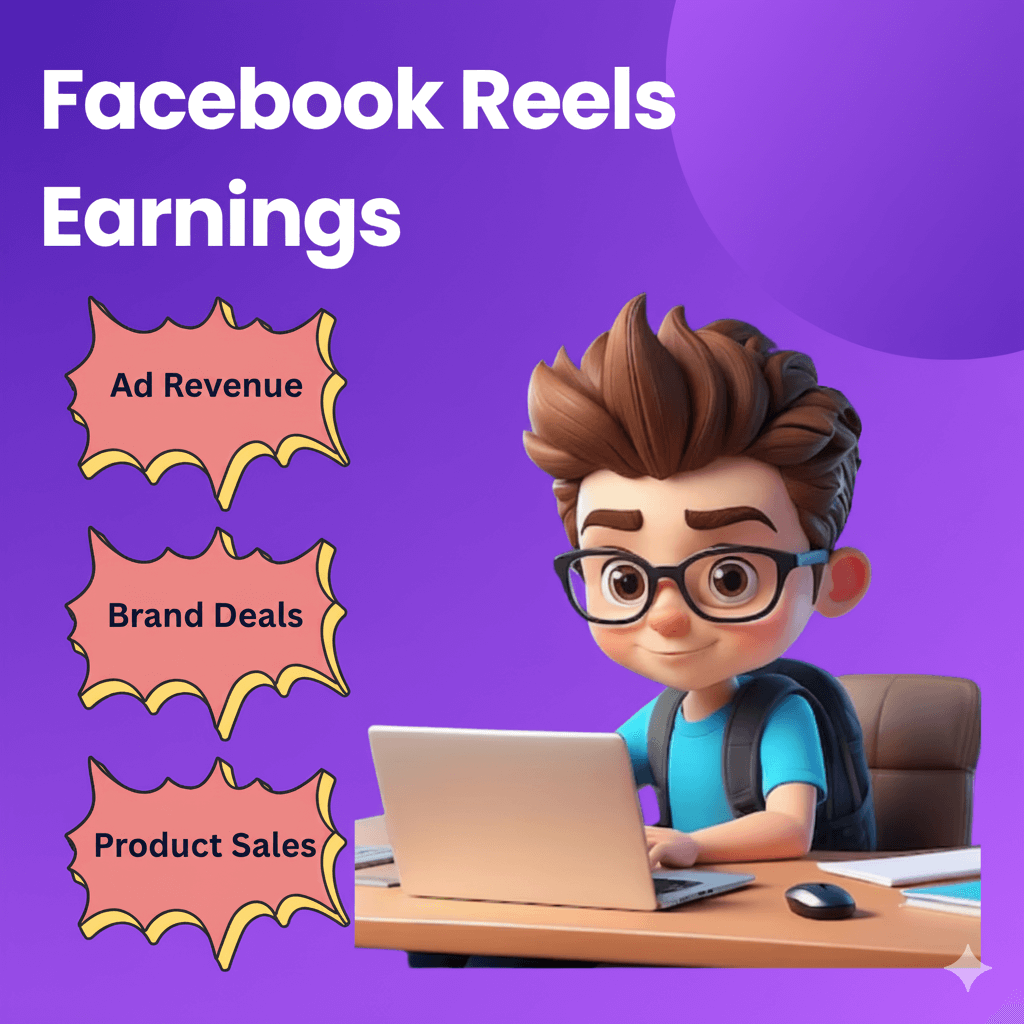
Creators can now earn from ads, bonuses, viewer tips, brand deals and even direct product sales. Each way pays differently, but together they form a consistent monthly income source. Let’s explain:
Facebook Reels Earning Overview
| Monetization Type | Typical Earnings |
| Ad Revenue Share (Overlay & Post-Loop Ads) | $1 – $5 per 1K views |
| Reels Bonus 2.0 (Invite-Only) | $100 – $1,200 / month |
| Stars & Fan Support | $0.01 per Star |
| Branded Collaborations / Creator Marketplace | $200 – $5,000 per Reel |
| Product Sales / Affiliate Deals | 10 – 20 % commission average |
1. Ad Revenue Share (Overlay & Post-Loop Ads)
So, how much can you earn per thousand plays (new CPM rates)? Many creators say Facebook pays $1 to $5 per 1,000 monetized views in the U.S. for video content.
But monetized views are only a fraction of total views (only those with ads served count).
Also, Meta is phasing out older ad setups. Some older “Ads on Reels” and “In-stream ad” programs may end by August 31, 2025, under their new unified system.
Difference between automatic ads and manual ad placement
There is no manual placement for creators. Meta inserts overlay and post-loop ads automatically into eligible Reels.
Advertisers choose placements during their ad campaigns. They can select “Reels” as one placement option. Your job: make content eligible.
Because you can’t hand-pick ad positions, focus on maintaining policy compliance and high engagement. So Meta shows more ads on your Reels.
2. Reels Bonus 2.0 (The Invite-Only Program Reimagined)
How creators are now re-invited or re-qualified.
The old Reels Play Bonus program is being folded into Facebook’s new Content Monetization program.
Meta invites creators based on sustained performance, content quality and compliance.
You may get re-invited after a period of consistent original posting, good metrics and no policy violations.
What performance metrics does Facebook quietly prioritize
- Retention rate (how long viewers watch)
- Replay counts (how often people rewatch)
- Original content (no watermarks, no wholesale reposts)
- Viewer engagement (comments, shares)
- Clean monetization history (no strikes)
3. Stars & Fan Support
How micro-donations became a steady income stream. Stars let watchers purchase virtual gifts and send them during Reels, Lives, or videos. Each Star is worth $0.01 to creators.
Because anyone can tap to send, micro-donations add up when many fans pitch in.
Meta supports Stars across more content types (including eligible Reels). Alitoday+1
Should beginners focus on Stars first?
Yes, for two reasons:
- It has lower barriers than ad revenue (less strict eligibility).
- It helps validate an audience’s willingness to pay.
Do not rely solely on Stars, but use them while you build toward ad monetization.
4. Branded Collaborations & Creator Marketplace
Turn on Branded Content Tools in your settings.
Maintain a Professional Profile (or Page) with public metrics.
Apply to be part of Creator Marketplace / Branded Content Hub via your dashboard.
How brands now choose creators authenticity over follower count
Brands prefer honest, niche content with strong viewer connection rather than views alone.
They look at watch time, topic match, audience interests and compliance record rather than just big followings.
A small creator or service holder who nails niche content can win deals over a big account that’s off-topic or inconsistent.
5. Selling Products & Affiliate Deals through Reels
Turn short videos into digital storefronts.
- Show the product in action in a 15–30 sec Reel.
- Use captions or overlays to highlight one benefit.
- Include a call to action (“Tap link,” “Shop now”) in on-screen text or pinned comments.
- Because most U.S. users already shop via social media, this direct approach can convert well.
Linking Reels to Instagram Shops and WhatsApp Catalogs
- If you have a Facebook or Instagram Shop, you can tag products directly in Reels (depending on eligibility).
- For small businesses, a WhatsApp Catalog can let viewers message or order directly.
- Use deep links in the caption or bio so users can hit checkout fast.
Meta’s Fastest Path to Guaranteed Pay in 2026
Most creators think building on Facebook means starting from zero. Meta built a program to fix that.
Creator Fast Track pays creators with 20,000–99,999 followers on Instagram, TikTok or YouTube $100–$450 per month.
Those with 100,000–999,999 followers get $1,000 per month. Creators with over one million followers qualify for $3,000 each month. These are guaranteed, not performance-based. Social Media Today
What you need to do:
Post 15 Reels over 10 different days within one month. Content does not need to be Facebook-exclusive.
You can include AI-generated material, as long as it is original to the creator. Reuse your existing TikToks or YouTube clips. Just remove watermarks before uploading. TNW | Meta
After three months:
Creators keep access to Facebook’s Content Monetization program and continue receiving a reach boost in perpetuity. Guaranteed pay stops. Ad earnings and audience growth continue. CNBC
The bigger picture:
Facebook paid creators nearly $3 billion in 2025; a 35% increase and its highest annual payout ever. Fast Track is Meta’s clearest signal that the money is real and growing. Streams Charts
Action
Open your Professional Dashboard now. Look for a Fast Track invite or apply directly. If you have followers on any other platform, this is your fastest entry point.
Fan Challenges and Custom Badges
Engagement on Facebook is not a vanity number anymore. It is a direct earnings signal. Two tools now turn fan activity into Reels distribution and distribution into ad income.
Fan Challenges:
Creators set a prompt. Fans respond with their own content. The challenge runs under a custom hashtag. Posts with the most reactions appear on a leaderboard. Creators can run a challenge from 7 days to several months. Neowin
The numbers back it up. Over 1.5 million challenge entries generated more than 10 million interactions in three months.
More interactions tell the algorithm your content is worth pushing. More push means more ad impressions on your Reels. More impressions mean higher monthly pay. Times Of AI
Custom Top Fan Badges:
Creators with over one million followers can name their own fan badge. Fans can accept or reject it. Creators can update the badge name each month. Social Media Today
Over 500 million users have accepted fan badges globally. A named badge turns a passive follower into a visible community member. That drives repeat visits, comments and shares all signals that raise your Reels reach. Techbuzz
The chain is simple:
Challenge → entries → reactions → stronger algorithm signal → wider Reel distribution → more eligible ad views → higher payout.
Action: Launch a 7-day challenge this week. Pick one problem your audience faces. Ask fans to share their solution. Use a single hashtag. Check your Reels reach in the Professional Dashboard three days later.
The Audience Quality Factor Most Creators Miss
View count is the wrong number to chase. Facebook pays based on who watches, not just how many.
A creator with 10 million views in finance from a U.S. audience can earn $15,000–$30,000 in one month. A creator with the same 10 million views in entertainment from a Tier 3 country audience might earn $300–$800. Same views. Up to 50 times difference in pay. GhostShorts
Why the gap exists:
Advertisers pay more to reach high-income, purchase-ready audiences. Finance and business content earns $2–$5 RPM. Health and wellness earns $1–$3 RPM. General entertainment earns $0.30–$1.50 RPM. FluxNote
Geography matters too. As of 2026, full monetization access is available in Tier 1 countries: the U.S., UK, Canada, Australia, Germany, France, Japan and most of Western Europe.
Tier 2 countries including Brazil, Mexico, Philippines, India and Thailand have partial access only. Artha
What this means in practice:
A page with 10,000 followers in home improvement or personal finance can earn more from a Reel than an entertainment page with 500,000 followers.
The reason is simple. Audience quality matters more than audience size. A focused niche performs better. A strong U.S. audience often brings higher earnings than a large audience spread across many countries.
Follower count matters. But niche and audience location usually matter more.
Three things that raise your audience quality:
Create content that helps people solve a problem. Don’t focus only on entertainment.
Use clear titles and captions. Make the topic easy to understand at a glance. This helps platforms show your content to the right audience.
Check your audience location in Reels Insights. If viewers from high-value countries make up less than 30% of your views, try posting later in the day. U.S. evening hours often bring better results.
Action
Open Reels Insights today. Check where your views come from. If most come from low-CPM regions, change your posting schedule first before changing your content.
Set Up Essentials: What You Need Before You Earn
You can’t cash out without the right setup. Do these steps in order. Keep your account clean. Turn on payouts early. Watch the Monetization tab weekly.
Account setup checklist: switch to Professional Mode or a Page
1 . Use a Page or Profile in Professional Mode. Meta only enables monetization on these surfaces.
Open your profile → Professional dashboard → Monetization. Check the status and any flags there. (Facebook+2Facebook)
2 . Complete profile fields. Add a profile photo, category, contact and location.
Incomplete profiles often stall in review (Meta calls out “eligibility can be affected by a combination of factors”). (upload-business.facebook.com)
3 . Review Partner Monetization Policies (PMP) and Content Monetization Policies (CMP).
These rules apply to Pages and Professional Mode profiles. Violations can remove tools after a single strike. (Facebook+2Facebook)
4 . If you plan to tag products later, read Commerce Eligibility and supported countries for Shops before you build a catalog. (Facebook Business)
Country & age eligibility (latest active rules)
Age: You must be 18+ for monetization features (e.g., Stars lists it explicitly).
Region: Tools roll out by country. The U.S. supports Stars, ads and Shops. Some tools still vary by region; check your Monetization tab for what’s live on your account.
Video format update: Meta is consolidating video on Facebook: new uploads will be classified as Reels in 2025. This affects how your content appears and how the dashboard tracks performance. Reuters+1
Payment & tax setup — connect payouts safely
Go to Professional dashboard → Monetization → Payouts (desktop guide available). Add your legal name, address and bank details. Facebook
Add tax info.
U.S. creators: submit Form W-9 (TIN/SSN/EIN). The IRS confirms W-9’s purpose and the 2024 revision remains current. IRS+1
Non-U.S. creators: submit Form W-8BEN for withholding and treaty benefits. IRS+1
Meta says you must comply with PMP/CMP and set up payouts before you can receive money. Double-check entries; typos delay payments.
About 1099s: The IRS notes no changes to certain information returns for Tax Year 2025 as it phases in the new law; further guidance is pending. You still must report all income.
If you’re paid via third-party processors (e.g., Meta payments), your 1099 form type and thresholds depend on the payer and method. Track earnings inside your dashboard and with your CPA. IRS
Policy pitfalls: mistakes that kill monetization fast
1 . Limited originality/reposting
Reused videos, compilations, or content with watermarks can restrict or remove monetization access. Meta documents this under “Limited Originality of Content” and enforces it at the Page/profile level.
2 . Community Standards / CMP breaches
Hateful content or clickbait can block tools or demonetize videos.
3 . Demonetization risk after one strike
Meta states that a Page/profile can lose access after a single serious violation.
4 . 2026 enforcement push
Meta is actively penalizing accounts that steal and repost. Offenders lose monetization for a period and see reduced reach. The Verge
Creator tools update dashboard insights & notifications
1 . Use the Professional dashboard to see Reels insights, ad eligibility, Stars status and policy issues in one place.
2 . Check Reels insights for retention, replays and watch time (these drive ad eligibility and invites).
3 . Use Monetization → Policy Issues to view flags and file appeals inside the product. Meta’s help docs note you can appeal if you believe the status is incorrect.
What happens if your monetization access gets paused?
Meta can suspend all monetization across your Page/profile for policy violations or integrity issues. You’ll see a notice in Monetization and an explanation in Policy Issues.
Pauses often tie to originality, copyright, or inauthentic behavior. Fix violations, remove problem videos and appeal in your dashboard. Meta can remove tools immediately for serious breaches.
Keep publishing original Reels while you appeal. Meta’s recent clampdown targets reposts, not creators who add meaningful edits or commentary.
Expert insight
“Video now takes most of the time on Facebook and Reels keeps rising.” — Tom Alison, Head of Facebook (public remarks cited in March 2024 and reinforced through 2025). Barron’s
Case study (setup done right → sales you can measure)
Jane (U.S. marketplace) connected its Shop, used product tags and pushed collection posts that clicked straight to checkout.
The setup drove $24,100 in sales during the holiday run. This shows what a clean catalog, correct payouts and compliant surfaces can do once your short videos start sending traffic. Company site: jane.com.
How Are Reels Ads Replacing Bonuses in Creator Earnings?
Facebook just made video simpler. In June 2025, Meta said all new Facebook videos will be published as Reels. One workflow. One format. Easier creation. Wider reach. Facebook
Video time also keeps rising. Meta reported ~20% YoY growth in video time across Instagram and Facebook.
That push came from ranking tweaks and stronger recommendations.
Reels already hold a meaningful share. Prior reporting put Reels at ~30% of Facebook video viewership, while video takes more than half of the time on Facebook. That sets the stage for more ad impressions on Reels. Barron’s
Action to take:
Shoot vertical. Open with a hook in 0–3 seconds.
Plan for replays. Tight loops help.
Check Professional Dashboard → Recommendations reach weekly.
From random luck to structured earning
The “bonus era” faded. Meta wound down the old Reels Play Bonus and moved to one earnings track that centers on ads and repeat performance.
Original work now matters more. Meta’s Limited Originality of Content rules limit reach and monetization for repeat reposts.
Repeated reuse can remove monetization access for a period and shrink distribution.
Advertisers keep shifting spend to short video. More Reels inventory plus brand-safety controls make Reels a safer buy. That supports creator RPMs. Facebook
What to do now :
Post 3–5 Reels per week. Stick to an obvious niche that you love most.
Keep footage original. Avoid watermarks and duplicates.
Build a repeatable format that people recognize.
Monetization Rules (bonus phase-out, ad updates, payout clarity)
Meta ended legacy Reels bonuses and leaned into Ads on Reels. You can earn from overlay ads and post-loop ads on eligible Reels. These formats sit inside a brand-safe system with inventory filters, block lists and delivery reports.
Meta also shows clearer earnings data in the professional dashboard. You can see product eligibility, policy status and payout info in one place.
Quick actions:
Open Professional Dashboard → Monetization each week. Clear policy flags fast.
Use original visuals and clear audio to keep full ad eligibility.
The “performance-based” model (how Facebook measures payout potential)
You earn more when people watch longer and replay. That drives more ad impressions per Reel. Meta reinforced this with recent comments on video-time growth tied to ranking improvements.
Things to focus on:
Package Reels into clear topics (e.g., “budget home gym,” “weeknight recipes”).
Add crisp captions. Design loops that reward a second watch.
Stay brand-safe to qualify for more ad demand.
The quiet power of Professional Mode (brand visibility and access)
Turn on Professional Mode or run a Page. You get discovery tools, insights, policy checks and a single application that can unlock monetization products as you qualify. Violations can restrict access. Clean records win more brand interest.
Steps that help:
Enable Professional Mode. Complete payout and tax info.
Check Policy Issues and Eligibility often. Fix problems quickly.
Real case study
Company site: showmax.com.
Showmax – a streaming service – ran Meta video campaigns with dynamic creative and mixed placements (Facebook + Instagram).
The official study reports an 11-point lift in ad recall for a World Cup push after adopting Meta’s recommended setup.
That result came from a live-data video strategy and Meta measurement (Brand Lift and Conversion Lift).
Why it fits Reels income today: more advertisers measure lift and shift dollars to video placements that move memory and reach. Reels now sit in that plan. As brands spend, eligible creators share the revenue pool through Ads on Reels. Facebook
What type of Reels go viral now
- Series with payoffs. Episodic Reels keep viewers moving to the next part. Instagram added a Reels linking feature with a visible “Next Reel” button. Use it for mini-courses, product teardowns, or multi-step stories.
- Tight stories, clear hooks. Instagram raised the Reels limit to 3 minutes, but the first 3–5 seconds still decide the outcome. Lead with the win, then deliver steps.
- Original beats remixes. Instagram updated its ranking to favor original creators and curb repost farms. Copies fade. Your voice travels.
- Share-worthy ideas. Shares and sends act as strong signals. Aim for “send to a friend” moments (checklist, recipe card, quick hack).
Do this now. Plan a 3–5-part series. Put the payoff in part 1. Add “Next →” on screen using the new linking tool. Keep every part self-contained.
Ideal posting rhythm for growth without burnout
1 . Post on a repeatable cadence instead of sprints. Most creators sustain 4–7 Reels a week while keeping quality high.
Use two filming blocks and batch edit. (This aligns with Meta’s push for steady original output and dashboard feedback loops.)
2 . Watch replays, completion rate, and shares in Reels insights. Expand the formats that hold attention. Kill the ones that stall.
3 . Build two lanes: a core series (education or product use) and a lighter lane (quick answers, demos, or trends re-shot in your style). This splits the load and protects quality.
Why short storytelling wins over trend-copying
Ranking favors original work and smaller creators with unique content. Trend copies age fast and often hit weaker distribution.
Advertisers also prefer native, story-led creative in Reels. Meta’s recent guides push narrative clarity, brand safety and platform-native edits. Story beats lip-syncs for paid scale.
Try this frame. Hook (promise) → Proof (demo/data) → Step 1-2-3 → Call to action. Keep lines short. Use captions for the beats viewers might miss on mute.
How to mix personal voice with business tone (so sponsors say “yes”)
1 . Keep your on-camera voice the same across the series. Then reserve 3–5 seconds near the end for a clean sponsor slot (logo on lower third, one outcome line, one tag).
2 . Instagram says sponsored tags don’t cut reach. Mark paid the posts correctly.
Let brands run Partnership Ads on top of your Reel if offered. That expands paid distribution without hurting your organic momentum.
3 . Share your 28-day stats in a one-page media sheet: average watch time, sends per view, U.S. audience share, brand-safe topics.
Brands now filter for fit and safety before follower count. (Matches Meta’s creator marketplace behavior and recent spend patterns.)
Should you repurpose TikToks? (latest signals)
Yes, if clean and re-edited. Instagram’s ranking updates reward original posts and punish aggregator behavior.
Reposts with visible watermarks invite weaker reach and policy trouble. Upload the master, re-cut pacing, swap text and use native audio where possible.
Keep each platform’s first seconds tailored. TikTok pacing trends skew differently from Instagram. Fresh edits help retention on Meta apps.
Tracking income: Tools you Need to Use
Check your Professional Dashboard to see earnings, policy notes and insights in one spot. Use Business Suite to track how each Reel holds attention, replays and shares. Let’s see the process:
1 . Meta Business Suite (Web + Mobile)
Manage everything in one place: Reels publishing, insights, messages and comments. You can schedule Reels, reply to DMs and check ad performance without switching apps.
Cost: Free (included with any Facebook or Instagram account).
2 . Professional Dashboard (in Facebook app)
Track monetization eligibility, view ad earnings, fix policy issues and see Stars or bonus invites. It’s the control center for your creator income.
Cost: Free for all creators using Professional Mode or a Facebook Page.
3 . Meta Creator Studio (desktop legacy tool)
Still helpful for batch uploading, cross-posting to Instagram and checking video retention graphs. It offers a simple timeline view for analyzing older Reels.
Cost: Free (Meta’s built-in desktop creator suite).
4 . CapCut / InShot / VN Editor
Mobile-friendly editing apps that give you fast transitions, text overlays and sound sync. These keep videos clean and platform-ready without watermark issues.
Cost:
CapCut: Free basic plan, $7.99/month for Pro.
InShot: Free basic plan, $3.99/month or $34.99 lifetime.
VN Editor: Free core version, $9.99/month for premium.
5 . Canva Pro or Adobe Express
Design branded thumbnails, story covers and CTA slides. Both connect directly to Facebook formats.
Cost:
Canva Pro: Free basic plan, $12.99/month for Pro.
Adobe Express: Free starter plan, $9.99/month for Premium.
6 . Notion or Trello
Plan your Reels content calendar. Map topics, scripts and posting days. Helps maintain a steady rhythm without creative fatigue.
Cost:
Notion: Free personal use, $8/month for Plus plan.
Trello: Free basic boards, $5/month for Standard plan.
7 . Metricool or Buffer
Schedule, publish and analyze multiple Reels at once if you manage different clients or pages. Perfect for freelancers handling more than one brand.
Cost:
Metricool: Free limited plan, $22/month for Starter.
Buffer: Free for 3 channels, $6/month per channel for Essentials.
8 . Meta Ads Manager (optional)
Use it when running paid tests or promoting your top-performing Reels. It shows reach, cost-per-view and conversion insights.
Cost: Free tool — you only pay when running ads (budget set by you).
9 . Google Analytics (GA4)
Track clicks from your Reels to your landing pages or shop links using UTM tags. Combine this data with Reels Insights for better campaign clarity.
Cost: Free (standard version), paid GA360 for enterprise use starts around $12,500/month, but is unnecessary for creators.
10 . Remove.bg or PhotoRoom
Clean up product images and create polished visuals for cover slides or CTA frames — saves editing time and keeps Reels visually consistent.
Cost:
Remove.bg: Free for 1 image/day, $9/month for Pro (40 images).
PhotoRoom: Free with watermark, $7.99/month for full export access.
Quick Creator Tip
Start with the free tools inside Meta (Business Suite + Dashboard). Add Canva, CapCut and Metricool once your Reels start earning.
These four cover 90% of what you’ll need to manage, design, post and measure without wasting money early on.
So, treat every Reel like a mini ad for your future line—product, course, or brand deal. Make it memorable in 20 seconds. Make it useful in 40. Then point to the next step.
Conclusion
Earning from Facebook Reels feels like running a small trade floor for ideas. Each video is a little stock you release to the market. Some sell fast, some take time, but all add worth to your creative brand.
Post with rhythm. Treat every view like a handshake, every share like a deal closed. Attention is the new currency and Reels are its trading desk.
Keep your content steady, honest and bold. The market never sleeps and neither does opportunity. Those who show up with purpose keep their business graph rising one Reel at a time.
FAQ
Can I earn from Facebook Reels without showing my face?
Yes. You can earn with voice-over or text-based Reels that use visuals, tutorials, or screen recordings.
Meta only cares about originality, not whether you appear on camera. Educational or product-focused Reels often perform well in this style.
Do I need a certain number of followers to start earning?
No fixed number guarantees earnings, but most programs activate after steady engagement, not just followers.
Meta looks at views, watch time and consistent posting, not total count. Many creators start earning with under 5,000 followers.
What kind of content does Facebook reject for monetization?
Meta rejects anything that includes reused clips, misinformation, illegal promotions, or violent visuals.
Reels that rely on shocking or misleading thumbnails usually lose monetization instantly. Keep it clean, useful and original.
How do I know if my Reels are eligible for ad placement?
Open your Professional Dashboard → Monetization → Ads on Reels. If you see a green check, your Reels are eligible.
A yellow or gray symbol means your account needs review or has limited eligibility.
Can I use copyrighted music in monetized Reels?
Only if Facebook marks that track as “allowed for monetization.” Some popular songs are restricted to personal use.
Using copyrighted tracks without permission can mute your Reel or block earnings. Use Meta’s built-in sound library for safe audio.
Does deleting old Reels affect earnings?
No, deleting past Reels doesn’t reduce current payouts, but it may affect your overall analytics.
Keep top-performing videos live for continued ad impressions and remove only those that violate Meta’s rules.
Can businesses also monetize Facebook Reels, or is it for creators only?
Businesses can monetize if they use a Facebook Page or Professional Mode profile that meets Meta’s eligibility criteria.
Many brands now use Reels as ad inventory and also share revenue from in-app ads.
What is the best video length for earning Reels income?
Most performing Reels stay between 15 to 45 seconds. Short enough to hold attention, long enough to include a story or demo. Meta gives better reach to Reels that viewers finish and replay.
How often should I refresh my Reels strategy?
Check performance every month. Reels trends, audio usage and monetization rules update regularly.
Refresh your creative plan quarterly, at least once per policy cycle, to stay aligned with Meta’s updates.
Can I earn from Reels even if I live outside the U.S.?
Yes, but not all programs (like Stars or Ad Share) are available everywhere. Meta continues expanding eligible regions through the year. You can still earn indirectly through brand deals, affiliate links, or product sales worldwide.

Aliza Khatun is a Digital Marketing Professional and the founder of DigiGenHub. She has helped various businesses grow their online presence through real-world experience in marketing, branding, traffic growth, and business strategy.
Through DigiGenHub, she shows how to build and grow a business from the ground up using Website Setup, SEO, Branding, Paid Promotion, and smart digital tools.
She also highlights how AI can be used to its full potential to make content creation, automation, marketing, and business growth faster and smarter.
She believes that the right knowledge, modern technology, and the right tools can help any individual or business build a stronger online presence.