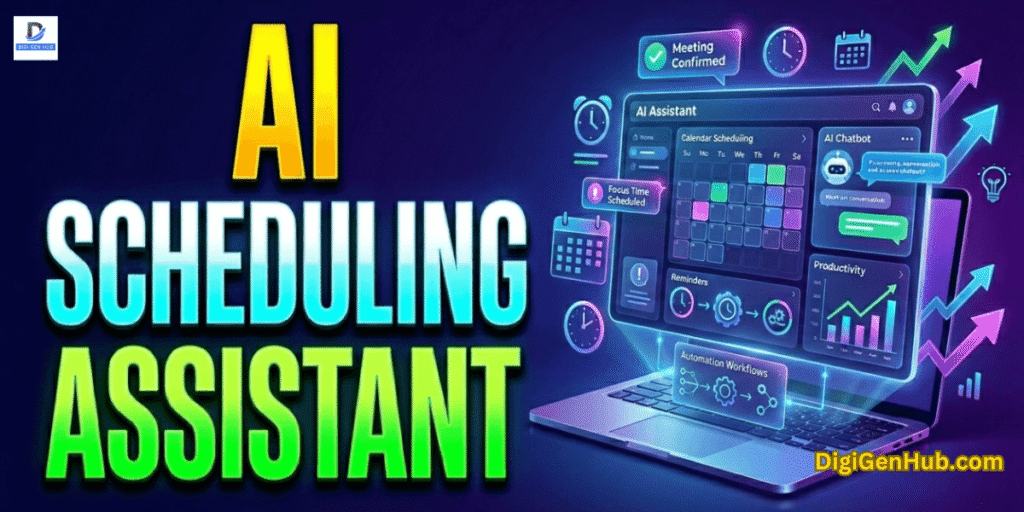
An AI scheduling assistant reads emails, chats, or calendars. Then sets, moves, or reminds you about meetings.
Motion users save up to 5 hours per week. That is around $10,000 yearly in productivity. Reclaim.ai users save 4 hours per week. That equals about $8,000 per year. Teams, freelancers and large companies all gain.
Reports show teams save up to 1.5 hours per meeting cycle when AI assistants handle scheduling, notes and follow-ups.
Why is the AI Scheduling Assistant Valuable
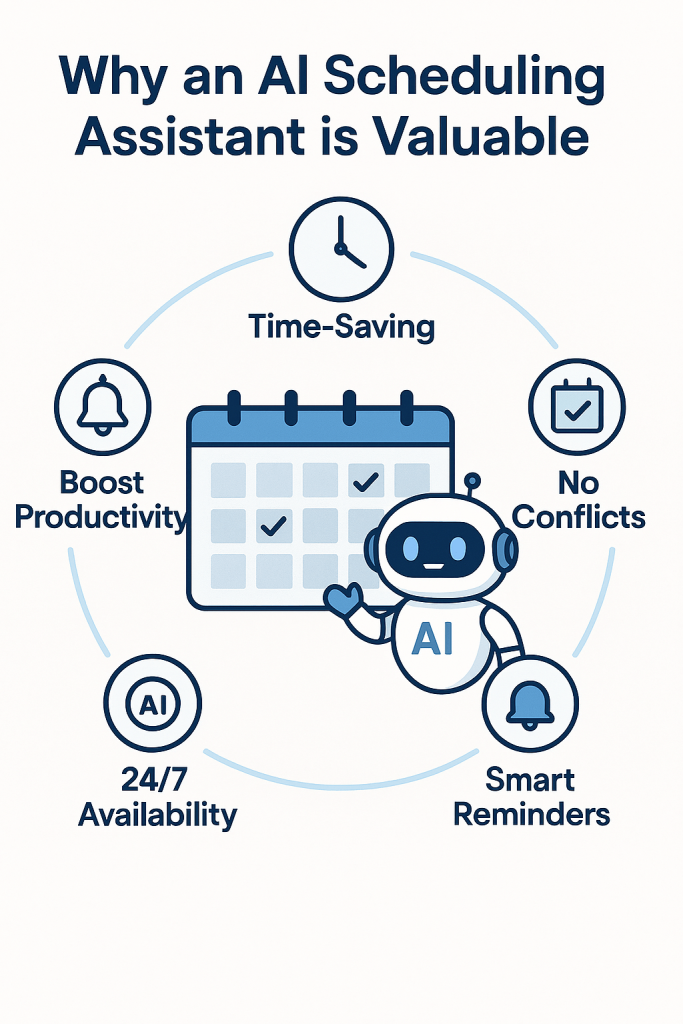
AI calendars handle different time zones. They solve scheduling conflicts fast. They learn work habits. They adjust to team rhythms. This cuts errors and keeps the work smooth.
Motion shapes the workday with tasks and meetings in balance. Reclaim protects focus and daily habits from being lost. Clockwise frees long blocks of team time for deep work. Calendly removes the endless email chains and books in seconds.
Again, Schedule AI manages heavy corporate meetings. Timefold organizes shifts and staff fairly across teams. Indeed, both scale smoothly from small businesses to global enterprises. Next, you can see the notable eight AI scheduling tools.
1 . Motion: Daily Planner with AI Scheduling
Motion builds your day.
It puts meetings, tasks and deadlines in one calendar.
If something changes, it moves other work to new slots.
No manual reshuffling.
Industries where Motion works well
SaaS teams → plan product work, manage sprints, balance daily meetings with tasks.
Consulting firms → juggle client calls, research and deliverables without missing deadlines.
Agencies → fit design or marketing tasks around shifting client meetings.
Professional services (law, accounting, coaching) → keep billable work and admin in one view.
Freelancers → place project tasks, personal work and client bookings in one daily schedule.
Problems it fixes
People waste hours moving tasks around. Motion does that for you.
Deadlines clash. Motion spreads work. So deadlines are still met.
Tasks get lost under meetings. Motion balances both in one view.
Focus hours vanish. Motion protects time for deep work.
Cost: Individual plan: $19 per month (Source: Futurepedia, Forbes)
Example
A consultant loads ten tasks for the week.
A client asks for a new call.
Motion shifts lighter tasks later.
The meeting fits in. Deadlines stay safe.
Integrations
Works with Google Calendar and Outlook.
Connects with Slack, Asana, Trello, and Jira.
Setup: log in → sync calendar → add tasks → done (Motion official, Top10).
Pros: Auto-builds the week. Saves effort.
Con: Some users say it feels rigid. Manual control is limited.
Privacy and trust
Motion does not sell or rent data.
It passed a SOC 2 Type I audit for security.
Users can adjust how Motion arranges schedules.
2 . Reclaim – Daily Time Defender
Reclaim carves out time for what matters.
It blocks habits, deep work, and breaks on your calendar.
It fits tasks and meetings around that.
When things shift, it moves other slots to keep the balance.
Industries Where Reclaim Shines
SaaS teams → guard time for planning, coding, and sprints.
Consultants → keep deep work, client calls, and admin in balance.
Agencies → protect creative time amid client chaos.
Professional services (legal, finance, coaching) → mix client sessions with research and prep.
Freelancers → fit routines, project work, and calls into one calm day.
Problems It Solves
Stops meetings from eating all your work time.
Protects habits and routines.
Automatically adjusts the day when things change.
Gives a clear pulse on team stress and capacity.
Cost: A free plan exists with core tools. Paid plan starts at $8/user/month. eesel AIZapier
Example Use Case
A marketing lead sets habits like “lunch” and “daily planning.”
A meeting is added mid-day.
Reclaim shifts planning time later.
Lunch stays intact. Focus stays intact.
Integrations & Setup
Works with Google Calendar and Outlook. Reclaim Google Workspace
Syncs with Slack, Zoom, Asana, Todoist, Jira, ClickUp, Linear, and Raycast.
Set it up fast. Add a calendar, pick habits, let it go. Many pick it up in minutes.
Pros: Protects time for routines and deep work. Gives insight into team stress and schedule load.
Cons: Outlook support is new. Task sync and habit setup take a bit to tune.
Privacy & Security
Reclaim says your data belongs to you. You control it. ReclaimReclaim.ai
You can delete it anytime, with no hassle.
Data is encrypted at rest and in transit.
Meets GDPR and SOC 2 Type II standards.
3 . Clockwise – Team Calendar Tuner
Clockwise reshapes team calendars.
It moves flexible meetings to give you blocks of focus time.
It finds better slots for clashes.
It uses Slack to reflect your status and silence notifications.
It works quietly in the background to calm messy calendars.
Industries Where It Works Best
Tech teams and developers → protect deep work, reduce schedule chaos.
Mid-size firms → ease internal meeting load, gain clarity.
SMBs → help teams juggle meetings, routines, and tasks.
Cross-functional teams → align calendars smoothly across roles.
Problems It Solves
Drowning in meetings and no time to think.
Hard to align team schedules.
No focus time protected.
Slack interruptions during task time.
Pricing
The free plan includes basic calendar help.
Teams plan offers blocked focus time and shared scheduling links.
Source for pricing: official Clockwise site, monthly billing rate of $7.75/user. Clockwise
Example in Real Workflow
The product team marks a 2 hr design session as “flexible.”
Clockwise slides it into an open spot.
It then pushes smaller standups around to make room.
Slack auto-updates, so no one pings during deep work.
Integrations & Setup
Works with Google Calendar and Outlook.
Slack integration: book meetings, set status, mute pings. ClockwiseSlack
Setup is straightforward: connect your calendar → set preferences → let Clockwise do the rest.
Pro: Frees up real focus blocks for the whole team.
Con: Limited tools for external meetings, like client booking or intake forms.
Ethics & Privacy
It marks private events as “busy” without showing details.
No notes found on privacy audits. Users should ask about data handling for security clarity.
4 . Calendly – Appointment Scheduler with AI Flair
Calendly helps people book meetings easily.
You set your availability.
Others pick a slot that works for them.
It adds the meeting to your calendar.
Now, with AI enhancements, it offers smarter suggestions and reminders.
Industries Where It Works Best
Sales teams → let customers book demos without back-and-forth.
Customer support → schedule help calls fast.
Recruiting & HR → set multiple interview types and avoid clashes.
Professional services (legal, coaching) → share booking links with clients directly.
Marketing & events → run group sessions or webinars with auto-assignment to hosts.
Problems It Fixes
Stops emails going back and forth for scheduling.
It lets invitees book time when you’re free.
Prevents double-booking.
Keeps the schedule uniform and predictable for clients.
Monthly Pricing
| Plan Type | Monthly Cost (per user) |
| Free | US$0 |
| Standard | US$12 |
| Teams | US$20 |
| Enterprise | Custom (starts ≈ US $1,250/mo) |
Notes:
Free offers one event type, one calendar, and basic settings.
The standard is $12 when billed monthly. Offers multiple event types, up to six calendars, and more integrations.
Teams costs $20/month per user when billed monthly. Offers advanced routing, admin tools, round-robin, and CRM hookups. CloudEagle Vertice
Enterprise is custom-priced. Starts around $15,000/year — roughly $1,250 a month — for large orgs needing security, compliance, SSO. Calendly.com
Example Workflow
A recruiter sends candidates a Calendly link.
Candidates pick a time that fits.
The session shows up on their calendars.
If needed, Calendly’s AI sends reminders and reduces no-shows.
Integrations & Setup
Works with Google Calendar, Outlook, Microsoft Teams, Zoom, Google Meet, Stripe, PayPal, HubSpot, Mailchimp, Zapier, and more.
Setup is easy: connect calendars, choose availability, and share the link. It works fast.
Pros: Very easy to share scheduling links and let invitees book when you’re free.
Con: Full features (like routing, branding, CRM) need paid plans.
Ethics & Privacy
Calendly enforces advanced security for paid plans.
They offer GDPR and SOC-level compliance features at higher tiers.
5 . Wellpin – Workflow Aware Scheduler
Wellpin is a meeting and task planner.
It learns how you work.
It chooses the best meeting times for everyone.
It also handles tasks and deadlines in the same view.
It sends reminders when things change.
Industries Where It Works Best
Managers & team leads → view tasks and meetings in one place.
IT and remote teams → run team syncs or standups with ease.
Educators → let students book lessons with just one link.
Recruiters → simplify interview scheduling.
Consultants & freelancers → free up time for real work, not booking.
Problems It Solves
Scheduling chaos across apps.
Endless email chains to set a meeting.
Overlaps with no warning.
Juggling meetings and task deadlines.
Cost
Wellpin’s main pricing is free. No paid tiers for essential features.
Users get booking pages, calendar sync, reminders, group scheduling, Zoom/Google Meet hookup—all free.
Example in a Daily Workflow
A tutor shares their Wellpin link.
A student picks a slot.
Wellpin adds it to the tutor’s calendar.
If the tutor already has a class, Wellpin avoids the clash.
Tasks and meeting alerts stay tidy in one place.
Integrations & Setup Ease
Hooks into Google Calendar, Google Meet, Zoom and others.
Syncs many calendars at once. WellpinSaaS AI Tools
Setup takes just minutes: sign in, link your calendar, and share your pin link.
Pros: Everything needed for scheduling is free. No limits.
Con: AI features like smart reminders or a summarizer are still “coming soon.”
Ethical Use & Privacy
Core scheduling features are simple and clear.
It offers syncing with familiar tools.
There’s no confusing paywall.
No detailed public mention of data audits. Users may wish to review the privacy policy.
6 . Scheduler AI – Meeting Assistant
Scheduler AI listens to your intent.
You write or chat as you normally would.
It reads email, Slack, webchat, or texts.
Then it sets up the right meeting.
It can reschedule, send reminders, and add video links.
It even captures call summaries and next steps.
Industries Where It Helps Most
Sales teams → qualify leads and book meetings without lifting a finger.
Marketing teams → schedule demos or strategy calls from web forms or chat.
Busy executives → handle incoming requests without chaos.
Remote or cross-functional teams → manage shared calendars and time zones seamlessly.
Problems It Solves
Stops email ping-pong.
Finds meeting times across calendars.
Auto-captures meeting insights.
Starts follow-ups without asking you to.
Pricing View
| Plan Name | Monthly Cost |
| Basic (Individual or small team) | US$50/month |
| Team (Professional) | US$500/month |
| Custom (Enterprise-level) | Custom pricing per needs |
Example Workflow
A sales rep writes “Scheduler, find time to meet next week” in Slack.
Scheduler AI checks calendars.
It picks a slot, adds a Zoom link, and sends invites.
After the meeting, it sends a summary and suggests a follow-up time.
Integrations & Setup
Works with Gmail, Google Calendar, Outlook, Microsoft Teams, Zoom.
You can use it through email, Slack, SMS, or webchat.
Set up means just sign up and share your intent. It works like magic, no constant tweaking.
Pros: Runs the entire scheduling process on your behalf. It even handles follow-ups and summaries.
Con: The dashboard does not yet offer deep controls. Most action happens through chat or email.
Privacy & Trust
Scheduler AI acts like a human assistant. It uses your calendar and sends invites.
Users should ask about data security, audit compliance, and how it stores meeting info.
There’s limited public info on audits or encryption, so decision-makers may wish to follow up directly.
7 . Skej – Scheduling by Talking, Not Clicking
Skej listens to your words.
In email, Slack, SMS, or WhatsApp, you just include it.
It reads the context.
It books, reschedules, or cancels on your behalf.
It handles Calendly links too—just books the best time.
It works like having a human assistant in your messages.
Industries Where It Shines
Sales teams → no-click booking from email chats.
Recruiters → interview scheduling across time zones.
Founders and execs → handle incoming meeting requests naturally.
Freelancers and consultants → run scheduling conversations without links.
Global teams → multi-language and timezone-savvy scheduling.
Problems It Solves
No more back-and-forth emails about times.
Avoids switching between apps.
Prevents double-booking.
Manages time zone overlap.
Acts like a helper in your flow, not a separate tool.
Fee Structure
| Plan Type | Monthly Cost (per user) |
| Free | US$0 (Up to 10 meetings) |
| Pro | US$14 |
| Premium | US$28 |
Notes:
The free plan allows up to 10 requests per month.
Pro plan costs $14/month per user. Removes limits and adds team admin features.
Premium plan costs $28/month per user. Adds custom assistant, branding, priority support, and early features.
Example Workflow
You CC Skej in an email: “Can we meet next week?”
Skej scans your calendar.
It finds slots and offers options.
It books the best one.
No invites to click or links to share.
Meeting lands in everyone’s calendar.
Integrations & Setup Ease
Works in email, Slack, SMS, and WhatsApp.
Clever with calendar tools, Google and Outlook (via sync).
Handles Zoom, Google Meet, and MS Teams invites.
Setup is fast: connect the calendar and preferences. Start by including Skej in messages.
Pro: You schedule by writing naturally—no forms or links. Scheduling flows feel human.
Con: Free plan limits to 10 requests. Premium features cost more.
Ethical Use & Privacy
Skej works inside your current tools. No new app to train on.
Users remain in control. You can stop at any time.
No public info on audits or compliance yet. Ask Skej about data handling if needed.
8 . Timefold (PlanningAI) – Workforce Scheduling
Timefold automates complex scheduling tasks.
It handles employee shifts, logistics, and workforce planning.
The platform uses AI to optimize schedules.
Industries that Benefit
Retail: Manages store staff schedules efficiently.
Manufacturing: Optimizes shift planning for production lines.
Healthcare: Schedules medical staff while adhering to regulations.
Logistics: Plans delivery routes and vehicle assignments.
Field Services: Coordinates technician schedules and tasks.
Airports & Railways: Assigns gates, tracks, and staff.
Emergency Services: Plans shifts for police, fire, and medical teams.
Home Care: Schedules caregivers and manages client visits.
Problems It Solves
Reduces manual scheduling errors.
Minimizes overtime costs.
Ensures compliance with labor regulations.
Balances employee workload fairly.
Pricing Detail
Timefold offers customized pricing based on enterprise needs.
Plans include:
Embedded Enterprise License: High scalability features with support and consulting.
Community License: Access to open-source planning models for innovation.
For detailed pricing, contact Timefold directly.
Integrations & Setup
Timefold integrates with:
HR Systems: For employee data synchronization.
Payroll Systems: To ensure accurate compensation.
Communication Tools: For shift notifications.
Time Tracking Software: To monitor attendance.
Pros:
Customizable to specific industry needs. Reduces manual scheduling workload. Improves compliance and fairness.
Cons:
Pricing is tailored, which may vary based on enterprise size and needs.
Ethical Use & Privacy
Data Privacy: Ensures secure handling of employee data.
Transparency: Provides clear explanations of scheduling decisions.
Bias Control: Strives to eliminate bias in scheduling algorithms.
Enterprises should review Timefold’s data handling policies to ensure compliance with internal standards.
Confirm the Privacy and Data Security in Selecting the AI Scheduling Assistant
Pick AI tools with strong privacy and security. This reduces risks, protects sensitive info, and builds trust within teams and clients. Let’s explain:
Data storage: Check if data is encrypted at rest and in transit.
Access control: Ensure only authorized users can access calendars and tasks.
Compliance: Look for GDPR, SOC 2, and other relevant certifications.
User control: Users should be able to delete or export their data anytime.
Third-party sharing: Verify the tool does not sell or rent user data.
Audit transparency: Prefer tools with regular security audits and clear policies.
Conclusion
So, workdays run like well-tuned engines. Meetings and tasks fit like puzzle pieces. Time saved becomes profit in your pocket. Focus flows like capital in motion. Teams operate like clockwork, and stress fades. Success stacks, project by project, like smart investments.
FAQ
How can a meeting bot handle complex team schedules better than human assistants?
A meeting bot handles all of this fast and accurately. Let’s see the comparison between a meeting bot and human assistants:
Meeting Bot vs Human Assistant
| Feature | Meeting Bot | Human Assistant |
| Multi-calendar checks | Seconds across all calendars | Minutes to hours |
| Time zone coordination | Handles global zones automatically | Needs manual calculation |
| Meeting conflicts | Auto-resolves clashes | Needs human review |
| Scheduling reminders | Sends instant follow-ups via email/Slack/SMS | Depends on manual alerts |
| Meeting notes & summaries | Captures all key points | Often partial or forgotten |
| 24/7 availability | Works anytime | Limited by human hours |
| Scalability | Unlimited team size | Struggles with >10–15 calendars |
| Learning & adaptation | Learns patterns and preferences | Limited memory, manual notes |
How does an AI planner support daily task flow alongside project deadlines?
Collect tasks and events: AI imports your calendar and project tasks.
Analyze priorities: It checks deadlines, task importance, and dependencies.
Optimize schedule: Allocates time blocks for each task based on urgency and energy levels.
Adjust dynamically: Moves tasks automatically if meetings or deadlines shift.
Track progress: Monitors completed tasks and updates the plan daily.
Notify and remind: Sends alerts to keep you on track.

Aliza Khatun is a Digital Marketing Professional and the founder of DigiGenHub. She has helped various businesses grow their online presence through real-world experience in marketing, branding, traffic growth, and business strategy.
Through DigiGenHub, she shows how to build and grow a business from the ground up using Website Setup, SEO, Branding, Paid Promotion, and smart digital tools.
She also highlights how AI can be used to its full potential to make content creation, automation, marketing, and business growth faster and smarter.
She believes that the right knowledge, modern technology, and the right tools can help any individual or business build a stronger online presence.