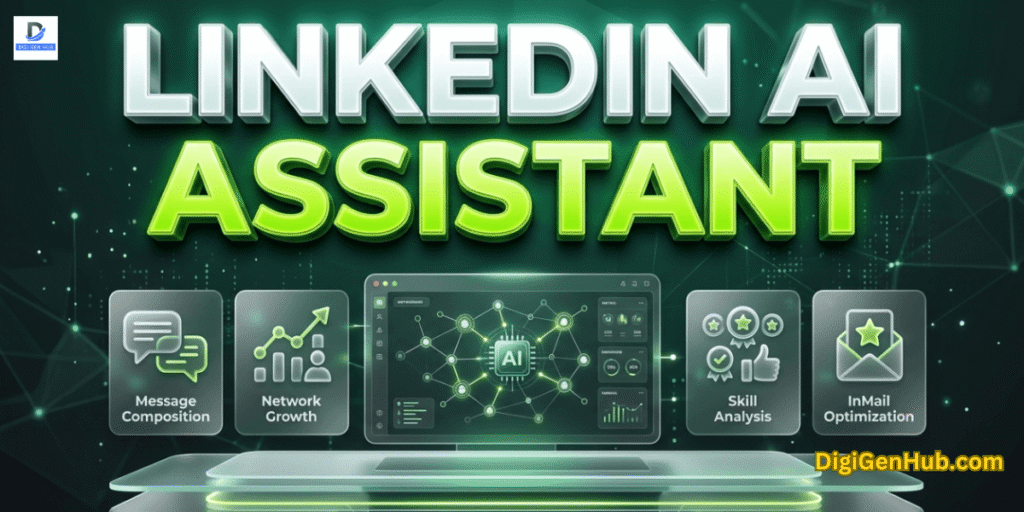
A LinkedIn AI assistant studies your profile, audience and past posts. Then it suggests fresh, relevant ideas.
Tools like Taplio and Supergrow write LinkedIn-style posts, carousels and hooks in your voice.
ChatGPT, Jasper and RedactAI help write business ideas, rewrite and shorten text. They improve clarity and tone for LinkedIn’s marketing. Hashtags and CTAs are auto-suggested.
For visuals, Canva and Piktochart create LinkedIn-ready carousels and branded images.
Then AI tools like Taplio, SocialBee CoPilot, Supergrow, Hootsuite and Buffer schedule posts. They pick the best time by tracking your audience’s activity.
LinkedIn AI assistant

Still, the LinkedIn AI assistant helps with making posts and talking to people. They also assist with finding people and selling.
Also, they optimize your profile and what works fruitfully. Indeed, let’s observe these assistances next section.
1 . Taplio
Taplio helps write posts, find ideas, schedule content and engage leads—faster and smarter.
Pricing trends
| Plan | Monthly Cost |
| Starter | $39 |
| Standard | $52–65 |
| Pro | $149–199 |
Notes – Features per Plan:
Starter: Basic scheduler, analytics, content ideas
Standard: AI writer, carousels, 250 AI credits, CRM tools
Pro: All features + 3M lead DB, 5K AI credits, team use
Problems It Solves:
No time to post daily? Taplio handles it.
Struggling with ideas? Get viral content suggestions.
Want to grow a network? Use lead finder + outreach tools.
Use Case:
A founder drafts a post with Taplio AI → tweaks tone → schedules it → checks post results → sends messages to top leads—all in one app.
Integrations & Setup:
Works with LinkedIn (OAuth login).
Chrome extension adds tools to LinkedIn feed.
No tech setup needed.
Pro:
All-in-one LinkedIn growth tool—content to outreach.
Con:
AI output may need edits to feel human.
Ethical Use:
Transparent LinkedIn access.
No password sharing.
AI is assistive, user edits encouraged.
2 . RedactAI
It helps you effortlessly craft engaging LinkedIn posts and elevate your professional brand.
Pricing patterns
| Plan | Monthly Cost | Billing |
| Free | $0 | Annual billing |
| Creator | $24 /mo | Annual billing |
| Copywriter | $66 /mo | Annual billing |
Free plan allows 4 posts/month; basic tools. Creator includes unlimited generations, inspirations, ChatWithRedactAI, post recycling. Copywriter adds multiple profiles and priority support.
Notes – Features per Plan
Free: 4 posts/mo, scheduling, styling preview, idea generator (limited).
Creator: Unlimited posts, content recycling, inspiration hub, ChatWithRedactAI, scheduling (coming soon), 24/5 support.
Copywriter: Everything in Creator + multi-profile support, priority support.
Problems It Solves:
Learns your writing style.
Cuts time spent drafting.
Breaks writer’s block with new ideas.
Helps keep your voice real.
Reuses evergreen content effectively.
Workflow Example
A busy marketer logs in → runs AI on a blog URL → picks one of three post drafts → edits lightly → previews → schedules it. Saves hours weekly.
Setup & Integrations
Connects via LinkedIn profile link—no password sharing.
No browser plug‑in needed.
Scheduling is built in (but live scheduling is still rolling out).
Benefit
Keeps your voice consistent across posts while saving time.
Potential Limitation
Free and low-tier plans offer limited capacity. Quality varies; must fact-check. Analytics and scheduling features are not fully live.
Ethical Use
No LinkedIn login credentials stored, connects via link only.
AI acts as an assistant, user reviews all content.
Users are responsible for ensuring factual correctness.
3 . Supergrow
Supergrow is an all‑in‑one platform for creating, scheduling and analyzing LinkedIn content. It uses AI to draft posts in your style, make carousels, suggest ideas and help respond to comments
Price movement
| Plan | Cost per Month | Billing Type |
| Starter | $19 (or $12 if billed annually) | Monthly/Annual |
| Pro | $29 (or $24 annual) | Monthly/Annual |
| Agency | $99 | Monthly |
Notes:
Starter: 50K AI words, post ideas, post generator, repurpose content, mimic writing style, carousel maker
Pro: Everything in Starter + 100K words, engagement assistant, custom feed for product, analytics, auto‑comment
Agency: All Pro features + manage up to 10 profiles, team workspaces, client dashboards and advanced analytics..
Problems It Solves
Helps your brand grow.
Turns notes into posts.
Reduces time spent drafting posts.
Helps overcome writer’s block.
Keeps tone consistent across content.
Enables visual carousels without design skills.
Workflow Example
A founder opens Supergrow → pastes a blog link → AI creates three draft posts → selects one → edits lightly → previews → schedules it → sets auto-comment → monitors analytics next day.
Setup & Integrations
Connect via LinkedIn OAuth.
No browser plugin required.
Scheduling and auto-comment are built in.
Works solely on LinkedIn (no cross‑post support).
Benefit
Full LinkedIn workflow in one tool. AI-driven content, carousels, scheduling and engagement—all in one place.
Potential Limitation
Posts may feel generic without editing. Word‑credit limits can restrict heavy users. No multi‑platform publishing.
Ethical Use
Users review AI drafts to ensure accuracy.
AI mimics voice but requires human oversight.
No password data stored. LinkedIn access is via OAuth.
Transparency in AI-generated outputs.
4 . ChatGPT
ChatGPT helps write, edit and refine LinkedIn posts. It suggests headlines, hooks, summaries and carousels. Can mimic tone with clear prompts.
Cost trends
| Plan | Cost | Billing Type |
| Free | $0 | Monthly |
| Plus | $20/month | Monthly |
| Team | $25/user/month | Annual billing |
| Enterprise | Custom | Annual billing |
Notes – Features per Plan
Free: GPT‑3.5 only, basic prompts
Plus: GPT‑4‑o, longer context, faster replies
Team: GPT‑4‑o, shared workspaces, admin tools
Enterprise: High‑speed GPT‑4‑o, unlimited use, enhanced security, SSO
Problems It Solves
No time to brainstorm posts.
Struggling with writing clarity or tone.
Generate various text formats.
Difficulty repurposing content.
Need a consistent style without hiring a writer.
Workflow Example:
A recruiter pastes a resume or blog into ChatGPT → asks for a 300-character LinkedIn summary → edits draft → posts it with a relevant CTA → repeats weekly with new leads.
Setup & Integration:
No direct LinkedIn integration.
Copy/paste workflow.
Works via browser, mobile app, or API,
Easily pairs with tools like Buffer or Taplio for scheduling.
Benefit:
Flexible, fast content creation for any use case—your tone, your context.
Limitation:
Requires clear prompting. No native LinkedIn posting. Outputs need review.
Ethical Use
Data not used to train by default on paid plans.
Secure (SOC 2 compliant for Enterprise).
Transparency in AI outputs encouraged.
Bias control depends on prompt clarity.
5 . Jasper AI
Jasper uses AI (GPT‑4) to help write LinkedIn content. It suggests headlines, captions, carousels and full posts. It learns your style via Brand Voice and knowledge assets.
Pricing shifts
| Plan | Cost | Billing Type |
| Creator | $39/yearly or $49/mo | Annual / Monthly |
| Pro | $99/yearly or $125/mo | Annual / Monthly |
| Business | Custom pricing | Annual |
Notes – Features per Plan
Creator: Unlimited words, 1 seat, 1 Brand Voice, browser extension, plagiarism check
Pro: Up to 3 seats, 3 Brand Voices, SEO mode via Surfer SEO, campaign builder, image tools, live chat support
Business: Unlimited seats and brand voices, API access, custom workflows, SSO, enterprise security, dedicated manager.
Problems It Solves:
Cuts time spent writing.
Consistent tone across posts.
Breaks writer’s block with templates and suggestions.
Combines content and visual generation.
Workflow Example:
A content lead inputs a topic → Jasper Chat generates three post drafts → picks one → edits lightly → previews → copies to LinkedIn → tracks response.
Setup & Integrations:
Works in browser or via extension (Chrome/Edge).
Integrates with Surfer SEO and Grammarly.
Business plan offers API and SSO.
No direct LinkedIn publishing; copy/paste workflow.
Benefit:
Scale content fast while keeping brand voice unity.
Potential Limitation:
AI can hallucinate facts. Outputs need oversight and minor edits. Learning curve for advanced features.
Ethical Use:
Users control all output.
Plagiarism checker included.
Enterprise plan supports SOC2 compliance, SSO and secure data controls.
AI assists—human reviews are always needed.
6 . Canva
Canva acts like a visual LinkedIn assistant: you prompt, it designs, you post. It’s secure, flexible and built for professional consistency. Great if you produce visual posts often and want a unified experience from concept to LinkedIn upload.
Price dynamics
| Plan | Cost per User | Billing Type |
| Free | $0 | Monthly |
| Pro | $15/month (or $120/year) | Monthly/Annual |
| Teams | $10/user/month (min 3 users, or $100/year) | Monthly/Annual |
| Enterprise | Custom | Annual |
Notes – Features per Plan
Free: Templates, basic AI copy & images, limited storage
Pro: Full Magic Studio AI (Magic Write, Design, Eraser, etc.), premium assets, scheduling, Brand Kit, 1 TB storage
Teams: Adds collaboration, brand control, approval workflows, admin AI controls
Enterprise: SSO, security controls, IP indemnity, custom integrations, enterprise-level admin tools.
Problems It Solves:
Saves time designing visuals.
Removes friction when brainstorming post formats.
Ensures a professional look across platforms.
Makes content editing feel visual and fast.
Workflow Example:
A marketing lead opens Canva → pastes a LinkedIn topic into Magic Write → selects a design from suggestions → adjusts brand colors → uses Magic Resize to format for LinkedIn feed → downloads and posts.
Setup & Integrations:
Web-based; no install needed.
Browser or mobile app access.
Schedules posts to LinkedIn and other social platforms.
Integrates with Anthropic’s Claude AI chatbot (text prompt design via chat) and Google’s Veo 3 for short video creation.
Benefit:
Combines copy and design AI in one tool—content + visuals at scale, fast.
Potential Limitation:
Requires editing to ensure tone and accuracy. Teams plan needs a minimum 3 users. So solo pros may overpay.
Ethical Use:
Canva Shield and Trust Centre let you control AI data use.
Admins can restrict AI tool access.
Users should review AI-generated visuals and copy to avoid bias or misrepresentation.
Canva does not train on users’ private content unless opted in.
7 . Piktochart AI Carousel Maker
It offers a no‑design route to impactful LinkedIn posts. It’s fast, visual and user‑friendly. Perfect for leaders who want clarity and efficiency.
Price evolution
| Plan | Cost / User / Month | Billing Type |
| Free | $0 (50 AI credits/mo) | Monthly |
| Pro | ~$14 | Monthly / Annual |
| Business | ~$24 | Monthly / Annual |
| Enterprise | Custom quote | Annual |
Notes – Features per Plan
Free: 50 AI credits, test carousels, basic editing
Pro: 1,000 credits/mo, custom templates, branded assets
Business: 3,000 credits/mo, team use, advanced branding
Problems It Solves:
Cuts design time dramatically.
No need for graphic skills.
Ensures consistent and polished visuals.
Helps communicate complex ideas clearly on LinkedIn.
Simplifies infographic and presentation design.
Workflow Example:
A marketing director types “tips on remote onboarding.” AI builds a 6‑slide carousel. They review, tweak colors and text and download PNG. Then upload to LinkedIn.
Setup & Integrations:
Web‑based tool; no install.
The editor works in the browser.
Designed to export for LinkedIn feeds.
Works with standard copy/paste or download/upload.
Benefit:
Transforms ideas into professional LinkedIn carousels in seconds.
Limitation:
Sometimes AI images or slide headers feel simplistic or generic. Edits often needed.
Ethical Use:
AI offers suggestions; user edits needed.
No user content is used to train models unless opted in.
Users retain full ownership of content.
Transparency about AI limitations is recommended. GetApp
8 . Social Bee CoPilot
SocialBee CoPilot is an AI helper built into SocialBee. It plans content strategy and generates LinkedIn-friendly post captions and visuals. It also manages content categories, scheduling and recycling
Pricing fluctuations
| Plan | Monthly Cost | Annual Equivalent |
| Bootstrap | $29 | ~$290/year |
| Accelerate | $49 | ~$490/year |
| Pro | $99 | ~$990/year |
| Pro50 | $179 | ~$1,790/year |
| Pro100 | $329 | ~$3,290/year |
| Pro150 | $449 | ~$4,490/year |
All plans include a 14-day free trial. Volume discounts apply.
Notes – Features per Plan
Bootstrap: Up to 5 profiles, basic AI posting, analytics, 3‑month history
Accelerate: Up to 10 profiles, 2‑year analytics history, content categories
Pro: Up to 25 profiles, team access (3 users), content recycling, AI Copilot, rich analytics
Pro50+: Larger profile/workspace limits; same features as Pro.
Problems It Solves:
Cuts time on content planning.
Fixes writer’s block with AI‑generated captions.
Helps re-use evergreen content automatically.
Analyzes audience activity.
Helps post at best times.
Ensures consistent posting across LinkedIn and other platforms. CapterraSiteefy
Workflow Example:
A marketing manager opens SocialBee → CoPilot suggests a weekly content mix → reviews AI-generated LinkedIn captions → schedules posts → sets evergreen recycling → checks performance in analytics.
Setup & Integrations:
Connect LinkedIn via OAuth—no password stored.
In-app Canva, Unsplash, Giphy integrations for visuals.
Content categories let you automate scheduling rules.
No browser plugin needed.
Benefit:
Refine LinkedIn content planning, creation and recycling in one unified dashboard.
Potential Limitation:
AI captions may be generic. Link‑shortener has reliability issues in some cases. Learning curve for full setup. CapterraSiteefy
Ethical Use:
AI drafts need human review before posting.
No user credentials stored—OAuth connection only.
No training on private data unless explicitly opted in.
Transparency encouraged: users can track and edit AI output.
9 . Engage AI
Engage AI automates LinkedIn outreach with AI-generated personalized messages. It helps find leads, start conversations and manage follow-ups efficiently.
Pricing insights
| Plan | Cost / Month | Billing Type |
| Starter | $25 | Monthly/Annual |
| Growth | $75 | Monthly/Annual |
| Business | Custom | Annual |
Notes – Features per Plan
Starter: AI-generated LinkedIn messages, lead targeting, basic analytics
Growth: Multi-channel outreach, advanced analytics, team collaboration
Business: Custom workflows, API access, priority support, onboarding
Core functionalities:
Saves time writing personalized connection requests and messages.
Increases reply rates through tailored communication.
Reduces manual lead search and follow-up efforts.
Helps you engage more.
Remembers past talks.
Makes comments personal.
Helps build relationships.
Workflow Example:
A sales rep sets criteria → Engage AI finds leads → crafts personalized messages → schedules sends → tracks replies → automates follow-ups.
Setup & Integrations:
Connects via LinkedIn OAuth securely.
Integrates with CRM tools (e.g., HubSpot, Salesforce).
User-friendly web dashboard; no browser plugins required.
Benefit:
Increase LinkedIn outreach efficiency with AI-personalized messaging.
Potential Limitation:
Messages may feel formulaic without user customization.
Ethical Use:
User controls all message content before sending.
Does not store LinkedIn passwords; OAuth connection only.
Encourages responsible, respectful outreach to avoid spam.
10. Reply.io
It automates LinkedIn outreach and follow-ups. It uses AI to create personalized messages, manage leads and schedule communications.
Price direction
| Plan | Cost / Month | Billing Type |
| Free Trial | 14 days | ——– |
| $70/user | Monthly/Annual | |
| Sales Automation | $99/user | Monthly/Annual |
| Enterprise | Custom | Annual |
Notes – Features per Plan
Email: Multi-channel sequences, email campaigns, AI-powered writing assistance
Sales Automation: Adds LinkedIn automation, call sequences, analytics, integrations
Enterprise: Advanced workflows, API, custom onboarding, priority support
Problems It Solves:
Saves time on outreach and follow-up messages.
“Jason AI” helps with outreach.
Improves personalization to increase reply rates.
Integrates LinkedIn messaging with email and calls for multi-channel sales.
Works for LinkedIn and email.
Workflow Example:
A sales rep builds a campaign → Reply.io finds LinkedIn leads → sends AI-crafted messages → schedules follow-ups → tracks responses → updates CRM automatically.
Setup & Integrations:
Connects securely via LinkedIn OAuth.
Integrates with Salesforce, HubSpot, Pipedrive and more.
Browser-based; no heavy setup required.
Benefit:
Unified multi-channel outreach with AI-enhanced messaging.
Potential Limitation:
LinkedIn limits may restrict message volumes; manual oversight is needed to avoid spam flags.
Ethical Use:
Users review AI messages before sending.
No LinkedIn passwords stored.
Compliance with LinkedIn’s terms is essential.
Encourages responsible and transparent outreach.
11 . Lindy
Lindy helps users create and schedule LinkedIn posts using AI. It also suggests ways to engage with connections and analyze post-performance.
Pricing analysis
| Plan | Cost / Month | Billing Type |
| Starter | $39 | Monthly/Annual |
| Professional | $79 | Monthly/Annual |
| Enterprise | Custom | Annual |
Notes – Features per Plan
Starter: AI-generated LinkedIn content, engagement suggestions, basic analytics
Professional: Advanced AI writing, content scheduling, enhanced analytics, team features
Enterprise: Custom integrations, dedicated support, API access
Principal qualities:
Saves time creating LinkedIn content.
Improves post engagement through AI insights.
Keeps a consistent posting schedule without manual effort.
Help with outreach.
Update your records.
Workflow Example:
A marketing manager inputs a topic → Lindy generates post drafts → schedules posts → suggests engagement opportunities → monitors analytics for improvements.
Setup & Integrations:
Connects with LinkedIn via OAuth securely.
Compatible with standard browsers and devices.
Integrates with calendar and team collaboration tools.
Benefit:
Simplifies LinkedIn content creation and engagement with AI.
Potential Limitation:
AI suggestions may need refinement to fit specific brand voices.
Ethical Use:
Users control all AI-generated content before posting.
Data privacy ensured via secure OAuth connection.
Transparent AI use, with user oversight required.
12 . Akkio
Akkio enables users to build AI models without coding. It helps analyze LinkedIn data, predict trends and automate insights to improve LinkedIn marketing and outreach.
Cost trends analysis
| Plan | Cost / Month | Billing Type |
| Free | $0 (limited usage) | Monthly |
| Starter | $99 | Monthly/Annual |
| Growth | $399 | Monthly/Annual |
| Enterprise | Custom | Annual |
Notes – Features per Plan
Free: Basic AI models, limited API calls
Starter: Full AI model access, data connectors, moderate API usage
Growth: Advanced AI workflows, increased API limits, priority support
Enterprise: Custom models, dedicated support, compliance features
Foundational functions:
Makes complex AI accessible without technical skills.
Helps forecast lead engagement and campaign success.
Automates decision-making using LinkedIn data.
Processes data for analytics.
Optimizes campaigns based on insights.
Workflow Example:
A marketer uploads LinkedIn campaign data → Akkio builds a predictive model → forecasts which leads will engage most → marketer focuses efforts on high-potential contacts.
Setup & Integrations:
Easy drag-and-drop AI builder.
Connects with LinkedIn data via CSV or API.
Integrates with CRM and marketing platforms (Salesforce, HubSpot).
Benefit:
Simplifies AI-powered LinkedIn insights with no coding needed.
Potential Limitation:
Requires quality data input; AI accuracy depends on data quality.
Ethical Use:
Data privacy is maintained with secure data handling.
Transparent model building with human oversight.
Bias controls depend on data and model design.
13 . Polymer
It helps create LinkedIn posts and stories using AI. It simplifies content creation and scheduling to keep your presence consistent and engaging.
Pricing strategy trends
| Plan | Cost / Month | Billing Type |
| Starter | $29 | Monthly/Annual |
| Pro | $79 | Monthly/Annual |
| Business | Custom | Annual |
Notes – Features per Plan
Starter: AI-powered content generation, basic analytics, single user
Pro: Multi-user access, advanced analytics, post scheduling, integrations
Business: Custom workflows, API access, team management, priority support
Problems It Solves:
Reduces time spent on writing LinkedIn posts.
Improves content quality with AI suggestions.
Ensures steady posting without manual effort.
Workflow Example:
A social media manager inputs a topic → Polymer drafts posts → schedules them → tracks engagement → suggests improvements.
Setup & Integrations:
Easy LinkedIn OAuth connection.
Integrates with tools like Slack and Google Calendar.
Web-based with mobile-friendly design.
Benefit:
Automates LinkedIn content creation and scheduling efficiently.
Potential Limitation:
AI may require edits to match the brand tone perfectly.
Ethical Use:
Users control all AI-generated content.
Data handled securely under privacy policies.
Transparency in AI suggestions and human review encouraged.
14 . Mammoth
Mammoth helps you write and schedule LinkedIn posts with AI. It offers topic ideas, drafts and performance tracking in one platform.
Pricing market shifts
| Plan | Cost / Month | Billing Type |
| Starte | $49 | Monthly/Annual |
| Pro | $99 | Monthly/Annual |
| Enterprise | Custom | Annual |
Notes – Features per Plan
Starter: AI content creation, LinkedIn post suggestions, basic analytics
Pro: Advanced AI, content scheduling, team collaboration, deeper insights
Enterprise: Custom integrations, API access, priority support, security controls
Problems It Solves:
Saves time crafting LinkedIn content.
Enhances engagement with AI-driven suggestions.
Keeps your LinkedIn active with consistent posts.
Workflow Example:
A content manager enters a topic → Mammoth generates post drafts → schedules posts → tracks engagement → provides improvement tips.
Setup & Integrations:
Connects via secure LinkedIn OAuth.
Integrates with Slack and Google Workspace.
Web-based with mobile support.
Benefit:
Streamlines LinkedIn content creation and management with AI.
Potential Limitation:
AI content may need editing to fit the brand voice perfectly.
Ethical Use:
User reviews AI-generated content before posting.
Data privacy is a priority; no sharing without consent.
Transparent AI use and bias mitigation are promoted.
15 . Power BI
Power BI helps users analyze and visualize data with AI-powered insights. It can connect LinkedIn data to reveal trends, track performance and guide decisions.
Pricing movements
| Plan | Cost / Month | Billing Type |
| Power BI Pro | $10 per user | Monthly/Annual |
| Power BI Premium | Starts at $4,995 per capacity | Monthly/Annual |
Notes – Features per Plan
Power BI Pro: Full self-service analytics, dashboard sharing, collaboration
Power BI Premium: Enterprise-grade scalability, paginated reports, AI features, advanced governance
Problems It Solves:
Makes sense of complex LinkedIn and business data.
Speeds up decision-making with clear dashboards.
Identifies opportunities and risks from LinkedIn analytics.
Workflow Example:
A marketing director imports LinkedIn engagement data → Power BI visualizes trends → AI suggests which campaigns perform best → decisions are made on targeting.
Setup & Integrations:
Integrates with LinkedIn APIs, Excel, Azure and many other data sources.
Easy setup via the Microsoft ecosystem.
Accessible via desktop and web apps.
Benefit:
Combines powerful AI analytics with rich data visualization in one tool.
Potential Limitation:
It can require technical skill to build complex reports.
Ethical Use:
Complies with Microsoft’s strict privacy and security standards.
Transparent data use policies.
Users control data sharing and governance.
16 . Crystal
Crystal analyzes LinkedIn profiles to reveal personality traits. It offers communication tips tailored to each contact, improving connection and outreach.
Pricing patterns overview
| Plan | Cost / Month | Billing Type |
| Starter | $29 | Monthly/Annual |
| Professional | $59 | Monthly/Annual |
| Enterprise | Custom | Annual |
Notes – Features per Plan
Starter: Personality insights, LinkedIn profile analysis, basic coaching tips
Professional: Team features, email templates, CRM integration, advanced analytics
Enterprise: Custom solutions, API access, dedicated support
Problems It Solves:
Helps personalize LinkedIn messages based on personality.
Reduces miscommunication and increases response rates.
Guides better relationship-building strategies.
Workflow Example:
A sales rep reviews a prospect’s Crystal profile → sees communication style → crafts a personalized LinkedIn message → increases chances of a positive reply.
Setup & Integrations:
Connects with LinkedIn via OAuth.
Integrates with popular CRMs like Salesforce and HubSpot.
Browser extension and web app available.
Benefit:
Enables personalized, effective LinkedIn communication through AI-driven personality insights.
Potential Limitation:
Accuracy depends on publicly available profile data; it may not capture the full personality.
Ethical Use:
Transparent about data sources and analysis methods.
Users control access to their personality data.
Complies with data privacy regulations.
17 . Shield Analytics
It tracks and analyzes your LinkedIn content performance. It offers AI-powered insights to help optimize posts and engagement.
Cost trend insights
| Plan | Cost / Month | Billing Type |
| Solo | $39 | Monthly/Annual |
| Pro | $79 | Monthly/Annual |
| Agency | $149 | Monthly/Annual |
Notes – Features per Plan
Solo: LinkedIn post analytics, basic reporting, performance tracking
Pro: Advanced analytics, team access, content calendar, export features
Agency: Multi-client management, white-label reports, priority support
Problems It Solves:
Removes guesswork from LinkedIn content strategy.
Identifies what types of posts work best.
Helps improve audience growth and engagement.
Workflow Example:
A content marketer reviews weekly Shield reports → sees which posts had high engagement → adjusts next week’s content strategy accordingly.
Setup & Integrations:
Connects via LinkedIn OAuth securely.
Works on web and mobile.
Exports data for external analysis.
Benefit:
Delivers clear, actionable LinkedIn analytics to drive better content decisions.
Potential Limitation:
Limited to LinkedIn data; no multi-platform insights.
Ethical Use:
Data privacy ensured via secure connections.
Users control data access and sharing.
Transparency in AI insights and reporting.
18 . Acedit
Acedit uses AI to edit and improve LinkedIn posts. It helps users write clearer, more engaging content quickly.
Price change trends
| Plan | Cost / Month | Billing Type |
| Basic | $29 | Monthly/Annual |
| Pro | $59 | Monthly/Annual |
| Enterprise | Custom | Annual |
Notes – Features per Plan
Basic: AI-powered LinkedIn post editing, grammar and style fixes, basic analytics
Pro: Advanced content suggestions, tone adjustments, scheduling integration
Enterprise: Team collaboration, custom workflows, API access
Problems It Solves:
Eliminates errors and awkward phrasing in LinkedIn posts.
Saves time on editing and proofreading.
Enhances post clarity and professionalism.
Workflow Example:
A user drafts a LinkedIn post → Acedit suggests edits → user reviews and applies changes → posts polished content → schedules via integration.
Setup & Integrations:
Connects with LinkedIn and popular scheduling tools.
Easy web app; no complex setup.
Supports browser extensions for quick editing.
Benefit:
Improves LinkedIn content quality with fast, AI-driven editing.
Potential Limitation:
May not capture nuanced brand voice without manual input.
Ethical Use:
User controls final content.
Data privacy is respected with secure handling.
AI suggestions are transparent and editable.
19 . Resume Worded
Resume Worded uses AI to analyze and improve LinkedIn profiles and resumes. It offers suggestions to boost visibility and appeal to recruiters.
Pricing cycle trends
| Plan | Cost / Month | Billing Type |
| Free | $0 | |
| Pro | $19 | Monthly/Annual |
| Premium | $49 | Monthly/Annual |
Notes – Features per Plan
Free: Basic resume and LinkedIn profile review, scoring and limited feedback
Pro: Advanced feedback, AI-powered content suggestions, resume and LinkedIn optimization
Premium: Personalized coaching, ATS optimization, cover or sales letter review, premium support
Problems It Solves:
Helps users optimize LinkedIn profiles for recruiter searches.
Improves clarity, keywords and formatting.
Increases chances of interview requests.
Workflow Example:
A professional uploads their LinkedIn profile → Resume Worded scores it → AI suggests improvements → user updates profile → gains better LinkedIn engagement.
Setup & Integrations:
Web-based platform, no installation needed.
Compatible with LinkedIn and resume document formats.
Easy to use, no technical skills required.
Benefit:
Provides actionable AI-driven insights to improve LinkedIn profile and resume quality.
Potential Limitation:
AI suggestions may require manual customization for personal branding.
Ethical Use:
User data is kept confidential and secure.
Transparent AI feedback process.
Respects user privacy and consent.
Conclusion
With the LinkedIn AI assistant, your brand tells its story well. Each post becomes a compelling call. You’re not chasing; you’re attracting. This is momentum. Less effort, more impact.
FAQ
How to use LinkedIn AI Assistant?
Open your LinkedIn profile. Click “Write with AI” in About, Headline, or Experience (20+ words needed). Review and save suggestions. Mark feedback to improve AI. Over 70% use AI to boost profiles. Mobile users hit 87% and online sales rose 28%.
Can I use AI to build a resume?
Yes, you can use AI to build a resume. AI helps match your resume to jobs. It improves keywords for ATS systems. Tools like Rezi and ResumeNow are popular. AI gives instant feedback and templates. Using AI can boost interview chances by 30% or more.
Can I use ChatGPT to write my resume?
Yes, you can use ChatGPT to write your resume. Over 60% of job seekers use it. ChatGPT writes fast and clear resumes. It adds strong phrases and job keywords.